
pengenalan
This manual provides essential information for the setup, operation, and maintenance of your PowerA Enhanced Wireless Controller, featuring the unique Pikachu vs. Gengar design. This officially licensed controller is designed to enhance your gaming experience on Nintendo Switch, Nintendo Switch Lite, and Nintendo Switch (OLED Model) consoles.
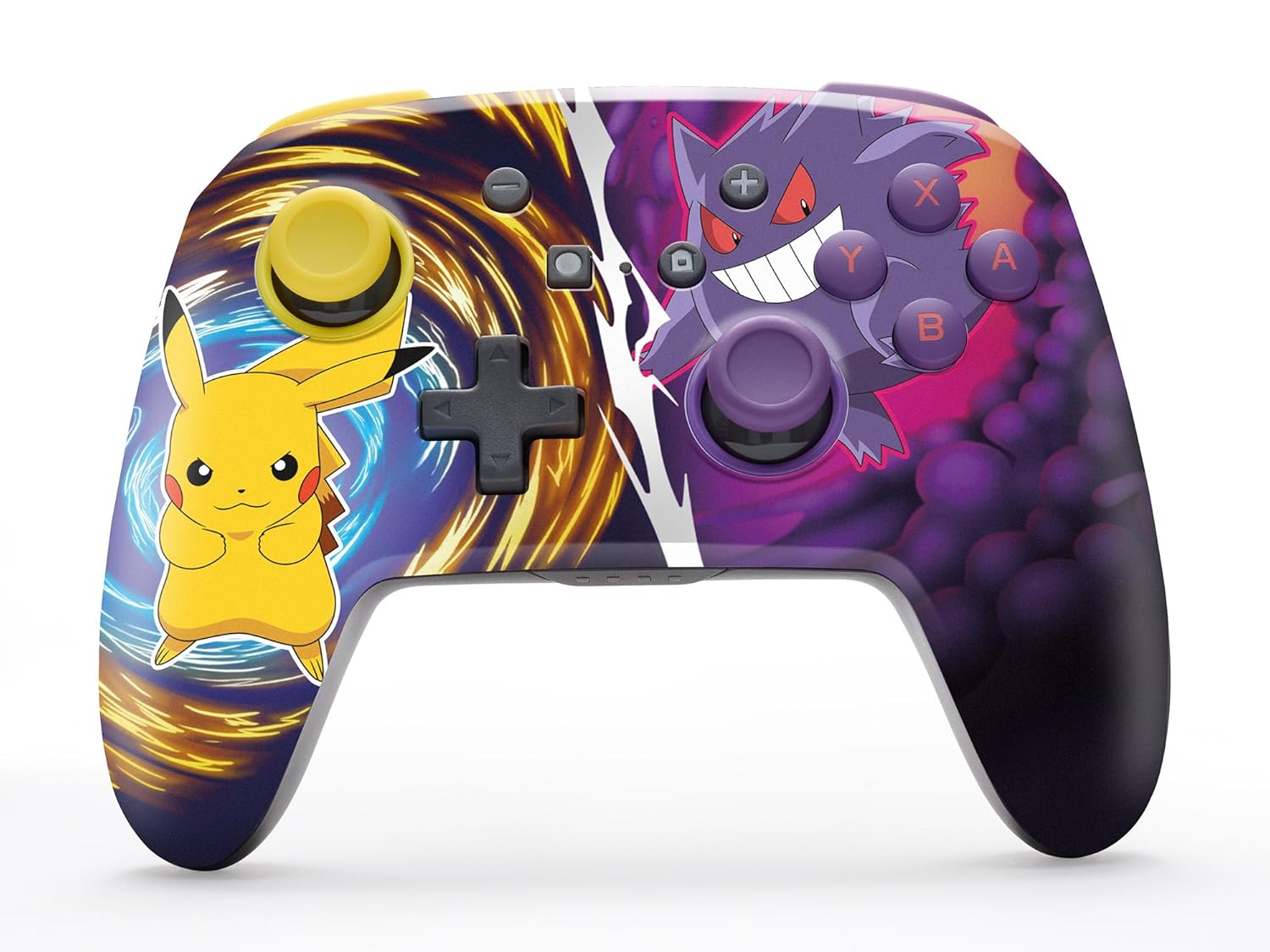
The PowerA Enhanced Wireless Controller with Pikachu vs. Gengar artwork.
Ciri-ciri Utama
- Kesambungan Tanpa Wayar: Utilizes Bluetooth 5.0 technology for a stable connection.
- Bateri boleh dicas semula: Integrated lithium-ion battery provides up to 30 hours of gameplay per charge.
- Butang Permainan Lanjutan yang Boleh Dipetakan: Two programmable buttons on the back for custom control.
- Reka bentuk ergonomik: Ergonomik unggul untuk sesi permainan yang selesa dan berpanjangan.
- Smooth Thumbstick Control: Embedded anti-friction rings ensure precise and fluid movement.
- Kawalan Pergerakan: Supports intuitive motion controls for compatible games.

Ergonomic design for comfortable gameplay.
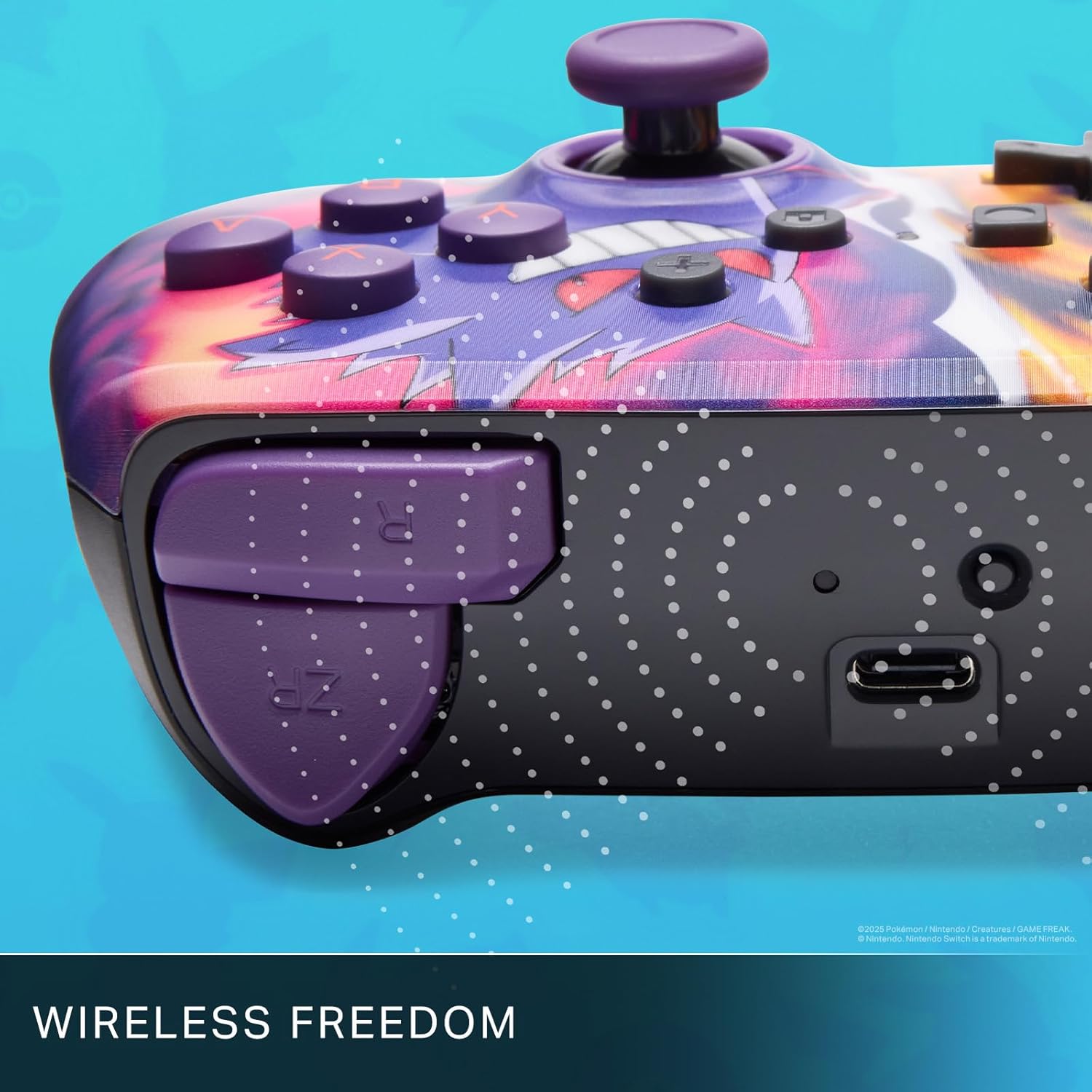
Enjoy wireless freedom with Bluetooth 5.0 technology.
Persediaan dan Berpasangan
- Pastikan konsol Nintendo Switch anda dihidupkan dan dikemas kini kepada perisian sistem terkini.
- Dari Menu HOME, pilih Pengawal, kemudian Tukar Pegangan/Pesanan.
- Tekan dan tahan butang Butang SYNC on the top edge of your PowerA Enhanced Wireless Controller for at least one second. The Player LED(s) will flash.
- Setelah dipasangkan, LED Pemain yang sepadan dengan nombor pengawal akan kekal menyala.
- Tekan ke Butang to confirm and exit the menu. Your controller is now ready for use.
Mengecas Pengawal
The controller features an internal 900mAh lithium-ion rechargeable battery, providing up to 30 hours of gameplay on a single charge. To charge your controller:
- Connect the included 10ft (3m) USB-C charge cable to the USB-C port on the top of the controller.
- Connect the other end of the USB-C cable to a USB power source (e.g., Nintendo Switch dock, USB wall adapter, or computer USB port).
- The LED indicator on the controller will show charging status. It will typically turn off or change color when fully charged.

Connect the USB-C cable to charge your controller.
Butang Permainan Lanjutan
Your PowerA Enhanced Wireless Controller includes two mappable Advanced Gaming Buttons (AGBs) on the back, allowing you to assign specific button functions for quick access during gameplay.
Programming AGBs:
- Tekan ke Butang Program on the back of the controller. The Program LED will flash, indicating programming mode.
- Press the button you wish to map (A/B/X/Y/L/R/ZL/ZR/Left Stick Click/Right Stick Click/D-Pad). The Program LED will flash rapidly.
- Press the Advanced Gaming Button (AGB L or AGB R) you want to assign the function to. The Program LED will stop flashing, indicating the AGB is now programmed.
Resetting AGBs:
To reset all Advanced Gaming Buttons to their default (no function) state, press and hold the Butang Program for five seconds. The Program LED will flash slowly, then turn off, confirming the reset.
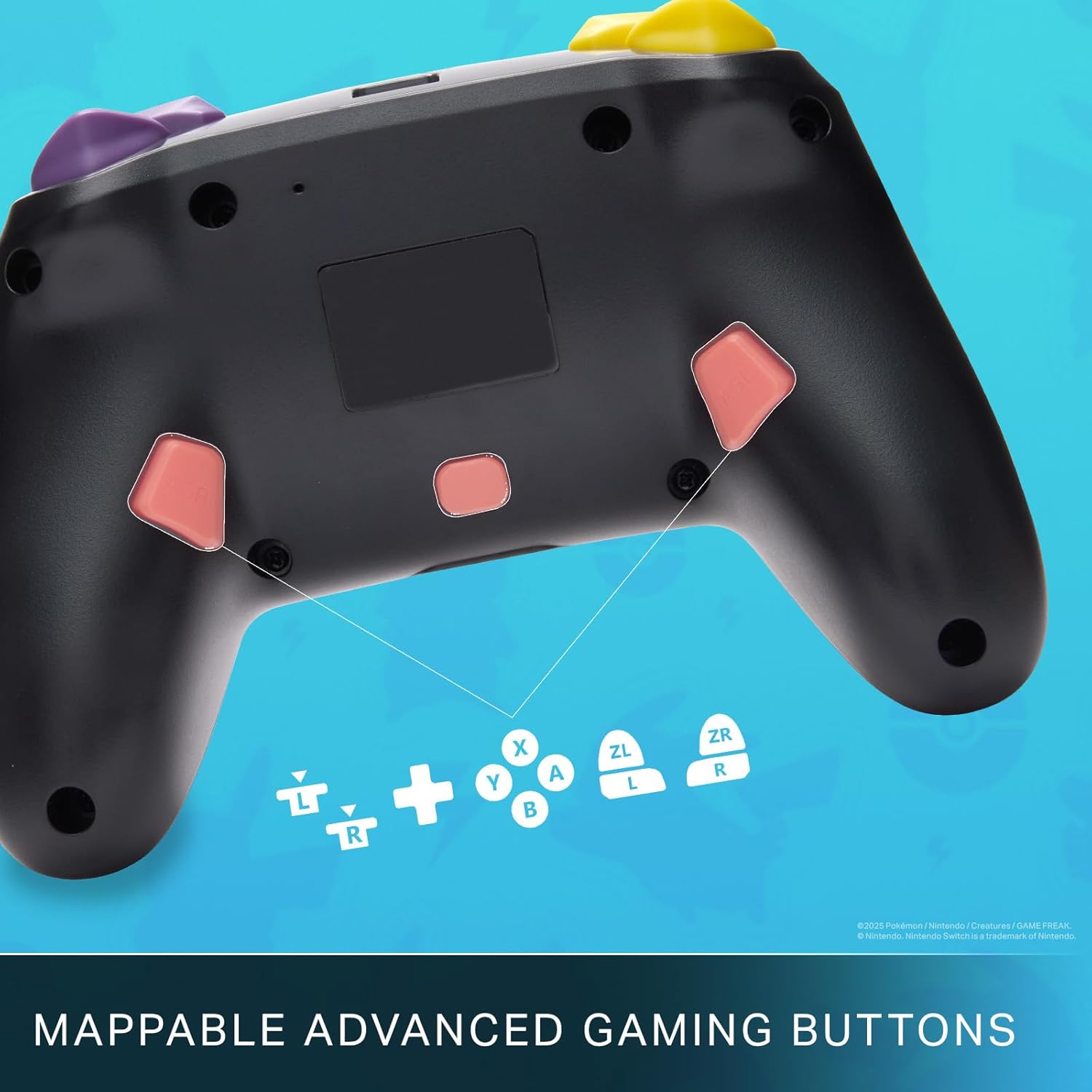
Mappable Advanced Gaming Buttons for personalized control.
Keserasian
This PowerA Enhanced Wireless Controller is compatible with the following Nintendo consoles:
- Nintendo Switch
- Nintendo Switch Lite
- Nintendo Switch (OLED Model)
- Nintendo Switch 2 (Note: C button not available)

The controller is compatible with Nintendo Switch 2, though the C button functionality is not available.
Spesifikasi
| Ciri | Perincian |
|---|---|
| Peranti Serasi | Nintendo Switch |
| Jenis Pengawal | Pad permainan |
| Teknologi Ketersambungan | Bluetooth, USB |
| Ciri-ciri Tambahan | Ergonomic, Wireless |
| Kuantiti Butang | 12 |
| Platform Perkakasan | Konsol Permainan |
| Sumber Kuasa | Dikuasakan Bateri (Litium-ion Boleh Dicas Semula) |
| Model Konsol Permainan Video yang Serasi | Nintendo Switch, Nintendo Switch Lite |
| Berat Barang | 0.68 paun |
| Dimensi Item | 6.02 x 4.41 x 2.48 inci |
| warna | Pikachu vs Gengar |
| Nama Model | Pikachu vs. Gengar |
| Nombor Model | NSGP0420-01R |
Penjagaan dan Penyelenggaraan
- Keep the controller dry. Avoid exposure to moisture or extreme temperatures.
- Clean the controller with a soft, dry cloth. Do not use harsh chemicals or abrasive materials.
- Simpan alat kawalan jauh di tempat yang selamat apabila tidak digunakan untuk mengelakkan kerosakan.
Menyelesaikan masalah
Pengawal Tidak Bersambung:
- Pastikan pengawal dicas sepenuhnya.
- Verify the controller is within the Bluetooth range of your Nintendo Switch console.
- Attempt to re-pair the controller following the "Setup and Pairing" instructions.
Unresponsive Buttons/Joysticks:
- Periksa sebarang halangan fizikal atau serpihan di sekitar butang atau kayu bedik.
- Perform a hard reset by holding the SYNC button for 10 seconds, then attempt to re-pair.
- Ensure the controller's firmware is up to date (check PowerA's official weblaman web untuk kemas kini).
Waranti dan Sokongan
This PowerA Enhanced Wireless Controller comes with a Waranti terhad dua tahun. For detailed warranty information, product support, and troubleshooting assistance, please visit the official PowerA support webtapak: