
1. Pengenalan
This manual provides essential information for the installation, operation, maintenance, and troubleshooting of your ENERMAX Revolution III 850W Fully Modular PC Power Supply. Please read this manual thoroughly before installation and retain it for future reference.

Figure 1: ENERMAX Revolution III 850W Power Supply
2. Ciri-ciri Utama
- ATX 3.1 Compliance: Adheres to the latest Intel ATX 3.1 specifications, ensuring compatibility with current and future components. The 850W model includes a native 600W 12V-2x6 connector for reliable power delivery to high-end GPUs.
- Kecekapan Tinggi: 80 PLUS Gold certified, achieving up to 93% efficiency at 50% load. This reduces energy consumption and heat generation, contributing to more efficient system performance.
- Superior Performance for High-End GPUs: Accommodates up to 200% power excursion, allowing stable operation with demanding graphics cards.
- Silent Operation and Durability: Features 100% industrial-grade Japanese capacitors for high-end performance and longevity. The built-in 120mm Fluid Dynamic Bearing (FDB) fan provides ultra-quiet operation, even under heavy loads.
- Optimized Safety: Includes multiple protection circuitries: Over Current Protection (OCP), Over Voltage Protection (OVP), Di Bawah Voltage Protection (UVP), Over Power Protection (OPP), Short Circuit Protection (SCP), and Over Temperature Protection (OTP). Certified for use at altitudes up to 5000m.
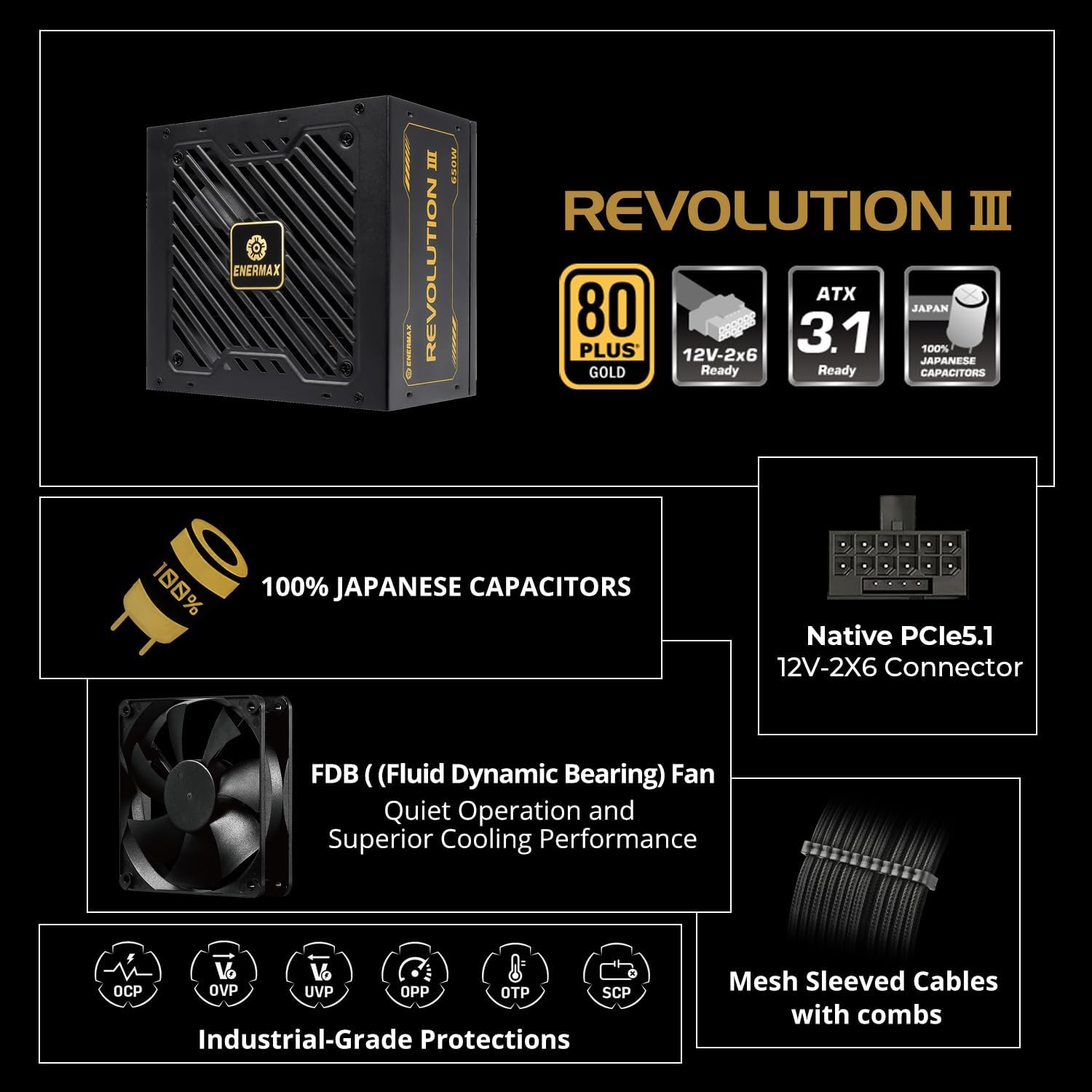
Gambar 2: Lebihview daripada Ciri Utama

Figure 3: ATX 3.1 Ready with 12V-2x6 Connector
Video 1: Enermax Revolution III ATX 3.1 Power Supply Overview. This video highlights the ATX 3.1 compliance and key features of the power supply.
3. Persediaan dan Pemasangan
3.1 Langkah Keselamatan
- Ensure your system is completely powered off and unplugged from the wall outlet before installation.
- Nyahcas sebarang elektrik statik dengan menyentuh objek logam yang dibumikan sebelum mengendalikan komponen.
- Jangan buka unit bekalan kuasa. vol tinggitages terdapat di dalam.
3.2 Langkah Pemasangan
- Pasang Bekalan Kuasa: Secure the ENERMAX Revolution III 850W PSU into the designated power supply bay of your PC case using the provided screws.
- Sambungkan Kuasa Papan Induk: Connect the 24-pin ATX motherboard cable to the corresponding port on your motherboard and the PSU.
- Sambungkan Kuasa CPU: Connect the 8-pin (4+4 pin) CPU power cable(s) to your motherboard and the PSU.
- Connect GPU Power: For graphics cards requiring a 12V-2x6 connector, use the native 600W cable. For other GPUs, use the appropriate PCIe (6+2 pin) cables. Ensure all connections are secure.
- Sambung Peranti: Connect SATA power cables to your storage drives (HDDs, SSDs) and Molex cables to any other peripherals as needed.
- Pengurusan Kabel: Utilize the fully modular design and mesh-sleeved cables to organize your cables for optimal airflow and a clean build.
- Hidupkan kuasa: Once all connections are secure, connect the AC power cord to the PSU and a wall outlet. Flip the power switch on the PSU to the 'On' position.

Figure 4: Modular Connector Layout

Figure 5: Premium Mesh-Sleeved Cables
4. Arahan Operasi
After successful installation, your ENERMAX Revolution III 850W Power Supply is ready for operation. The unit is designed for continuous, stable power delivery.
- Hidupkan/Mati Kuasa: Use the main power switch located on the rear of the PSU to turn the unit on or off. Always ensure the system is properly shut down via the operating system before switching off the PSU.
- Operasi Kipas: The 120mm FDB fan operates intelligently, adjusting its speed based on the power supply's temperature and load. This ensures optimal cooling while maintaining quiet operation.
5. Penyelenggaraan
To ensure the longevity and optimal performance of your power supply, periodic maintenance is recommended.
- Pembersihan: Regularly clean the fan grill and ventilation openings of the power supply to prevent dust buildup. Use compressed air or a soft brush. Ensure the system is powered off and unplugged before cleaning.
- Pemeriksaan Kabel: Periodically check all modular cable connections to ensure they are seated firmly.
- Persekitaran: Operate the power supply in a well-ventilated area, away from excessive heat, humidity, or dust.
6. Penyelesaian masalah
Jika anda menghadapi masalah dengan bekalan kuasa anda, rujuk langkah penyelesaian masalah biasa berikut:
- Tiada Kuasa:
- Periksa sama ada kord kuasa AC disambungkan dengan selamat ke kedua-dua PSU dan alur keluar dinding.
- Ensure the main power switch on the PSU is in the 'On' position.
- Sahkan bahawa soket dinding berfungsi dengan memasang peranti lain.
- Ketidakstabilan Sistem/Penutupan Rawak:
- Ensure all modular cables are correctly and firmly seated in both the PSU and the components.
- Confirm that your system's power requirements do not exceed the 850W capacity of the PSU.
- The PSU's built-in protection circuitries (OCP, OVP, UVP, OPP, SCP, OTP) may trigger a shutdown to protect components if an anomaly is detected. If this occurs, identify and resolve the underlying issue (e.g., short circuit, excessive load).
- Bunyi Kipas Berlebihan:
- Clean the fan and ventilation areas to remove any dust buildup.
- Ensure the PSU is operating within its normal temperature range. High temperatures can cause the fan to spin faster.
Jika masalah berterusan selepas mengikuti langkah-langkah ini, sila hubungi khidmat pelanggan.
7. Spesifikasi
| Ciri | Perincian |
|---|---|
| Nama Model | REVOLUTION III 850 |
| Nombor Model Item | EP-RV3-850G-FR |
| Jenama | Enermax |
| Wattage | 850 Watt |
| Faktor Bentuk | ATX |
| Reka Bentuk Bekalan Kuasa | Modular Penuh |
| Pensijilan Kecekapan | Emas 80 PLUS |
| Kaedah Penyejukan | Air (120mm FDB Fan) |
| Dimensi Produk | 5.51 x 5.91 x 3.39 inci |
| Berat Barang | 5.1 paun |
| Peranti Serasi | Desktop |
| Jenis Penyambung | ATX, PCI Express (Native 12V-2x6) |
| Kapasitor | 100% Japanese Industrial-Grade |
| Protection Circuitries | OCP, OVP, UVP, OPP, SCP, OTP |
8. Waranti dan Sokongan
8.1 Maklumat Waranti
The ENERMAX Revolution III 850W Power Supply comes with a Waranti 10 tahun dari tarikh pembelian. Waranti ini melindungi kecacatan pada bahan dan mutu kerja di bawah penggunaan biasa. Sila simpan bukti pembelian anda untuk tuntutan waranti.
8.2 Sokongan Pelanggan
For technical assistance, warranty claims, or any questions regarding your ENERMAX product, please visit the official Enermax website or contact their customer support department. Refer to the product packaging or Enermax's official webtapak untuk maklumat hubungan yang paling terkini.