
Generictb5zh90v6d-12
Retro Phone Handset User Manual
Jenama: Generik
Model: Generictb5zh90v6d-12
pengenalan
This manual provides comprehensive instructions for the Retro Phone Handset, a classic mobile phone accessory designed to connect to various smartphones and computers via a standard 3.5mm audio jack. It offers a comfortable, retro calling experience while aiming to reduce exposure to cell phone radiation. Please read this manual thoroughly before use to ensure proper operation and maintenance.
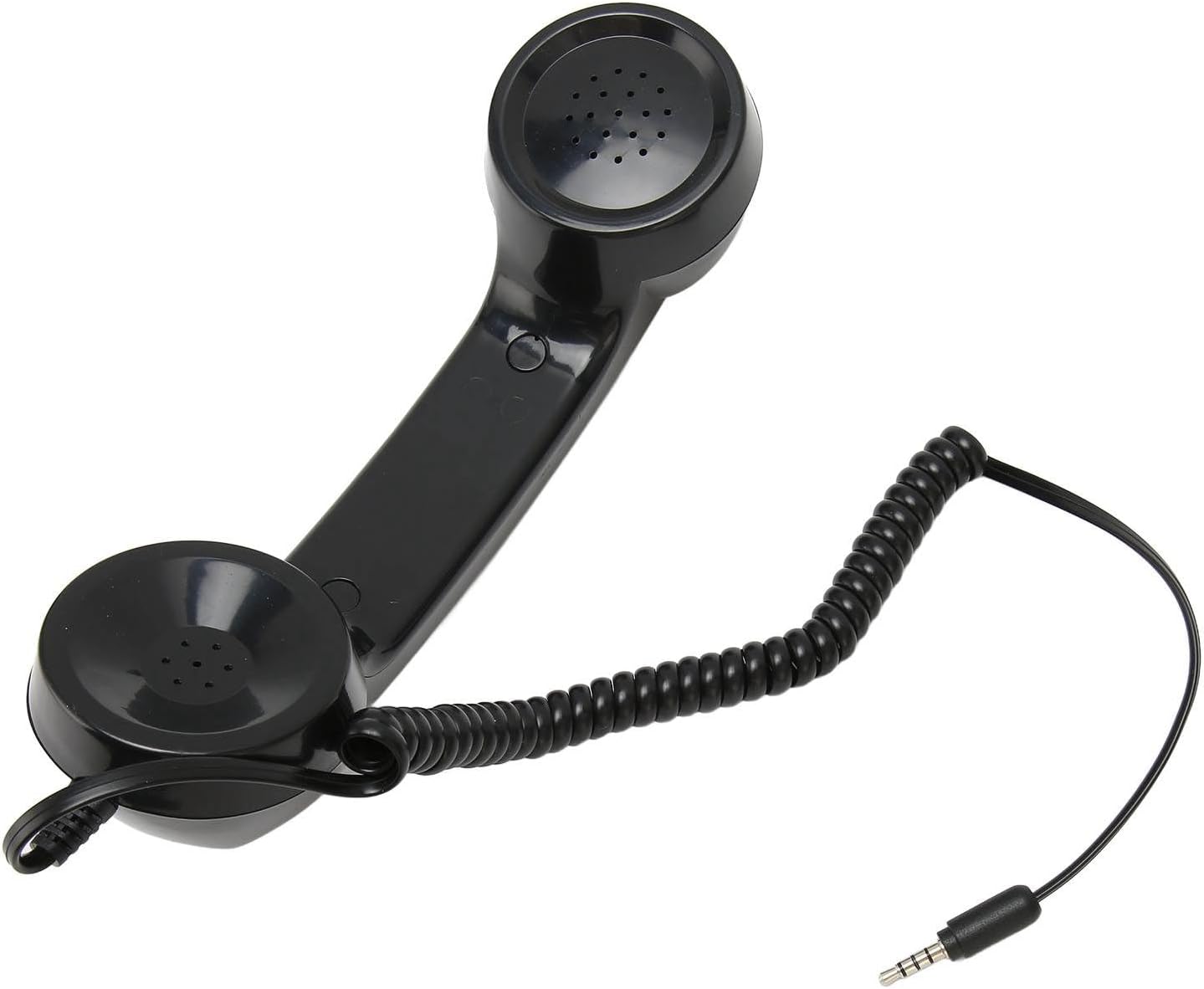
Imej: Atas ke bawah view of the black retro phone handset, showing its classic design, coiled cord, and 3.5mm audio jack.
Ciri-ciri Produk
- Radiation Reduction: Features an integrated phone handset and microphone design, which helps reduce direct cell phone radiation exposure during calls.
- Vintage Rayuan: Designed with a classic retro aesthetic, providing a nostalgic and comfortable calling experience.
- Keserasian Universal: Equipped with a 3.5mm sound plug, making it compatible with a wide range of smartphones and computers.
- Prestasi Stabil: Delivers superior sound quality for clear conversations.
- Kord Fleksibel: Includes a 1-meter coiled cord for added flexibility and convenience during use.
- Kemudahan Penggunaan: Intuitive design allows for effortless call handling.
Persediaan
Membongkar
Carefully remove the Retro Phone Handset from its packaging. Ensure all components are present and undamaged.
- 1 x Retro Phone Handset
Connecting the Handset
The Retro Phone Handset connects to your device using a standard 3.5mm audio jack, commonly found on smartphones, tablets, and computers.
- Locate the 3.5mm headphone jack on your smartphone or computer.
- Insert the 3.5mm plug of the Retro Phone Handset firmly into the device's headphone jack until it clicks into place.

Imej: Sisi view of the handset, illustrating the 3.5mm audio jack connection point.
Arahan Operasi
Membuat dan Menerima Panggilan
Once connected, your device should automatically recognize the handset as an external audio input and output device.
- Untuk membuat panggilan: Dial the number on your smartphone or computer as you normally would. The audio will be automatically routed through the Retro Phone Handset.
- Untuk menerima panggilan: Answer the incoming call on your smartphone or computer. The audio will automatically transfer to the handset.
- Speak into the microphone end of the handset and listen through the earpiece, just like a traditional telephone.
Kawalan Kelantangan
The volume of the call is controlled directly on your connected smartphone or computer. Adjust your device's volume settings to your preferred listening level.

Image: The handset with its coiled cord extended, demonstrating its flexibility during use.
Penyelenggaraan dan Penjagaan
- Pembersihan: Keep the handset clean by wiping it gently with a soft, dry cloth. Do not use harsh chemicals, abrasive cleaners, or excessive moisture.
- Storan: Store the handset in a dry place, away from direct sunlight and extreme temperatures, when not in use.
- Penjagaan Kord: Handle the coiled cord gently to prevent kinks or damage. Avoid excessive stretching or pulling.
- Elakkan Titisan: Protect the handset from drops and impacts, which can damage internal components.
Menyelesaikan masalah
| Masalah | Penyelesaian |
|---|---|
| No sound from handset |
|
| Mikrofon tidak berfungsi |
|
| Kualiti bunyi statik atau buruk |
|
Spesifikasi Produk
| Ciri | Perincian |
|---|---|
| Jenis Item | Retro Phone Handset |
| bahan | ABS (Acrylonitrile Butadiene Styrene) |
| Keserasian | All Smartphones and Computers with 3.5mm Headphone Jack |
| Berat Barang | 6.5 auns |
| Dimensi Pakej | 9.06 x 2.76 x 2.36 inci |
| Nombor Model | Generictb5zh90v6d-12 |
| warna | Hitam |
| Panjang Kord | Approx. 1 meter (coiled) |
Waranti dan Sokongan
For specific warranty information regarding your Retro Phone Handset, please refer to the terms and conditions provided by the seller at the time of purchase. Typically, products purchased through Amazon may be subject to a return policy.
- Polisi Pemulangan: This product is generally eligible for returns within 30 days of receipt, as per standard Amazon return policies. Please check your order details for specific eligibility.
- Penjual: Rammeoy
- Sokongan Teknikal: For any technical issues or further assistance, please contact the seller directly through the Amazon platform.
Ask a question about this manual
Ask about setup, troubleshooting, compatibility, parts, safety, or missing instructions. Manuals+ will review the question and use this page’s manual context to help answer it.