
SEUNKWANG TK100
SEUNKWANG TK100 Wired Mechanical Typewriter Keyboard User Manual
Model: TK100
pengenalan
Thank you for choosing the SEUNKWANG TK100 Wired Mechanical Typewriter Keyboard. This keyboard combines a retro typewriter aesthetic with modern mechanical performance, featuring 104 keys, white backlighting, anti-ghosting technology, and durable blue switches. This manual provides essential information for setting up, operating, maintaining, and troubleshooting your new keyboard to ensure optimal performance and longevity.
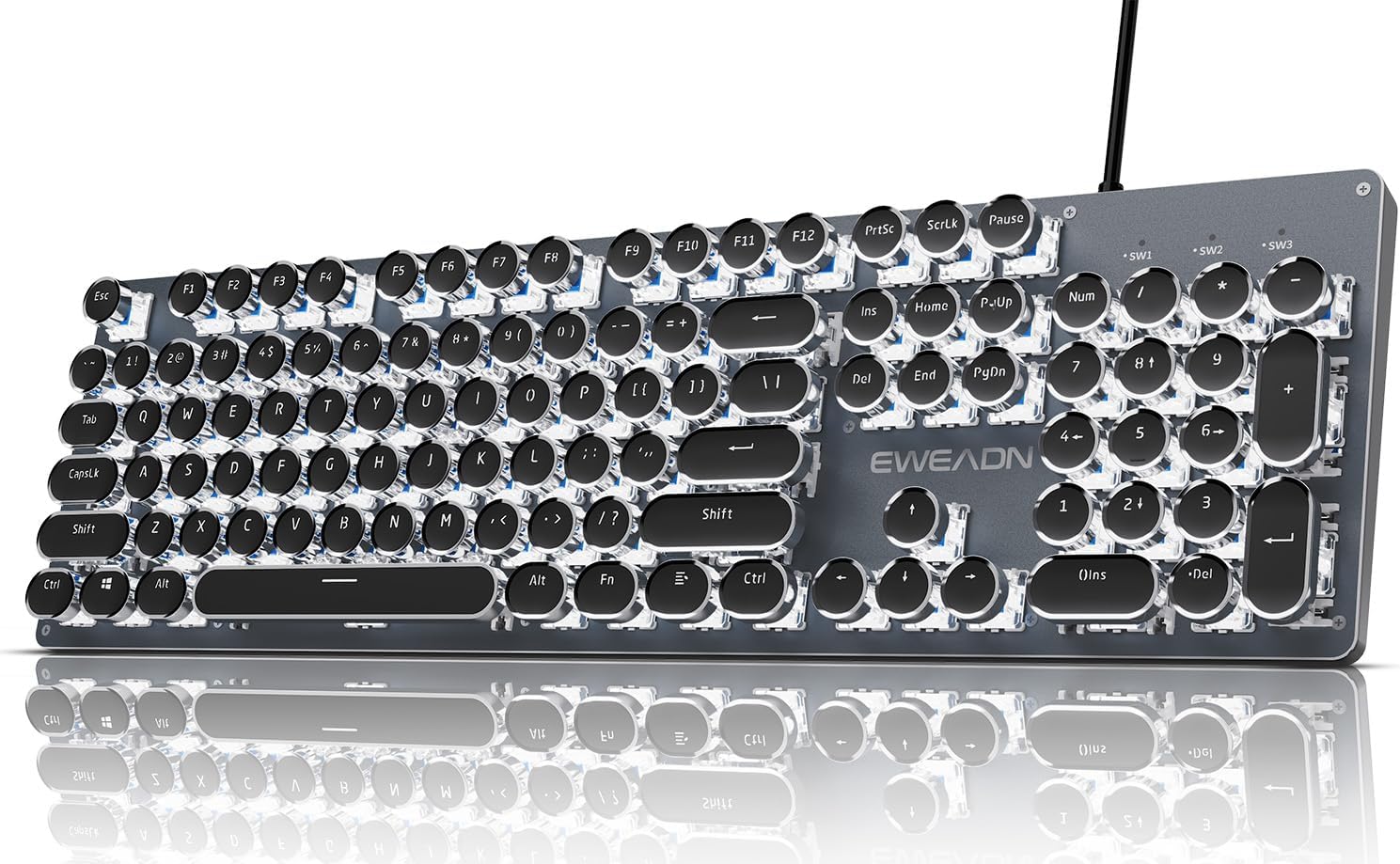
Figure 1: SEUNKWANG TK100 Wired Mechanical Typewriter Keyboard Overview
Kandungan Pakej
- 1 x SEUNKWANG TK100 Wired Mechanical Typewriter Keyboard
Please inspect the package contents upon arrival to ensure all items are present and undamaged. If any items are missing or damaged, please contact customer support.
Persediaan
The TK100 keyboard is designed for simple plug-and-play functionality. No additional drivers or software are required for basic operation.
Menyambung Papan Kekunci
- Locate an available USB-A port on your computer (PC, Mac, laptop, desktop).
- Insert the USB-A connector of the TK100 keyboard into the USB-A port.
- Papan kekunci akan dikenali secara automatik oleh sistem pengendalian anda dan sedia untuk digunakan.
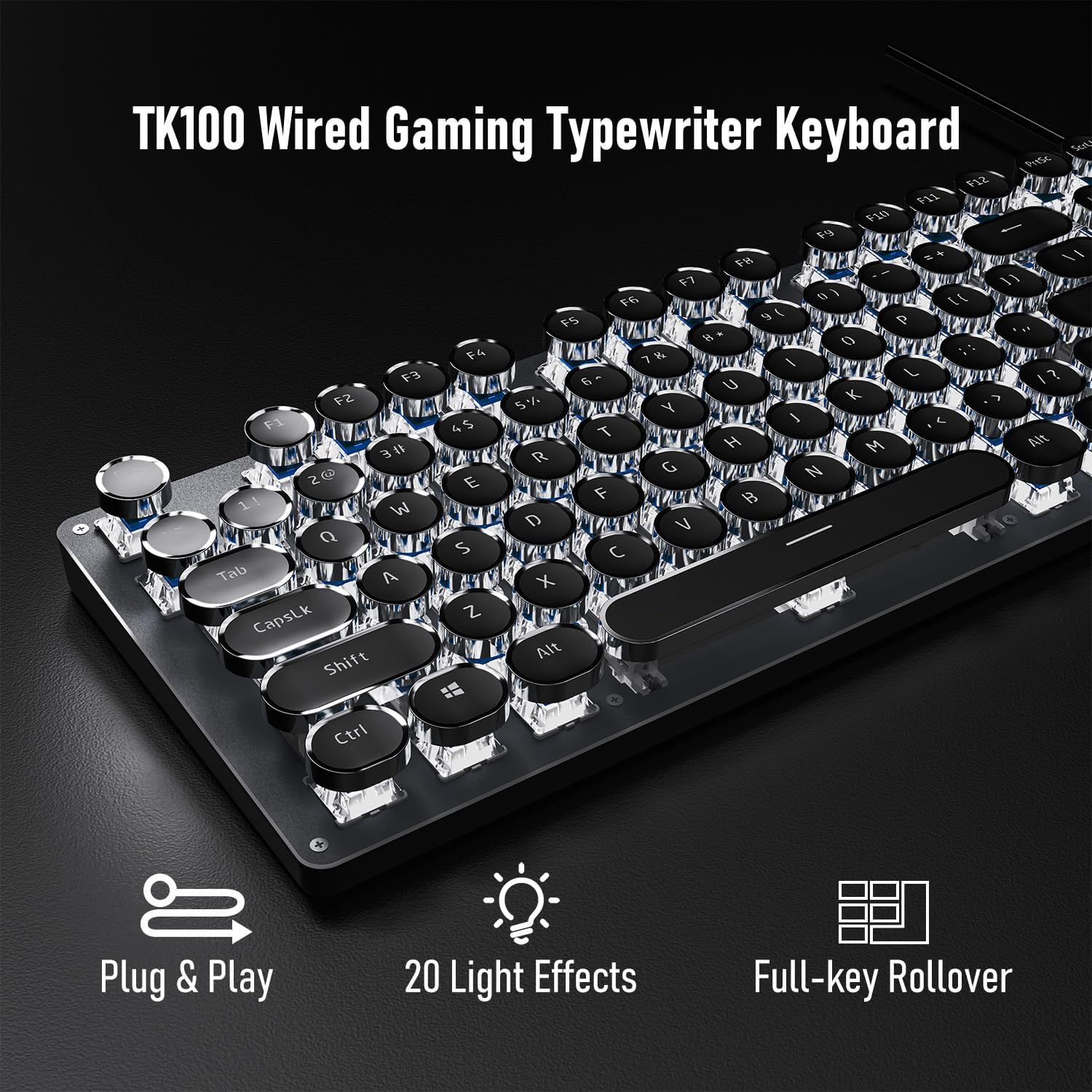
Figure 2: Plug & Play Connectivity
Adjusting Keyboard Feet
For ergonomic comfort, the TK100 keyboard features two-level adjustable feet on its underside. Flip out the feet to raise the keyboard to your preferred typing angle.
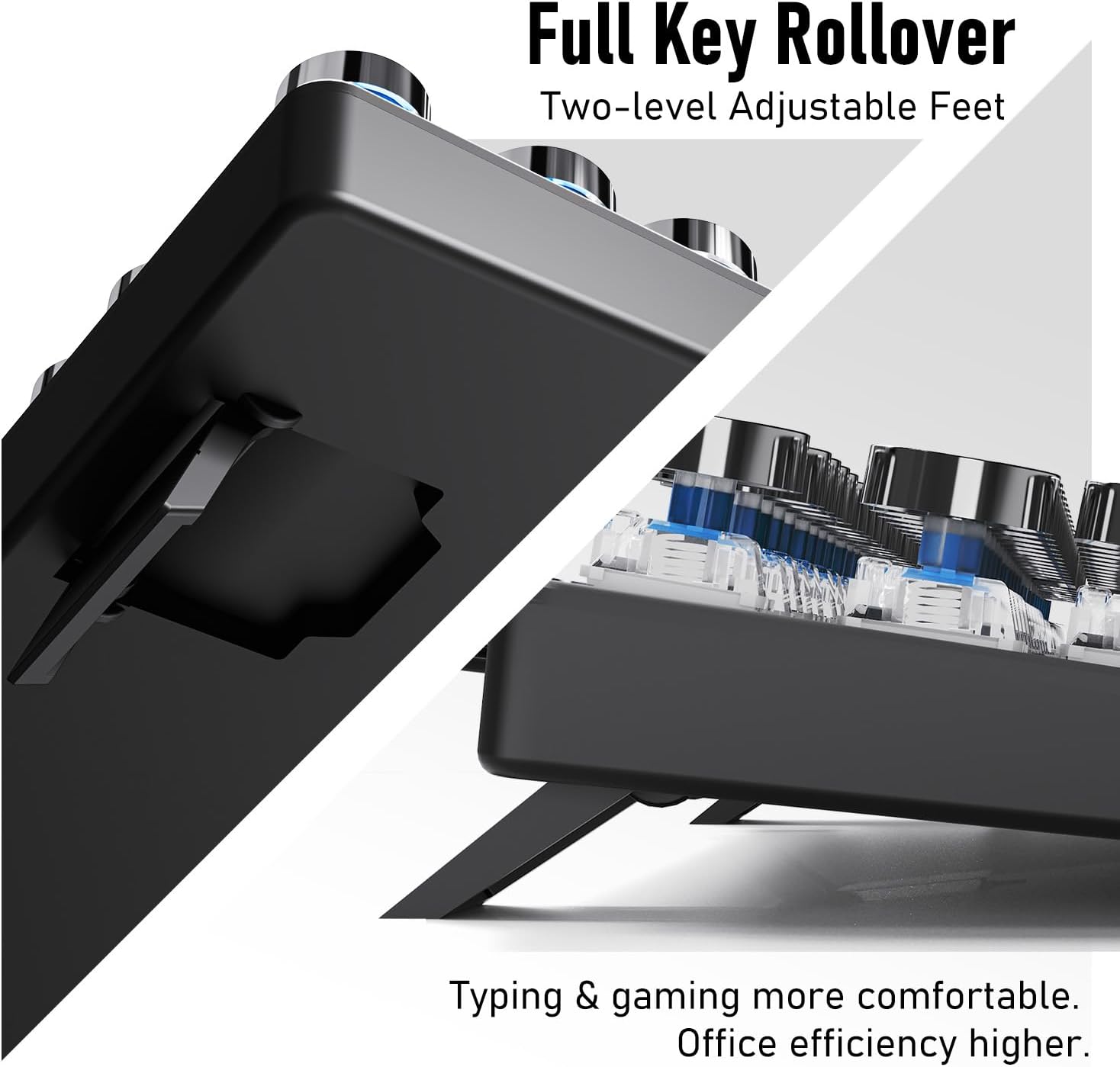
Figure 3: Two-level Adjustable Feet for Ergonomic Typing
Arahan Operasi
Ciri-ciri Utama
- Retro Typewriter Style Round Keycaps: Double-shot injection keycaps with clear backlighting for durability and aesthetic appeal.
- Suis Biru Mekanikal: Provide a tactile and clicky feedback, designed for fast and responsive typing.
- Panel Logam: High-quality aluminum alloy panel for a smooth, durable, and easy-to-clean surface.
- 104-Kunci Anti-Ghosting: Ensures accurate registration of every keystroke, even during rapid multi-key commands.
- White Backlighting: Features 19 preset light effects, 5 brightness levels, and adjustable breathing speed.
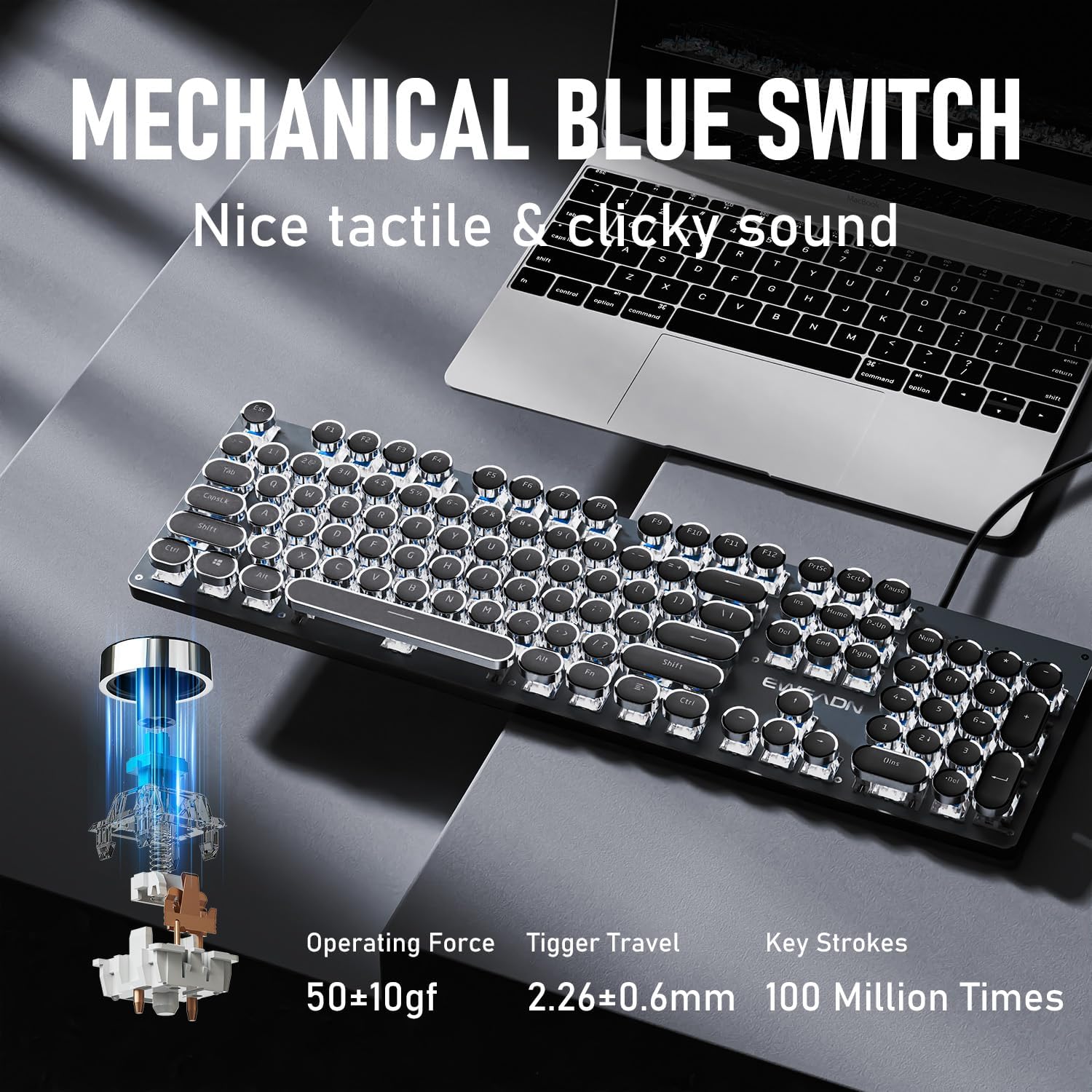
Figure 4: Mechanical Blue Switch Details

Figure 5: Retro Punk Round Keycaps
Kawalan Lampu Latar
The TK100 keyboard features a white backlight with various effects and adjustable brightness.
- To cycle through 19 pratetap kesan cahaya: Tekan FN + INS.
- Untuk mengaktifkan 4 game lighting effects: Tekan FN + 6, 7, 8, atau 9.
- Untuk menyesuaikan diri 5 tahap kecerahan: Tekan FN + Anak panah atas (↑) untuk meningkatkan, FN + Anak panah ke bawah (↓) to decrease.
- Untuk menyesuaikan diri breathing speed: Tekan FN + Anak Panah Kiri (←) to decrease, FN + Anak Panah Kanan (→) to increase.
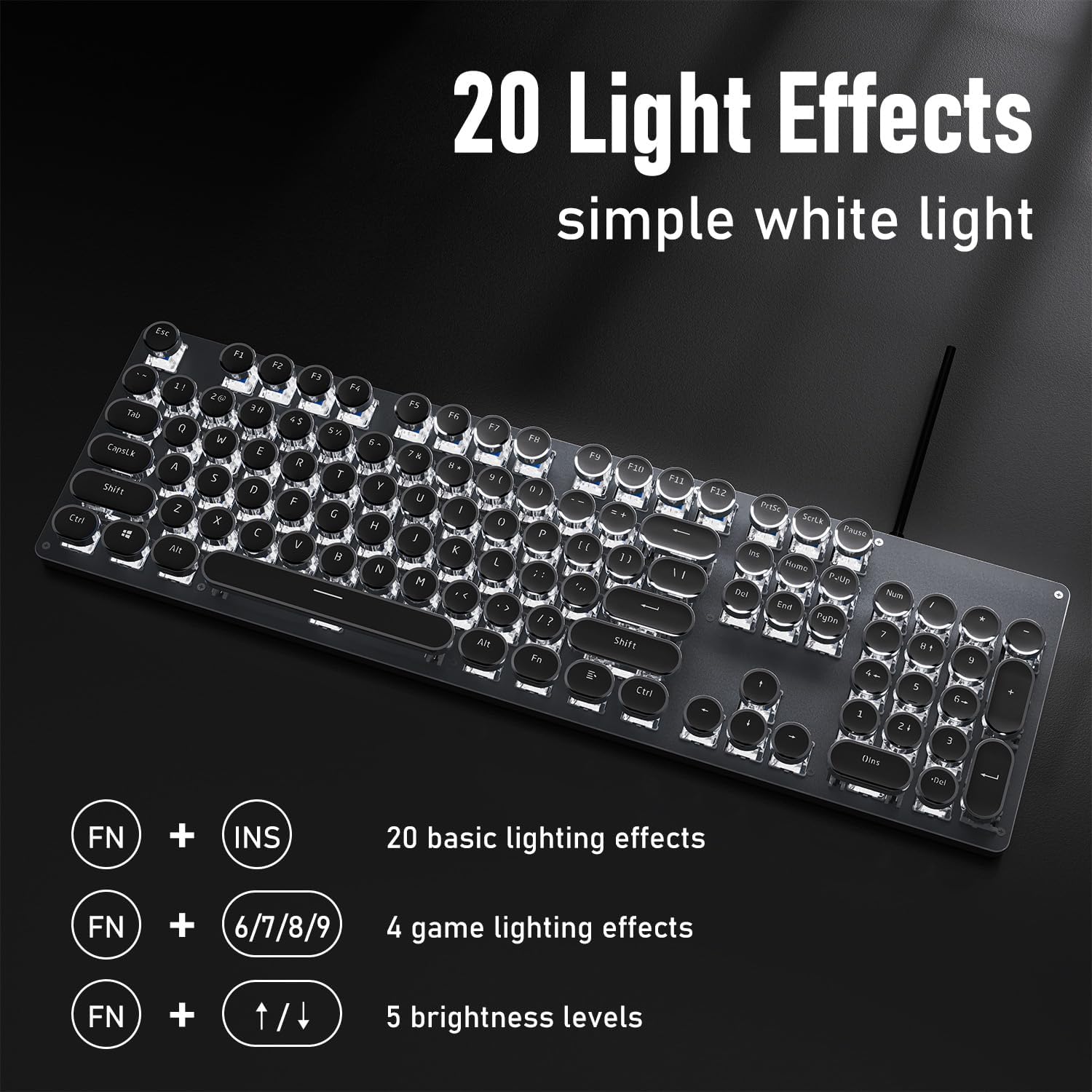
Figure 6: Backlight Control Functions
Kekunci Multimedia
The keyboard includes dedicated quick-access buttons for multimedia control:
- Kawalan kelantangan
- Backlight effects control
- Main/Jeda
- Pensuisan trek
Refer to the keycap legends for specific multimedia functions.
Guling Kunci Penuh
The TK100 features full N-key rollover (NKRO) with anti-ghosting technology, meaning every key press is registered accurately, even when multiple keys are pressed simultaneously. This is particularly beneficial for fast typing and gaming.
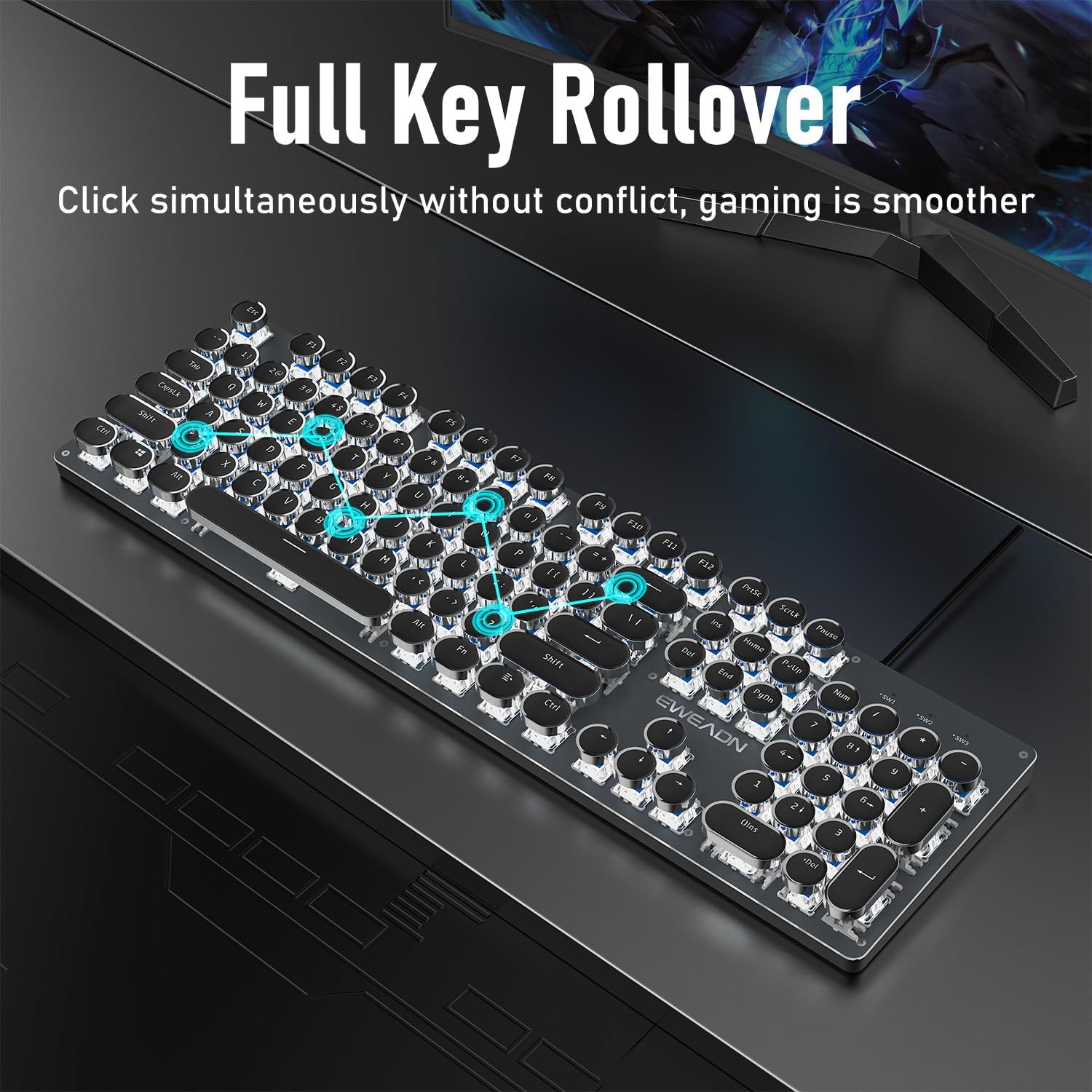
Figure 7: Full Key Rollover for Smooth Gaming
Video Produk
Video 1: Demonstrates the ultimate retro mechanical keyboard experience with the TK100, showcasing reka bentuk dan fungsinya.
Video 2: Highlights how the TK100 blends retro style with modern mechanical performance, focusing on its tactile feedback and aesthetic.
Video 3: Showcases the black and white elegance of the TK100 wired typewriter keyboard, emphasizing its visual appeal and key features.
Penyelenggaraan
Proper maintenance will extend the life of your TK100 keyboard.
- Pembersihan: Use a soft, dry cloth to wipe down the keyboard surface. For deeper cleaning, use a can of compressed air to remove dust and debris from between the keycaps. Avoid using harsh chemicals or abrasive materials.
- Pencegahan Tumpahan: While the keyboard has some spill resistance, it is not fully waterproof. Avoid spilling liquids directly onto the keyboard. In case of a spill, immediately disconnect the keyboard from your computer and allow it to dry completely before reconnecting.
- Storan: Apabila tidak digunakan untuk tempoh yang lama, simpan papan kekunci di persekitaran yang bersih dan kering, jauh daripada suhu yang melampau dan cahaya matahari langsung.
Menyelesaikan masalah
If you encounter issues with your TK100 keyboard, try the following troubleshooting steps:
| Masalah | Kemungkinan Punca | Penyelesaian |
|---|---|---|
| Papan kekunci tidak bertindak balas | Loose USB connection, faulty USB port, operating system issue. | Pastikan kabel USB dipasang dengan kukuh pada papan kekunci dan komputer. Cuba port USB yang lain. Mulakan semula komputer anda. |
| Lampu latar tidak berfungsi atau malap | Lampu latar dimatikan atau ditetapkan kepada kecerahan terendah. | Tekan FN + Anak panah atas (↑) to increase brightness. Cycle through effects with FN + INS. |
| Kekunci tidak mendaftar atau kelihatan seperti bayangan | Software conflict, physical obstruction under keycap. | Ensure no software is interfering with keyboard input. Clean under the affected keycap with compressed air. |
Jika masalah berterusan selepas mencuba langkah-langkah ini, sila hubungi khidmat pelanggan untuk bantuan lanjut.
Spesifikasi
| Ciri | Perincian |
|---|---|
| Jenama | SEUNKWANG |
| Nombor Model | TK100 |
| Pengeluar | EWEADN |
| Teknologi Ketersambungan | Berwayar USB-A |
| Bilangan Kunci | 104 |
| Penerangan Papan Kekunci | Papan Kekunci Mekanikal Gaya Mesin Taip Berwayar |
| Ciri Khas | Backlit, Ergonomic, Hotkeys and Media Keys, Round Key, Spill Proof |
| Sokongan Warna Lampu Latar Papan Kekunci | Warna Tunggal (Putih) |
| Peranti Serasi | Komputer Riba, PC, Konsol Permainan, Tablet, Telefon Pintar |
| Berat Barang | 1.9 paun |
| Dimensi Pakej | 19.13 x 7.05 x 2.13 inci |
| Negara Asal | China |
Waranti dan Sokongan
EWEADN, as a responsible company, operates sustainably and adheres to high environmental and social standards. We are committed to providing genuine brand support and ensuring customer satisfaction.
- Waranti: The TK100 keyboard comes with 48-month brand support. Please retain your proof of purchase for warranty claims.
- Sokongan Pelanggan: If you have any questions or concerns regarding your SEUNKWANG TK100 keyboard, please do not hesitate to contact us. Our expert team is always available to assist you.
For support, please refer to the contact information provided with your purchase or visit the official SEUNKWANG/EWEADN webtapak.
Ask a question about this manual
Ask about setup, troubleshooting, compatibility, parts, safety, or missing instructions. Manuals+ will review the question and use this page’s manual context to help answer it.