
Arahan Keselamatan Penting
Sila baca arahan ini dengan teliti sebelum menggunakan perkakas dan simpannya untuk rujukan masa hadapan. Kegagalan mematuhi arahan ini boleh mengakibatkan renjatan elektrik, kebakaran atau kecederaan serius.
- Pastikan voltage yang ditunjukkan pada perkakas sepadan dengan vol utama andatage.
- Do not operate the fan with a damaged cord or plug. If the supply cord is damaged, it must be replaced by the manufacturer, its service agent, or similarly qualified persons to avoid a hazard.
- Sentiasa cabut plag perkakas sebelum membersihkan, menyelenggara atau mengalihkannya.
- Do not insert fingers or other objects through the fan guard when the fan is operating.
- Keep the fan away from water and moisture. Do not use it in bathrooms or other damp persekitaran.
- Letakkan kipas di atas permukaan yang stabil dan rata untuk mengelakkannya daripada terbalik.
- Perkakas ini tidak dimaksudkan untuk digunakan oleh orang (termasuk kanak-kanak) yang kurang keupayaan fizikal, deria atau mental, atau kurang pengalaman dan pengetahuan, melainkan mereka telah diberi pengawasan atau arahan mengenai penggunaan perkakas oleh orang yang bertanggungjawab untuk keselamatan mereka.
- Kanak-kanak harus diawasi untuk memastikan bahawa mereka tidak bermain dengan perkakas.
Produk Selesaiview
The Rowenta Turbo Swift Silence Pedestal Fan QV5041F0 is designed to provide intense and quiet cooling for optimal comfort throughout the year. Its compact, height-adjustable design and multidirectional oscillation ensure efficient air distribution in any room.
Ciri-ciri Utama
- Intense Cooling: Delivers powerful airflow for rapid room cooling.
- Multidirectional Oscillation: Features 90° vertical and 120° horizontal oscillation for wide air distribution.
- Operasi Ultra-Senyap: Night mode operates at a low 22 dB(A) for undisturbed rest.
- Cekap Tenaga: Designed for up to 50% energy savings compared to previous models.
- Reka Bentuk Serbaguna: 2-in-1 height-adjustable (72-93 cm) for floor or pedestal use.
- Aliran Udara Boleh Disesuaikan: 18 speed settings and 3 automatic modes (Natural Breeze, Silent, Night).
- Kawalan Mudah: Features an LED digital display, 12-hour timer, and remote control with integrated storage.
Kandungan Pakej
- Rowenta Turbo Swift Silence Pedestal Fan (main unit)
- Remote Control (includes CR2032 battery)
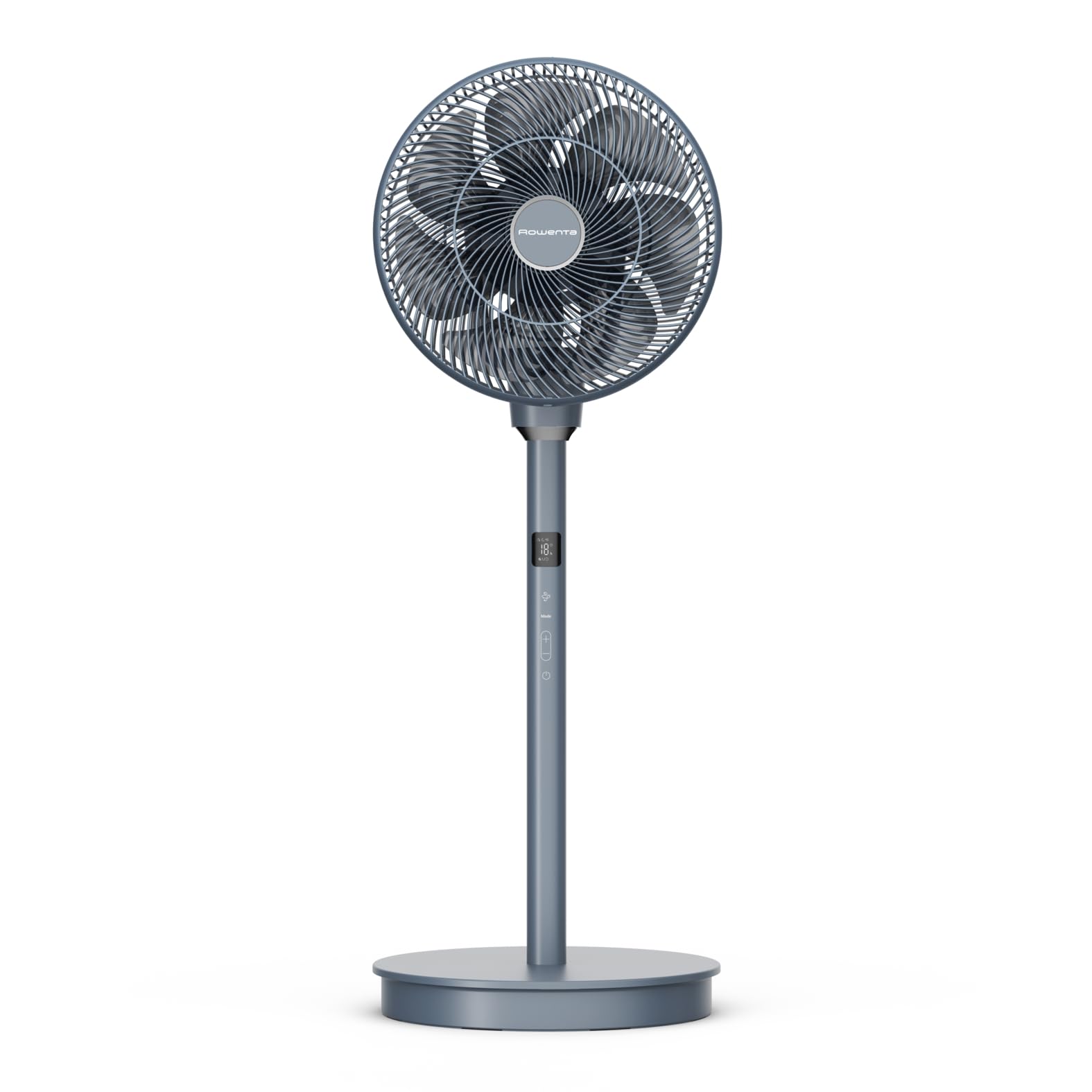
Depan view of the Rowenta Turbo Swift Silence Pedestal Fan QV5041F0.
Perhimpunan dan Persediaan
Membongkar
Keluarkan semua komponen dari pembungkusan dengan berhati-hati. Simpan bahan pembungkusan untuk penyimpanan atau pengangkutan masa hadapan.
Perhimpunan
- Attach the fan head to the adjustable stand. Ensure it clicks securely into place.
- Connect the stand to the base unit. The base is weighted for stability.
- Ensure all connections are firm before plugging in the fan.

sebelah view of the fan, showing the connection points for assembly.
Penempatan
Place the fan on a firm, level surface. For optimal air circulation, position it in an open area, away from walls or furniture that might obstruct airflow. The fan's height can be adjusted between 72 cm and 93 cm to suit your preference.
Arahan Operasi
Panel Kawalan dan Alat Kawalan Jauh
The fan can be operated using the control panel located on the unit or via the included remote control. The remote control allows for convenient adjustment of all functions from a distance.

belakang view of the fan, highlighting the integrated control panel.
Hidupkan/Mati Kuasa
Press the power button on the control panel or remote control to turn the fan on or off.
Melaraskan Kelajuan Kipas
The fan offers 18 speed levels. Use the '+' and '-' buttons on the control panel or remote to increase or decrease the airflow intensity.
Memilih Mod Pengendalian
Choose from three automatic modes:
- Angin Semulajadi: Simulates natural wind patterns.
- senyap: Provides quiet operation for minimal disturbance.
- Malam: Operates at an ultra-low noise level (22 dB(A)) for comfortable sleep.

The fan operating in silent mode, ideal for bedrooms.
Fungsi Ayunan
Activate the oscillation function for wider air distribution. The fan supports multidirectional oscillation, covering 90° vertically and 120° horizontally, ensuring optimal air circulation throughout the room.

Illustration of the fan's multidirectional air diffusion pattern.
Fungsi Pemasa
Set the fan to operate for a specific duration using the timer function, adjustable up to 12 hours. This feature allows for automatic shut-off, conserving energy.
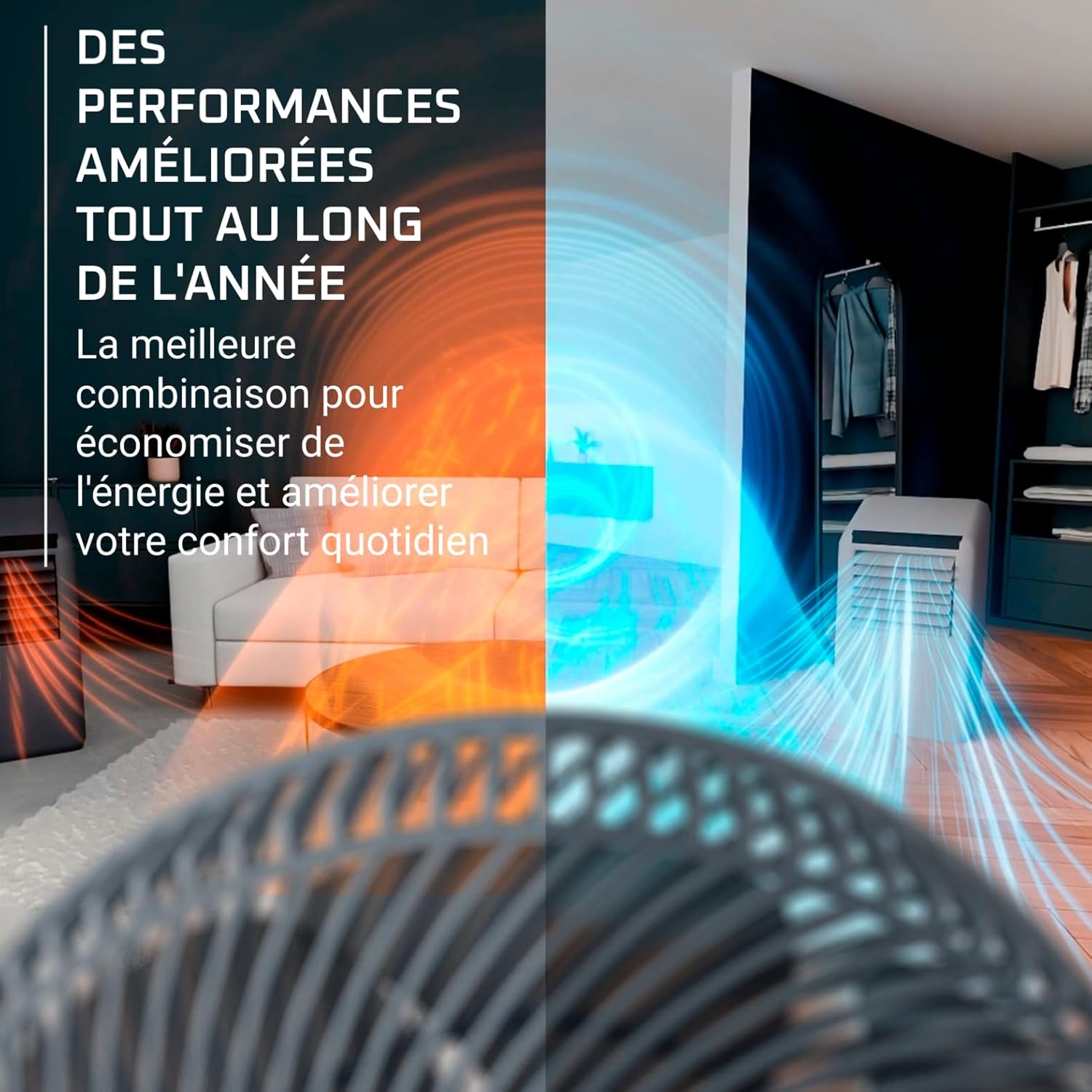
The fan can be used year-round to enhance air circulation with other climate control devices.
Penjagaan dan Penyelenggaraan
Pembersihan yang kerap dan penyelenggaraan yang betul akan memastikan jangka hayat dan prestasi optimum kipas anda.
Membersihkan Kipas
- Sentiasa cabut plag kipas dari salur keluar kuasa sebelum membersihkan.
- Lap permukaan luar kipas dengan lembut, damp kain. Jangan gunakan pembersih atau pelarut yang melelas.
- To clean the fan blades, carefully remove the front grille according to the instructions in the assembly section (if applicable for your model). Wipe the blades with a soft, damp cloth. Ensure all parts are dry before reassembling and operating the fan.
- Jangan rendamkan kipas di dalam air atau sebarang cecair lain.
Penyimpanan
When not in use for extended periods, unplug the fan and store it in a cool, dry place, preferably in its original packaging, to protect it from dust and damage.
Panduan Penyelesaian Masalah
Jika anda menghadapi sebarang masalah dengan kipas anda, sila rujuk masalah dan penyelesaian biasa berikut:
| Masalah | Kemungkinan Punca | Penyelesaian |
|---|---|---|
| Kipas tidak dihidupkan. | Tiada bekalan kuasa. | Periksa sama ada kord kuasa dipasang dengan selamat ke salur keluar elektrik yang berfungsi. |
| Aliran udara lemah atau tiada. | Fan speed is too low; obstructions. | Increase the fan speed. Ensure there are no objects blocking the air intake or output grilles. |
| Bunyi luar biasa semasa operasi. | Loose parts or dirt on blades. | Unplug the fan and check for any loose components. Clean the fan blades and grilles as per maintenance instructions. |
| Alat kawalan jauh tidak berfungsi. | Dead battery; no line of sight. | Replace the CR2032 battery in the remote control. Ensure there is a clear line of sight between the remote and the fan's receiver. |
Jika masalah berterusan selepas mencuba penyelesaian ini, sila hubungi sokongan pelanggan.
Spesifikasi Teknikal
| Ciri | Spesifikasi |
|---|---|
| Nombor Model | QV5041F0 |
| Dimensi (L x W x H) | 95.5 x 35 x 36 cm |
| Berat badan | 4.6 Kilogram |
| kuasa | 36 Watt |
| Voltage | 220V |
| Noise Level (Night Mode) | 22 dB(A) |
| Aliran udara | 180 m³/min |
| Bilangan Kelajuan | 18 |
| Oscillation | 90° Vertical, 120° Horizontal |
| Pemasa | Sehingga 12 jam |
| bahan | plastik |
| Jenis Kawalan | Butang, Kawalan Jauh |
| Pelarasan Ketinggian | 72-93 cm |

Dimensions of the fan, including adjustable height.

Information on the fan's energy efficiency.
Waranti dan Sokongan Pelanggan
Komitmen Kebolehbaikan
Rowenta is committed to making spare parts available for most of its products for 15 years after purchase, at a fair price. This commitment supports environmental protection and waste reduction.
Maklumat Hubungan
For any questions, technical assistance, or warranty claims, please refer to the warranty card included with your product or visit the official Rowenta website for local service center information. You can also contact your retailer for support.