
pengenalan
The ARGIGU BL-YD01 Star Projector Lights combine multiple functions into one device, serving as an ambient starry lamp, night light, white noise machine, Bluetooth speaker, and alarm clock. This manual provides detailed instructions for setup, operation, and maintenance to ensure optimal performance and user experience.
Maklumat Keselamatan
- Baca semua arahan sebelum menggunakan peranti.
- Jauhkan peranti daripada air dan kelembapan.
- Jangan buka atau cuba membaiki peranti ini sendiri. Hubungi kakitangan servis yang berkelayakan untuk pembaikan.
- Gunakan hanya penyesuai kuasa yang disediakan atau penyesuai yang serasi dengan volum yang betultage.
- Avoid direct eye exposure to the laser projection.
- Keep out of reach of small children to prevent choking hazards from small parts.
Kandungan Pakej
Sila semak pakej untuk item berikut:
- ARGIGU BL-YD01 Star Projector Lights Unit
- Alat Kawalan Jauh
- Kabel Pengecas USB
- Manual Pengguna (dokumen ini)
Produk Selesaiview
The ARGIGU BL-YD01 features an intuitive control panel on the front, including a digital display for time and temperature, and various buttons for function control. The top houses the star projection lens, and the base contains the speaker and power input.

Persediaan
- Bongkar: Keluarkan semua komponen dari pembungkusan dengan berhati-hati.
- Sambungan Kuasa: Connect the provided USB charging cable to the power input port on the device and plug the other end into a compatible USB power adapter (not included) or a USB port.
- Kuasa Awal Hidup: Press the power button on the device or remote control to turn it on. The digital display will illuminate.
Arahan Operasi
1. Hidupkan/Mati Kuasa
Tekan ke Butang kuasa ( ) on the device or remote control to turn the unit on or off.
2. Light Projection Modes & Colors
The projector offers various ambient light colors and a star projection feature. Use the dedicated light buttons on the device or remote to cycle through different color modes and activate/deactivate the star projection.

3. Penyesuaian Kecerahan
The device features 4 adjustable brightness levels. Use the Brightness Up/Down buttons on the remote or device to select your desired light intensity.

4. Fungsi Pemasa
Set an automatic shutdown timer for 1, 2, 4, or 6 hours. Press the Butang pemasa on the device or remote to cycle through the available options. The device will automatically turn off after the selected duration.

5. White Noise & Sound Modes
The projector includes 16 built-in white noise sounds to create a peaceful atmosphere. Use the Butang Mod Bunyi on the device or remote to cycle through options like Ocean Wave, Summer Night, Wind Chimes, Thunderstorm, Bubbling Brook, and Baby Lullaby.

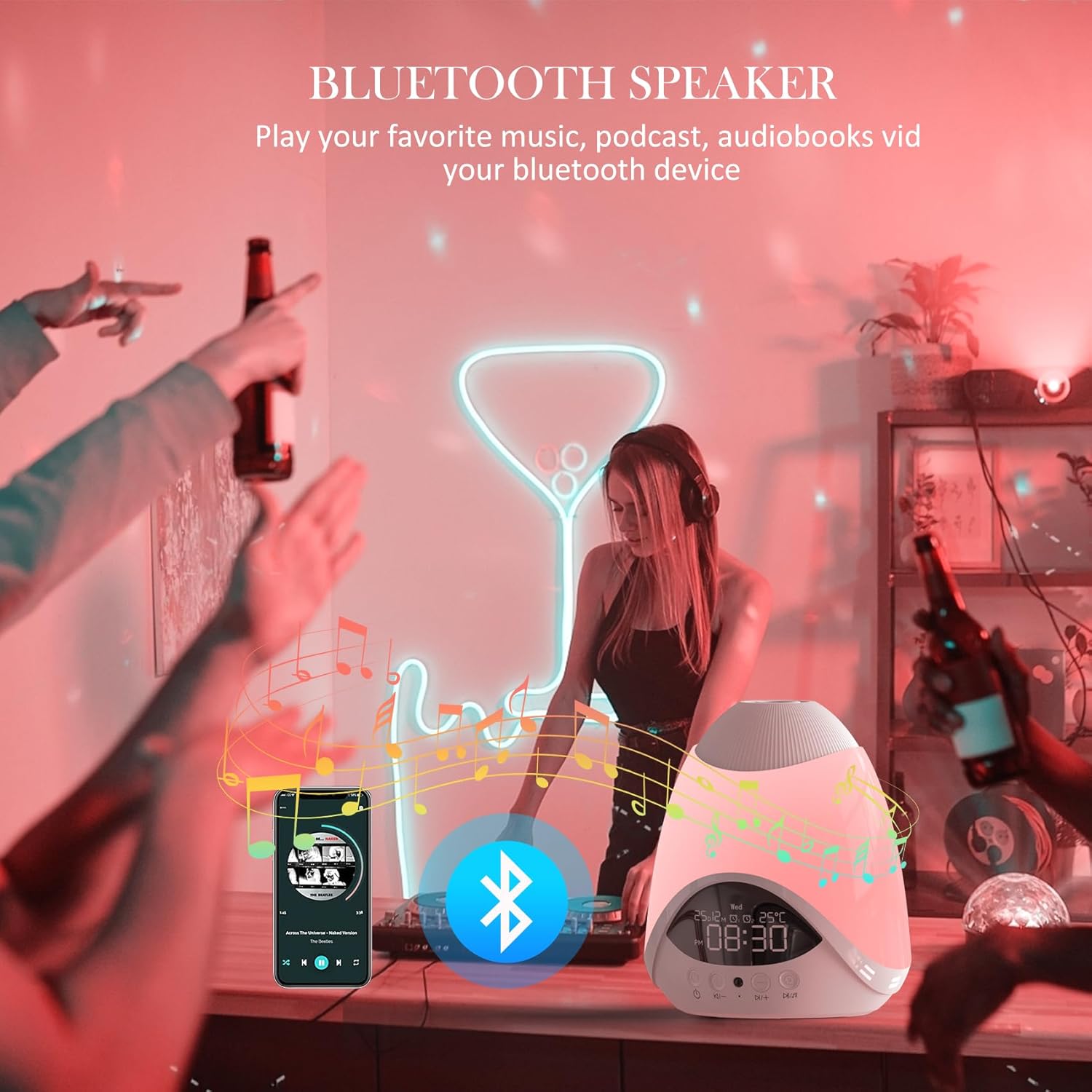
6. Bluetooth Speaker Pairing
The device can function as a Bluetooth speaker. To pair:
- Pastikan projektor dihidupkan.
- Activate Bluetooth on your mobile device or computer.
- Cari untuk "BL-YD01" (or similar name) in your device's Bluetooth settings.
- Select and connect to the projector. A confirmation sound will indicate successful pairing.
- You can now play audio from your connected device through the projector's speaker.
7. Alarm Clock & Time Setting
The digital display shows the current time and can be set as an alarm clock. Refer to the remote control or device buttons for specific time and alarm setting procedures. Typically, a 'Set' or 'Clock' button is used to enter time setting mode, followed by '+' and '-' buttons to adjust hours and minutes.
8. Penggunaan Alat Kawalan Jauh
The included remote control provides convenient access to all functions from a distance. Ensure the remote has working batteries and is pointed towards the front of the projector for optimal response.
Penyelenggaraan
- Pembersihan: Lap peranti dengan kain lembut dan kering. Jangan gunakan pembersih atau pelarut yang melelas.
- Storan: Apabila tidak digunakan untuk tempoh yang lama, simpan peranti ini di tempat yang sejuk dan kering, jauh daripada cahaya matahari langsung.
- Penggantian Bateri (Alat Kawalan Jauh): If the remote control becomes unresponsive, replace its batteries with new ones of the correct type (usually AAA, check remote compartment for specifics).
Menyelesaikan masalah
| Masalah | Kemungkinan Punca | Penyelesaian |
|---|---|---|
| Peranti tidak dihidupkan. | Tiada sambungan kuasa atau kabel rosak. | Ensure the USB cable is securely connected and the power source is active. Try a different cable or power adapter. |
| Alat kawalan jauh tidak berfungsi. | Bateri mati atau halangan. | Replace remote batteries. Ensure there is no obstruction between the remote and the projector. |
| Gandingan Bluetooth gagal. | Bluetooth not enabled or device too far. | Ensure Bluetooth is enabled on your device and the projector is in pairing mode. Move closer to the projector. |
| Star projection is dim or unclear. | Lens obstruction or ambient light too bright. | Clean the projection lens. Reduce ambient light in the room for better visibility. |
| Night light turns off too soon. | Fungsi pemasa aktif. | Check the timer setting. The maximum timer duration is 6 hours. If continuous operation is desired, ensure the timer is off. |
Spesifikasi
| Ciri | Perincian |
|---|---|
| Nombor Model | BL-YD01 |
| Jenama | ARGIGU |
| Pengeluar | Shenzhen Bolong Technology Co., Ltd. |
| Dimensi Produk | 16.76 x 16.76 x 14.99 cm |
| Berat Barang | 0.78 Kilogram |
| Lamp taip | Lampu Malam / Projektor Bintang |
| Bahan Asas | plastik |
| Bahan Teduh | plastik |
| warna | putih |
| Jenis Suis | Butang Tekan |
| Tahap Kecerahan | 4 tahap laras |
| Fungsi Pemasa | 1 / 2 / 4 / 6 jam |
| Ketersambungan | Pembesar Suara Bluetooth |
| Ciri-ciri Tambahan | White Noise Machine, Alarm Clock |
Waranti dan Sokongan
For warranty information or technical support, please refer to the contact details provided with your purchase or visit the official ARGIGU webtapak. Simpan bukti pembelian anda untuk sebarang tuntutan waranti.