
VIDCASTIVE V20
VIDCASTIVE 4K Mini Wireless WiFi Indoor Camera User Manual
Model: V20
1. Produk Lebihview
The VIDCASTIVE 4K Mini Wireless WiFi Indoor Camera (Model V20) is a compact security device designed for indoor monitoring. It features 4K video resolution, AI human detection, automatic night vision, and flexible storage options including cloud and local SD card support. Its long-lasting battery provides extended standby time, making it suitable for various indoor surveillance needs.

Image: The compact VIDCASTIVE 4K Mini Wireless WiFi Indoor Camera, shown with its adjustable stand and a comparison to a human finger for size. An inset image displays a smartphone screen with a live feed from the camera, showing a baby and a dog.
Ciri-ciri Utama:
- Crystal Clear 4K Live View: Enjoy stunning 4K video quality with our compact security camera, offering crystal-clear visuals whether you're monitoring live or reviewing playback. Perfect for home, office, or travel use.
- Jangka Hayat Bateri: Equipped with a powerful 3000mAh rechargeable battery, this camera records continuously for up to 10 hours. Enable power-saving mode for several days or weeks of use. In remote shutdown mode, it offers up to 100 days of standby, ensuring peace of mind.
- AI-Powered Motion Detection: Advanced AI technology intelligently detects human activity, reducing false alarms. Get instant alerts on your phone when motion is detected, keeping you connected no matter where you are.
- Pilihan Penyimpanan Selamat: Choose between free 3-day rolling cloud storage (no subscription required) or local storage with support for up to 256GB SD cards (SD card not included). Always have access to your most recent recordings with ease.
- Night Vision & Remote Monitoring: Automatically switches to night vision for 24/7 surveillance. Use the user-friendly app to monitor live, replay footage, and even activate or deactivate the camera remotely.
2. Apa yang Termasuk
Sahkan bahawa semua komponen terdapat dalam pakej:
- Badan Kamera
- Pemegang Kamera
- Kabel Pengecasan
- Pembaca Kad USB
- Manual Pengguna
3. Panduan Persediaan
3.1 Mengecas Kamera
Before initial use, fully charge the camera. Connect the provided charging cable to the camera's charging port and a USB power adapter (not included). The charging indicator light will show the charging status.

Image: A visual representation of the camera's 3000mAh battery life, detailing up to 10 hours of continuous recording, 7-15 days in sleep mode, 15-30 days in deep sleep mode, and up to 100 days in remote shutdown standby.
3.2 Memasukkan Kad Mikro SD (Pilihan)
For local storage, insert a Micro SD card (up to 256GB, not included) into the designated slot. Ensure the card is inserted correctly with the contacts facing the proper direction. The camera supports continuous recording and motion-activated recording to the SD card.

Image: A graphic illustrating the camera's storage options, including free 3-day rolling cloud service and local storage support for Micro SD cards up to 256GB (not included).
3.3 Pemasangan dan Sambungan Apl
- Download the official application for the camera from your smartphone's app store (Android or iOS). Refer to the user manual included in the box for specific app name and QR codes.
- Daftar akaun dan log masuk.
- Follow the in-app instructions to add your camera. This typically involves powering on the camera and scanning a QR code displayed in the app with the camera's lens.
- Ensure your smartphone is connected to a 2.4GHz Wi-Fi network during the setup process.
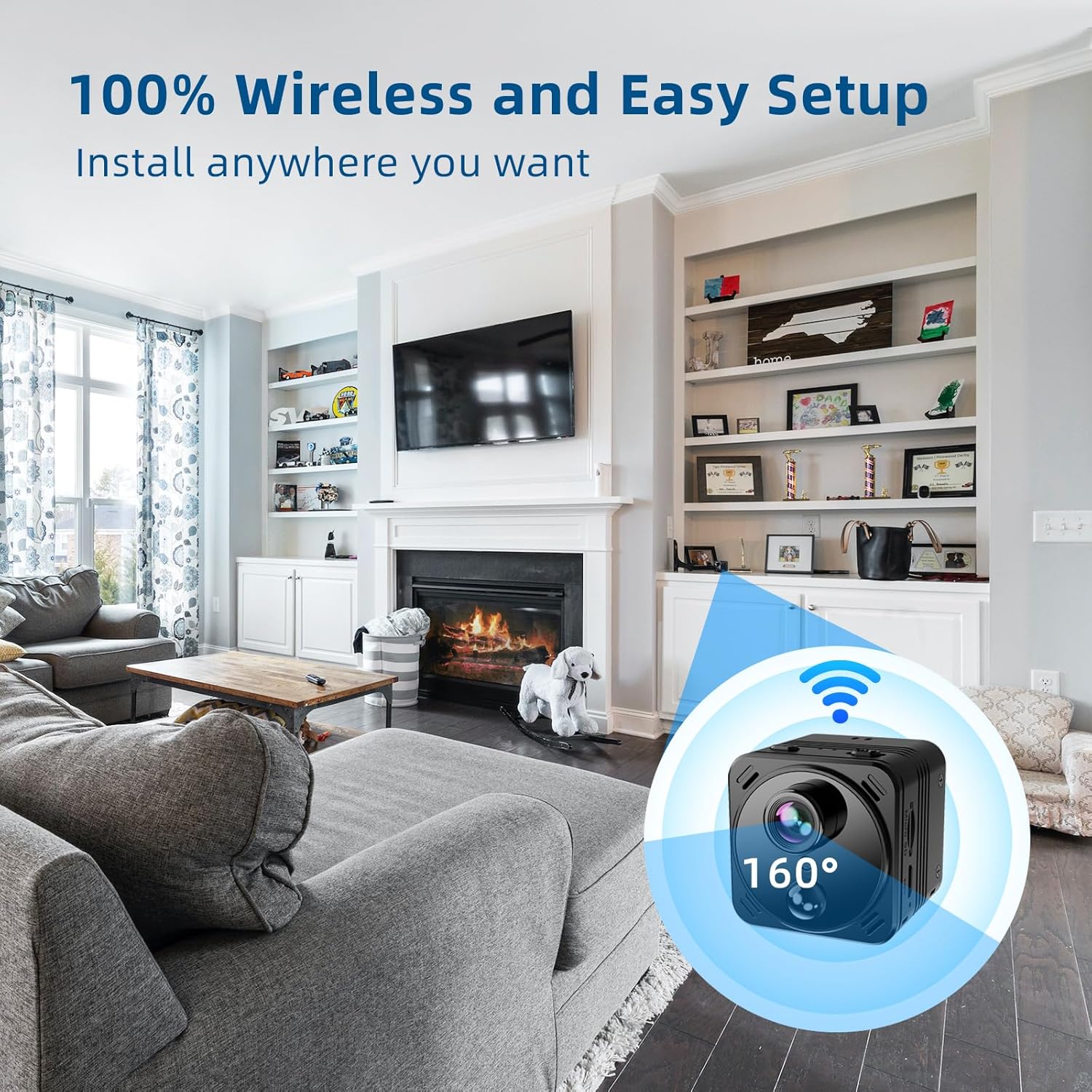
Image: A depiction of the camera's wireless capability, showing it placed in a living room environment with a 160-degree field of view, highlighting its easy and flexible installation.
4. Mengendalikan Kamera
4.1 Langsung View dan Rakaman
Once connected, open the app to access the live view from your camera. You can initiate manual recordings, take snapshots, and monitor the area in real-time.
4.2 Pengesanan Gerakan dan Makluman
The camera features AI-powered human detection. Enable motion detection in the app settings to receive instant alerts on your smartphone when activity is detected. This helps reduce false alarms from pets or inanimate objects.

Image: A family is shown entering a home, while a smartphone in the foreground displays notifications for "WiFi Camera-Motion detection," illustrating the camera's smart detection capabilities and reduced false alerts.
4.3 Penglihatan Malam
The camera automatically switches to night vision mode in low-light conditions, providing clear surveillance 24/7. No manual adjustment is required.
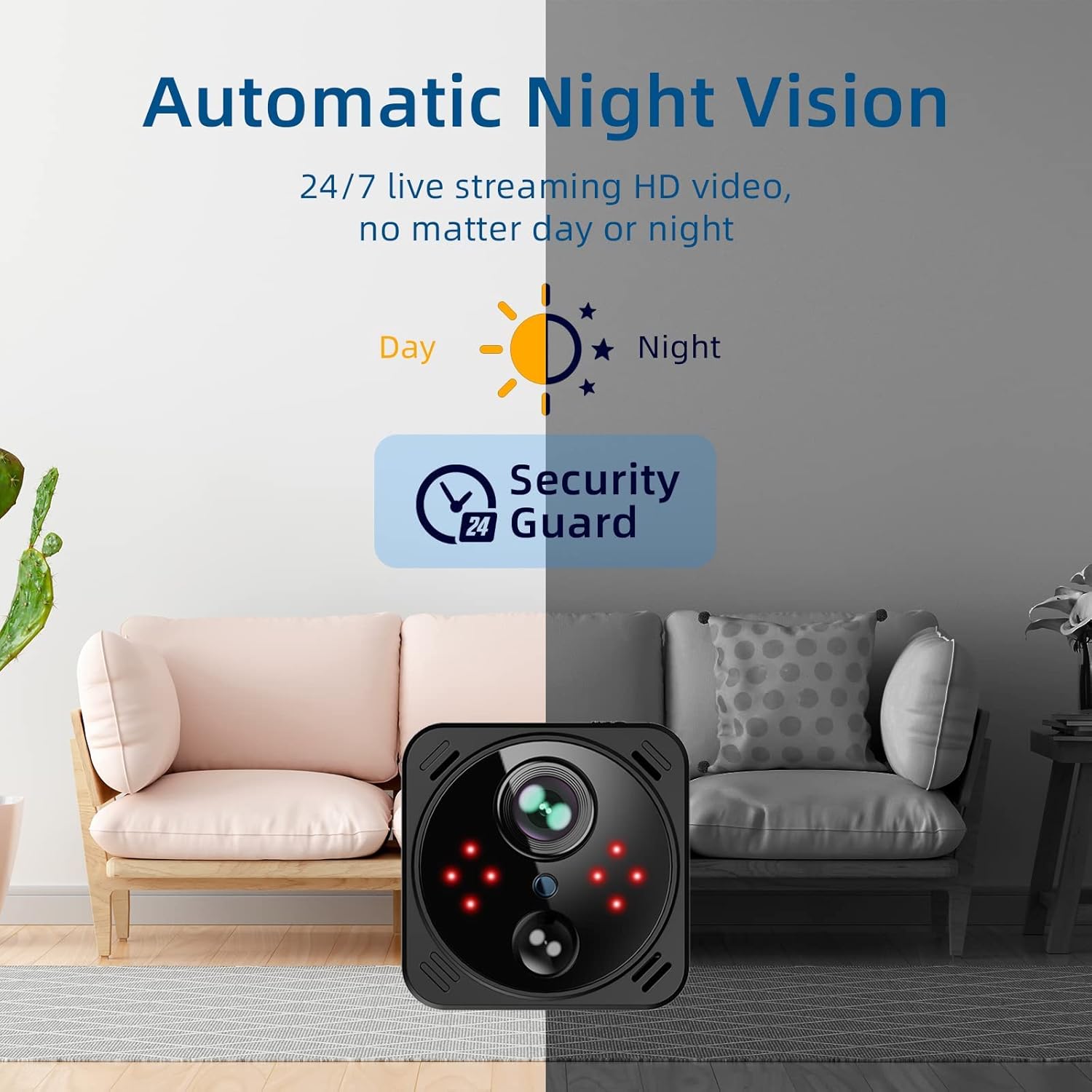
Image: A split image demonstrating the camera's automatic night vision, showing a room in daylight and then the same room in infrared night vision, emphasizing 24/7 HD video streaming.
4.4 Kawalan Kuasa Jauh
Utilize the app to remotely activate or deactivate the camera, offering convenience and control over its operation from anywhere.

Image: A woman is shown using her smartphone to remotely control the camera, with the phone screen displaying a live view of a child playing, highlighting the one-click remote power on/off feature via the app.
5. Penyelenggaraan
- Pembersihan: Gunakan kain lembut dan kering untuk membersihkan lensa kamera dan badan. Elakkan pembersih atau pelarut yang melelas.
- Penjagaan Bateri: To prolong battery life, avoid exposing the camera to extreme temperatures. Recharge the battery regularly, especially if the camera will be stored for an extended period.
- Kemas kini Firmware: Periodically check the app for available firmware updates to ensure optimal performance and access to new features.
6. Penyelesaian masalah
| Masalah | Kemungkinan Punca | Penyelesaian |
|---|---|---|
| Kamera tidak bersambung ke Wi-Fi. | Kata laluan Wi-Fi salah; kamera terlalu jauh dari penghala; rangkaian Wi-Fi 5GHz. | Verify Wi-Fi password. Move camera closer to router. Ensure you are connecting to a 2.4GHz Wi-Fi network. |
| Kualiti video yang teruk. | Insufficient light; dirty lens; weak Wi-Fi signal. | Ensure adequate lighting or allow night vision to activate. Clean the camera lens. Improve Wi-Fi signal strength. |
| Pengesanan gerakan tidak berfungsi atau terlalu banyak penggera palsu. | Incorrect sensitivity settings; camera placement. | Adjust motion detection sensitivity in the app. Ensure camera is placed to minimize unwanted triggers (e.g., tree branches, direct sunlight). |
| Bateri cepat habis. | Continuous recording; frequent live view access; high motion activity. | Utilize power-saving modes. Reduce frequency of live viewing. Adjust motion detection sensitivity. |
7. Spesifikasi
| Ciri | Perincian |
|---|---|
| Nama Model | V20 |
| Penggunaan Dalaman/Luar | Dalaman |
| Resolusi Tangkapan Video | 4K |
| Teknologi Ketersambungan | Wayarles (Wi-Fi) |
| Sumber Kuasa | Dikuasakan Bateri (3000mAh) |
| Jenis Pengawal | Android, iOS |
| Jenis Pemasangan | Pemasangan Atas Meja |
| Pilihan Storan | Free 3-day rolling cloud storage, up to 256GB Micro SD card (not included) |
| Dimensi Item (L x W x H) | 1.57 x 1.57 x 1.57 inci |
| Berat Barang | 8.1 auns (0.23 Kilogram) |
| Komponen yang Disertakan | Camera Body, Camera Holder, Charging Cable, USB Card Reader, User Manual |
8. Maklumat Keselamatan
- Jangan dedahkan kamera kepada air atau kelembapan berlebihan.
- Avoid placing the camera near heat sources or in direct sunlight for prolonged periods.
- Gunakan hanya kabel pengecasan yang disediakan atau setara yang diperakui.
- Jauhkan kamera daripada kanak-kanak dan haiwan peliharaan.
- Jangan cuba membuka atau membaiki kamera sendiri. Hubungi khidmat pelanggan untuk mendapatkan bantuan.
9. Waranti dan Sokongan
For warranty information and technical support, please refer to the official VIDCASTIVE website or contact their customer service directly. Details can typically be found on the product packaging or within the included user manual.
Pengeluar: VIDCASTIVE
ASIN: B0DSV3NNFZ
Ask a question about this manual
Ask about setup, troubleshooting, compatibility, parts, safety, or missing instructions. Manuals+ will review the question and use this page’s manual context to help answer it.