
1. Pengenalan
Terima kasih kerana membeliasing the Promate Beamer-A250 4K UHD LCD Projector. This manual provides essential information for setting up, operating, and maintaining your device. Please read it thoroughly before use to ensure optimal performance and safety.
2. Ciri-ciri Produk
- Resolusi UHD 4K: Experience stunning visuals with 3840 x 2160 resolution, powered by advanced LCD technology for vibrant colors and sharp clarity.
- 250 ANSI Lumens Brightness: Enjoy clear and vivid images even in well-lit environments, ideal for daytime presentations or movie nights.
- Integrated Telescopic Monopod Stand: The built-in adjustable stand allows for effortless setup and perfect alignment with any screen or wall.
- Automatic Keystone Correction & Manual Focus: Achieve a perfectly aligned and sharp image every time with automatic angle adjustment and precise manual focus.
- Sistem Pengendalian Android 11: Access your favorite streaming platforms like Netflix, YouTube, and Prime Video directly from the projector without additional devices.
- Kesambungan HDMI: Connect laptops, gaming consoles, or Blu-ray players via the HDMI port, supporting up to 4K resolution at 30Hz for smooth visuals.
- USB & HDD Storage Support: Play content directly from external storage devices, supporting USB flash drives up to 64GB and hard drives up to 512GB.
- Built-in Speaker & Bluetooth Audio: Enjoy clear and immersive sound from the integrated speaker or connect Bluetooth speakers/headphones for a personalized audio experience.
- Mini and Portable Design: Compact and lightweight, featuring a lens cover that doubles as a comfortable carrying handle, making it ideal for on-the-go use.
3. Kandungan Pakej
Pastikan semua item ada dalam pakej:
- Promate Beamer-A250 Projector
- Alat Kawalan Jauh
- Penyesuai Kuasa
- Manual Pengguna
Jika ada item yang hilang atau rosak, sila hubungi sokongan pelanggan.
4. Persediaan
4.1. Menghidupkan
- Sambungkan penyesuai kuasa ke port input kuasa projektor.
- Palamkan penyesuai kuasa ke salur keluar dinding.
- Tekan butang kuasa pada projektor atau alat kawalan jauh untuk menghidupkan peranti.
4.2. Melaraskan Pendirian
The Beamer-A250 features an integrated telescopic monopod stand. Gently pull the stand to extend it to your desired height for optimal projection angle. Ensure the projector is stable on a flat surface.
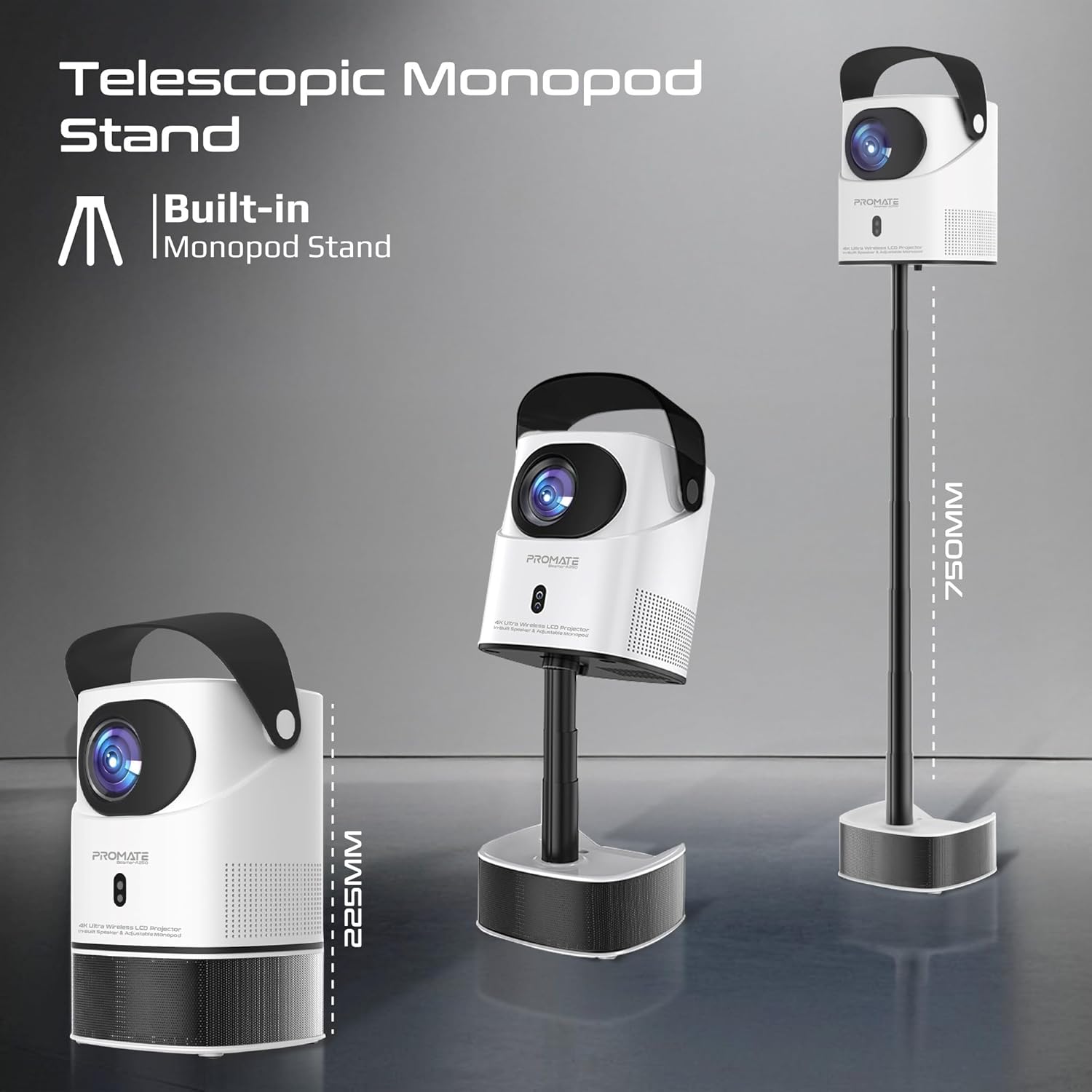
Image: The Promate Beamer-A250 projector demonstrating its adjustable telescopic monopod stand.
5. Arahan Operasi
5.1. Initial Setup (Android 11)
Setelah dihidupkan buat kali pertama, ikuti arahan pada skrin untuk:
- Pilih bahasa anda.
- Sambung ke rangkaian Wi-Fi.
- Log in with your Google account (optional, for app access).
- Laraskan tetapan tarikh dan masa.

Image: The projector's interface showing the Android 11 home screen with streaming applications.
5.2. Pembetulan Fokus dan Keystone
The projector features automatic keystone correction and manual focus for a clear, rectangular image.
- Pembetulan Keystone Automatik: The projector will automatically adjust the image angle to correct for distortion when placed at an angle.
- Fokus Manual: Use the focus ring on the projector lens or the remote control to fine-tune the image sharpness until it is perfectly clear.

Image: Visual representation of auto keystone correction and manual focus adjustment.
5.3. Pilihan Kesambungan
The Beamer-A250 offers multiple ways to connect your devices:
- HDMI: Connect external devices like laptops, gaming consoles, or Blu-ray players using an HDMI cable. The projector supports 4K@30Hz input.
- USB: Insert a USB flash drive (up to 64GB) or an external hard drive (up to 512GB) into the USB port to play media files secara langsung.
- Bluetooth: Pair Bluetooth speakers or headphones for enhanced audio. Navigate to Settings > Bluetooth to connect.
- Wi-Fi: Connect to your home Wi-Fi network to access online streaming services and apps.

Imej: Belakang view of the projector showing USB and HDMI ports.
5.4. Keluaran Audio
The projector has a built-in speaker. For external audio, use the Bluetooth connectivity feature to pair with your preferred audio devices.
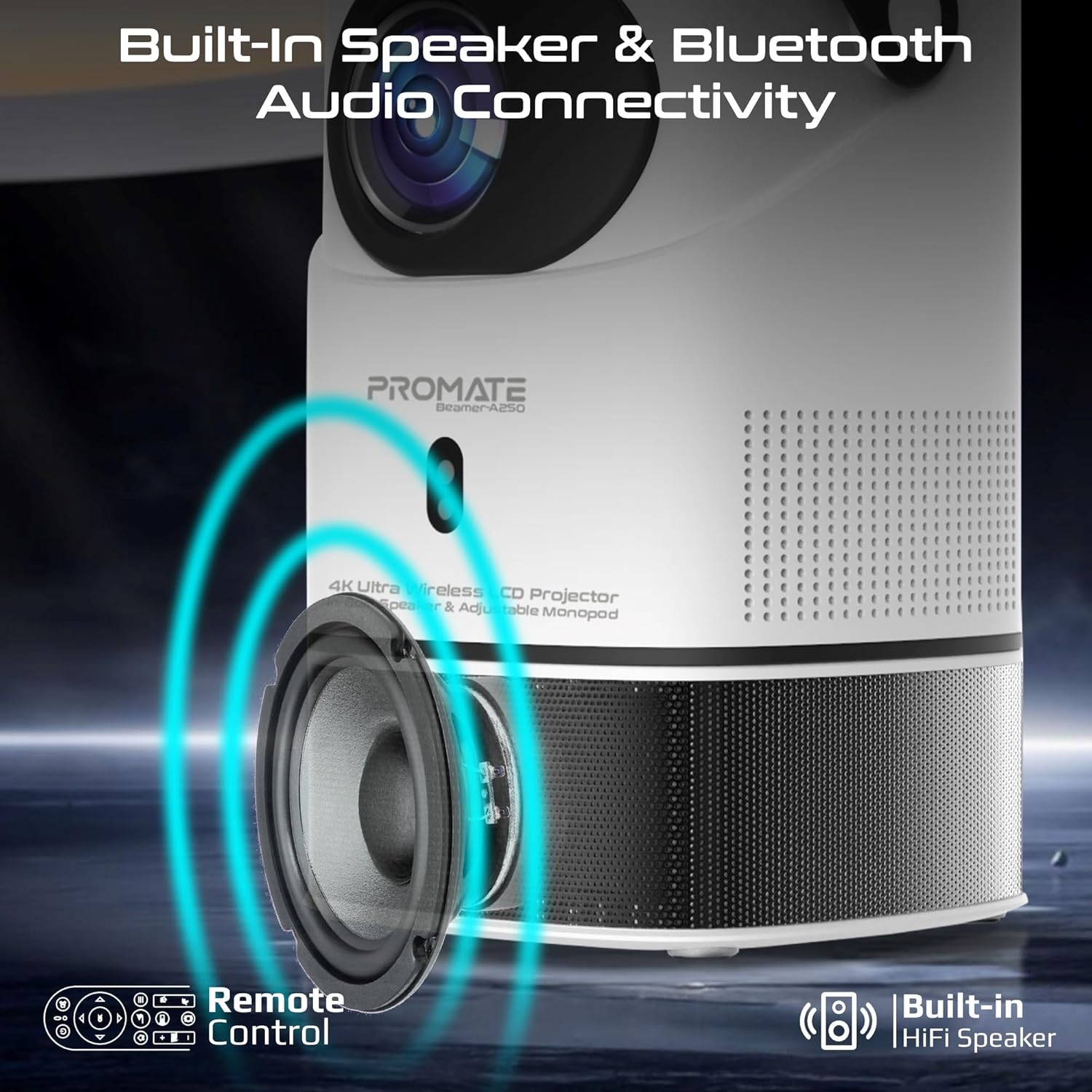
Image: Illustration of the projector's built-in speaker and Bluetooth audio capabilities.
6. Penyelenggaraan
6.1. Membersihkan Lensa
Use a soft, lint-free cloth specifically designed for optical lenses to gently wipe the projector lens. Avoid using abrasive cleaners or cloths that could scratch the lens.
6.2. Pembersihan Am
Wipe the exterior of the projector with a soft, dry cloth. Do not use liquid cleaners or solvents.
6.3. Penyimpanan
When not in use, store the projector in a cool, dry place away from direct sunlight and extreme temperatures. Use the integrated lens cover/handle for protection and easy transport.

Image: The projector's lens cover doubles as a handle for portability.
7. Penyelesaian masalah
| Masalah | Kemungkinan Punca | Penyelesaian |
|---|---|---|
| Tiada imej ditayangkan | Power not connected; Input source incorrect; Lens cap on | Check power connection; Select correct input source (HDMI, USB); Remove lens cap |
| Imej kabur | Fokus tidak dilaraskan; Projektor terlalu dekat/jauh dari skrin | Adjust manual focus; Reposition projector within throw distance |
| Imej diherotkan (bentuk trapezoid) | Keystone not corrected | Ensure auto keystone correction is enabled or manually adjust in settings |
| Tiada bunyi | Volume too low; External audio device not connected/paired | Increase volume; Connect/pair Bluetooth audio device |
| Tidak dapat menyambung ke Wi-Fi/Bluetooth | Incorrect password; Device out of range; Interference | Verify password; Move closer to router/device; Reduce interference |
8. Spesifikasi
| Ciri | Perincian |
|---|---|
| Jenama | Berjanji |
| Nama Model | Beamer-A250 |
| Teknologi Paparan | LCD |
| Resolusi Asli | 3840 x 2160 (4K UHD) |
| Kecerahan | 250 ANSI Lumen |
| Nisbah Kontras | 2000:1 |
| Sistem Operasi | Android 11 |
| Ketersambungan | Wi-Fi, Bluetooth 4.0, HDMI (4K@30Hz input), USB |
| USB Storage Support | Up to 64GB (Flash Drive), Up to 512GB (Hard Drive) |
| Saiz Imej | 2 to 10 meters (throw distance), Up to 150 inches (image size) |
| Dimensi | 18L x 18W x 31H cm |
| Berat badan | 2.34 kg |
| Komponen yang Disertakan | User Manual, Power Adapter |
9. Waranti & Sokongan
The Promate Beamer-A250 projector comes with a two-year manufacturer's warranty. For warranty claims, technical support, or any inquiries, please contact Promate customer service through their official webtapak atau peruncit tempat produk itu dibeli.
10. Video Produk
10.1. Projektor Overview
Video: Tamatview of a 4K Android projector, showcasing features like auto-focus, keystone correction, and screen mirroring. This video provides a general demonstration of similar projector functionalities.