
1. Pengenalan
Thank you for choosing the Auusda T156A 15.6-inch Business Laptop. This manual provides essential information for setting up, operating, and maintaining your new laptop. Please read this manual thoroughly before using the device to ensure proper function and longevity. This laptop is designed for productivity and portability, featuring a 4-core processor, 8GB DDR4 RAM, and a 512GB M.2 PCIe NVMe SSD, all running on Windows 11 Pro.
2. Kandungan Pakej
Sahkan bahawa semua item terdapat dalam pakej:
- Auusda T156A Laptop
- Penyesuai Kuasa dan Kabel
- Transparent Keyboard Cover
- Spanish Keyboard Cover
- Manual Arahan (dokumen ini)

Image: The laptop, power adapter, and keyboard covers as included in the package.
3. Produk Lebihview
3.1 Ciri-ciri Utama
- Prestasi Kuat: Equipped with a 4-core N95 processor (1.7-3.4 GHz) and 8GB DDR4 RAM for efficient multitasking.
- Ample Penyimpanan: Features a 512GB M.2 PCIe NVMe SSD for fast data access and sufficient storage.
- Vibrant Full HD Display: A 15.6" Full HD IPS LCD screen offers clear visuals with wide viewsudut-sudut.
- Ciri-ciri mudah: Includes a backlit keyboard for low-light use and a fingerprint reader for secure access.
- Connectivity & Versatility: Offers Bluetooth, an SD card reader, and essential ports for various devices.

Imej: Tamatview of the Auusda T156A laptop with its main features labeled.
3.2 Pemproses dan Memori
The laptop is powered by an Intel N95 4-core processor, capable of speeds up to 3.4 GHz, ensuring smooth operation for business and academic tasks. It comes with 8GB of DDR4 RAM and a 512GB M.2 PCIe NVMe Solid State Drive (SSD) for quick boot times and application loading.

Image: A visual representation of the 4-core N95 processor chip.

Image: The laptop highlighting its 8GB RAM and 512GB SSD configuration.
3.3 Paparan
Experience clear and vibrant visuals on the 15.6-inch Full HD (1920x1080) IPS LCD display. The screen features a narrow bezel and supports 16 million colors, providing an immersive viewing experience. A privacy shutter is integrated for the webcam.

Image: The laptop's 15.6-inch Full HD IPS LCD display and its features.
3.4 Papan Kekunci dan Pad Sentuh
The laptop features a full-size backlit keyboard, allowing comfortable typing in various lighting conditions. The integrated touchpad includes a fingerprint sensor for secure and quick login.

Image: The backlit keyboard and the fingerprint ID sensor on the touchpad.
3.5 Pelabuhan dan Ketersambungan
The Auusda T156A offers a range of connectivity options:
- Input Kuasa DC
- USB-A Ports (multiple)
- Output HDMI
- Pembaca Kad microSD
- Bicu Fon Kepala
- Bluetooth and Wi-Fi (802.11ac, 802.11ax)
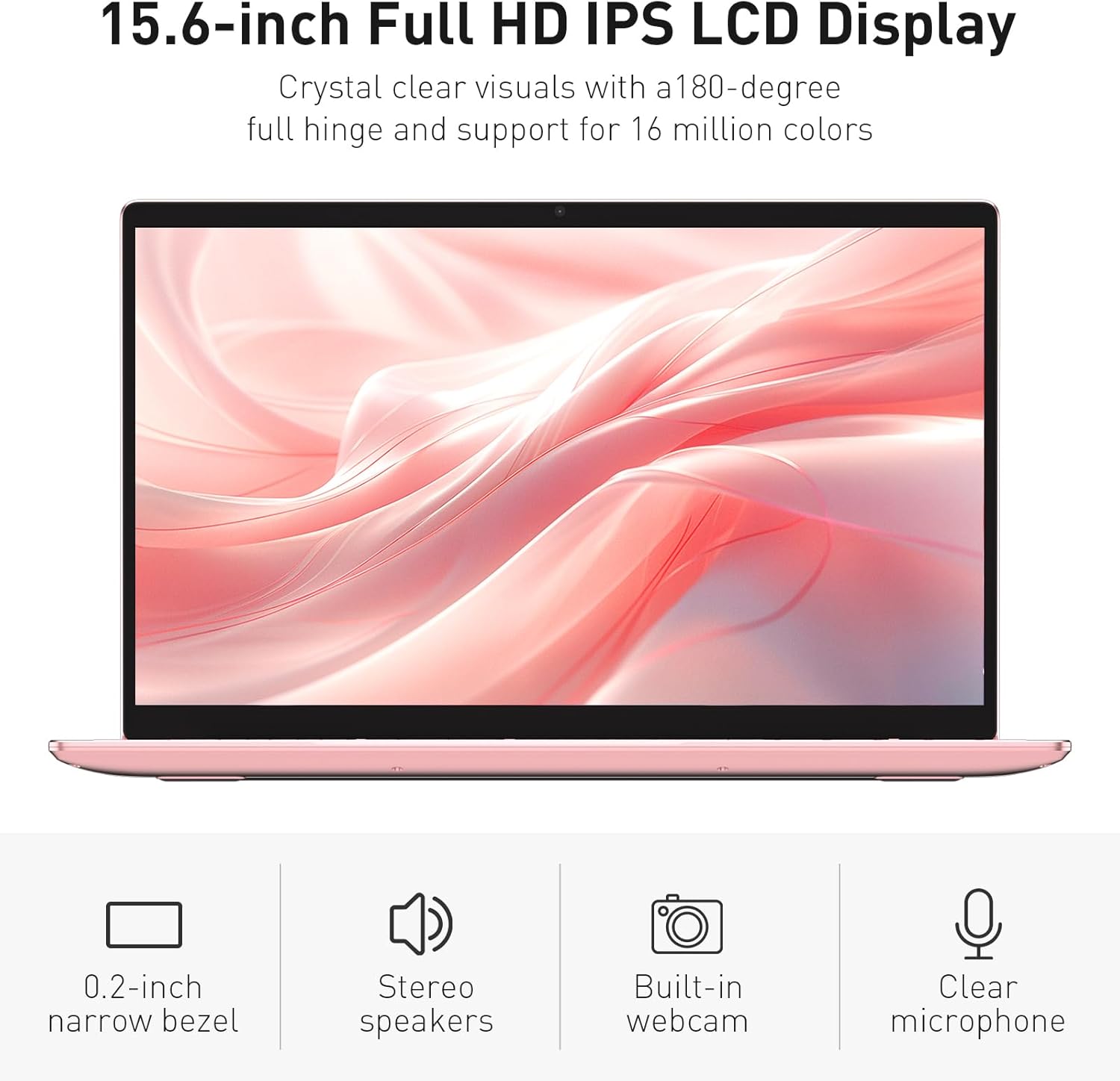
Image: The various ports available on the sides of the laptop.
4. Persediaan
4.1 Penghidupan dan Pengecasan Awal
- Buka bungkusan komputer riba dan penyesuai kuasa dari kotak.
- Connect the power adapter to the DC power input port on the laptop and then to a power outlet.
- Allow the laptop to charge for at least 30 minutes before initial use, or until the charging indicator light shows a full charge.
- Tekan butang kuasa untuk menghidupkan komputer riba.
4.2 Windows 11 Pro Setup
Follow the on-screen instructions to complete the initial Windows 11 Pro setup. This will include:
- Memilih kawasan dan reka letak papan kekunci anda.
- Menyambung ke rangkaian Wi-Fi.
- Menerima perjanjian lesen.
- Mencipta akaun pengguna atau log masuk dengan akaun Microsoft.
4.3 Persediaan Penderia Cap Jari
Untuk keselamatan yang dipertingkatkan, sediakan penderia cap jari:
- Once Windows is set up, navigate to Tetapan > Akaun > Pilihan log masuk.
- Di bawah 'Cap Jari Windows Hello', klik Sediakan.
- Follow the on-screen prompts to register your fingerprint. You will be asked to lift and place your finger multiple times on the sensor until it is fully registered.
5. Mengendalikan Komputer Riba
5.1 Penggunaan Asas
- Hidupkan/Mati Kuasa: Press the power button located on the top right of the keyboard to turn the laptop on or off.
- Mod tidur: Close the lid or press the power button briefly to put the laptop into sleep mode.
- Restart/Shut Down: Access these options from the Start Menu in Windows.
5.2 Backlit Keyboard Control
The keyboard backlight can be adjusted or turned off using the function keys. Look for the key with a keyboard icon (often F5 or F6) to cycle through brightness levels or toggle the backlight on/off.
5.3 Webkamera Pengatup Privasi
Yang bersepadu webcam includes a physical privacy shutter. Slide the small cover located directly above the webcam lens to open or close it, ensuring your privacy when the camera is not in use.
5.4 Menyambung Peranti Luaran
Use the available ports to connect peripherals:
- Peranti USB: Plug USB drives, mice, or keyboards into the USB-A ports.
- Paparan luaran: Connect an external monitor or projector using the HDMI port.
- Audio: Use the headphone jack for headphones or external speakers.
- Kad MicroSD: Insert a microSD card into the dedicated slot for additional storage or data transfer.
5.5 Prestasi Permainan
The Auusda T156A is capable of handling light gaming and provides a smooth experience for many popular titles. For optimal performance, ensure your drivers are updated and close unnecessary background applications.
Video: Demonstration of the Auusda T156A laptop's light gaming capabilities.
Video: Tayangan klip pendekasing the laptop's performance during racing games.
6. Penyelenggaraan
- Pembersihan: Gunakan kain lembut dan tidak berbulu untuk membersihkan skrin dan bahagian luarnya. Untuk kotoran degil,ampen kain dengan air atau pembersih selamat skrin. Elakkan bahan kimia yang keras.
- Penjagaan Bateri: To prolong battery life, avoid fully discharging the battery frequently. It is recommended to keep the battery charged between 20% and 80% when possible. Store the laptop in a cool, dry place.
- Kemas Kini Perisian: Regularly check for and install Windows updates and driver updates to ensure optimal performance and security.
- Pengudaraan: Pastikan lubang angin komputer riba tidak terhalang untuk mengelakkan terlalu panas. Gunakan komputer riba pada permukaan yang keras dan rata.
- Sandaran Data: Kerap membuat sandaran data penting ke pemacu luaran atau storan awan untuk mengelakkan kehilangan data.
7. Penyelesaian masalah
This section addresses common issues you might encounter with your Auusda T156A laptop.
| Masalah | Penyelesaian yang Mungkin |
|---|---|
| Komputer riba tidak dihidupkan. | Ensure the power adapter is securely connected and the outlet is working. Try charging the laptop for a while before attempting to power it on again. |
| Skrin kosong atau hitam. | Check if the laptop is powered on. Try pressing Fn + F1 (or the display toggle key) to ensure the display is not turned off. Connect to an external monitor to check if the issue is with the laptop's screen. |
| Isu sambungan Wi-Fi. | Pastikan Wi-Fi diaktifkan dalam tetapan Windows. Mulakan semula penghala dan komputer riba anda. Semak pemacu Wi-Fi yang dikemas kini. |
| Sensor cap jari tidak berfungsi. | Ensure your finger is clean and dry. Re-register your fingerprint in Windows settings. Check for driver updates for the fingerprint sensor. |
| Lampu latar papan kekunci tidak berfungsi. | Press the dedicated backlight function key (e.g., Fn + F5 or F6) to toggle or adjust brightness. |
| Komputer riba berjalan perlahan. | Close unnecessary applications. Check Task Manager for resource-intensive processes. Ensure sufficient free space on the SSD. Run a malware scan. |
8. Spesifikasi
Detailed technical specifications for the Auusda T156A laptop:
| Ciri | Perincian |
|---|---|
| Jenama | Auusda |
| Nama Model | T156A |
| Saiz Skrin | 15.6 Inci |
| Saiz Cakera Keras | 512 GB (SSD) |
| Model CPU | Intel N95 (4-Core, 1.7 GHz base, up to 3.4 GHz turbo) |
| Saiz Terpasang Memori RAM | 8 GB DDR4 |
| Sistem Operasi | Windows 11 Pro |
| Ciri Khas | Papan Kekunci Berlampu Belakang, Pembaca Cap Jari |
| Pemproses bersama Grafik | UHD Graphics (Integrated) |
| Teknologi Ketersambungan | Bluetooth, Wi-Fi (802.11ac, 802.11ax) |
| Bilangan Pelabuhan | 2 (USB-A, HDMI, microSD, Headphone Jack) |
| Jenis Sel Bateri | Lithium Polymer (6000 mAh) |
| Dimensi Item (L x W x Tebal) | 14" L x 9" W x 0.7" Th |
| Resolusi Asli | 1920 x 1080 piksel |
| Kadar Segar Semula | 60 Hz |
| WebKeupayaan cam | Yes (with privacy shutter) |
9. Waranti & Sokongan
9.1 Waranti Produk
The Auusda T156A laptop comes with a Waranti Pengeluar 2 Tahun. Please retain your proof of purchase for warranty claims. For detailed warranty terms and conditions, refer to the documentation provided with your product or contact Auusda customer support.
9.2 Sokongan Pelanggan
For technical assistance, troubleshooting, or service inquiries, please visit the official Auusda Store or contact their customer support channels. You can find more information and support resources at the Auusda Official Store on Amazon.
Video: A short promotional video from the Auusda Official Store, showcasing the laptop's features for college students.