pengenalan
This manual provides detailed instructions for the operation and maintenance of your Wkzay White Noise Sound Machine with Sunrise Alarm Clock, Model SM-07. This device is designed to enhance sleep, improve wake-up routines, and create a relaxing environment through a combination of soothing sounds, adjustable lighting, and intelligent alarm functions.
Sila baca manual ini dengan teliti sebelum menggunakan produk ini untuk memastikan fungsi dan jangka hayat yang betul.
Kandungan Pakej
- Wkzay White Noise Sound Machine (SM-07) x 1
- Pengecas x 1
- Kabel Pengecasan x 1
- Manual Pengguna x 1
Produk Selesaiview
The Wkzay SM-07 combines a white noise sound machine, a sunrise alarm clock, and a night light into one compact device. It features 30 soothing sounds, adjustable volume and brightness levels, a sleep timer, and a memory function for personalized settings.

Image: The Wkzay White Noise Sound Machine with Sunrise Alarm Clock, Model SM-07, in white. The device features a fabric-covered cylindrical body with a digital clock display at the base and control buttons on top.
Persediaan
- Membongkar: Keluarkan semua komponen dari pembungkusan dengan berhati-hati.
- Sambungan Kuasa: Connect the charging cable to the device's power input port and plug the charger into a standard electrical outlet. The device will power on automatically.
- Tetapan Masa Awal: Upon first use or after a power interruption, the clock may need to be set. Refer to the "Setting Time" section under "Operating Instructions" for details.
- penempatan: Place the device on a stable, flat surface away from direct sunlight, heat sources, and moisture. Ensure adequate ventilation.
Arahan Operasi
Butang Kawalan Lebihview
The device features intuitive tactile buttons on its top panel. Familiarize yourself with their functions:
- Brightness Button (Sun icon): Melaraskan kecerahan cahaya.
- Alarm/Light Button (Bell/Lightbulb icon): Toggles alarm and light functions.
- Alarm Set Button (Bell icon): Memasuki mod tetapan penggera.
- Volume Up/Next Track Button (Play/Plus icon): Increases volume or skips to next sound.
- Volume Down/Previous Track Button (Rewind/Minus icon): Decreases volume or skips to previous sound.
- Timer Button (Clock icon): Menetapkan pemasa tidur.


Imej: Jarak dekat views of the control buttons on the top panel, including the brightness control, alarm/light toggle, alarm set, and volume/track selection buttons.
Menetapkan Masa
- Tekan dan tahan butang Masa Ditetapkan button (often integrated with another button, refer to device for exact icon, typically a clock or gear).
- Gunakan Kelantangan Naik/Turun butang untuk melaraskan jam.
- Tekan ke Masa Ditetapkan butang sekali lagi untuk bertukar kepada pelarasan minit.
- Gunakan Kelantangan Naik/Turun butang untuk melaraskan minit.
- Tekan ke Masa Ditetapkan button once more to confirm and exit.
Sound Functions
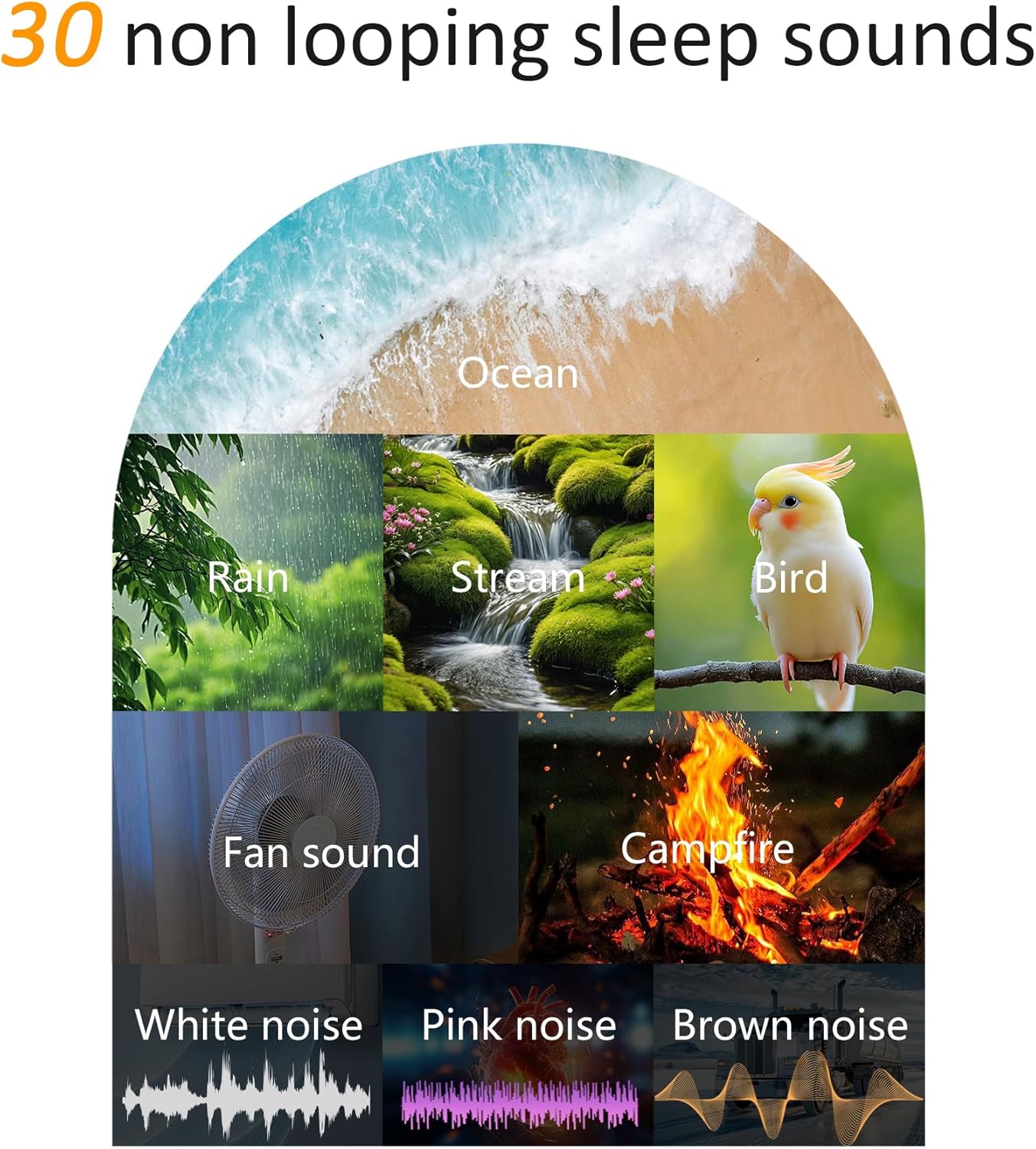
Image: A visual representation of the 30 non-looping sleep sounds available, including ocean waves, rain, stream, bird, fan sound, campfire, white noise, pink noise, and brown noise.
- Memainkan Bunyi: Tekan ke Main/Jeda button (often integrated with Volume Up/Down or a dedicated button) to start or stop sound playback.
- Memilih Bunyi: Gunakan Trek Seterusnya or Trek Sebelumnya buttons to cycle through the 30 available soothing sounds (e.g., white noise, nature melodies, lullabies).
- Melaraskan Kelantangan: Gunakan Kelantangan Naik (+) dan Perlahankan suara (-) buttons to select from 30 volume levels.
Light Functions (Night Light & Sunrise Simulation)

Image: The Wkzay sound machine acting as a sunrise alarm clock, gradually brightening a bedroom from 6:00 AM to 7:00 AM, illustrating the gentle wake-up experience.
- Turning Light On/Off: Tekan ke Cahaya button (often integrated with the Alarm/Light button) to turn the night light on or off.
- Melaraskan Kecerahan: Dengan lampu menyala, tekan Kecerahan button (Sun icon) to cycle through 13 brightness levels.
- Sunrise Alarm: When setting an alarm, you can enable the sunrise simulation. The light will gradually brighten over 10-60 minutes before your set alarm time, mimicking a natural sunrise. Refer to "Setting Alarms" for activation.
- Simulasi Matahari terbenam: When setting a sleep timer, you can enable sunset simulation. The light will gradually dim over the set timer duration, aiding in relaxation before sleep. Refer to "Setting Sleep Timer" for activation.
Menetapkan Penggera
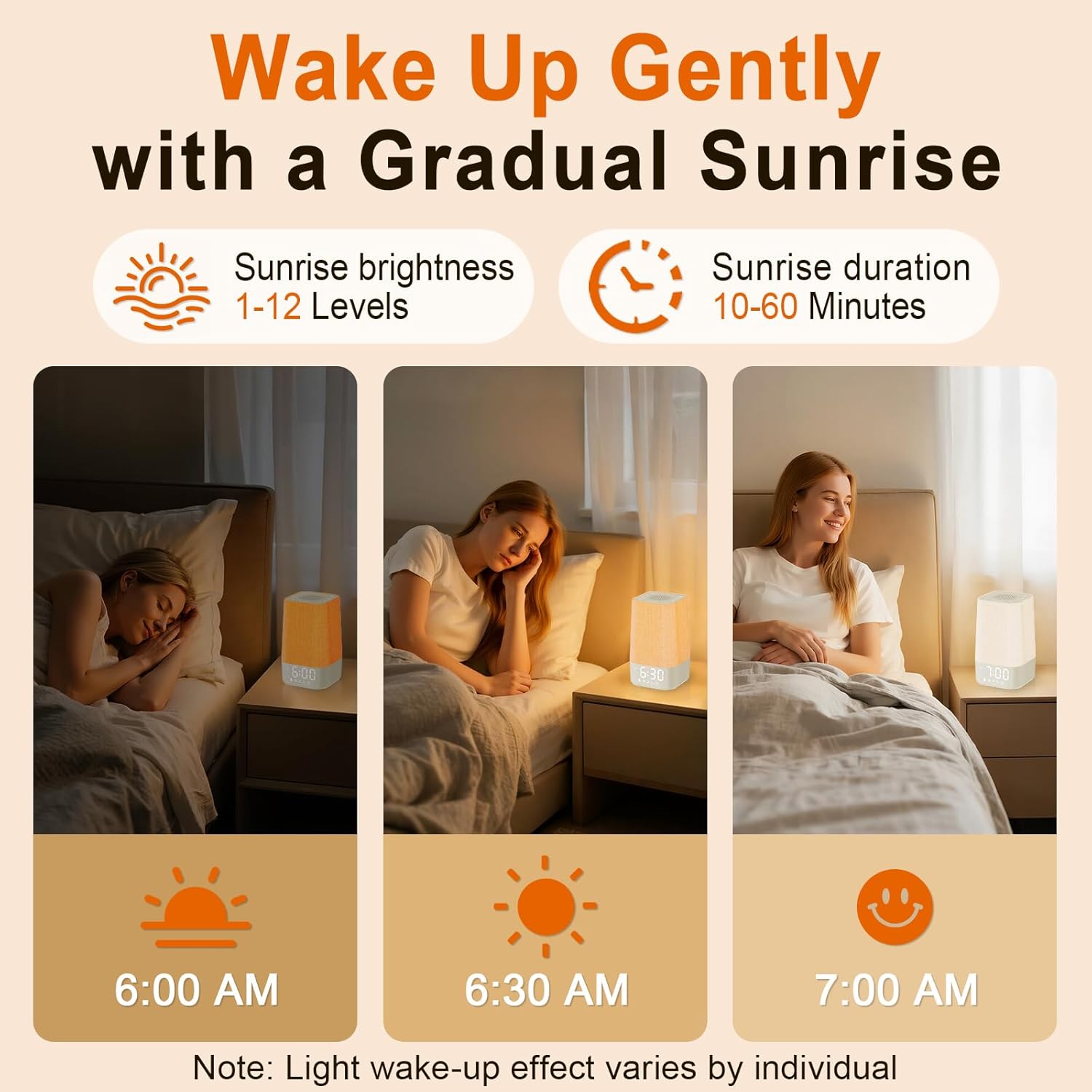
Image: A sequence showing the gradual brightening of the sunrise alarm clock from 6:00 AM to 7:00 AM, with adjustable brightness levels and duration.
- Tekan dan tahan butang Set Penggera button (Bell icon). The hour display will flash.
- Gunakan Kelantangan Naik/Turun butang untuk menetapkan jam penggera yang diingini.
- Tekan ke Set Penggera button again. The minute display will flash.
- Gunakan Kelantangan Naik/Turun butang untuk menetapkan minit penggera yang diingini.
- Tekan ke Set Penggera butang sekali lagi untuk memilih bunyi penggera. Gunakan Kelantangan Naik/Turun to choose from available alarm tones or sounds.
- Tekan ke Set Penggera button again to enable/disable sunrise simulation for the alarm. Use Kelantangan Naik/Turun untuk togol.
- Tekan ke Set Penggera button once more to confirm and exit.
- Untuk mengaktifkan/menyahaktifkan penggera, tekan sebentar Set Penggera butang. Ikon penggera akan muncul/hilang pada paparan.
Menetapkan Pemasa Tidur

Image: Icons representing sleep timer durations of 30, 60, and 90 minutes, indicating the device's ability to automatically turn off sounds and lights after a set period.
The sleep timer allows the sound and light to gradually turn off after a set duration.
- Tekan ke Pemasa button (Clock icon) repeatedly to cycle through available timer durations (e.g., 30, 60, 90, 120, 180 minutes, or OFF).
- The selected duration will be displayed. The device will automatically turn off sounds and lights after this period.
Kecerahan Paparan

Image: The digital clock display showing 5 different brightness levels, from fully bright to completely off, allowing customization for various environments.
The LED display has 5 levels of brightness adjustment.
- Tekan ke Kecerahan Paparan button (often integrated with the Time Set button or a dedicated button) to cycle through the 5 brightness levels, including off.
Fungsi Memori

Image: An illustration depicting the memory function, showing that the device automatically restores previous sound, light, and volume settings upon restart or daily use.
The device automatically remembers your last used sound, volume, and light settings. This ensures a consistent experience without needing to reconfigure settings each time it's used.
Penyelenggaraan
- Pembersihan: Disconnect the power before cleaning. Use a soft, dry cloth to wipe the exterior of the device. Do not use liquid cleaners or abrasive materials.
- Storan: Apabila tidak digunakan untuk tempoh yang lama, simpan peranti di tempat yang sejuk dan kering, jauh dari cahaya matahari langsung dan suhu yang melampau.
- Bateri: The device contains an internal LR44 battery for time backup. This battery is not user-replaceable. If the time consistently resets after power loss, contact customer support.
Menyelesaikan masalah
| Masalah | Kemungkinan Punca | Penyelesaian |
|---|---|---|
| Peranti tidak dihidupkan. | Tidak disambungkan ke kuasa dengan betul. | Ensure the charging cable is securely connected to the device and the power adapter is plugged into a working outlet. |
| Tiada keluaran bunyi. | Volume is too low or muted; sound is not selected. | Tingkatkan kelantangan menggunakan Kelantangan Naik (+) button. Ensure a sound is selected and playing. |
| Penggera tidak berbunyi. | Penggera tidak diaktifkan atau ditetapkan dengan tidak betul. | Verify the alarm time is set correctly and the alarm icon is visible on the display. Ensure alarm volume is not muted. |
| Lampu tidak hidup/mati. | Light function is disabled or brightness is set to minimum. | Tekan ke Cahaya button to toggle the light. Adjust brightness using the Kecerahan butang. |
| Time resets after power loss. | Internal backup battery issue. | While the device has a backup battery, persistent issues may indicate a fault. Contact customer support. |
Spesifikasi
| Ciri | Perincian |
|---|---|
| Nombor Model | SM-07 |
| Dimensi | 3.74 x 3.74 x 7.08 inci |
| Berat badan | 15.2 auns |
| bahan | Akrilonitril Butadiena Stirena (ABS) |
| Pilihan Bunyi | 30 soothing sounds (white noise, nature, lullabies) |
| Tahap Kelantangan | 30 tahap laras |
| Kecerahan Cahaya | 13 tahap laras |
| Kecerahan Paparan | 5 tahap laras |
| Simulasi Matahari Terbit | 10-60 minutes gradual brightening |
| Pemasa Tidur | 30 hingga 180 minit (boleh dipilih) |
| Input Kuasa | Standard USB power adapter (included) |
| Bateri Sandaran | 1 LR44 (included, non-user replaceable) |
Waranti dan Sokongan
For warranty information and customer support, please refer to the contact details provided with your purchase or visit the official Wkzay webtapak. Simpan resit pembelian anda untuk tuntutan waranti.
Pengeluar: Shenzhen TingRu Technology Co., Ltd.
Maklumat Keselamatan Penting
- Jangan dedahkan peranti kepada air atau kelembapan berlebihan.
- Jangan buka atau cuba membaiki peranti ini sendiri. Ini akan membatalkan jaminan.
- Jauhkan daripada kanak-kanak dan haiwan peliharaan.
- Gunakan hanya penyesuai kuasa dan kabel yang disediakan.
- Avoid placing the device near strong magnetic fields or heat sources.
Video Produk
No official seller videos are available for embedding at this time. If available, relevant product videos would be displayed here, providing visual guides for setup and operation.