
1. Pengenalan
Terima kasih kerana membeliasing the AGPTEK A02XT MP3 Player. This device is designed to provide a high-quality audio experience with its HIFI lossless sound and Bluetooth 5.3 connectivity. It features a compact design, button operation, and various functions including FM radio, voice recording, and a pedometer. This manual will guide you through the setup, operation, and maintenance of your new MP3 player.

Figure 1.1: AGPTEK A02XT MP3 Player with accessories.
2. Produk Lebihview
2.1 Kandungan Pakej
- AGPTEK A02XT MP3 Player (1)
- Kabel Pengecas USB-C (1)
- Manual Pengguna (1)
- Earphones (1 pair) - May vary by region/package

Figure 2.1: Contents of the AGPTEK A02XT package.
2.2 Susun Atur dan Kawalan Peranti
Familiarize yourself with the buttons and ports on your A02XT MP3 player.

Rajah 2.2: Depan view of the A02XT MP3 Player.
- Skrin: Displays menus, music information, and settings.
- Butang M: Menu/Back button. Long press to lock/unlock the screen.
- Butang Main/Jeda: Memulakan atau menjeda main balik.
- Butang Sebelumnya/Seterusnya: Navigates through tracks or menu options.
- Butang VOL: Kawalan kelantangan.
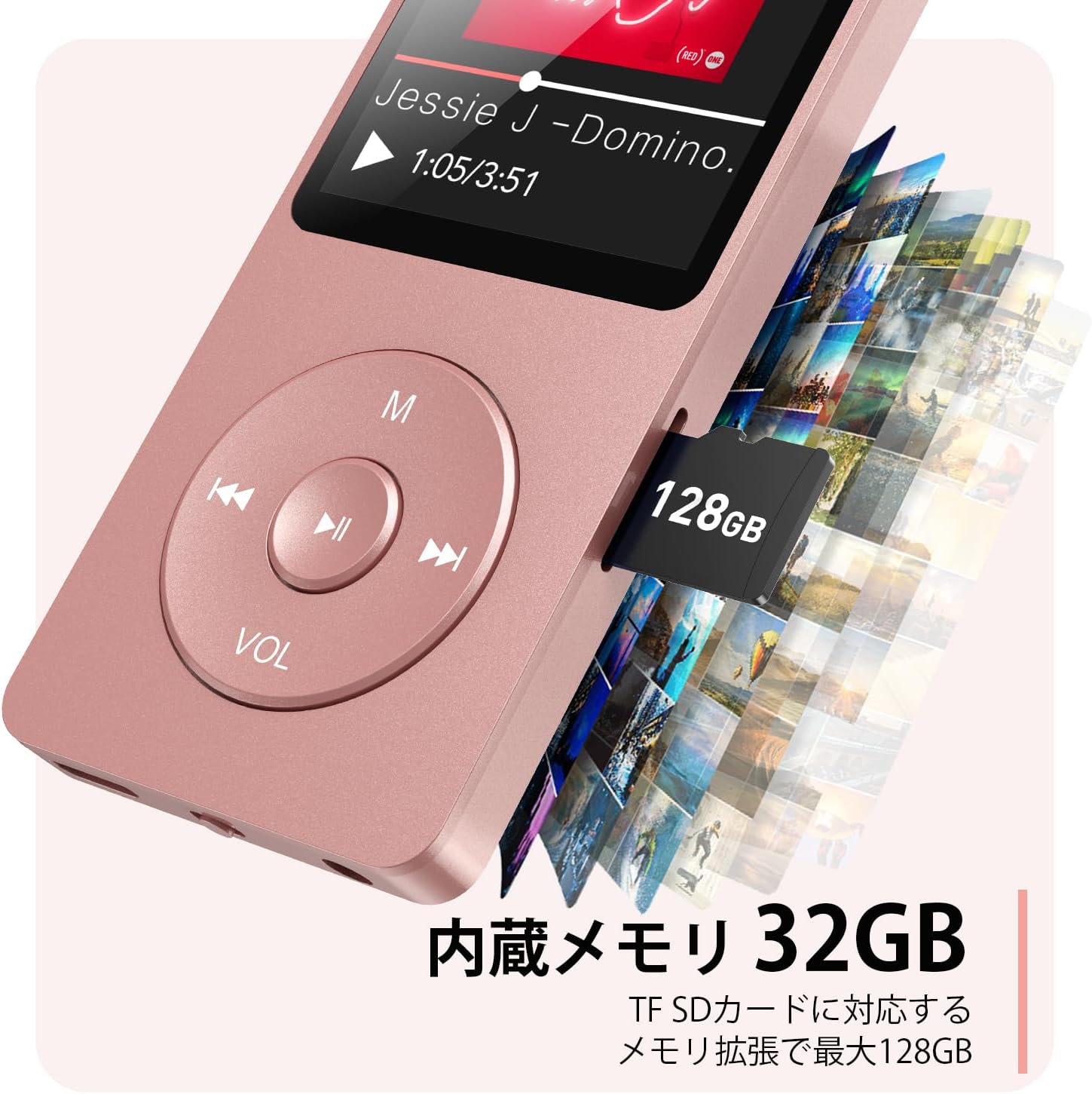
Rajah 2.3: Sisi view with microSD card slot.
- Port USB-C: Untuk pengecasan dan pemindahan data.
- Bicu Fon Kepala 3.5mm: Untuk output audio berwayar.
- Slot Kad MicroSD: Untuk storan yang boleh dikembangkan sehingga 64GB.
3. Persediaan
3.1 Mengecas Peranti
Before first use, fully charge the MP3 player. Connect the provided USB-C cable to the player's USB-C port and the other end to a USB power adapter (not included) or a computer's USB port. The screen will indicate charging status. A full charge takes approximately 2 hours and provides up to 40 hours of music playback.

Figure 3.1: MP3 Player charging indication.
3.2 Memasukkan Kad MicroSD
The player has 32GB of internal storage. To expand storage, insert a microSD card (up to 64GB, not included) into the microSD card slot until it clicks into place. Ensure the card is inserted correctly to avoid damage.
3.3 Memindahkan Muzik Files
- Connect the MP3 player to your computer using the USB-C cable.
- The player will appear as a removable disk on your computer.
- Seret dan lepaskan muzik anda files (MP3, WMA, OGG, WAV, APE, FLAC, AAC, ACELP) into the 'Music' folder on the player or microSD card.
- Keluarkan peranti dari komputer anda dengan selamat sebelum memutuskan sambungan kabel.
4. Arahan Operasi
4.1 Hidupkan/Mati Kuasa
- Hidupkan kuasa: Long press the Power button (usually on the side or top edge) until the screen lights up.
- Matikan: Long press the Power button until the 'Power Off' option appears, then select it.
4.2 Navigasi Asas
Use the navigation buttons (Previous, Next, Play/Pause, M) to move through menus and select options. The Play/Pause button often acts as a 'Confirm' button in menus.

Figure 4.1: Main menu interface with various functions.
4.3 Main balik Muzik
- Dari menu utama, pilih 'Muzik'.
- Browse by Artist, Album, Songs, Playlists, etc.
- Pilih lagu untuk memulakan main balik.
- Use the Previous/Next buttons to skip tracks, and Play/Pause to control playback.
- Adjust volume using the VOL button.
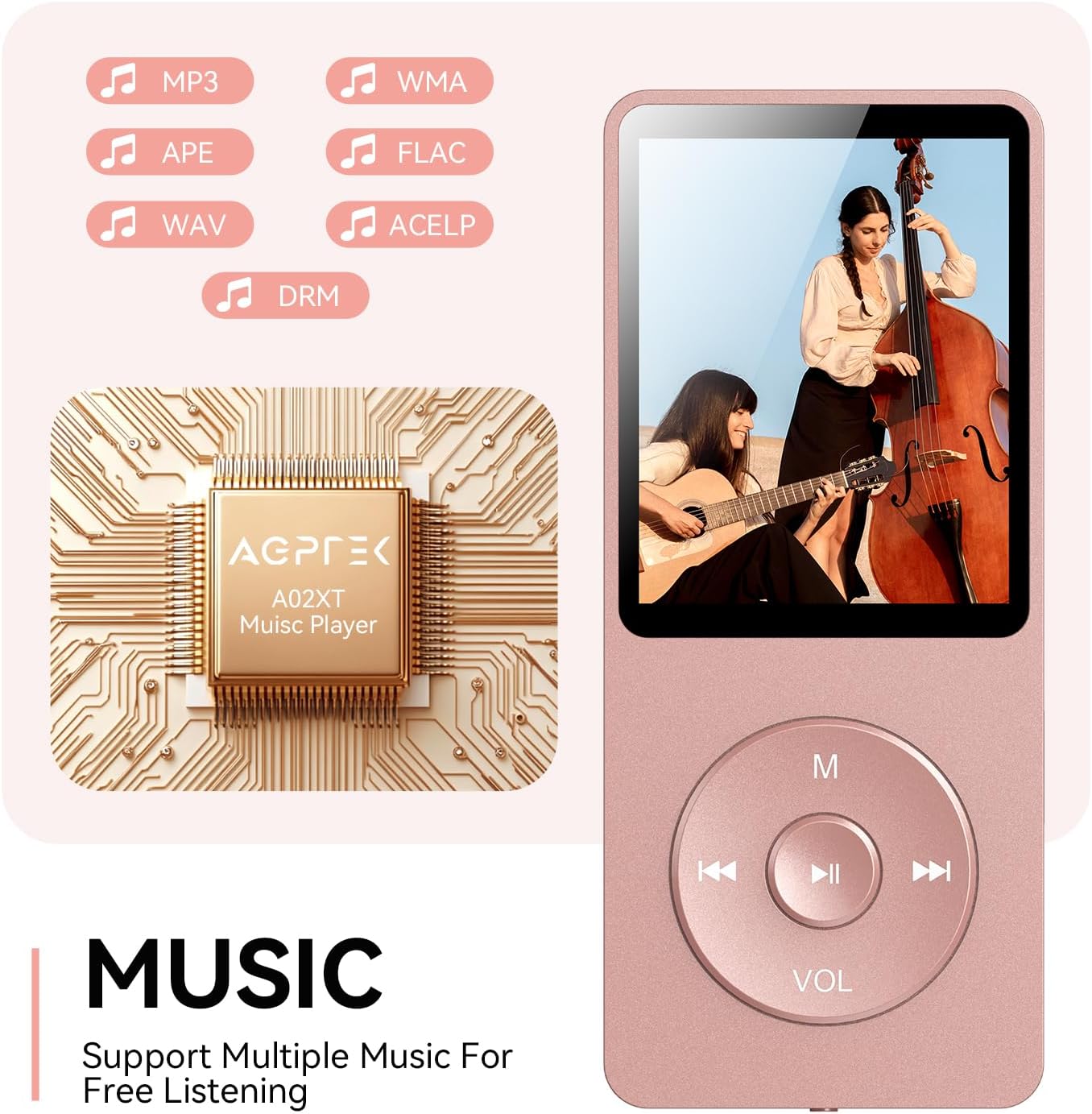
Figure 4.2: Music playback screen and supported formats.
4.4 Sambungan Bluetooth
The A02XT supports Bluetooth 5.3 for wireless audio output to headphones or speakers.
- Dari menu utama, pilih 'Bluetooth'.
- Turn on Bluetooth on the player.
- Pastikan fon kepala/pembesar suara Bluetooth anda berada dalam mod berpasangan.
- The player will search for nearby devices. Select your device from the list to pair.
4.5 Radio FM
- Connect wired earphones to the 3.5mm jack; they act as the antenna.
- Daripada menu utama, pilih 'Radio FM'.
- Use the navigation buttons to scan for stations or manually tune.
4.6 Rakaman Suara
- From the main menu, select 'Record'.
- Choose 'Start Voice Recording' to begin.
- Press Play/Pause to stop and save the recording.
4.7 Kunci Skrin
To prevent accidental button presses, long press the 'M' button to lock the screen. Repeat the action to unlock.
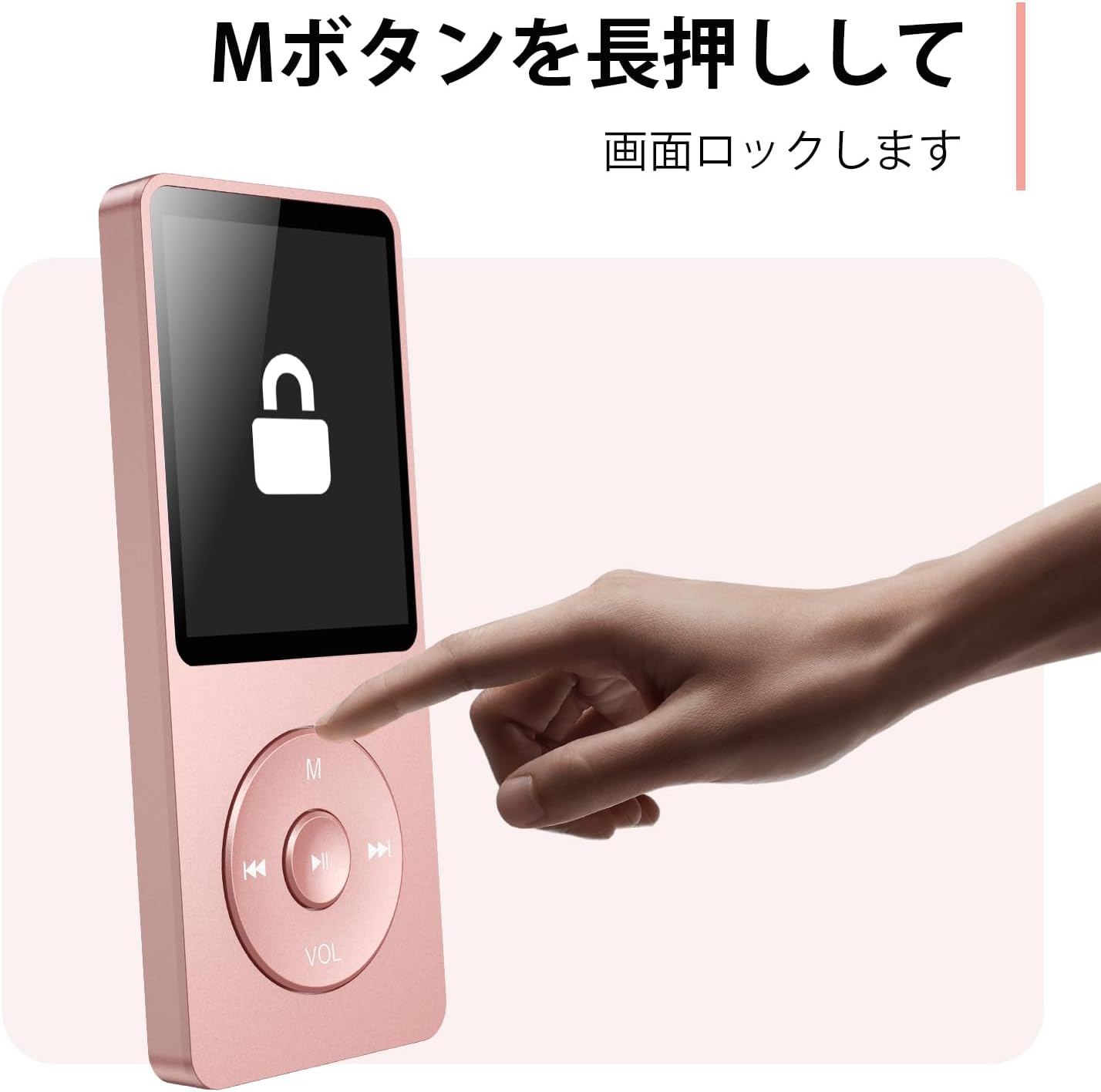
Figure 4.3: Screen lock function using the M button.
5. Penyelenggaraan
5.1 Pembersihan
- Lap peranti dengan kain lembut dan kering.
- Jangan gunakan pembersih cecair atau pelarut.
5.2 Penyimpanan
- Simpan pemain di tempat yang sejuk dan kering jauh dari cahaya matahari langsung dan suhu yang melampau.
- Elakkan daripada menjatuhkan atau meletakkan peranti kepada kesan yang kuat.
5.3 Penjagaan Bateri
- Cas bateri dengan kerap, walaupun tidak digunakan, untuk mengekalkan kesihatan bateri.
- Elakkan daripada mengalirkan bateri sepenuhnya dengan kerap.
6. Penyelesaian masalah
6.1 Peranti Tidak Dihidupkan
- Pastikan bateri dicas. Sambungkan ke sumber kuasa dan cuba lagi.
- Perform a hard reset by pressing and holding the power button for 10-15 seconds.
6.2 Tidak Boleh Memindahkan Files
- Check the USB-C cable connection. Try a different cable or USB port.
- Ensure the device is properly recognized by your computer.
- Sahkan bahawa file format is supported by the player.
6.3 Isu Penggandingan Bluetooth
- Ensure both the player and the Bluetooth device are in pairing mode and within range.
- Matikan dan hidupkan Bluetooth pada kedua-dua peranti.
- Padamkan gandingan sebelumnya dan cuba gandingkan lagi.
6.4 Tiada Bunyi
- Semak tahap kelantangan.
- Ensure headphones are properly connected or Bluetooth device is paired.
- Test with different headphones or Bluetooth device.
7. Spesifikasi
| Jenama | AGPTEK |
| Nama Model | A02XT |
| Kapasiti Penyimpanan Memori | 32 GB (expandable up to 64 GB via microSD card) |
| warna | Merah jambu |
| Saiz Skrin | 8.9 Sentimeter (lebih kurang 3.5 inci) |
| Jenis Media | kad microSD |
| Teknologi Paparan | LCD |
| Format Audio yang Disokong | MP3, WMA, OGG, WAV, APE, FLAC, AAC, ACELP |
| Hayat Bateri | Sehingga 40 Jam |
| Berat Barang | 130 Gram |
8. Waranti dan Sokongan
8.1 Maklumat Waranti
This AGPTEK A02XT MP3 Player comes with a Waranti 1 tahun dari tarikh pembelian. Waranti ini meliputi kecacatan dan kerosakan pembuatan di bawah penggunaan biasa. Ia tidak meliputi kerosakan yang disebabkan oleh salah guna, kemalangan, pengubahsuaian tanpa kebenaran atau haus dan lusuh biasa.
8.2 Sokongan Pelanggan
If you encounter any issues or have questions regarding your AGPTEK A02XT MP3 Player, please refer to the troubleshooting section of this manual first. If the problem persists, contact AGPTEK customer support through the official website or your retailer's support channels. Please have your purchase receipt and product model number (A02XT) ready when contacting support.