
1. Pengenalan
Thank you for choosing the AIR3 Wireless TWS Earbuds. This manual provides essential information for setting up, operating, and maintaining your earbuds to ensure optimal performance and longevity. Please read this manual thoroughly before using the product.
Apa yang Termasuk:
- AIR3 Wireless Earbuds
- Kes Pengecasan
- Manual Pengguna
2. Produk Lebihview
The AIR3 Wireless TWS Earbuds are designed to deliver an immersive audio experience with powerful bass and clear sound. The compact charging case features a digital display for convenient battery monitoring.

Figure 2.1: AIR3 Wireless Earbuds in their charging case, showing the digital battery display. The earbuds are white and fit snugly into the clear charging case.

Figure 2.2: The AIR3 Wireless Earbuds charging case in a closed position, showcasing its compact and sleek design. The case is clear with white internal components.
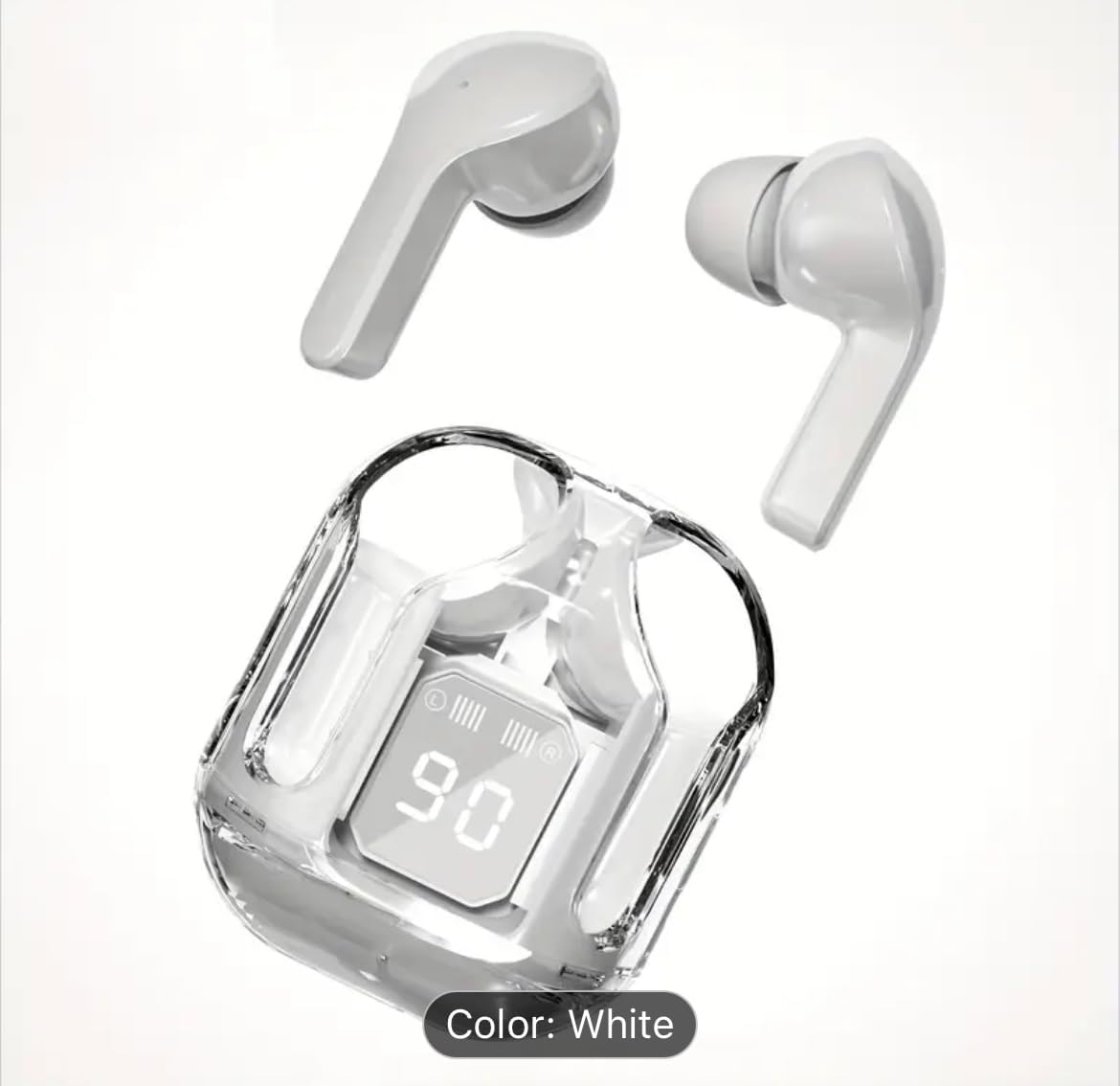
Figure 2.3: The AIR3 Wireless Earbuds displayed outside their open charging case. Both the left and right earbuds are visible, highlighting their ergonomic design.
Ciri-ciri Utama:
- Bunyi Premium: Expertly tuned acoustics deliver immersive audio with powerful bass response as low as 16Hz, perfectly balanced with mids and trebles.
- Bateri Dilanjutkan: Up to 8 hours of continuous playback on a single charge, with total 35 hours including charging case.
- Reka Bentuk Tanpa Wayar: Sleek and portable true wireless earbuds with convenient charging case featuring LED display.
- Bes Dalam: OrigX technology enhances low-frequency performance while maintaining audio clarity across all ranges.
- Paparan Pintar: Digital LED screen shows precise battery level and charging status for both earbuds and case.
3. Persediaan
3.1 Mengecas Fon telinga dan Sarung
Before first use, fully charge the charging case and earbuds. The digital display on the case will indicate the battery level.
- Letakkan fon telinga ke dalam bekas pengecas, pastikan ia diletakkan dengan betul.
- Sambungkan bekas pengecas ke sumber kuasa USB menggunakan kabel pengecas yang serasi.
- The digital display on the case will show the charging progress. Once fully charged, the display will indicate 100%.
A full charge for the earbuds provides up to 8 hours of playback, and the charging case provides multiple additional charges for a total of up to 35 hours of playtime.
3.2 Berpasangan dengan Peranti
The earbuds use Bluetooth technology for wireless connection.
- Gandingan Awal: Open the charging case. The earbuds will automatically enter pairing mode (indicated by flashing LED lights on the earbuds).
- On your device (smartphone, tablet, computer), go to Bluetooth settings and ensure Bluetooth is enabled.
- Cari untuk available devices. Select "AIR3" from the list.
- Once connected, the earbud LEDs will stop flashing, and your device will confirm the connection.
- Berpasangan semula: After the initial pairing, the earbuds will automatically connect to the last paired device when removed from the case, provided Bluetooth is enabled on the device.
4. Arahan Operasi
The AIR3 earbuds feature touch controls for easy management of audio playback and calls.
4.1 Hidupkan/Mati Kuasa
- Hidupkan kuasa: Open the charging case, and the earbuds will automatically power on. Alternatively, press and hold the touch area on both earbuds for 3 seconds.
- Matikan: Place the earbuds back into the charging case and close the lid. They will automatically power off and begin charging. Alternatively, press and hold the touch area on both earbuds for 5 seconds.
4.2 Kawalan Sentuhan
| Fungsi | Tindakan |
|---|---|
| Main/Jeda | Ketik sekali pada salah satu fon telinga. |
| Trek Seterusnya | Ketik dua kali pada fon telinga Kanan. |
| Trek Sebelumnya | Ketik dua kali pada fon telinga Kiri. |
| Kelantangan Naik | Triple tap on the Right earbud. |
| Kelantangan Kurang | Ketik tiga kali pada fon telinga Kiri. |
| Jawab/Tamatkan Panggilan | Ketik sekali pada salah satu fon telinga semasa panggilan masuk. |
| Tolak Panggilan | Tekan dan tahan pada mana-mana fon telinga selama 2 saat semasa panggilan masuk. |
| Aktifkan Pembantu Suara | Press and hold on either earbud for 3 seconds (when not on a call). |
4.3 Mod Fon Telinga Tunggal
You can use either the left or right earbud independently. Simply take one earbud out of the charging case, and it will automatically connect to your device. The other earbud can remain in the case or be powered off.
5. Penyelenggaraan
5.1 Pembersihan
- Gunakan kain lembut, kering dan tidak berbulu untuk membersihkan fon telinga dan bekas pengecas.
- Jangan gunakan pembersih yang melelas, alkohol atau pelarut kimia.
- Bersihkan sesentuh pengecas pada kedua-dua fon telinga dan bekas secara berkala untuk memastikan pengecasan yang betul.
5.2 Penyimpanan
- Apabila tidak digunakan, simpan fon telinga dalam bekas pengecasnya untuk melindunginya dan memastikan ia dicas.
- Simpan produk di tempat yang sejuk dan kering, jauh dari suhu yang melampau dan cahaya matahari langsung.
6. Penyelesaian masalah
If you encounter issues with your AIR3 Wireless TWS Earbuds, refer to the following common problems and solutions:
- Fon telinga tidak berpasangan dengan peranti:
- Pastikan Bluetooth didayakan pada peranti anda.
- Pastikan fon telinga telah dicas dan dikeluarkan dari bekas pengecas.
- Matikan Bluetooth pada peranti anda, kemudian hidupkan semula.
- Forget "AIR3" from your device's Bluetooth list and try pairing again.
- Mulakan semula peranti anda.
- Hanya satu fon telinga berfungsi:
- Place both earbuds back into the charging case, close the lid, wait a few seconds, then open the lid and take them out together.
- Pastikan kedua-dua fon telinga dicas.
- Try resetting the earbuds (e.g., by placing them in the case and holding the touch area for 10 seconds, if applicable).
- Kelantangan rendah atau kualiti bunyi yang lemah:
- Laraskan kelantangan pada kedua-dua peranti anda dan fon telinga.
- Pastikan fon telinga bersih dan bebas daripada serpihan.
- Semak gangguan daripada peranti wayarles lain.
- Pastikan fon telinga diletakkan dengan betul di telinga anda.
- Sarung pengecas tidak dicas:
- Pastikan kabel pengecasan disambungkan dengan selamat pada kedua-dua bekas dan sumber kuasa.
- Try a different charging cable and/or power adapter.
- Bersihkan port pengecasan pada bekas.
7. Spesifikasi
| Ciri | Perincian |
|---|---|
| Nama Model | AIR3 |
| Nombor Model Item | 2411 |
| Teknologi Ketersambungan | Tanpa Wayar, Bluetooth |
| Teknologi Komunikasi Tanpa Wayar | Bluetooth |
| Respons Kekerapan | 16 Hz |
| Kawalan Bunyi | tiada |
| Earbud Playback Time (Single Charge) | Sehingga 8 jam |
| Jumlah Masa Main (dengan Sarung Pengecasan) | Sehingga 35 jam |
| Masa Mengecas | 8 Jam |
| bahan | plastik |
| Jenis Kawalan | Kawalan Sentuh |
| Tahap Ketahanan Air | Tahan Air |
| Jenis Pemacu Audio | Pemandu Dinamik |
| Bentuk alat dengar | Half In-ear |
| warna | putih |
| Berat Barang | 1.5 auns |
| Pengeluar | Banzi Trading |
8. Maklumat Keselamatan
Sila baca dan ikuti garis panduan keselamatan ini untuk mengelakkan kerosakan pada peranti anda atau kecederaan kepada diri anda:
- Jangan buka, baiki atau ubah suai produk.
- Keep the product away from extreme temperatures, humidity, and liquids.
- Elakkan daripada menjatuhkan atau meletakkan produk kepada kesan yang kuat.
- Do not expose the product to fire or dispose of it in fire, as batteries may explode.
- Gunakan hanya kabel pengecasan dan penyesuai yang serasi.
- Pendedahan berpanjangan kepada tahap kelantangan yang tinggi boleh menyebabkan kerosakan pendengaran. Laraskan kelantangan ke tahap yang selamat.
- Jauhkan daripada kanak-kanak dan haiwan peliharaan.
9. Waranti dan Sokongan
Produk ini dilindungi oleh waranti pengeluar standard. Untuk terma dan syarat waranti tertentu, sila rujuk dokumentasi yang diberikan semasa pembelian atau hubungi terus penjual.
For technical support or customer service inquiries, please contact your retailer or the manufacturer using the contact information provided with your purchase.