
1. Pengenalan
This manual provides essential information for the installation, operation, and maintenance of your ENERMAX Revolution III 650W ATX 3.1 Power Supply. Please read this manual thoroughly before installation and keep it for future reference.
1.1 Maklumat Keselamatan
- Sentiasa putuskan sambungan bekalan kuasa dari alur keluar AC sebelum pemasangan atau penyelenggaraan.
- Jangan buka unit bekalan kuasa. vol tinggitages are present inside, and it contains no user-serviceable parts.
- Pastikan pembumian yang betul untuk mengelakkan bahaya elektrik.
- Pasang bekalan kuasa di kawasan yang mempunyai pengudaraan yang baik.
- Gunakan hanya kabel modular yang disediakan dengan bekalan kuasa ini. Menggunakan kabel yang tidak serasi boleh merosakkan unit atau komponen yang disambungkan.
- Produk ini direka bentuk untuk digunakan dalam sistem komputer peribadi. Jangan gunakannya untuk tujuan lain.
1.2 Kandungan Pakej
- ENERMAX Revolution III 650W Power Supply
- Modular Cable Set (including 12V-2x6 cable for PCIe 5.1)
- Kord Kuasa AC
- Skru Pemasangan
- Cable Combs (16 pieces for 650W model)
- Manual Pengguna

Image 1.1: The ENERMAX Revolution III 650W power supply, showcasing reka bentuknya yang padat dan jeriji kipas.
2. Persediaan dan Pemasangan
Follow these steps to properly install your ENERMAX Revolution III 650W power supply into your computer system.
2.1 Pemeriksaan Pra-Pemasangan
- Pastikan casing komputer anda serasi dengan bekalan kuasa faktor bentuk ATX.
- Verify that your motherboard and other components are compatible with the power requirements of a 650W power supply.
- Unpack the power supply and all modular cables.
2.2 Pemasangan Fizikal
- Mount the power supply into the designated bay in your computer case using the provided screws. Ensure the fan is oriented correctly for optimal airflow (typically facing downwards if there's a bottom vent, or upwards if not).
- Connect the necessary modular cables to the power supply unit. The Revolution III is fully modular, allowing you to connect only the cables you need. Refer to the labels on the power supply for correct port identification.
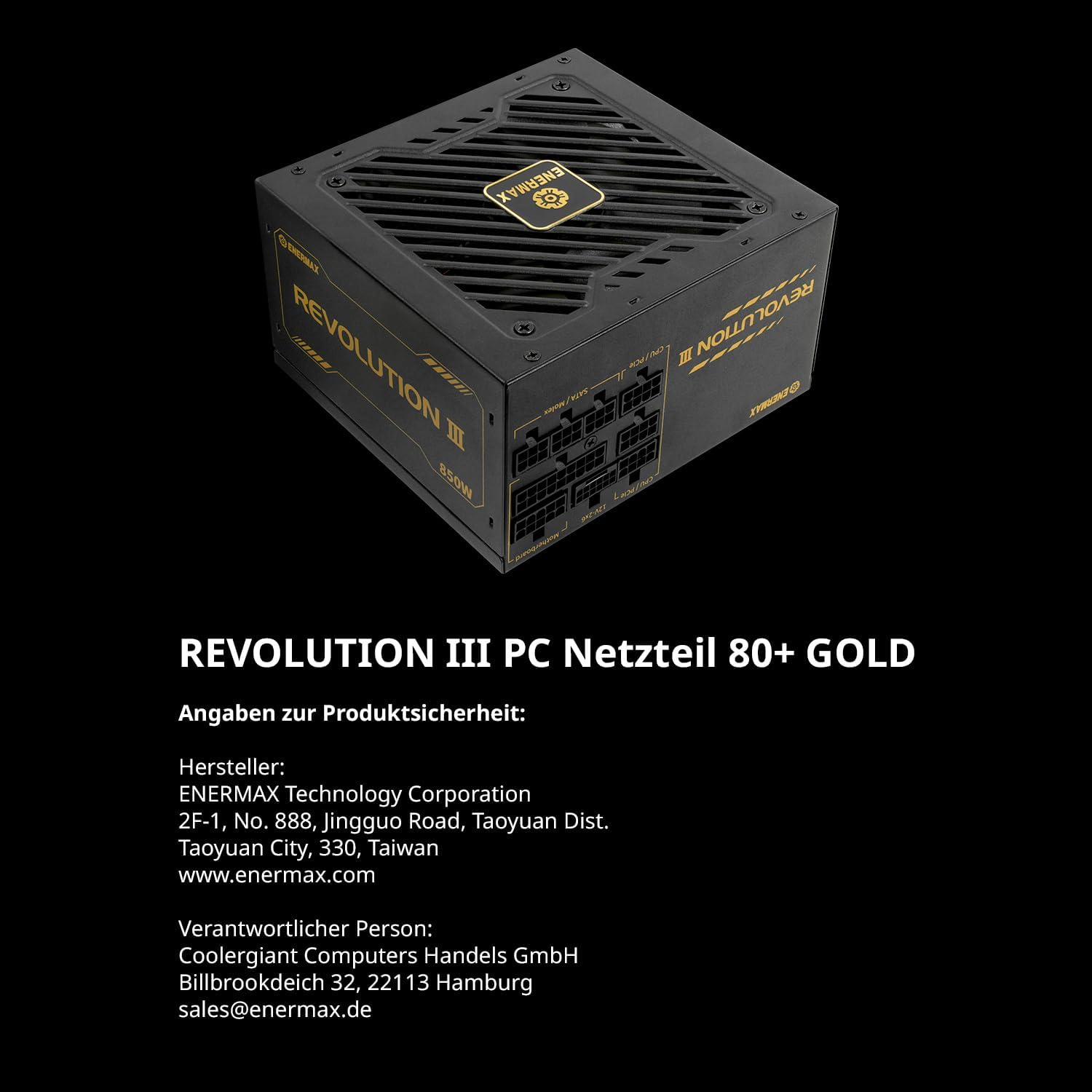
Imej 2.1: Belakang view of the power supply showing the clearly labeled modular cable ports for motherboard, CPU/PCIe, and SATA/Molex connections.
2.3 Sambungan Kabel
Connect the modular cables from the power supply to your system components:
- Papan induk: Sambungkan kabel ATX 24-pin ke papan induk anda.
- CPU: Connect the 4+4-pin or 8-pin EPS/CPU cable to your motherboard's CPU power connector.
- Kad Grafik (GPU): For modern GPUs, use the dedicated 12V-2x6 cable (PCIe 5.1) for high-power graphics cards. For other GPUs, use the 6+2-pin PCIe cables. The Revolution III supports PCIe 5.1, providing a 450W 12V-2x6 cable for demanding GPUs.
- Peranti Storan: Sambungkan kabel kuasa SATA ke SSD, HDD dan pemacu optik.
- Peranti: Connect Molex cables for any other peripherals requiring power.

Image 2.2: The power supply highlighting the native PCIe 5.1 12V-2x6 connector, designed for high-performance graphics cards.
2.4 Pengurusan Kabel
Utilize the included cable combs to organize the premium mesh-sleeved cables for a clean and efficient build. Proper cable management improves airflow and aesthetics within your PC case.

Image 2.3: Modular cables with mesh sleeving and cable combs, demonstrating organized cable routing.
3. Arahan Operasi
Once all connections are secure, you can power on your system.
3.1 Menghidupkan
- Ensure the power switch on the back of the power supply is in the 'OFF' (0) position.
- Sambungkan kord kuasa AC ke bekalan kuasa dan kemudian ke alur keluar dinding.
- Flip the power switch on the power supply to the 'ON' (I) position.
- Tekan butang kuasa pada sarung komputer anda untuk memulakan sistem.
3.2 Operasi Kipas
The Revolution III 650W features a whisper-quiet 120mm FDB (Fluid Dynamic Bearing) fan. This fan is designed for silent operation under typical loads and will adjust its speed based on the power supply's temperature to maintain optimal cooling and noise levels.
3.3 Kecekapan
This power supply is 80 PLUS Gold certified, indicating an efficiency of over 90% at standard load conditions. This means less energy is wasted as heat, contributing to lower operating temperatures and reduced energy consumption.
4. Penyelenggaraan
Penyelenggaraan tetap membantu memastikan jangka hayat dan prestasi optimum bekalan kuasa anda.
4.1 Pembersihan
- Periodically clean the exterior of the power supply and its fan grille to prevent dust buildup.
- Use compressed air to gently remove dust from the fan and internal components (without opening the unit).
- Ensure the power supply is disconnected from the AC outlet before cleaning.
4.2 Keadaan Persekitaran
Operate the power supply within recommended temperature and humidity ranges. Avoid exposing the unit to extreme temperatures or moisture.
5. Penyelesaian masalah
Jika anda menghadapi masalah dengan bekalan kuasa anda, rujuk langkah penyelesaian masalah biasa berikut:
- Tiada Kuasa:
- Periksa sama ada kord kuasa AC disambungkan dengan selamat ke kedua-dua bekalan kuasa dan alur keluar dinding.
- Pastikan suis kuasa di belakang bekalan kuasa berada dalam kedudukan 'HIDUP' (I).
- Verify that the 24-pin ATX and CPU power cables are correctly seated in the motherboard.
- Uji alur keluar dinding dengan peranti lain untuk mengesahkan ia mempunyai kuasa.
- Ketidakstabilan/Ranap Sistem:
- Ensure all modular cables are fully inserted into both the power supply and the components.
- Sahkan bahawa keperluan kuasa sistem anda tidak melebihi kapasiti 650W bekalan kuasa.
- The Revolution III features a 6-way protection circuit (OVP, UVP, OPP, SCP, OCP, OTP) to safeguard against various electrical issues. If the system is unstable, these protections might be activating due to an underlying component issue or excessive load.
- Bunyi Kipas:
- While designed for quiet operation, ensure the power supply fan grille is not obstructed.
- Clean any dust buildup from the fan.
If problems persist after following these steps, please contact ENERMAX customer support.
6. Spesifikasi
| Ciri | Penerangan |
|---|---|
| Nama Model | REVOLUSI III |
| Nombor Model Item | ERV650G-AHG-MAC |
| Output Wattage | 650 Watt |
| Faktor Bentuk | ATX |
| Pensijilan Kecekapan | 80 PLUS Gold (over 90% efficiency at standard load) |
| ATX Standard | ATX 3.1 |
| Penyambung PCIe | Native PCIe 5.1 (12V-2x6 cable) |
| Kapasitor | Kapasitor Jepun 105°C |
| Kaedah Penyejukan | Air (120mm FDB fan) |
| Dimensi Produk (L x W x H) | 5.51 x 5.91 x 3.39 inci (140 x 150 x 86 mm) |
| Berat Barang | 3.41 paun (1.55 Kilogram) |
| Litar Perlindungan | 6-way (OVP, UVP, OPP, SCP, OCP, OTP) |
7. Waranti dan Sokongan
ENERMAX products are manufactured under strict quality control standards. For warranty information and technical support, please refer to the official ENERMAX webtapak atau hubungi pengedar tempatan anda.
7.1 Maklumat Pengilang
Pengeluar: Perbadanan Teknologi ENERMAX
2F-1, No. 888, Jingguo Road, Taoyuan Dist.
Taoyuan City, 330, Taiwan
www.enermax.com
Responsible Person (Germany):
Coolergiant Computers Handels GmbH
Billbrookdeich 32, 22113 Hamburg
sales@enermax.de

Image 7.1: Manufacturer and responsible party contact details, as well as 80 PLUS Gold certification information.