
CORBOBO SM850
SOLAKAKA SM850 Wireless Gaming Mouse User Manual
Model: SM850
1. Pengenalan
Thank you for choosing the SOLAKAKA SM850 Wireless Gaming Mouse. This high-performance gaming mouse is designed for precision, speed, and comfort, featuring a lightweight build, tri-mode connectivity, and customizable buttons. This manual provides detailed instructions on setting up, operating, and maintaining your SM850 mouse to ensure optimal performance.

Image: The SOLAKAKA SM850 Wireless Gaming Mouse in white, showcasinreka bentuk ergonomiknya dan penerima USB yang disertakan.
2. Kandungan Pakej
Sila sahkan bahawa semua item terdapat dalam pakej anda:
- SOLAKAKA SM850 Wireless Gaming Mouse
- Kabel Pengecas USB-C
- USB 2.4G Wireless Receiver (stored in the mouse)
- Manual Pengguna (dokumen ini)
3. Produk Lebihview
Familiarize yourself with the various components and buttons of your SM850 mouse:
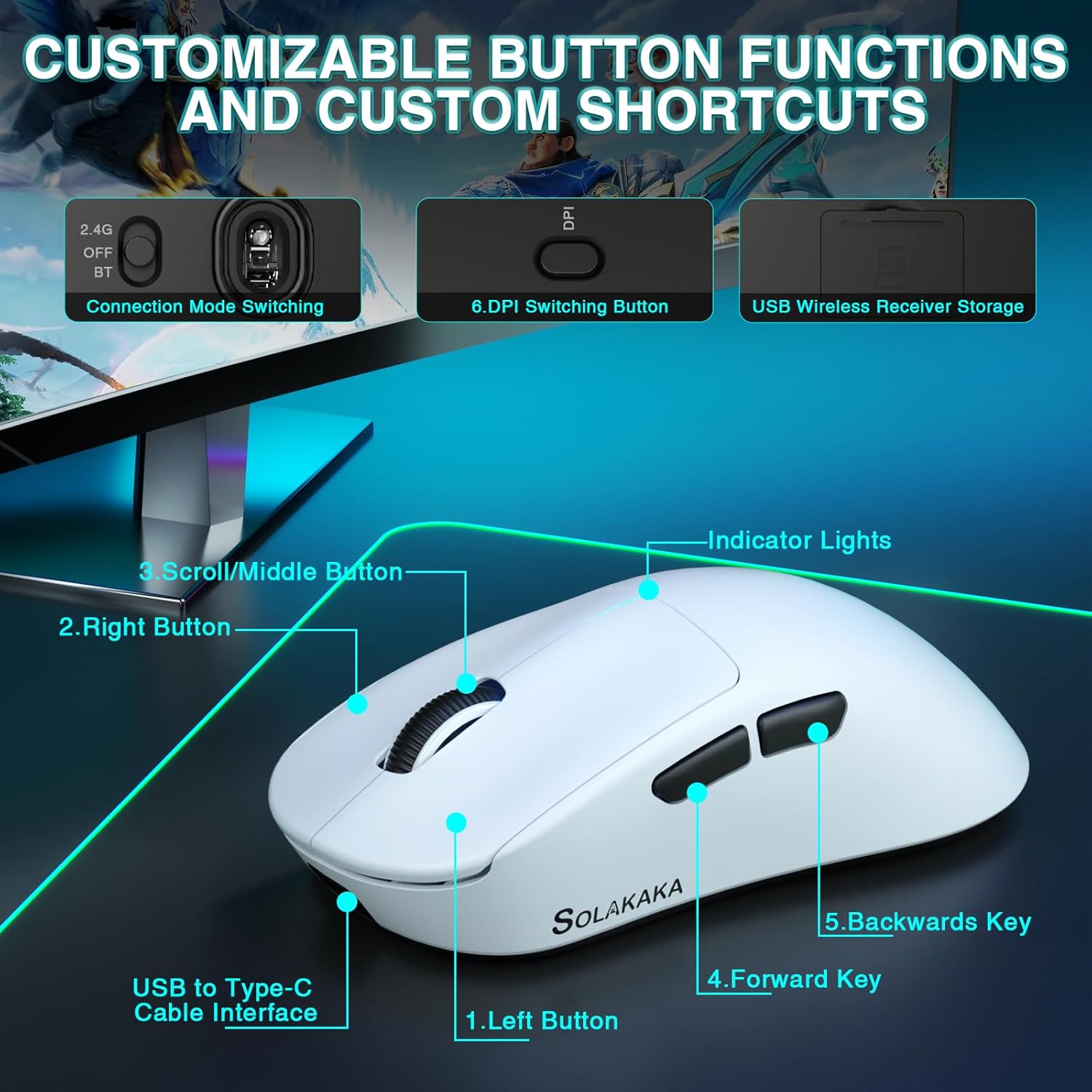
Image: Labeled diagram of the SM850 mouse, highlighting its buttons and features.
- Butang Kiri: Fungsi klik kiri standard.
- Butang Kanan: Fungsi klik kanan standard.
- Scroll/Middle Button: Scroll wheel for navigation and middle-click function.
- Kunci Hadapan: Navigasi ke hadapan web pelayar atau aplikasi.
- Backwards Key: Navigasi ke belakang web pelayar atau aplikasi.
- DPI Switching Button: Kitaran melalui tahap DPI pratetap.
- Connection Mode Switching: Switch between 2.4G, OFF, and BT (Bluetooth) modes.
- USB Wireless Receiver Storage: Compartment for the 2.4G USB receiver.
- USB to Type-C Cable Interface: Port for wired connection and charging.
- Lampu Penunjuk: Provide visual feedback for DPI, battery, and connection status.
4. Persediaan & Kesambungan
The SM850 mouse offers three connectivity options: 2.4G wireless, Bluetooth 5.1, and USB-C wired.
4.1. Sambungan Wayarles 2.4G
- Locate the USB 2.4G wireless receiver stored in the compartment on the underside of the mouse.
- Palamkan penerima ke dalam port USB yang tersedia pada komputer anda.
- Slide the connection mode switch on the bottom of the mouse to the "2.4G" position.
- Tetikus akan bersambung secara automatik ke komputer anda.
4.2. Sambungan Bluetooth 5.1
- Slide the connection mode switch on the bottom of the mouse to the "BT" position.
- The indicator light on the mouse will begin to flash, indicating it is in pairing mode.
- On your computer, navigate to Bluetooth settings and search for new devices.
- Select "SM850" from the list of available devices to pair.
- Setelah dipasangkan, lampu penunjuk akan menjadi pekat.
4.3. Sambungan Berwayar USB-C
- Connect one end of the provided USB-C cable to the mouse's USB-C port.
- Sambungkan hujung kabel yang lain ke port USB yang tersedia pada komputer anda.
- The mouse will function immediately in wired mode and will also begin charging.
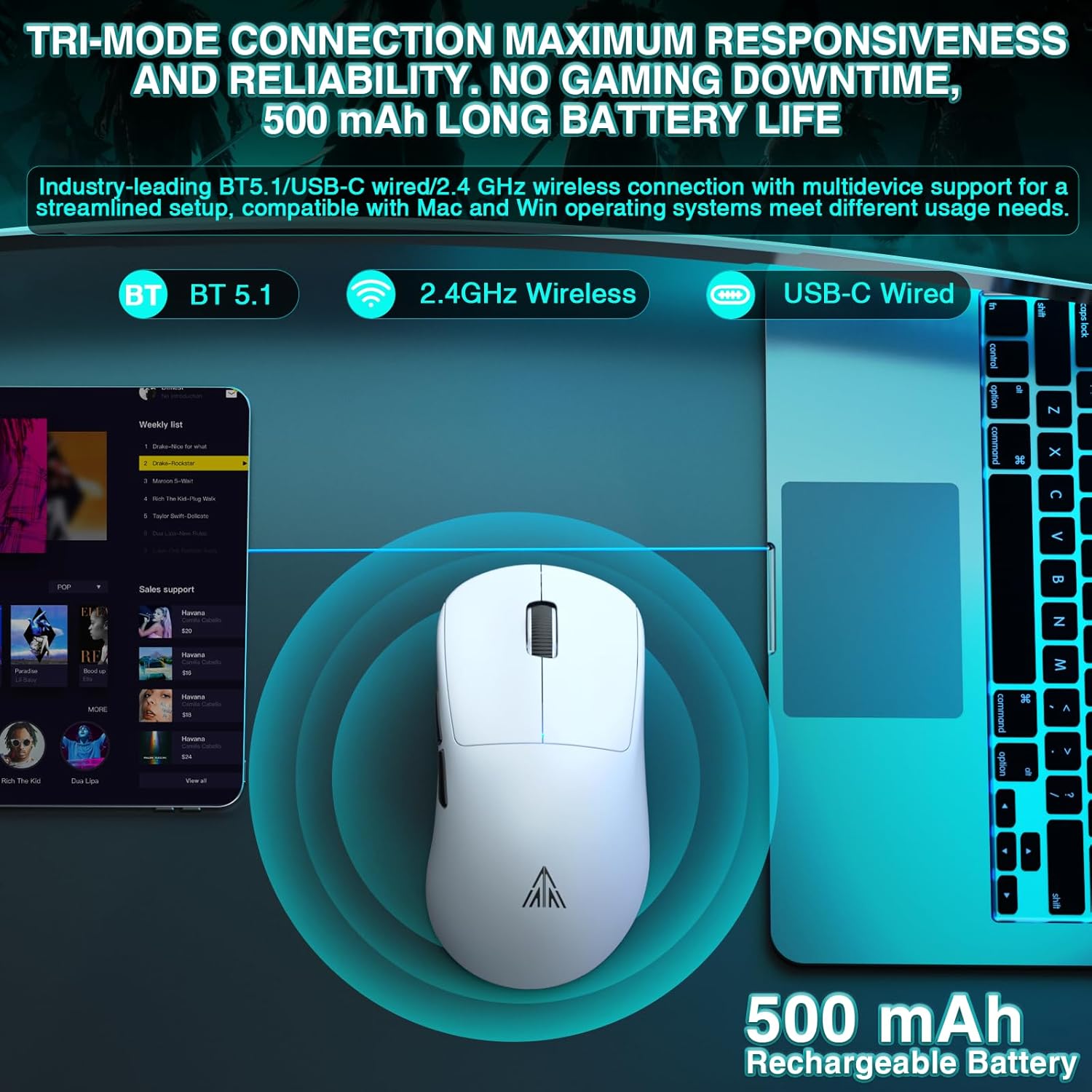
Image: Visual representation of the SM850 mouse utilizing its tri-mode connectivity options (Bluetooth, 2.4GHz Wireless, USB-C Wired).
5. Operasi
5.1. Pelarasan DPI
The SM850 mouse features a dedicated DPI switching button to cycle through 6 adjustable DPI levels: 1200, 1600, 2400, 3200, 6400, and 12000. Each level is indicated by a specific color on the mouse's indicator lights.
- 1200 DPI: (Color indication may vary, refer to software)
- 1600 DPI: (Color indication may vary, refer to software)
- 2400 DPI: (Color indication may vary, refer to software)
- 3200 DPI: (Color indication may vary, refer to software)
- 6400 DPI: (Color indication may vary, refer to software)
- 12000 DPI: (Color indication may vary, refer to software)
For advanced customization, the DPI can be adjusted up to 24000 DPI via the dedicated driver software.

Image: Illustration of the SM850 mouse's adjustable DPI levels and accurate tracking capabilities.
5.2. Programmable Buttons & Software
The SM850 features 6 programmable buttons that can be customized to suit your gaming and office needs. Each button supports macro programming, allowing you to assign complex commands.
To access full customization options, including DPI adjustment, button remapping, and macro creation, download the official software.
- Alamat Muat Turun Perisian: bit.ly/m/corbobo
- Note: The software is only compatible with Windows operating systems.
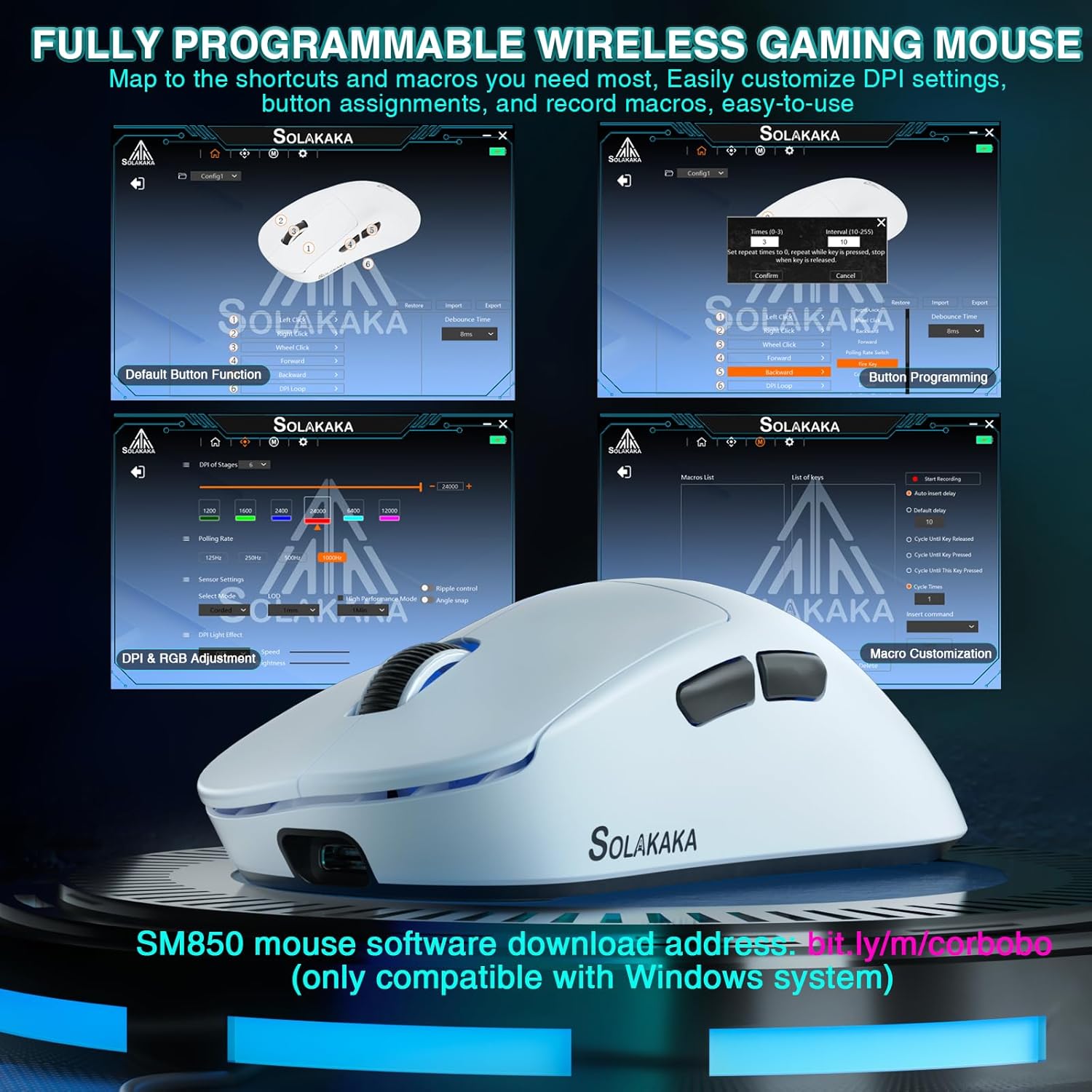
Image: Screenshots of the SM850 mouse's customization software interface, showing options for button programming, DPI adjustment, and macro creation.
6. Bateri & Pengecasan
The SM850 mouse is equipped with a built-in 500mAh high-efficiency battery, providing up to 250 hours of usage on a single charge.
- To charge the mouse, connect it to your computer using the provided USB-C cable.
- The mouse can be used in wired mode while charging, ensuring uninterrupted gaming or work.
- An indicator light on the mouse will show the charging status (e.g., blinking while charging, solid when fully charged).
7. Penyelenggaraan & Penjagaan
To ensure the longevity and optimal performance of your SM850 mouse, follow these care guidelines:
- Pembersihan: Gunakan kain lembut dan kering untuk mengelap permukaan tetikus. Untuk kotoran degil, gunakan sedikit kainamp cloth can be used, but ensure no liquid enters the mouse.
- Perlindungan: The mouse features anti-scratch, anti-dust, and water-resistant properties, designed to withstand sweat and minor liquid splashes. However, avoid submerging the mouse in water or exposing it to excessive moisture.
- Storan: Apabila tidak digunakan untuk tempoh yang lama, simpan tetikus di tempat yang sejuk dan kering.
- Elakkan Keadaan Melampau: Do not expose the mouse to extreme temperatures, direct sunlight, or corrosive substances.
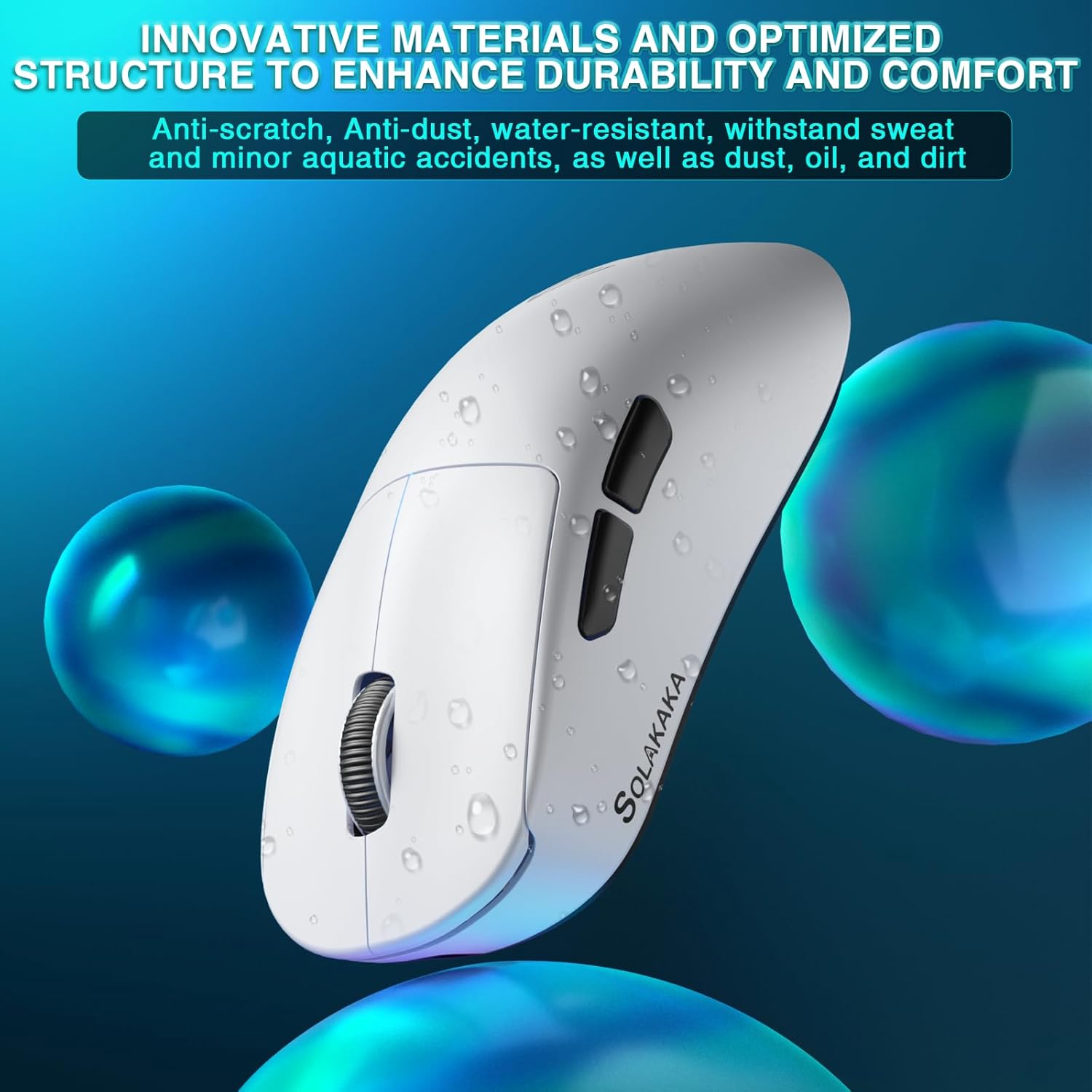
Image: The SM850 mouse with water droplets, illustrating its water-resistant and durable material properties.
8. Penyelesaian masalah
If you encounter issues with your SM850 mouse, please refer to the following common solutions:
| Masalah | Penyelesaian yang Mungkin |
|---|---|
| Tetikus tidak bertindak balas (Tanpa Wayar) |
|
| Lag or erratic movement |
|
| Butang tidak berfungsi |
|
| Bateri tidak dicas |
|
9. Spesifikasi
| Ciri | Perincian |
|---|---|
| Nombor Model | SM850 |
| Teknologi Ketersambungan | Bluetooth 5.1, Tanpa Wayar 2.4G, Berwayar USB-C |
| Sensor | PAW3311 Penderia Optik |
| Tahap DPI | 1200/1600/2400/3200/6400/12000 (Up to 24000 via driver) |
| Kelajuan Penjejakan | 300IPS |
| Pecutan | 35G |
| Kadar Mengundi | 125Hz - 1000Hz |
| Butang | 6 Butang Boleh Aturcara |
| Jenis Bateri | Bateri Boleh Dicas Semula 500mAh terbina dalam |
| Hayat Bateri | Sehingga 250 jam |
| Berat badan | 55g (1.28 auns) |
| Dimensi (L x W x H) | 4.72 x 3.07 x 0.04 inci |
| Pengeluar | SOLAKAKA |
| Negara Asal | China |
10. Waranti & Sokongan
For warranty information and technical support, please refer to the warranty card included with your product or visit the official CORBOBO website. You may also contact CORBOBO customer service directly for assistance with product inquiries, troubleshooting, or replacement parts.
Jenama: CORBOBO
Webtapak: CORBOBO Amazon Store
Ask a question about this manual
Ask about setup, troubleshooting, compatibility, parts, safety, or missing instructions. Manuals+ will review the question and use this page’s manual context to help answer it.