
Hiicam Speed 50
Manual Pengguna Kamera Tindakan Hiicam Speed 50
Model: Speed 50
pengenalan
This user manual provides detailed instructions for the operation, maintenance, and troubleshooting of your Hiicam Speed 50 Action Camera. Please read this manual thoroughly before using the camera to ensure proper functionality and to maximize your experience.
Apa yang ada dalam Kotak
Sahkan bahawa semua item yang disenaraikan di bawah disertakan dalam pakej anda:
- Kamera Tindakan Hiicam Speed 50
- Waterproof Case (for depths up to 131ft / 40m)
- Alat Kawalan Jauh
- 2 x Bateri Boleh Dicas Semula 1550mAh
- Pengecas Bateri
- Kabel Pengecas USB
- Various Mounting Accessories (e.g., helmet mount, bicycle mount, adhesive mounts)
- Kain Pembersih
- Manual Pengguna

Image: Hiicam Speed 50 Action Camera with all standard accessories laid out.
Produk Selesaiview
The Hiicam Speed 50 is a versatile action camera designed for capturing high-quality video and photos in various environments. It features 4K 60FPS video recording, 30MP photo resolution, a 2-inch touch screen, Electronic Image Stabilization (EIS), and 5X digital zoom.

Image: The Hiicam Speed 50 camera's 2-inch touchscreen displaying 4K video, highlighting 4K resolution, 50MP pixel count, and 5X zoom capabilities.
The camera is designed to be waterproof up to 33 feet (10 meters) without an additional case, and up to 131 feet (40 meters) with the included waterproof housing.
Persediaan
1. Pemasangan dan Pengecasan Bateri
The camera comes with two 1550mAh rechargeable batteries. Ensure batteries are fully charged before first use.
- Buka penutup petak bateri di bahagian bawah kamera.
- Masukkan bateri dengan sesentuhnya menghadap arah yang betul, seperti yang ditunjukkan di dalam petak.
- Tutup penutup petak bateri dengan selamat.
- To charge, connect the camera to a USB power source using the provided USB cable, or use the external battery charger. The charging indicator light will show charging status.
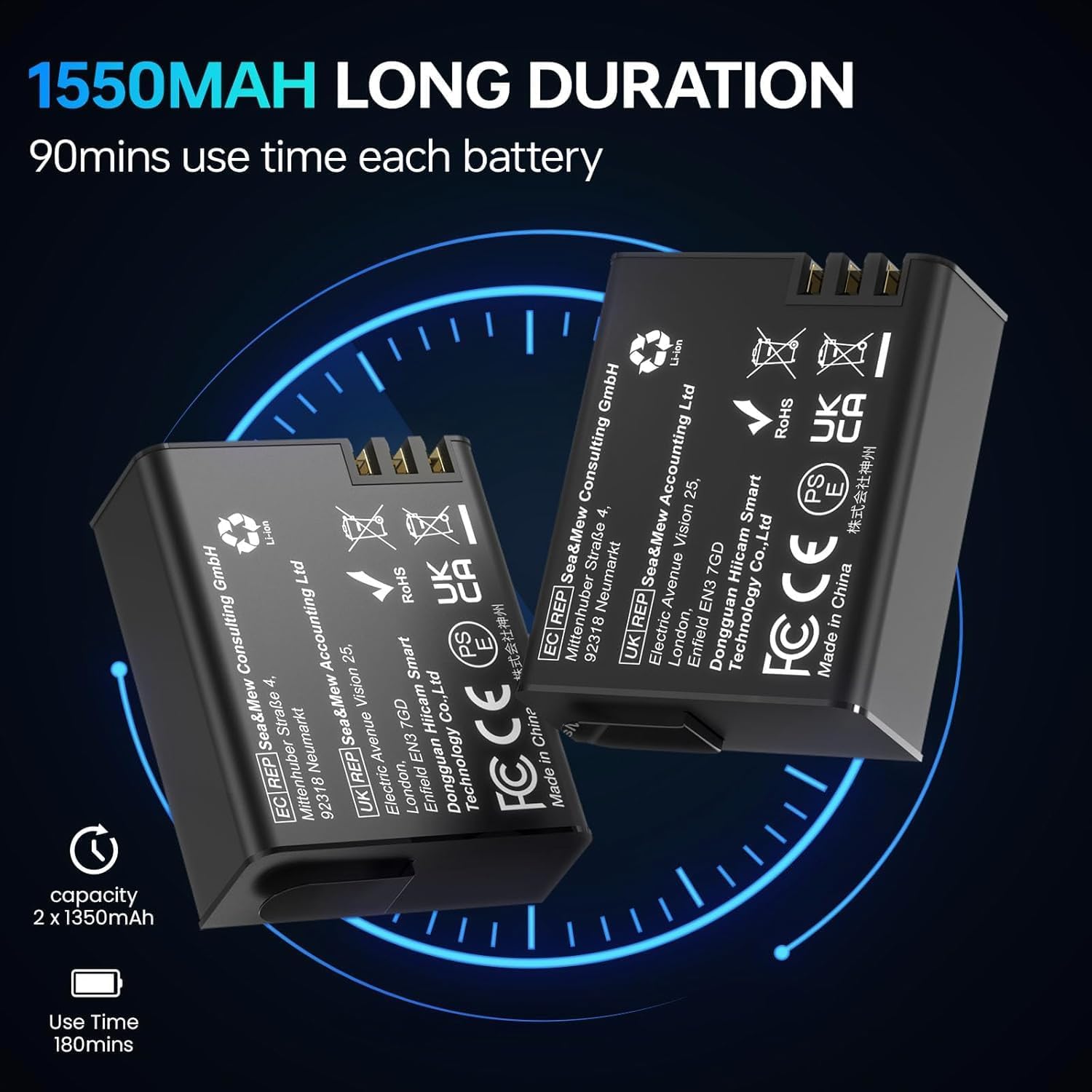
Image: Two 1550mAh rechargeable batteries for the Hiicam Speed 50 camera.

Image: An illustration showing the Hiicam Speed 50 camera connected via USB for charging.
2. Pemasangan Kad Memori
A MicroSD card (not included) is required for storing videos and photos. The camera supports up to 128GB MicroSD cards (U3 or higher recommended).
- Cari slot kad MicroSD di sisi kamera.
- Masukkan kad MicroSD dengan kenalan emas menghadap bahagian belakang kamera sehingga ia klik pada tempatnya.
- Untuk mengalih keluar, tolak kad perlahan-lahan sehingga ia keluar.
3. Penggunaan Sarung Kalis Air
For underwater activities beyond 33 feet (10 meters) or in harsh environments, use the included waterproof case.
- Ensure the camera is dry before placing it into the case.
- Close the case securely, ensuring the latch is fully engaged and the rubber seal is clean and free of debris.
- Always test the waterproof case without the camera in water before use to ensure it is sealed properly.
4. Pasangan Alat Kawalan Jauh
Alat kawalan jauh membolehkan operasi mudah dari jauh.
- Hidupkan kamera.
- Press and hold the Wi-Fi button on the camera until the Wi-Fi icon appears.
- On the remote control, press and hold the video button and photo button simultaneously until the remote indicator light flashes.
- The remote control should automatically pair with the camera.
5. App Connection (Wi-Fi)
Connect your camera to a smartphone or tablet via Wi-Fi for live preview, alat kawalan jauh, dan file pemindahan.
- Download the official Hiicam app from your device's app store.
- Power on the camera and enable Wi-Fi by pressing the Wi-Fi button. The Wi-Fi name (SSID) and password will display on the camera screen.
- On your smartphone/tablet, go to Wi-Fi settings and connect to the camera's Wi-Fi network.
- Open the Hiicam app. The camera feed should appear, allowing you to control the camera and access files.

Image: The Hiicam Speed 50 camera screen alongside a smartphone displaying the camera's companion app interface, showing options for photo, recording, download, and preview.

Image: An illustration demonstrating the wireless transfer of media files from the Hiicam Speed 50 camera to a smartphone application.
Arahan Operasi
1. Hidupkan/Mati Kuasa
- To power on, press and hold the Power/Mode button until the screen turns on.
- Untuk mematikan kuasa, tekan dan tahan butang Kuasa/Mod sehingga skrin dimatikan.
2. Penukaran Mod
Tekan butang Kuasa/Mod berulang kali untuk beralih antara mod yang berbeza: Video, Foto, Main Semula dan Tetapan.
3. Video Recording (4K 60FPS)
- Pastikan kamera berada dalam mod Video.
- Press the Shutter/OK button to start recording. A red recording indicator will flash.
- Press the Shutter/OK button again to stop recording.

Image: A screen capture from the Hiicam Speed 50 camera showing a 4K 60FPS video recording in progress.
4. Photo Capture (30MP)
- Switch the camera to Photo mode.
- Tekan butang Pengatup/OK untuk mengambil foto.
5. Penstabilan Imej Elektronik (EIS)
The 6-axis EIS feature helps to stabilize footage, reducing blur and shakiness, especially during motion activities.
- EIS can be enabled or disabled in the camera's settings menu.
- It is recommended to enable EIS for activities involving significant movement, such as cycling or motorcycling.

Image: The Hiicam Speed 50 camera mounted on bicycle and motorcycle handlebars, illustrating its use in motion with 6-axis stabilization.

Image: A side-by-side comparison of video footage, demonstrating the effect of Electronic Image Stabilization (EIS) when turned on versus off, showing reduced shakiness.
6. Fungsi Zum
The camera supports up to 5X digital zoom.
- In Video or Photo mode, use the Up/Down buttons (or touch screen controls) to adjust the zoom level.

Image: A visual comparison demonstrating the different zoom levels (1x, 3x, and 5x) achievable with the Hiicam Speed 50 camera.
7. Underwater Use
The Hiicam Speed 50 is designed for use in water, with different depth capabilities depending on whether the waterproof case is used.
- Bare Machine: Waterproof up to 33 feet (10 meters). Suitable for shallow water activities like snorkeling or light swimming.
- With Waterproof Case: Waterproof up to 131 feet (40 meters). Essential for diving and deeper underwater exploration.

Image: A person using the Hiicam Speed 50 camera directly in water without its waterproof case, demonstrating its 33ft bare machine waterproof capability.

Image: The Hiicam Action Camera partially submerged in water, illustrating its waterproof capabilities: 20ft for the bare camera and 133ft with the waterproof case.
8. Main semula dan File Pemindahan
- In Playback mode, use the Up/Down buttons or touch screen to navigate through your recorded videos and photos.
- Files can be transferred to a computer by connecting the camera via USB, or wirelessly to a smartphone/tablet using the Hiicam app (see Setup section).
Penyelenggaraan
1. Membersihkan Kamera dan Lensa
Regular cleaning ensures optimal performance and longevity.
- Gunakan kain pembersih yang disediakan untuk mengelap kanta dan skrin dengan lembut.
- Untuk kotoran degil, gunakan larutan pembersih kanta yang direka khusus untuk permukaan optik.
- The camera features a detachable wide-angle lens protector for added durability against dust and scratches.
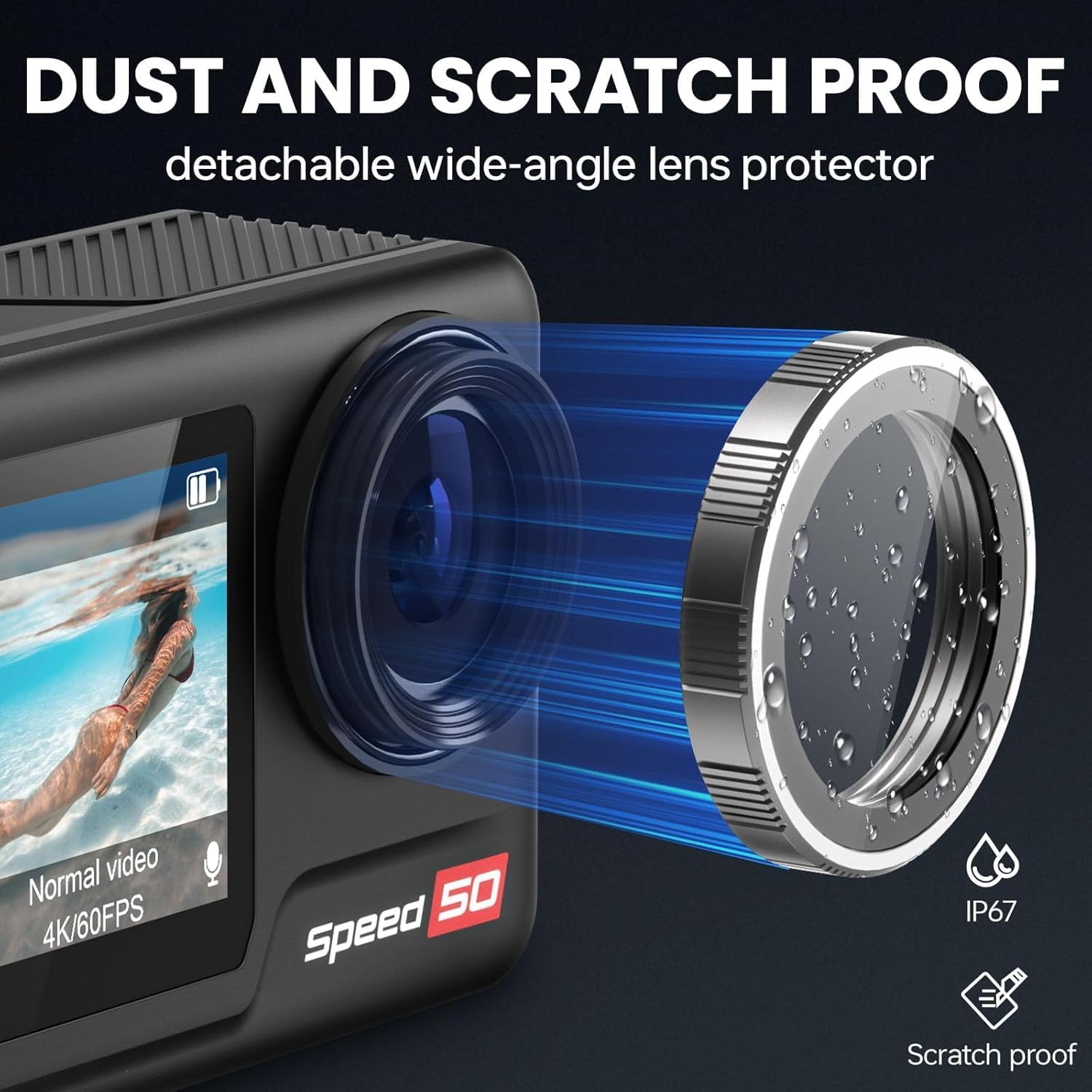
Image: The Hiicam Speed 50 camera highlighting its detachable wide-angle lens protector, which provides dust and scratch resistance.

Image: An illustration showing the detachable wide-angle lens protector being attached to the Hiicam Speed 50 camera.
2. Penyimpanan
Simpan kamera di tempat yang sejuk dan kering jauh dari cahaya matahari langsung dan suhu yang melampau. Tanggalkan bateri jika disimpan untuk tempoh yang lama.
3. Penjagaan Bateri
Untuk memanjangkan hayat bateri:
- Avoid fully discharging batteries before recharging.
- Jangan dedahkan bateri kepada suhu tinggi.
- If storing for a long time, charge batteries to about 50% capacity.
Menyelesaikan masalah
If you encounter issues with your Hiicam Speed 50 camera, refer to the following common problems and solutions:
| Masalah | Kemungkinan Punca | Penyelesaian |
|---|---|---|
| Kamera tidak dihidupkan. | Low or dead battery; improperly inserted battery. | Charge the battery; ensure battery is inserted correctly. |
| Tidak boleh merakam video/mengambil gambar. | No MicroSD card; MicroSD card full or corrupted; card not supported. | Insert a MicroSD card; delete files or use a new card; format the card in camera; use a U3 or higher card. |
| Isu sambungan Wi-Fi. | Incorrect password; too far from camera; app issues. | Re-enter password; move closer to camera; restart camera and app. |
| Poor video quality (shaky). | EIS is off; extreme vibration. | Enable EIS in settings; use appropriate mounts to minimize vibration. |
| Kamera membeku. | Software glitch; corrupted MicroSD card. | Remove and reinsert battery to reset; format MicroSD card. |
Spesifikasi
| Ciri | Perincian |
|---|---|
| Nombor Model | Kelajuan 50 |
| Resolusi Video | Sehingga 4K 60FPS |
| Resolusi Foto | Sehingga 30MP |
| Saiz Skrin | Skrin Sentuh 2-inci |
| Penstabilan Imej | 6-Axis Electronic Image Stabilization (EIS) |
| Zum Digital | 5X |
| Waterproof (Bare Machine) | Sehingga 33 kaki (10 meter) |
| Waterproof (With Case) | Sehingga 131 kaki (40 meter) |
| Kapasiti Bateri | 2 x 1550mAh |
| Hayat Bateri | Approximately 90 minutes per battery (5 hours total with 2 batteries) |
| Penyimpanan | MicroSD card, up to 128GB (U3 or higher recommended) |
| Ketersambungan | Wi-Fi, USB |
| Dimensi | 2.28 x 0.95 x 1.57 inci |
| Berat badan | 1.41 paun (0.64 kg) |
| Format Audio yang Disokong | AAC, MP3 |

Image: An illustration highlighting the 1/1.3-inch sensor size of the camera.
Waranti dan Sokongan
Hiicam products are covered by a standard manufacturer's warranty. For specific warranty terms and conditions, please refer to the documentation included with your purchase or visit the official Hiicam webtapak.
For technical support, troubleshooting assistance, or inquiries about replacement parts, please contact Hiicam customer service. You can often find support contact information on the brand's official Amazon store page or webtapak.
No official seller videos were found for embedding in this manual.
Ask a question about this manual
Ask about setup, troubleshooting, compatibility, parts, safety, or missing instructions. Manuals+ will review the question and use this page’s manual context to help answer it.