
pengenalan
Terima kasih kerana membeliasing the 4DRC G2 Foam Remote Control Airplane. This manual provides essential information for the safe operation, setup, and maintenance of your new RC airplane. Please read it thoroughly before first use to ensure proper function and to maximize your flying experience.
Kandungan Pakej
Sahkan bahawa semua item terdapat dalam pakej anda:
- RC Airplane (G2 Model)
- Alat Kawalan Jauh
- 3 x Rechargeable 3.7V 350 mAh Batteries
- Kabel Pengecas USB
- Baling-baling ganti
- Manual Produk (dokumen ini)
Persediaan
1. Charging the Aircraft Batteries
The 4DRC G2 airplane uses 3.7V 350 mAh rechargeable Lithium-Ion batteries. Ensure all batteries are fully charged before use.
- Connect the provided USB charging cable to a USB power source (e.g., computer USB port, USB wall adapter).
- Sambungkan bateri ke kabel pengecasan.
- Lampu penunjuk pada pengecas akan menunjukkan status pengecasan (rujuk arahan pengecas untuk corak cahaya tertentu).
- Once fully charged, disconnect the battery from the charger. Charging time is approximately 60-90 minutes per battery.
Awas:
- Jangan cas bateri secara berlebihan.
- Jangan biarkan pengecasan bateri tanpa pengawasan.
- Gunakan hanya kabel pengecasan yang disediakan.
2. Installing Aircraft Batteries
The aircraft is designed for easy battery installation.
- Locate the battery compartment on the top of the aircraft.
- Insert a fully charged 3.7V 350 mAh battery into the compartment.
- Connect the battery plug to the aircraft's power connector.
- Tutup penutup petak bateri dengan selamat.
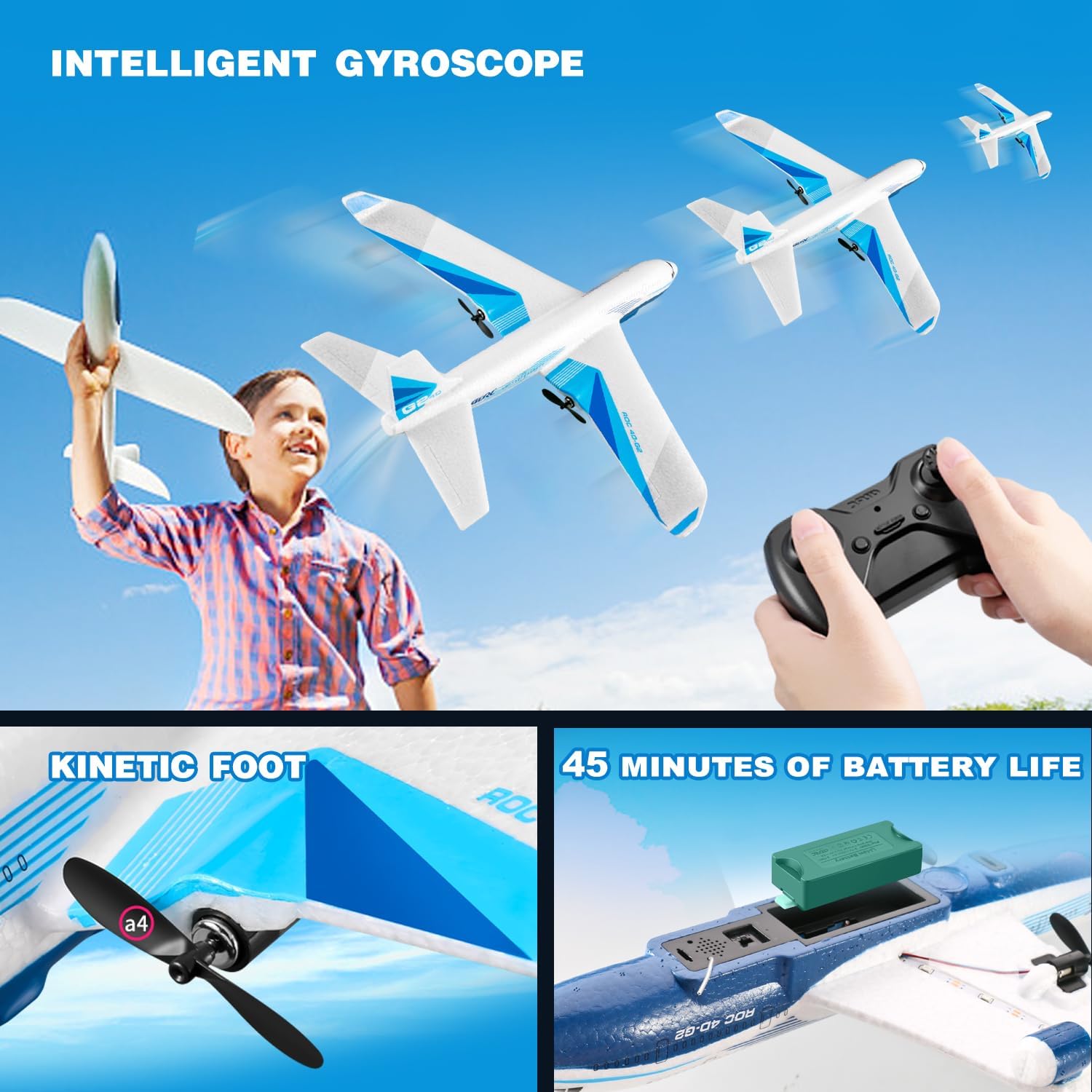
Figure 1: The 4DRC G2 airplane with a view of the battery compartment and propeller. Each battery provides approximately 15 minutes of flight time.
3. Memasang Bateri Kawalan Jauh
The remote control requires 3 C batteries (included).
- Buka petak bateri di belakang alat kawalan jauh.
- Masukkan 3 bateri C, pastikan kekutuban yang betul (+/-).
- Tutup penutup petak bateri.
4. Perhimpunan Pesawat
The 4DRC G2 airplane comes pre-assembled. No additional assembly is required.
5. Pairing the Remote Control with the Aircraft
- Place the aircraft on a flat surface.
- Turn on the aircraft by connecting the battery. The aircraft's LED lights will flash.
- Hidupkan alat kawalan jauh.
- Push the throttle lever (left stick) all the way up, then all the way down. The remote will beep, and the aircraft's LED lights will become solid, indicating successful pairing.
Arahan Operasi
1. Persekitaran Penerbangan
The 4DRC G2 is designed for outdoor use. Choose an open area free from obstacles, people, and animals. Avoid flying in strong winds or rain.
2. Kawalan Asas
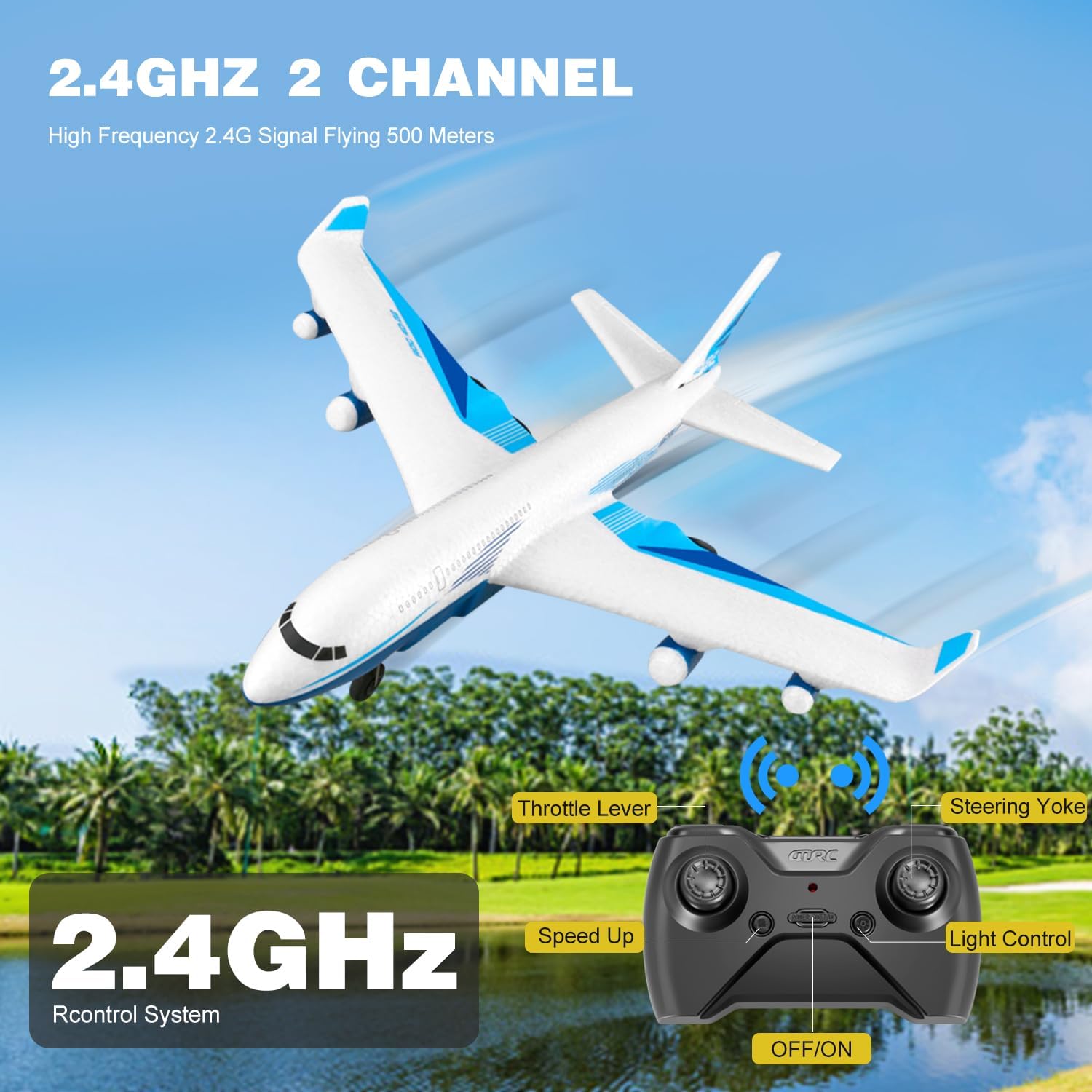
Figure 2: Remote control layout with labeled functions.
- Tuas Pendikit (Batang Kiri): Controls altitude. Push up to ascend, pull down to descend.
- Steering Yoke (Right Stick): Controls direction. Push left/right for turns, push up/down for pitch control.
- Butang Percepatan: Adjusts flight speed. The aircraft offers multiple speed modes.
- Butang Kawalan Cahaya: Menghidupkan/mematikan lampu LED.
- Butang Pelepasan/Pendaratan Satu Kekunci: Memulakan berlepas atau mendarat secara automatik.
3. Takeoff Procedures
- Berlepas Manual: Hold the aircraft and gently throw it forward into the wind while simultaneously pushing the throttle lever up.
- Glide Takeoff: For experienced users, the aircraft can be launched with a gentle forward toss and minimal throttle, allowing it to glide before engaging full power.
- Berlepas Satu Kunci: After pairing, press the one-key takeoff button. The aircraft will automatically ascend to a stable height.
4. Mod dan Ciri Penerbangan
- Diverse Flight Modes: The G2 supports various maneuvers including ascending, descending, turning left/right, and adjusting speed.
- Giroskop 3-Paksi: Ensures stable and smooth flights, making it easier for beginners to control.
- 3 Mod Kelajuan: Adjust the speed to match your skill level and flying conditions.
- Lambungan 3D: Press the 3D flip button (refer to remote diagram if available) and move the right stick in a desired direction to perform acrobatic flips.
- Lampu LED: Bright LEDs enhance visibility and add excitement during evening flights.

Figure 3: The 4DRC G2 airplane with its LED lights active, suitable for night flying.

Figure 4: Diagram demonstrating the 3D flip capability of the G2 airplane.
5. Prosedur Pendaratan
- Pendaratan Manual: Gently reduce the throttle and guide the aircraft to a soft landing.
- Pendaratan Satu Kunci: Press the one-key landing button. The aircraft will automatically descend and land.
6. Demonstrasi Video
Video 1: Official demonstration of the 4DRC G2 Remote Control Airplane in flight, showcasing its stability and maneuverability.
Penyelenggaraan
- Pembersihan: Wipe the aircraft with a soft, dry cloth after each use to remove dirt or debris. Avoid using water or harsh chemicals.
- Pemeriksaan baling-baling: Regularly check propellers for damage. Replace any bent or broken propellers with spares to ensure optimal flight performance.
- Penjagaan Bateri: Store batteries in a cool, dry place. Do not store fully charged or fully depleted batteries for extended periods. Charge them to about 50% for long-term storage.
- EPP Foam: The aircraft is made of durable EPP foam, designed to withstand minor impacts. In case of damage, use appropriate foam-safe adhesive for repairs.
Menyelesaikan masalah
| Masalah | Kemungkinan Punca | Penyelesaian |
|---|---|---|
| Pesawat tidak bertindak balas terhadap alat kawalan jauh. | Not paired; low remote battery; aircraft battery disconnected. | Re-pair the aircraft and remote; replace remote batteries; ensure aircraft battery is connected. |
| Aircraft does not take off or flies erratically. | Low aircraft battery; damaged propeller; strong wind; incorrect trim settings. | Charge aircraft battery; replace damaged propellers; fly in calm conditions; adjust trim on remote. |
| Masa penerbangan yang singkat. | Bateri tidak dicas sepenuhnya; bateri lama. | Ensure batteries are fully charged; consider replacing old batteries. |
| Lampu LED tidak berfungsi. | Lights turned off; wiring issue. | Press the light control button on the remote; inspect wiring for damage. |
Spesifikasi
| Ciri | Perincian |
|---|---|
| Jenama | 4DRC |
| Nama Model | G2 |
| Nombor Model | HC-US8 |
| Jenis Bahan | Electronic Components, EPP Plastic |
| Sumber Kuasa | Dikuasakan Bateri |
| Bateri Pesawat | 3 x 3.7V 350 mAh Lithium-Ion (included) |
| Bateri Kawalan Jauh | 3 x C batteries (included) |
| Masa Penerbangan | Approx. 15 minutes per battery (45 minutes total with 3 batteries) |
| Kekerapan Kawalan Jauh | 2.4GHz |
| Julat Kawalan | Sehingga 656 kaki (200 meter) |
| Kelajuan Maksimum | 25 rph (rotations per hour, likely intended as MPH or KPH, but using provided data) |
| Giroskop | 3-paksi |
| Penggunaan Dalaman/Luar | Luar |
| Dimensi Item | 9 x 9 x 3 inci |
| warna | putih |
Waranti dan Sokongan
This product is covered by a standard return policy. For specific warranty details, please refer to the purchase platform or contact the seller directly. For technical support or inquiries, please visit the official 4DRC webtapak atau hubungi bahagian perkhidmatan pelanggan mereka.
You can find more information about 4DRC products and support at the 4DRC Store on Amazon.