
pengenalan
The LifePro Pacer Mini Pro Treadmill is a compact and versatile walking pad designed for light exercise and fitness in both home and office environments. Its adjustable incline and variable speed settings allow for a customized workout experience, helping you stay active throughout your day. This manual provides essential information for the safe and effective use, setup, operation, and maintenance of your Pacer Mini Pro Treadmill.
Maklumat Keselamatan Penting
Please read and understand all instructions before operating the treadmill. Failure to follow these instructions may result in injury or damage to the product.
- Sentiasa letakkan treadmill di atas permukaan yang rata dan stabil.
- Jauhkan kanak-kanak dan haiwan peliharaan dari treadmill semasa operasi.
- Jangan gunakan treadmill jika ia rosak atau tidak berfungsi.
- Rujuk doktor sebelum memulakan sebarang program senaman baharu.
- Pastikan kord kuasa tidak tersepit atau rosak.
- Do not attempt to service the treadmill yourself. Contact customer support for assistance.
Kandungan Pakej
Sahkan bahawa semua komponen terdapat dalam pakej:
- LifePro Pacer Mini Pro Treadmill Unit
- Alat Kawalan Jauh
- Kord Kuasa
- Minyak pelincir
- Jalur Pemegang Boleh Laras
- Pemegang Tablet
Persediaan
Follow these steps to set up your LifePro Pacer Mini Pro Treadmill:
- Membongkar: Carefully remove the treadmill and all components from the packaging.
- penempatan: Choose a flat, stable surface for the treadmill. Ensure there is adequate space around the unit for safe operation.
- Handlebar and Feet Assembly: While the main unit comes pre-assembled, minimal assembly is required. Attach the adjustable handlebar and the incline feet as instructed in the included quick start guide. Ensure all screws are tightened securely.
- Pelinciran Awal: The treadmill may come with some initial lubrication. Refer to the maintenance section for instructions on how to check and apply lubricant if needed before first use.
- Sambungan Kuasa: Sambungkan kord kuasa ke treadmill dan kemudian ke soket elektrik yang dibumikan.

Arahan Operasi
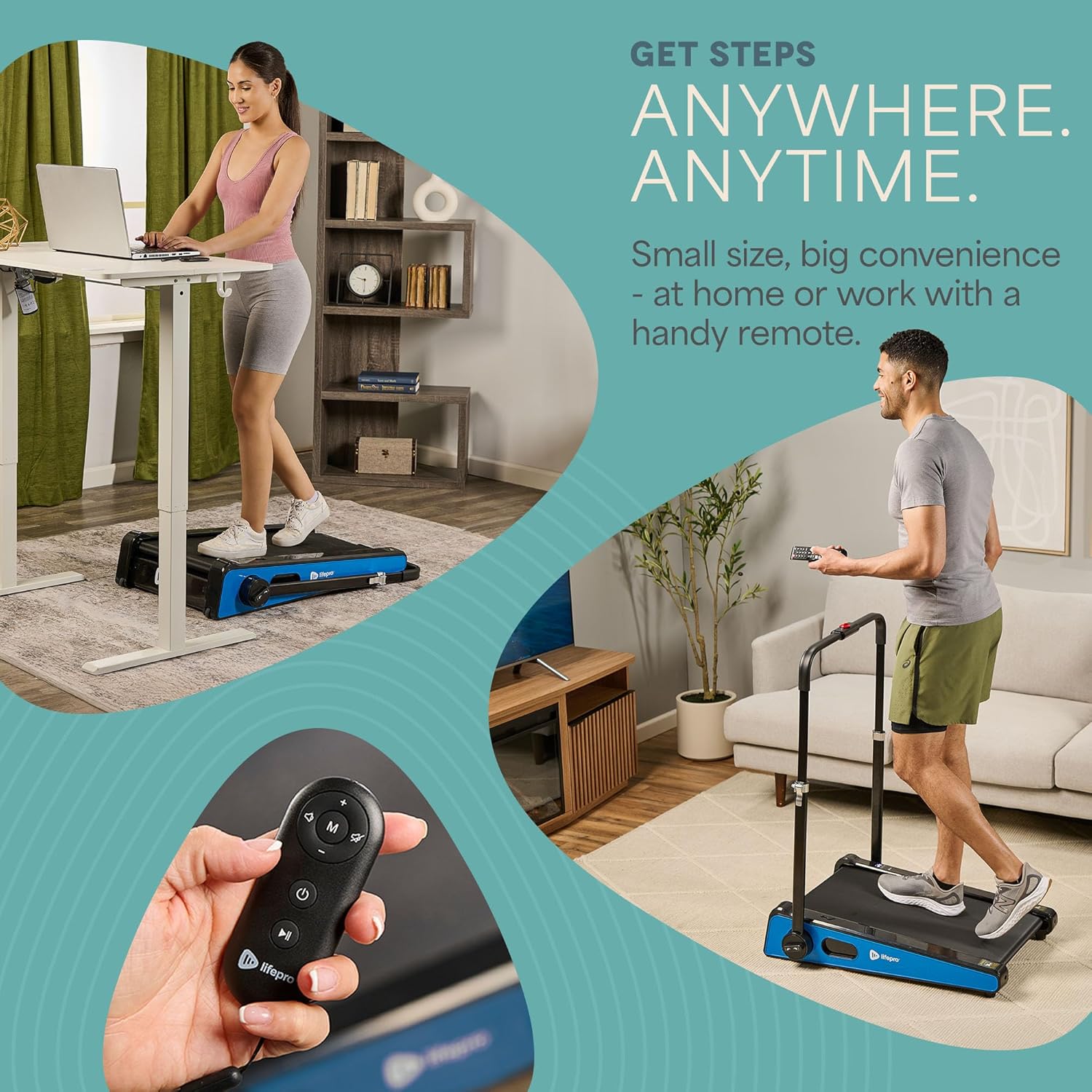
Operating your Pacer Mini Pro Treadmill is straightforward:
- Hidupkan kuasa: Plug in the treadmill and press the power button on the unit or the remote control. The LED display will illuminate.
- Melaraskan Kelajuan: Use the remote control to increase or decrease the walking speed. The maximum speed is 3 MPH. The current speed will be shown on the LED display.
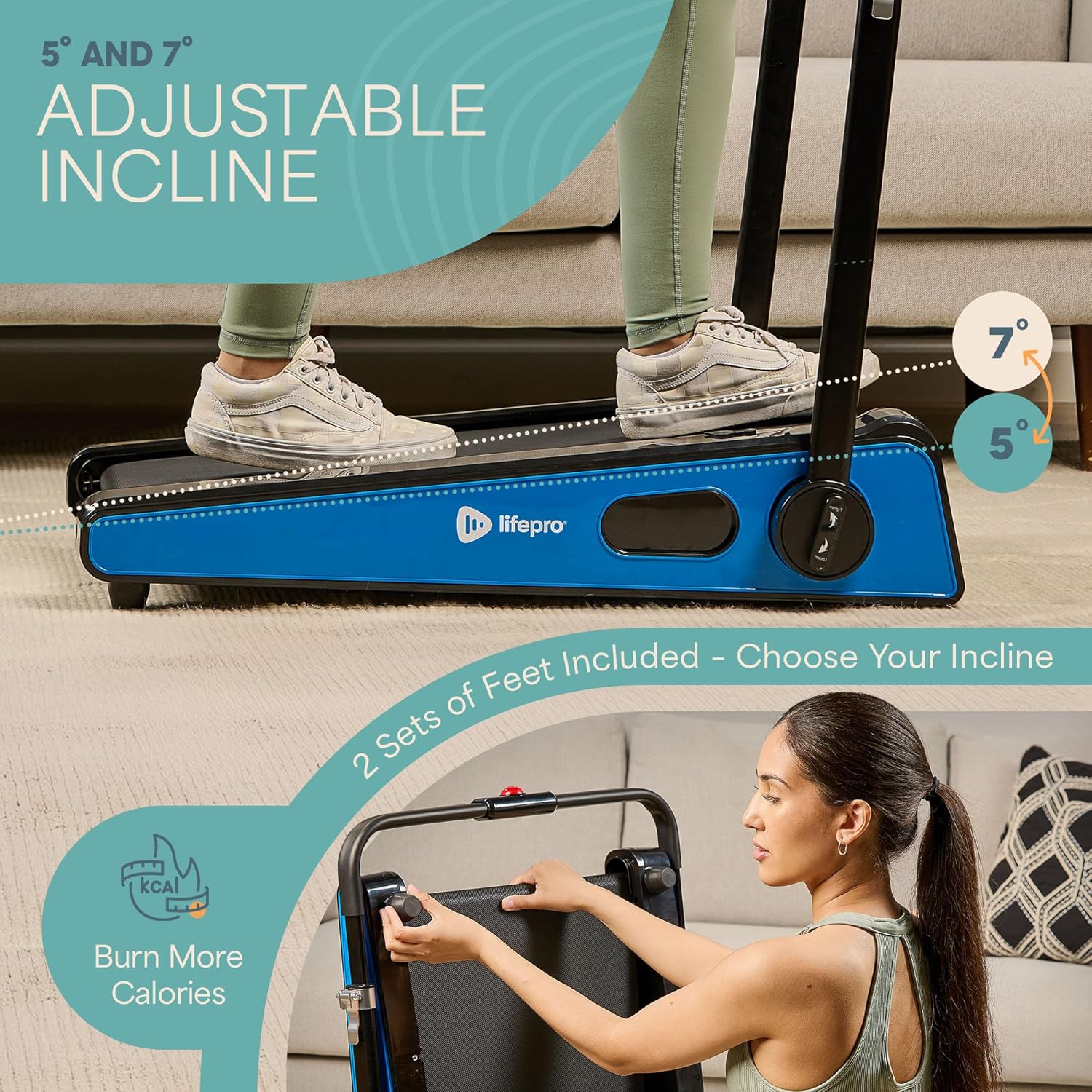
- Melaraskan Kecondongan: The treadmill offers adjustable incline settings of 5 or 7 degrees. To change the incline, manually adjust the feet at the rear of the treadmill. Refer to the setup section and product diagrams for visual guidance.
- Memantau Latihan Anda: The LED display shows important workout metrics such as speed, calories burned, and distance covered. This helps you track your progress and stay motivated.
- Matikan: To stop your workout, press the stop button on the remote control or the unit. For complete power off, unplug the treadmill from the power outlet.

Penyelenggaraan
Regular maintenance ensures the longevity and optimal performance of your treadmill:
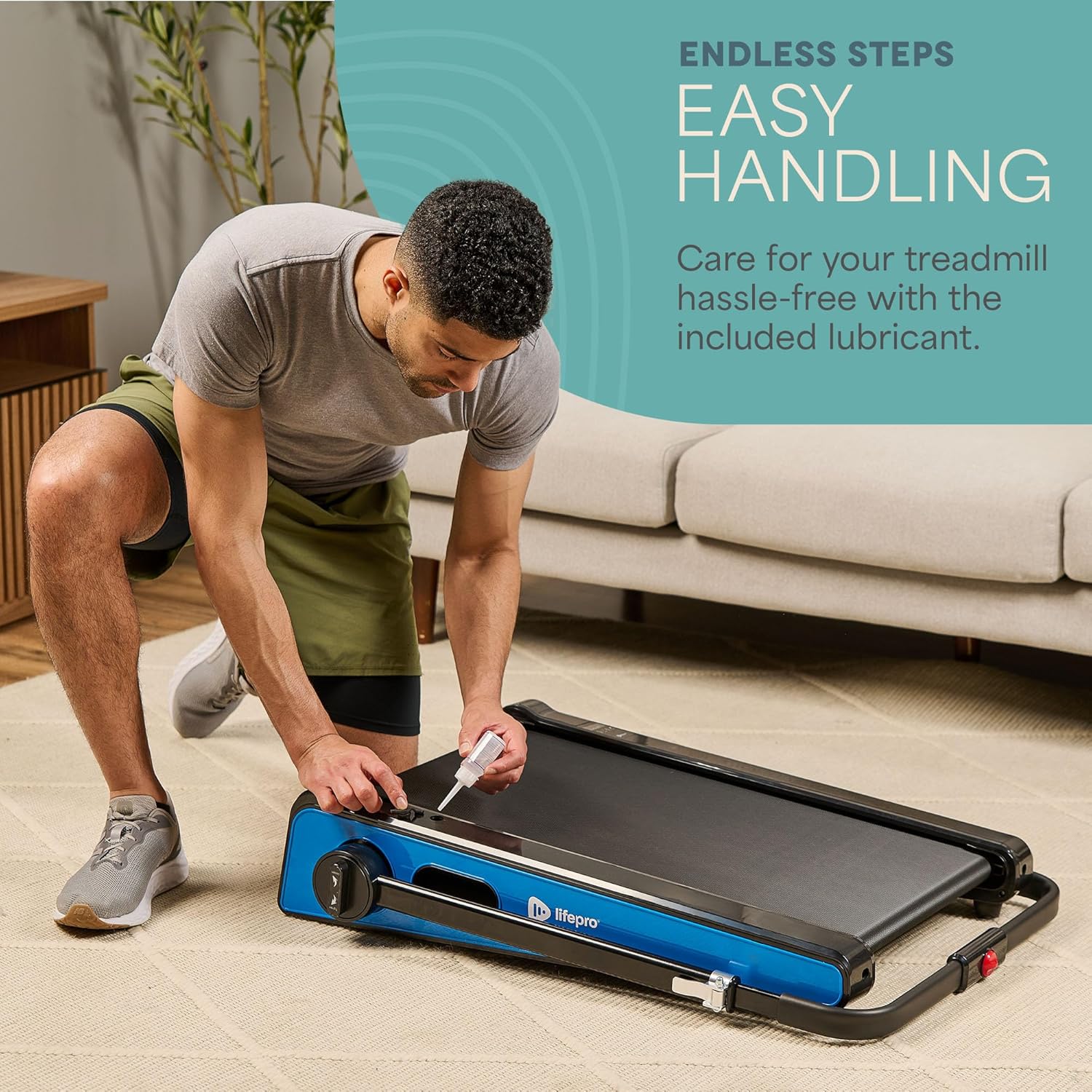
- Pelinciran: The walking belt requires periodic lubrication to reduce friction and wear. A dedicated slot on the upper left side of the treadmill allows for easy injection of the provided lubricant. Lubricate as needed, typically every few months depending on usage.
- Pembersihan: Wipe down the treadmill surface with a damp kain selepas setiap penggunaan untuk mengeluarkan peluh dan habuk. Jangan gunakan pembersih yang kasar.
- Storan: The Pacer Mini Pro is designed for compact storage. It can be easily stored under a couch, desk, or in a closet thanks to its small footprint and built-in wheels for portability.
Menyelesaikan masalah
If you encounter any issues with your treadmill, refer to the following common solutions:
- Treadmill not powering on: Ensure the power cord is securely plugged into both the treadmill and a working electrical outlet. Check the power switch on the unit.
- Tali pinggang tergelincir atau tidak sekata: The walking belt may require adjustment or lubrication. Refer to the maintenance section for lubrication instructions. For belt tension adjustment, consult the detailed manual or contact customer support.
- Bunyi luar biasa: Stop using the treadmill immediately and inspect for any loose parts or obstructions. If the noise persists, contact customer support.
For issues not covered here, please contact LifePro customer support for assistance.
Spesifikasi
| Jenama | LifePro |
| Nombor Model | LP-PCRMP-BLU-VC |
| warna | Blue with Handlebar |
| Dimensi Produk (D x W x H) | 83.1 cm x 63.5 cm x 104.1 cm |
| Berat Barang | 53.9 paun |
| bahan | Keluli Tahan Karat |
| Kelajuan Maksimum | 3 MPH |
| Kecondongan Boleh Laras | 5 atau 7 darjah |
| Ciri Khas | Reka Bentuk Padat |
| Penggunaan yang Disyorkan | Light exercise, walking, home and office use |
| Khalayak Sasaran | Dewasa |
| Kuasa Kuda Maksimum | 1.75 HP |
| Jenis Paparan | LED |
| Sumber Kuasa | Elektrik Bertali |
| Teknologi Ketersambungan | Ethernet |
| Jenis Kaunter | digital |
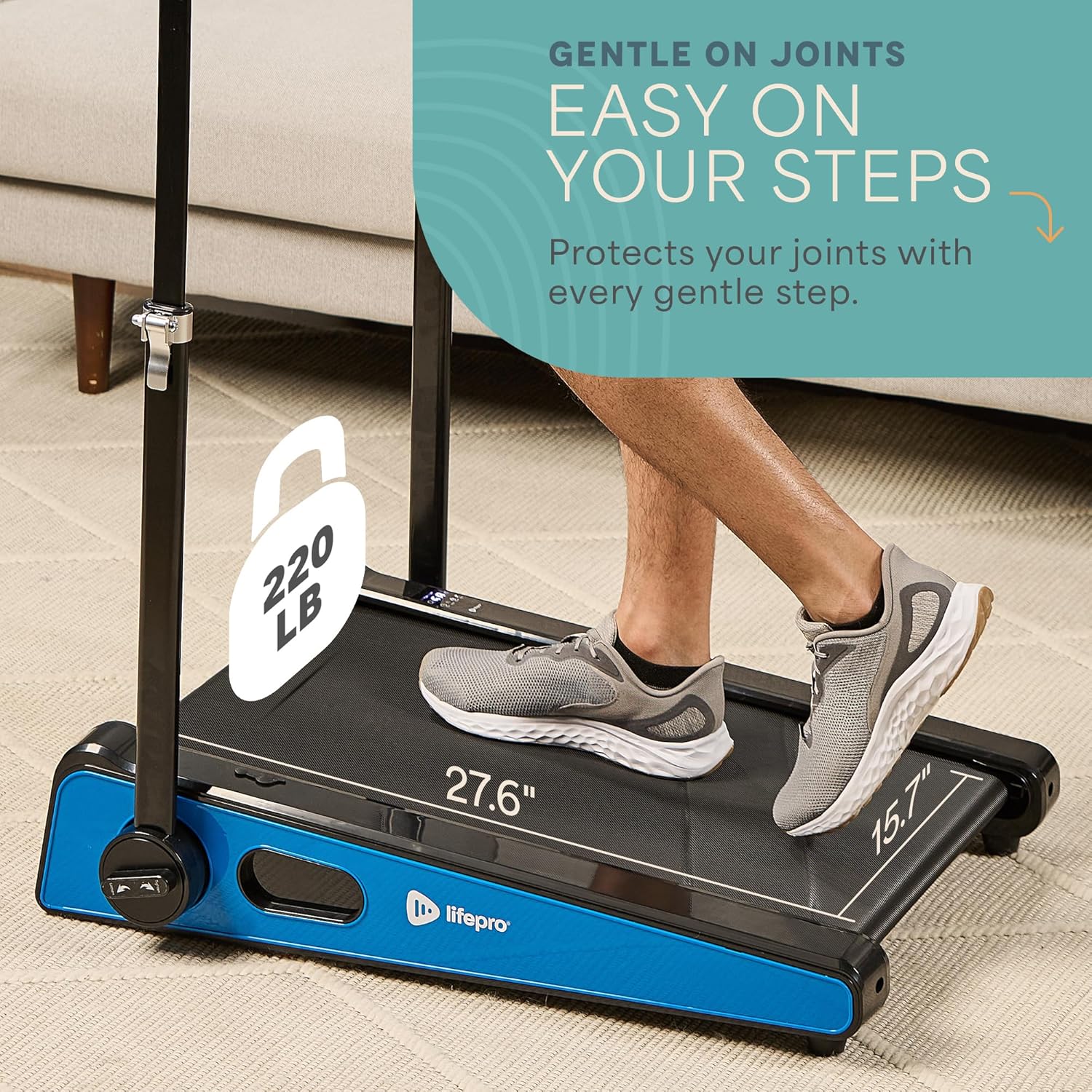
| Cadangan Berat Maksimum | 220 paun |
| Bilangan Program | 1 |
| Running Surface Length | 40 inci |
| Running Surface Width | 15.7 inci |
| Saiz Skrin | 30 inci |
| Perhimpunan Diperlukan | Minimal (Handlebar and feet attachment) |
| UPC | 810161332328 |
Waranti dan Sokongan
LifePro is committed to providing high-quality products and customer satisfaction. The LifePro Pacer Mini Pro Treadmill comes with a waranti seumur hidup, memastikan ketenangan fikiran untuk pelaburan anda.
For any questions, concerns, or technical support, please contact LifePro customer service:
- Webtapak: www.lifeprofitness.com (Cthample link, please replace with actual support link if available)
- e-mel: support@lifeprofitness.com (Cthample email, please replace with actual support email if available)
- telefon: [Insert Phone Number Here]
Please have your model number (LP-PCRMP-BLU-VC) and proof of purchase ready when contacting support.