
WOOPKER KC-906
WOOPKER Portable DVD Player User Manual
Model: KC-906
1. Produk Lebihview
The WOOPKER KC-906 Portable DVD Player is a versatile entertainment device featuring a 7-inch HD (1024x600) digital screen and Hi-Fi stereo speakers. Designed for portability, it includes a 4000mAh rechargeable battery providing up to 7 hours of playback. This player supports multiple media formats including DVD, CD, USB, and offers Bluetooth, AUX, and AV connectivity. It is equipped with user-friendly functions such as memory playback, a sleep timer, and a remote control for convenient operation.
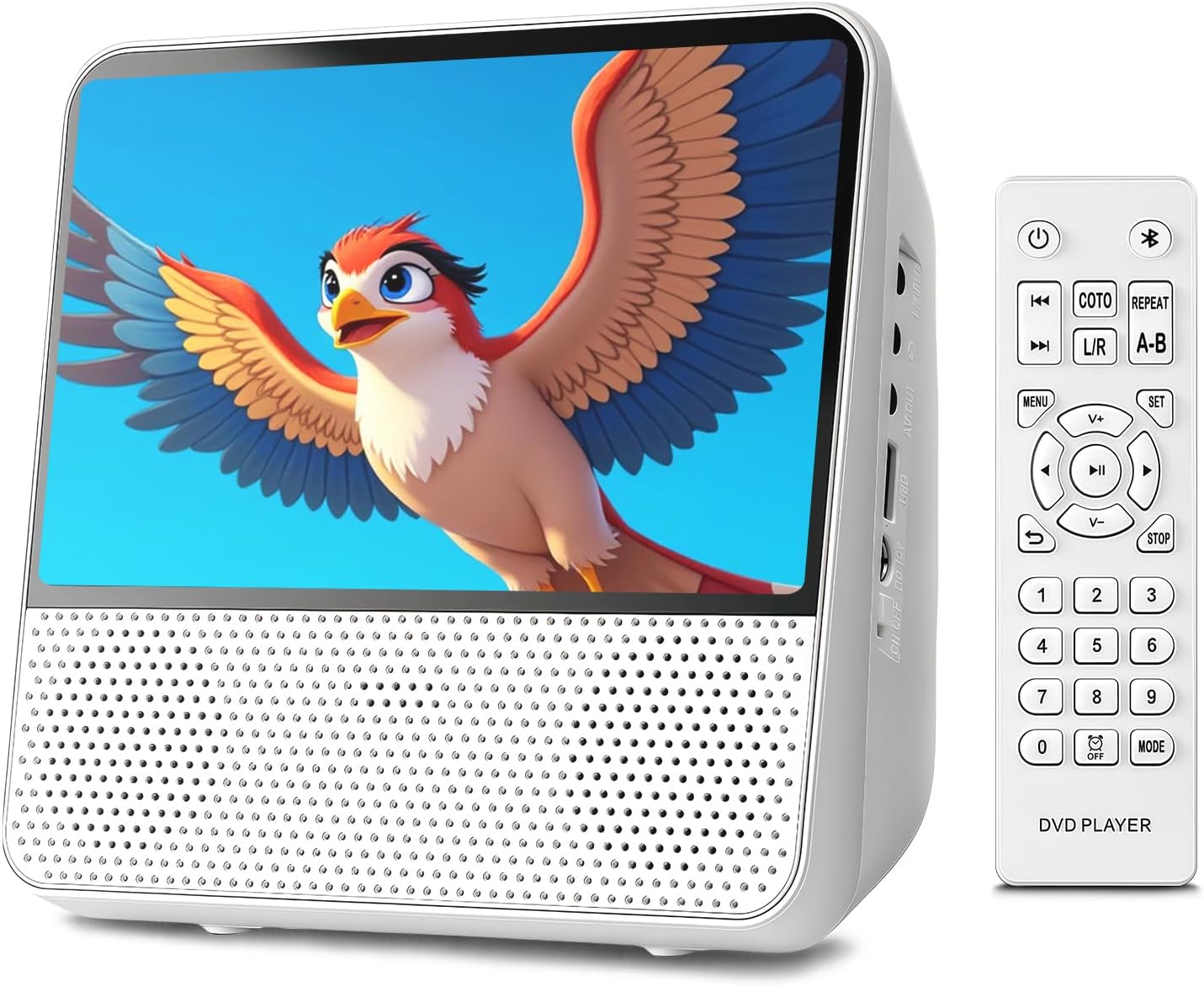
Imej 1.1: Depan view of the WOOPKER Portable DVD Player with its remote control, displaying a vibrant image on screen.

Imej 1.2: Selesaiview of key features including All Region support, Memory Playback, Built-in Speaker, No Internet Required, Bluetooth Playback, 4000mAh Battery, and AUX Mode.
2. Apa yang ada di dalam Kotak
Setelah membuka bungkusan, sila pastikan semua barang berikut ada dan dalam keadaan baik:
- WOOPKER Portable DVD Player (KC-906)
- Manual Pengguna
- Alat Kawalan Jauh
- Penyesuai Kuasa 12V/1.5A
- AV kabel
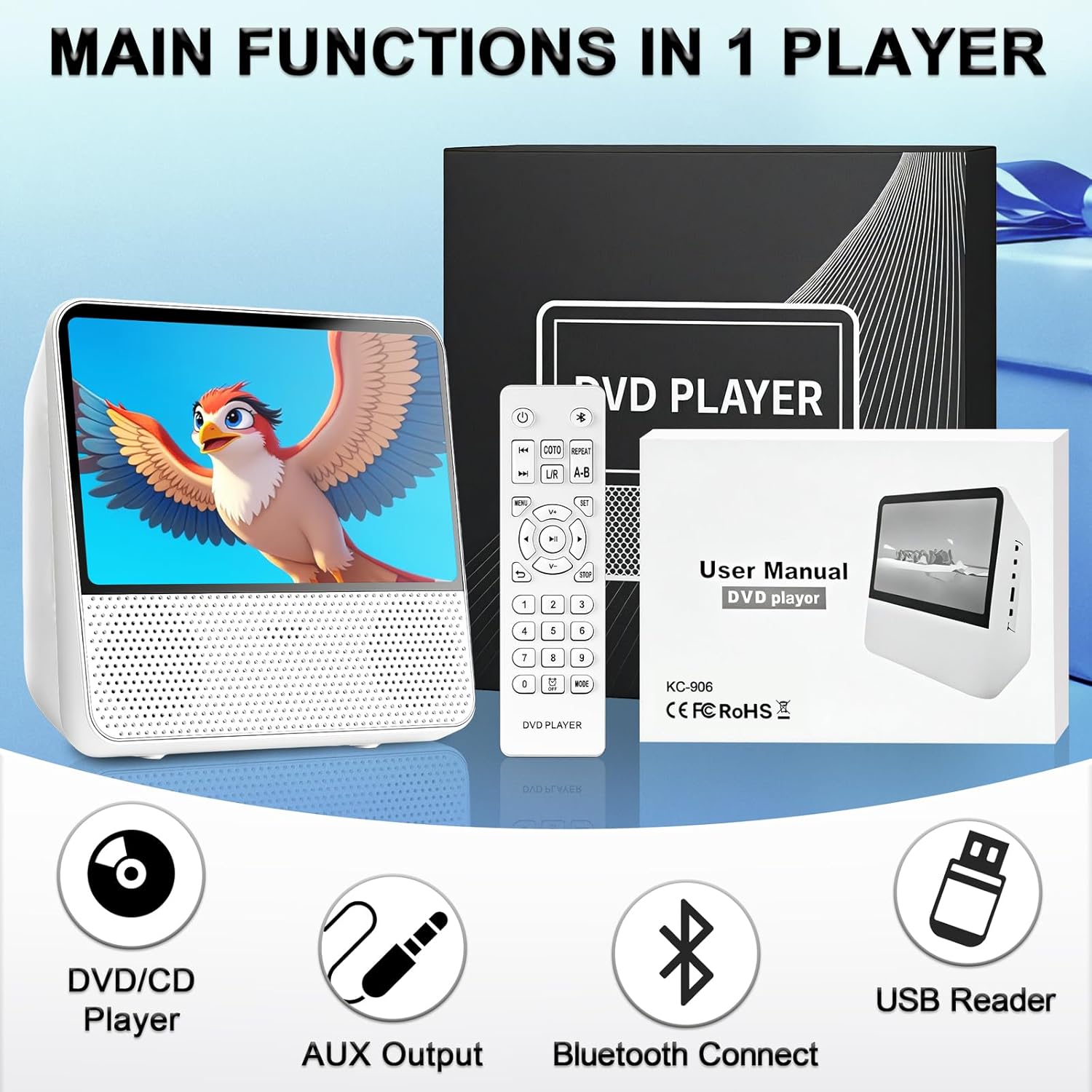
Image 2.1: The portable DVD player, remote control, user manual, and power adapter, illustrating the main components included in the package.
3. Persediaan dan Sambungan
3.1 Menghidupkan dan Mengecas
Before first use, fully charge the built-in 4000mAh battery. Connect the 12V/1.5A power adapter to the DC-12V Power Interface on the side of the player and plug it into a wall outlet. The charging indicator will show the charging status. A full charge provides up to 7 hours of playback.
3.2 Identifying Ports and Controls
Familiarize yourself with the various ports and controls located on the device:

Imej 3.1: Terperinci view of the player's side, showing the 3.5mm AUX Out, AV Output, USB Port, DC-12V Power Interface, Power Switch, and top panel controls including Brightness Adjustment, Button Lock, Previous/Next, Volume-/+, Repeat, Play/Pause, and Mode buttons.
- Suis kuasa: Menghidupkan atau mematikan peranti.
- DC-12V Power Interface: Connects the power adapter for charging and operation.
- Port USB: Untuk menyambungkan pemacu USB untuk memainkan media files.
- Keluaran AV: Connects to a TV or larger display using the provided AV cable.
- 3.5mm AUX Out: Untuk menyambungkan fon kepala atau pembesar suara luaran.
- Kawalan Panel Atas: Buttons for brightness, button lock, track navigation, volume, repeat, play/pause, and mode selection.
3.3 Connecting to a TV (AV Output)
Kepada view content on a larger screen, connect the portable DVD player to your TV using the AV output cable:
- Connect one end of the AV cable to the Output AV port on the portable DVD player.
- Connect the other end of the AV cable (red, white, yellow plugs) to the corresponding Input AV port pada televisyen anda.
- Select the correct AV input source on your TV.

Image 3.2: Illustration of the portable DVD player connected to a television using an AV cable, demonstrating how to share content on a larger display.
3.4 Connecting External Audio (AUX Output)
For private listening or enhanced audio, connect headphones or external speakers:
- Plug your headphones or external speakers into the 3.5mm AUX Out port on the player.
- Adjust the volume on the player or connected audio device.

Image 3.3: Visual representation of AUX output to speakers/headphones and AUX input from a smartphone/laptop, highlighting the versatility of audio connections.
4. Arahan Operasi
4.1 Main Semula Cakera (DVD/CD)
The player supports DVD/DVD+R/DVD+RW/DVD-R/DVD-RW/VCD/SVCD/CD/CD-R/CD-RW/CD-G/WMA/MP3 discs (excluding Blu-ray/MP4). It is region-free.
- Buka petak cakera.
- Insert a compatible disc with the label facing up.
- Close the disc compartment. The player will automatically begin reading the disc.
- Use the remote control or top panel buttons for playback control (Play/Pause, Stop, Next/Previous, Volume).
4.2 Main Semula USB
Insert a USB flash drive into the USB port. The player will detect the drive and display its contents. Navigate through folders and select your desired media file (WMA/MP3 for audio, JPG/PNG/JPEG/VOB/MPG/AVI/MPEG/MOV/VOB for video/images).
4.3 Kefungsian Bluetooth
The player features a built-in Bluetooth receiver, allowing it to function as a Bluetooth speaker.
- Turn on the player and switch to Bluetooth mode using the "Mode" button.
- Dayakan Bluetooth pada telefon pintar, tablet atau komputer anda.
- Cari untuk "WOOPKER KC-906" (or similar device name) in your device's Bluetooth settings and pair.
- Once connected, audio from your paired device will play through the portable DVD player's speakers.

Image 4.1: A user enjoying music from the portable DVD player, demonstrating its wireless Bluetooth capability.
4.4 Memory Playback (Breakpoint Resume)
The intelligent Break-Point Memory feature allows the player to remember where you left off in a movie or audio track. When you power the device back on, it will resume playback from the last stopped point, eliminating the need to start from the beginning.
4.5 Repeat Functions
The player offers various repeat modes for continuous playback:
- REP 1: Repeats the current track/chapter.
- REP SEMUA: Repeats all tracks/chapters on the disc/USB.
- RANDOM: Memainkan trek dalam susunan yang dikocok.
- REPEAT A-B: Repeats a specific segment between point A and point B.

Image 4.2: Display of the repeat function options: Repeat One, Repeat All, Shuffle Play, and A-B Repeat.
4.6 Fungsi Pemasa Tidur
The sleep timer allows you to set a specific time after which the player will automatically turn off. This is useful for bedtime listening or viewing.
5. Penyelenggaraan dan Penjagaan
Proper maintenance ensures the longevity and optimal performance of your portable DVD player.
- Pembersihan: Use a soft, dry cloth to clean the exterior of the player. For the screen, use a microfiber cloth specifically designed for electronics. Do not use liquid cleaners or abrasive materials.
- Penjagaan Cakera: Handle discs by their edges. Keep them clean and free of scratches, dust, and fingerprints. Store discs in their cases when not in use.
- Storan: Apabila tidak digunakan untuk tempoh yang lama, simpan pemain di tempat yang sejuk dan kering, jauh daripada cahaya matahari langsung dan suhu yang melampau.
- Bateri: To maintain battery health, avoid fully discharging the battery frequently. If storing for a long time, charge the battery to about 50% every few months.
- Elakkan Kesan: Lindungi peranti daripada jatuh dan hentaman, yang boleh merosakkan komponen dalaman atau skrin.
6. Penyelesaian masalah
If you encounter issues with your WOOPKER Portable DVD Player, refer to the following common problems and solutions:
| Masalah | Kemungkinan Punca | Penyelesaian |
|---|---|---|
| Pemain tidak dihidupkan. | Low battery or power adapter not connected properly. | Connect the power adapter and ensure it's plugged into a working outlet. Allow time for charging if the battery is depleted. |
| Tiada main balik cakera. | Cakera adalah format kotor, tercalar atau tidak serasi. | Clean the disc with a soft cloth. Try a different, known-good disc. Ensure the disc format is supported (not Blu-ray/MP4). |
| Tiada bunyi. | Volume too low, mute enabled, or external audio device not connected correctly. | Increase volume. Check if mute is active. Ensure headphones/speakers are properly plugged into the AUX Out port. |
| Gandingan Bluetooth gagal. | Player not in Bluetooth mode, or device too far. | Ensure the player is in Bluetooth mode. Move the pairing device closer to the player. Restart both devices and try pairing again. |
| Image not displayed on TV. | AV cable not connected properly or incorrect TV input selected. | Check AV cable connections on both the player and TV. Select the correct AV input source on your TV. |
7. Spesifikasi
Detailed technical specifications for the WOOPKER KC-906 Portable DVD Player:
- Nombor Model: KC-906
- Saiz Skrin: 9.8 Inches (diagonal), 7-inch HD Digital Screen (1024 x 600 resolution)
- Jenis Paparan: LED
- Dimensi Produk: 7.09 x 6.69 x 3.35 inci
- Berat Barang: 2.2 paun
- Bateri: Bateri Boleh Dicas Semula 4000mAh
- Hayat Bateri: Sehingga 7 jam (lebih kurang)
- Format Cakera yang Disokong: DVD, DVD+R, DVD+RW, DVD-R, DVD-RW, VCD, SVCD, CD, CD-R, CD-RW, CD-G, WMA, MP3 (Note: Does not support Blu-ray or MP4 files)
- Supported USB Media Formats: WMA, MP3 (audio); JPG, PNG, JPEG, VOB, MPG, AVI, MPEG, MOV (video/images)
- Ketersambungan: Bluetooth (Receiver), USB, 3.5mm AUX Out, AV Output
- warna: putih
- Pengeluar: PEMERIKSA

Image 7.1: The portable DVD player with its dimensions (7.08 inches width, 3.34 inches depth) and battery capacity (4000mAh) highlighted.
8. Waranti dan Sokongan
WOOPKER is committed to providing excellent customer service. If you have any questions, require assistance, or encounter issues with your product, please contact our dedicated customer support team.
- Sokongan Pelanggan: Our team is available to respond to inquiries within 24 hours.
- Perkhidmatan Selepas Jualan: We are dedicated to ensuring your satisfaction with the product.
Please refer to your purchase documentation or the WOOPKER official weblaman web untuk terma jaminan khusus dan maklumat hubungan.
Ask a question about this manual
Ask about setup, troubleshooting, compatibility, parts, safety, or missing instructions. Manuals+ will review the question and use this page’s manual context to help answer it.