
pengenalan
Thank you for choosing the Aesfee Compact Travel Electric Foil Shaver. This manual provides essential information for the safe and effective operation, maintenance, and care of your new shaver. Please read it thoroughly before first use and retain it for future reference.

Image: The Aesfee Compact Travel Electric Foil Shaver, showcasing its sleek design and the foil head exposed.
Ciri-ciri Produk
- Dual-Action Cutter Head: Features innovative technology for precise and smooth shaving on various body areas, including face, head, and body.
- Waterproof Wet/Dry Operation: Designed for versatile use, allowing for comfortable shaving in or out of the shower.
- Reka bentuk padat dan mudah alih: Lightweight and small, making it an ideal companion for travel or on-the-go grooming.
- USB-C boleh dicas semula: Offers convenient and universal charging capability with compatible USB-C devices.
- Magnetic Protective Cover & Removable Head: Facilitates easy deep cleaning and replacement of blade and foil assemblies.

Imej: A terperinci view of the shaver's dual-action cutter head, highlighting the foil and trimmer blades.
Maklumat Keselamatan
To reduce the risk of burns, electrocution, fire, or injury to persons, please observe the following safety precautions:
- Jangan rendam kabel pengecas atau penyesuai di dalam air.
- Pastikan perkakas kering semasa mengecas.
- Do not use the shaver if it is damaged or malfunctioning.
- Jauhkan daripada kanak-kanak.
- Do not disassemble the shaver. Refer all servicing to qualified personnel.
- Use only with the provided USB-C cable or a certified equivalent.
Persediaan
Membuka kotak
Carefully remove all components from the packaging. Ensure all parts are present and undamaged before first use.
Pengecasan Awal
Before first use, fully charge the shaver. Connect the provided USB-C cable to the shaver's charging port and plug the other end into a compatible USB power source (e.g., wall adapter, computer, power bank). The indicator light will show charging status and turn solid when fully charged.

Image: The shaver connected to a USB-C cable, illustrating its convenient charging method.
Arahan Operasi
Menghidupkan/Mematikan
Press the power button located on the front of the shaver to turn it on. Press the button again to turn it off.
Teknik Mencukur
For optimal results, hold the shaver at a right angle (90 degrees) to your skin. Gently stretch your skin with your free hand and move the shaver in short, circular motions or straight strokes against the direction of hair growth. Do not press too hard, as this can cause irritation and reduce shaving efficiency.

Image: A man using the shaver to achieve a clean shave on his neck.

Image: The shaver being used for a smooth shave on a bald head.

Image: Demonstrating the shaver's use on the face for a close shave.
Penggunaan Basah dan Kering
This shaver is designed for both wet and dry use. For a quick dry shave, use on clean, dry skin. For a more comfortable and closer shave, you may use it with shaving foam or gel in the shower or at the sink. Always rinse the shaver head thoroughly after wet use.
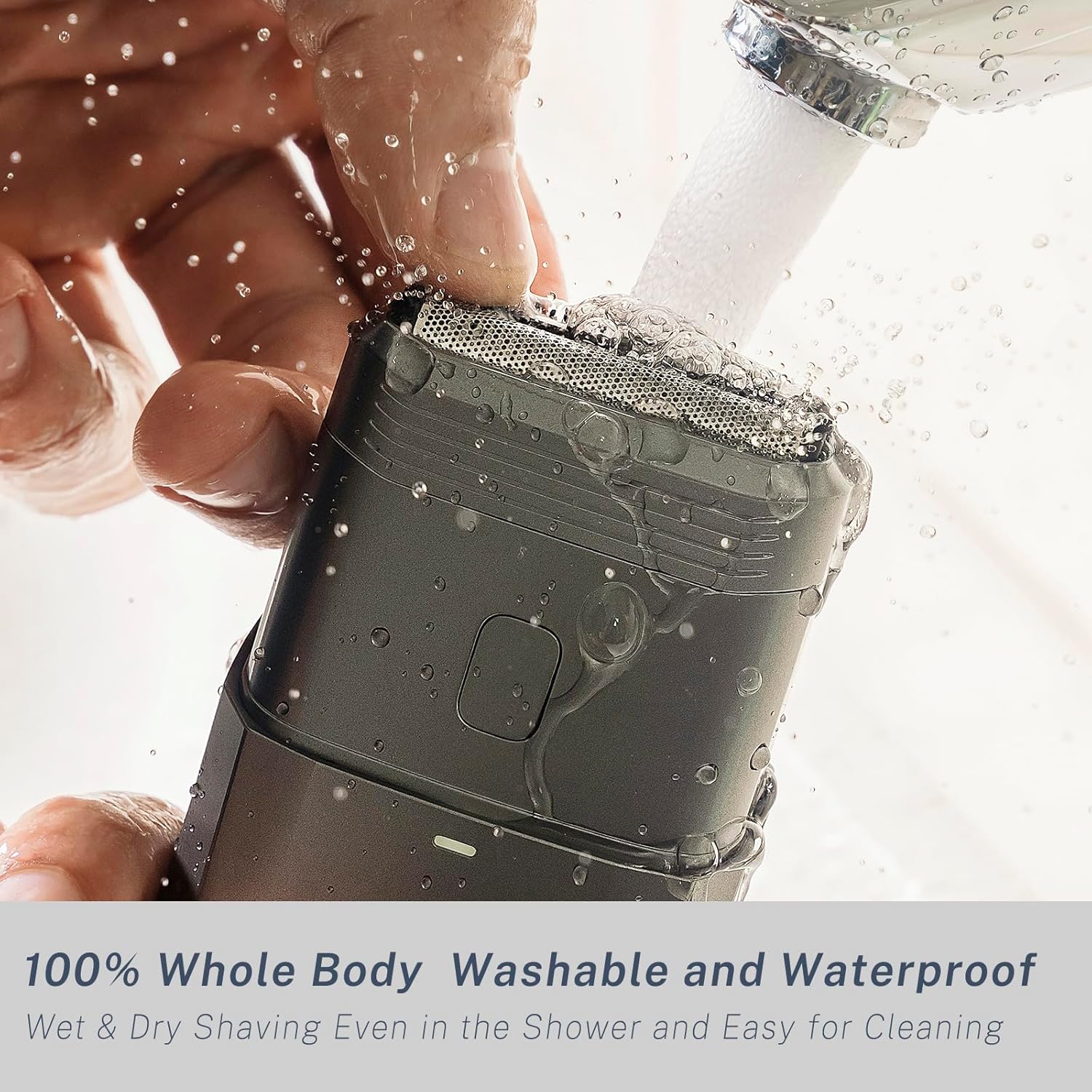
Image: The shaver being rinsed under running water, highlighting its waterproof design for easy cleaning.
Penyelenggaraan dan Pembersihan
Membersihkan Kepala Pencukur
For optimal performance and hygiene, clean the shaver after each use. The magnetic protective cover can be easily removed. Detach the shaver head by gently pulling it upwards. Rinse the shaver head and the inner chamber under running water to remove hair clippings and debris. Allow parts to air dry completely before reattaching.

Image: A hand demonstrating the removal of the magnetic protective cover and the shaver head for cleaning.
Penggantian Bilah dan Kerajang
For continued optimal shaving performance, it is recommended to replace the blade and foil assembly every 12-18 months, depending on usage. Replacement parts can be purchased from authorized Aesfee retailers.
Penyimpanan
Store the shaver in a cool, dry place, away from direct sunlight and extreme temperatures. Ensure the protective cap is on when not in use, especially during travel, to protect the foil and blades.

Image: The compact shaver being placed into a bag, illustrating its portability for travel.
Menyelesaikan masalah
| Masalah | Kemungkinan Punca | Penyelesaian |
|---|---|---|
| Pencukur tidak dihidupkan. | Bateri habis. | Cas pencukur sepenuhnya. |
| Prestasi pencukuran yang lemah. | Shaver head is dirty or blades are dull. | Clean the shaver head thoroughly. Consider replacing the blade and foil assembly if performance does not improve. |
| Pencukur menarik rambut. | Hair is too long or shaver head is dirty. | Trim longer hair before shaving. Clean the shaver head. |
| Penunjuk pengecasan tidak berfungsi. | Isu kabel atau sumber kuasa. | Cuba kabel USB-C atau penyesuai kuasa yang lain. Pastikan sambungannya selamat. |
Spesifikasi
- Nama Model: AF-8058N
- Jenama: Aesfee
- Sumber Kuasa: Dikuasakan Bateri
- Wattage: 5 watt
- Bateri: 1 P76 battery (included)
- Ciri Khas: Portable, High Efficiency, Waterproof Wet/Dry Operation, Travel Friendly, USB-C Rechargeable
- Penggunaan yang Disyorkan: Head, Armpit, Face, Body, Leg
- Dimensi Pakej: 6.3 x 4.8 x 1.65 inci
- Berat Barang: 9.91 auns
Waranti dan Sokongan
For warranty information, technical support, or any inquiries regarding your Aesfee Compact Travel Electric Foil Shaver, please contact Aesfee customer service through the retailer where the product was purchased or visit the official Aesfee weblaman web untuk maklumat hubungan.