
1. Pengenalan
The Black Lion Audio LS-4 is a passive line selector designed for flexible audio signal routing in studio and stage environments. This device allows users to connect a stereo audio source and distribute it to up to four different destinations, or to select one of four stereo sources to a single destination. Its passive design ensures that the audio signal remains transparent and uncolored, preserving the integrity of your sound. The LS-4 features a durable steel enclosure and an anodized black aluminum faceplate, built for reliability.
2. Ciri-ciri
- Passive Design: Ensures transparent audio signal routing without coloration.
- 4-Channel Selection: Allows routing of a stereo source to four destinations or selecting one of four stereo sources.
- Pembinaan Teguh: Features a steel enclosure and anodized black aluminum faceplate for durability.
- Aplikasi Serbaguna: Suitable for monitor switching, headphone distribution, parallel effects routing, and more.
3. Kandungan Pakej
Please verify that all items are present upon unpacking:
- Black Lion Audio LS-4 Line Selector Unit
- Manual Pengguna ini
4. Kawalan dan Sambungan
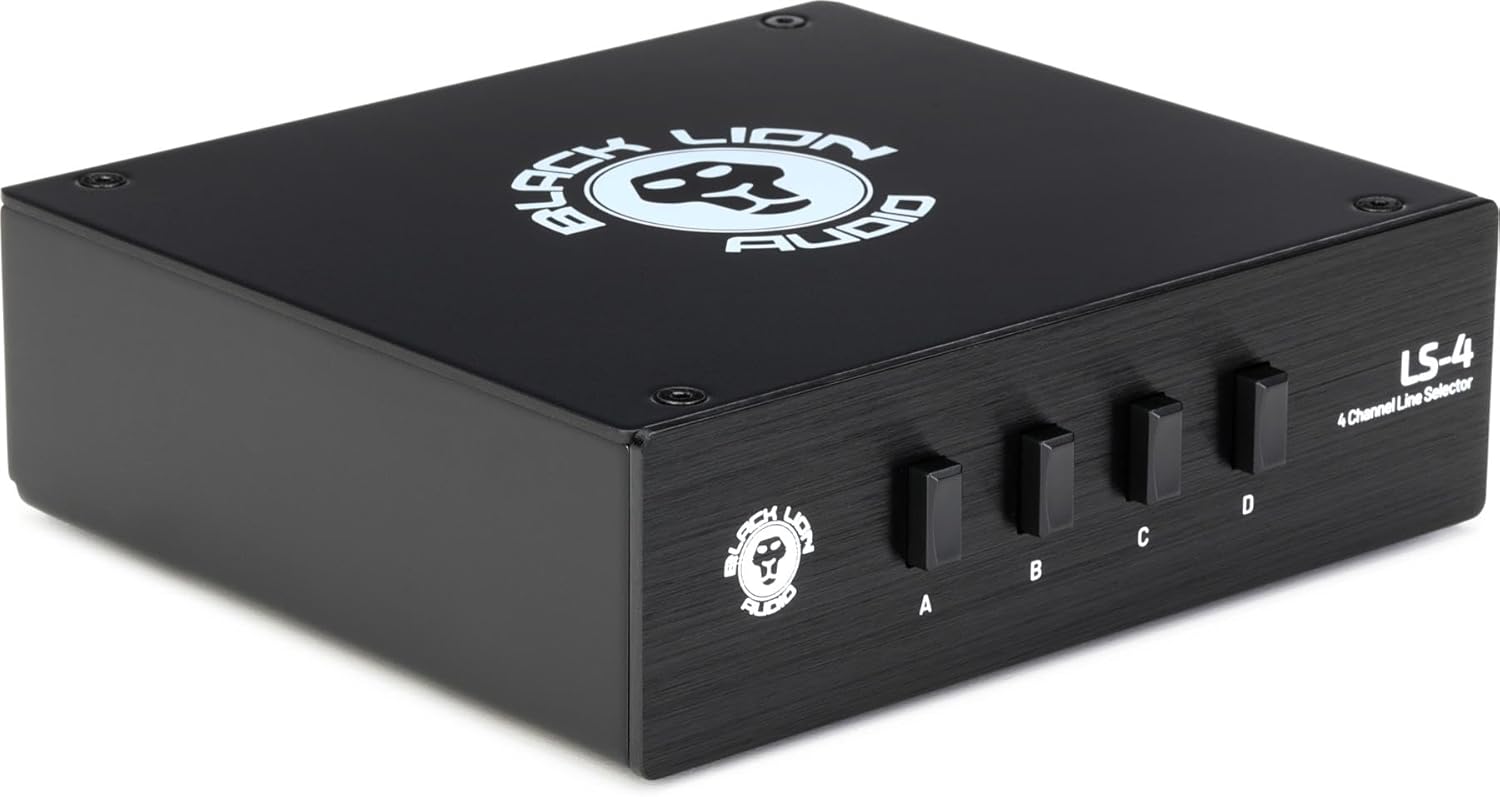
Imej 1: Depan view of the Black Lion Audio LS-4 Line Selector. The unit is black with the Black Lion Audio logo on top and on the front panel. Four black push-buttons labeled A, B, C, and D are visible on the front, along with the model name 'LS-4 4 Channel Line Selector'.
4.1 Panel Depan
- Channel Select Buttons (A, B, C, D): These four push-buttons are used to select the desired output channel(s) or input channel(s), depending on the configuration. Multiple buttons can be engaged simultaneously for parallel routing.
4.2 Rear Panel (Assumed Configuration)
While not visible in the provided image, a typical passive line selector of this type with RCA connectors would feature the following:
- Stereo Input (L/R RCA): A pair of RCA jacks for connecting your primary stereo audio source.
- Stereo Outputs (A, B, C, D - L/R RCA): Four pairs of RCA jacks, each corresponding to a front panel channel select button, for connecting to various audio destinations.
5. Persediaan
Follow these steps to set up your Black Lion Audio LS-4 Line Selector:
- Matikan Semua Peralatan: Before making any connections, ensure all audio equipment (amplifiers, monitors, audio interfaces, etc.) is powered off to prevent damage.
- Sambungkan Sumber Audio: Connect the stereo output of your audio source (e.g., audio interface, mixer, media player) to the Stereo Input (L/R RCA) on the rear panel of the LS-4.
- Connect Audio Destinations: Sambungkan Stereo Outputs (A, B, C, D - L/R RCA) on the rear panel of the LS-4 to your desired audio destinations (e.g., studio monitors, headphone amplifiers, effects processors).
- Power On Equipment: Once all connections are secure, power on your audio equipment, starting with the source and ending with your amplifiers or active monitors.
6. Operasi
The Black Lion Audio LS-4 is straightforward to operate:
- Single Output Selection: To send your stereo audio source to a single destination, press the corresponding channel select button (A, B, C, or D) on the front panel. Ensure only one button is engaged.
- Multiple Output Selection (Parallel Routing): To send your stereo audio source to multiple destinations simultaneously, press and engage all desired channel select buttons (A, B, C, and/or D).
- Input Selection (Alternative Use): The LS-4 can also be used in reverse to select one of four stereo inputs to a single stereo output. In this configuration, connect your four stereo sources to outputs A, B, C, D, and connect the main input to your desired destination. Then, press the corresponding button to select the active input.
7. Penyelenggaraan
To ensure the longevity and optimal performance of your LS-4 Line Selector, follow these maintenance guidelines:
- Pembersihan: Gunakan kain lembut dan kering untuk membersihkan bahagian luar unit. Elakkan menggunakan pembersih, pelarut atau lilin yang kasar, kerana ini boleh merosakkan kemasan.
- Persekitaran: Keep the unit in a dry environment, away from direct sunlight, excessive heat, and moisture.
- Pengendalian: Kendalikan unit ini dengan berhati-hati. Elakkan daripada menjatuhkannya atau menyebabkannya terkena hentaman kuat.
8. Penyelesaian masalah
If you encounter issues with your Black Lion Audio LS-4, refer to the following common problems and solutions:
- Tiada Output Audio:
- Ensure all audio cables are securely connected to both the LS-4 and your audio equipment.
- Verify that the correct channel select button(s) are engaged on the front panel.
- Check the volume levels on your audio source and destination devices.
- Test with different audio cables to rule out faulty cabling.
- Distorted or Noisy Audio:
- Ensure all connections are tight and free from interference.
- Verify that the audio source is not overdriving the input of the LS-4 or the destination device.
- Since the LS-4 is passive, any noise is likely originating from connected equipment or cables. Isolate components to identify the source.
9. Spesifikasi
| Dimensi Produk | 9.2 x 7.45 x 3.15 inci |
| Berat Barang | 2.08 paun |
| Pengeluar | Audio Singa Hitam |
| warna | Hitam |
| Jenis Penyambung | RCA |
| Peranti Serasi | Audio Equipment, Audio Interfaces, Mixers |
| Jenis Kabel | Audio |
10. Maklumat Keselamatan
Sila baca dan patuhi langkah keselamatan berikut:
- Jangan dedahkan unit kepada hujan atau lembapan.
- Do not open the unit's casing; tiada bahagian yang boleh diservis oleh pengguna di dalamnya. Rujuk semua servis kepada kakitangan yang berkelayakan.
- Elakkan meletakkan unit berhampiran sumber haba atau di bawah cahaya matahari langsung.
- Pastikan pengudaraan yang betul di sekeliling unit.
- Gunakan hanya kabel dan penyambung yang ditentukan.
11. Waranti dan Sokongan
For warranty information or technical support, please contact Black Lion Audio directly through their official website or authorized distributors. Keep your purchase receipt as proof of purchase for any warranty claims.