
1. Pengenalan dan Lebihview
Thank you for choosing the TUNISE M38 Portable Wearable Belt Waist Fan. This versatile device is designed to provide personal cooling, act as a portable power bank, and offer an emergency flashlight, making it an ideal companion for various outdoor activities, travel, and daily use. Its robust design and multiple functionalities ensure comfort and convenience wherever you go.
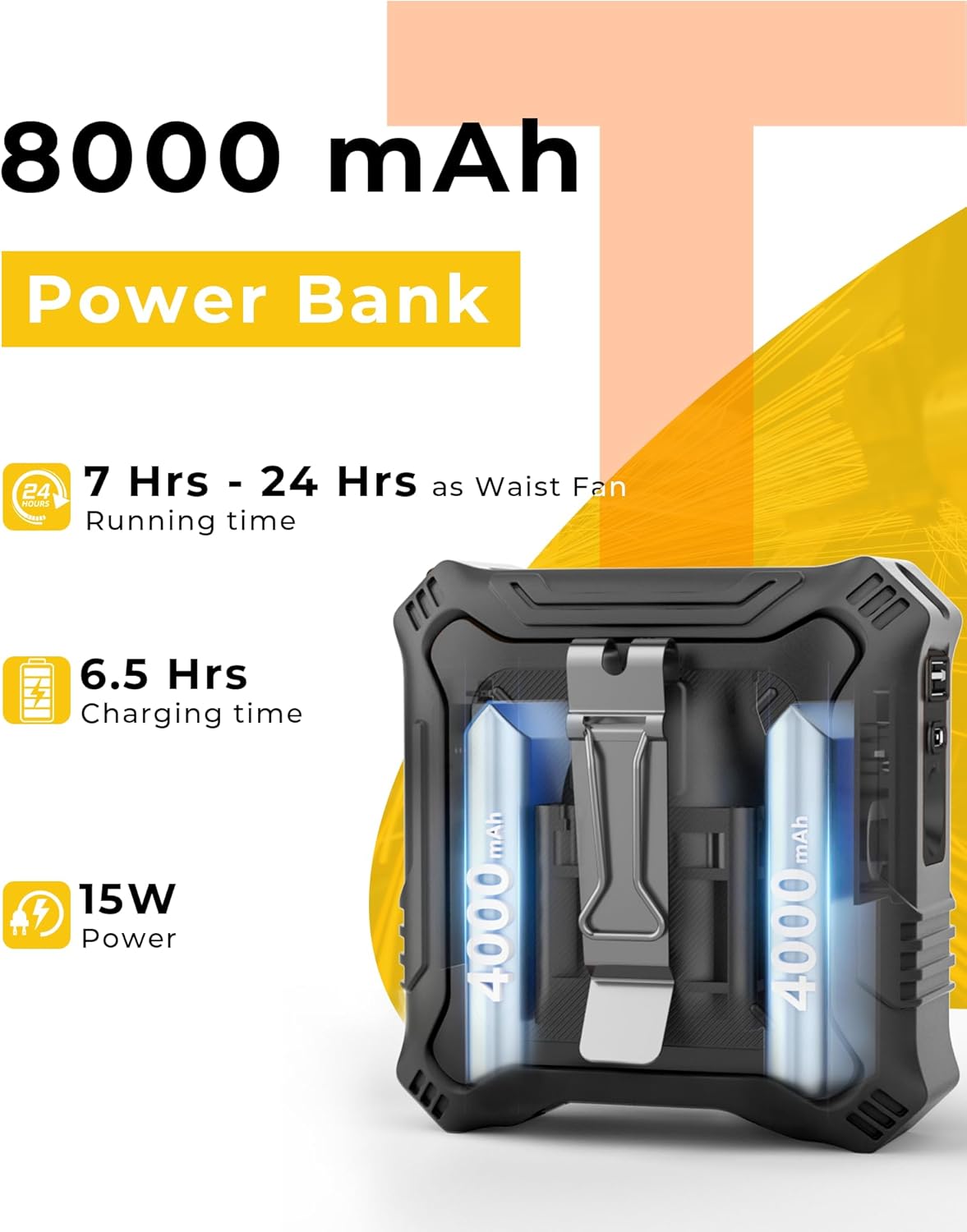
Image: The TUNISE M38 Portable Wearable Belt Waist Fan in black, showcasinreka bentuknya yang padat dan lasak.
2. Ciri-ciri Produk
- Serbaguna Semua-dalam-Satu: Functions as a neck fan, waist fan, desk fan, shirt fan, or belt fan, suitable for summer activities and outdoor adventures.
- Bateri 8000mAh Tahan Lama: Equipped with a rechargeable 8000mAh battery, providing up to 24 hours of operation on a single charge. UL certified for safety.
- Powerful 5-Speed Fan: Features a high-speed brushless motor with 5 adjustable speed settings (7000-14600 RPM) for powerful airflow. An adjustable air outlet allows for precise positioning and direction of the breeze.
- Bank Kuasa Mudah Alih: Includes USB-C and USB-A ports for convenient charging of mobile devices, ensuring you stay powered up anywhere.
- Durable & Safe Design: Constructed with a protective silicone outer shell for shock, drop, and sweat resistance. Anti-slip manganese steel clips prevent rust and ensure a secure grip. Built-in LED light with SOS flashing function for added safety.
3. Kandungan Pakej
Sila semak pakej untuk memastikan semua item ada:
- 1 x TUNISE M38 Portable Waist Fan
- 1 x Lanyard
- 1 x USB Charging Cable (USB-A to USB-C)
- 1 x Manual Arahan

Image: Visual representation of the items included in the TUNISE M38 Portable Waist Fan package, including the fan, lanyard, charging cable, and manual.
4. Persediaan
4.1 Pengecasan Awal
Before first use, fully charge the fan. Connect the provided USB charging cable to the fan's USB-C input port and a compatible 5V/2A USB power adapter (not included), laptop, or power bank. The LED display will show the charging percentage. A full charge typically takes approximately 6.5 hours.

Image: The fan connected to a wall adapter via its USB-C port for charging.
4.2 Attaching Lanyard and Clips
- Lanyard: Attach the lanyard to the designated loop on the top of the fan for neck-wearing.
- Klip tali pinggang: The fan features dual-sided manganese steel clips for secure attachment to your belt, waistband, or pants.
5. Arahan Operasi
5.1 Pelarasan Kuasa Hidup/Mati dan Kelajuan Kipas
- Hidupkan kuasa: Short press the power button once to turn on the fan at Speed 1.
- Laraskan Kelajuan: Continue short pressing the power button to cycle through speeds 2, 3, 4, and 5.
- Matikan: After Speed 5, short press the power button again to turn the fan off.

Image: The fan's LED display showing current fan speed (Gear) and remaining battery percentage.
5.2 Menggunakan Fungsi Power Bank
The fan can act as a power bank to charge your mobile devices.
- Connect your device's charging cable to either the USB-A or USB-C output port on the fan.
- The fan will automatically begin charging your device.

Image: The TUNISE M38 fan highlighting its 8000mAh power bank capacity and charging capabilities.
5.3 Menggunakan Lampu Suluh
The fan includes a built-in LED flashlight with two settings.
- Cahaya Malar: Long press the flashlight button (often located near the power button) to turn on the constant light.
- SOS Flashing: Long press the flashlight button again to activate the SOS flashing mode.
- Matikan: Long press the flashlight button a third time to turn off the light.

Image: The TUNISE M38 fan demonstrating its constant and blinking SOS signal light functions.
5.4 Wearing and Placement Options
- Waist Fan: Use the dual-sided clips to securely attach the fan to your belt or waistband, directing airflow upwards into your shirt.
- Kipas Leher: Attach the lanyard and wear the fan around your neck for hands-free cooling.
- Kipas Meja: Utilize the integrated kickstand (if available) or position the fan on a flat surface for desktop use.

Image: The TUNISE M38 fan shown in various configurations: clipped to a waist, used as a desk fan, and worn around the neck.
6. Penyelenggaraan
- Pembersihan: Use a soft, dry cloth to wipe the fan's exterior. Do not use harsh chemicals or immerse the fan in water.
- Storan: Store the fan in a cool, dry place when not in use. Ensure it is fully charged before long-term storage to preserve battery life.
- Penjagaan Bateri: To maximize battery lifespan, avoid completely draining the battery frequently. Recharge when the battery level is low.
7. Penyelesaian masalah
- Kipas Tidak Dihidupkan: Ensure the battery is charged. If the battery is low, connect the fan to a power source using the provided USB cable.
- Aliran Udara Lemah: Check the fan speed setting and adjust to a higher level if needed. Ensure the air inlet/outlet is not obstructed.
- Device Not Charging (Power Bank Function): Verify that your device's charging cable is properly connected to the fan's output port. Ensure the fan has sufficient battery charge.
- Lampu suluh tidak berfungsi: Long press the flashlight button to activate it. If it still doesn't work, ensure the fan has sufficient battery charge.
8. Spesifikasi
| Ciri | Spesifikasi |
|---|---|
| Jenama | TUNISE |
| Nama Model | M38 |
| warna | Hitam |
| Reka Bentuk Kipas Elektrik | Kipas Boleh Pakai |
| Sumber Kuasa | Dikuasakan Bateri |
| Kapasiti Bateri | 8000mAh (2 x 12V batteries included) |
| Bilangan Tahap Kuasa | 5 |
| Kelajuan Maks | 14600 RPM |
| Wattage | 15 watt |
| Dimensi Produk | 6"D x 2.5"W x 8.6"H |
| Berat Barang | 13.7 auns |
| Kaedah Kawalan | Sentuh |
| Penggunaan Dalaman/Luar | Luar |
| Ciri Khas | Portable, Power Bank, Flashlight |
9. Video Produk Rasmi
Video: Tamatview of the TUNISE Waist Fan, demonstrating its features and design.
Video: A quick start guide for the Portable Waist Fan, showing how to operate its basic functions.
10. Waranti dan Sokongan
For warranty information and customer support, please refer to the contact details provided on the product packaging or visit the official TUNISE webtapak. Simpan resit pembelian anda untuk sebarang tuntutan waranti.