
pengenalan
The Lamzu Maya X is an ultra-lightweight wireless gaming mouse designed for high-performance gaming. It features advanced optical switches, a high-precision sensor, and a symmetrical design for comfortable use across various grip styles. This manual provides essential information for setting up, operating, maintaining, and troubleshooting your Lamzu Maya X mouse.

Imej: Atas ke bawah view of the Lamzu Maya X Wireless Gaming Mouse in pink, showcasing its symmetrical design and main buttons.
Persediaan
Kandungan Pakej
- Lamzu Maya X Wireless Gaming Mouse
- USB Wireless Dongle (8K Polling compatible)
- USB Type-C Paracord Cable (for wired mode and charging)
- PTFE Feet (extra set)
- Beg Baldu
- MAYA X Mouse Grip Tape
Sambungan dan Pengecasan Awal
- Mod Wayarles: Insert the USB wireless dongle into an available USB port on your computer. The mouse should automatically connect.
- Mod Berwayar: Connect the USB Type-C paracord cable to the front port of the mouse and the other end to a USB port on your computer. The mouse will operate in wired mode and charge simultaneously.
- mengecas: For optimal performance, ensure the mouse is fully charged before first use. Connect the mouse via the USB Type-C cable to a powered USB port. The LED indicator on the mouse will show charging status.
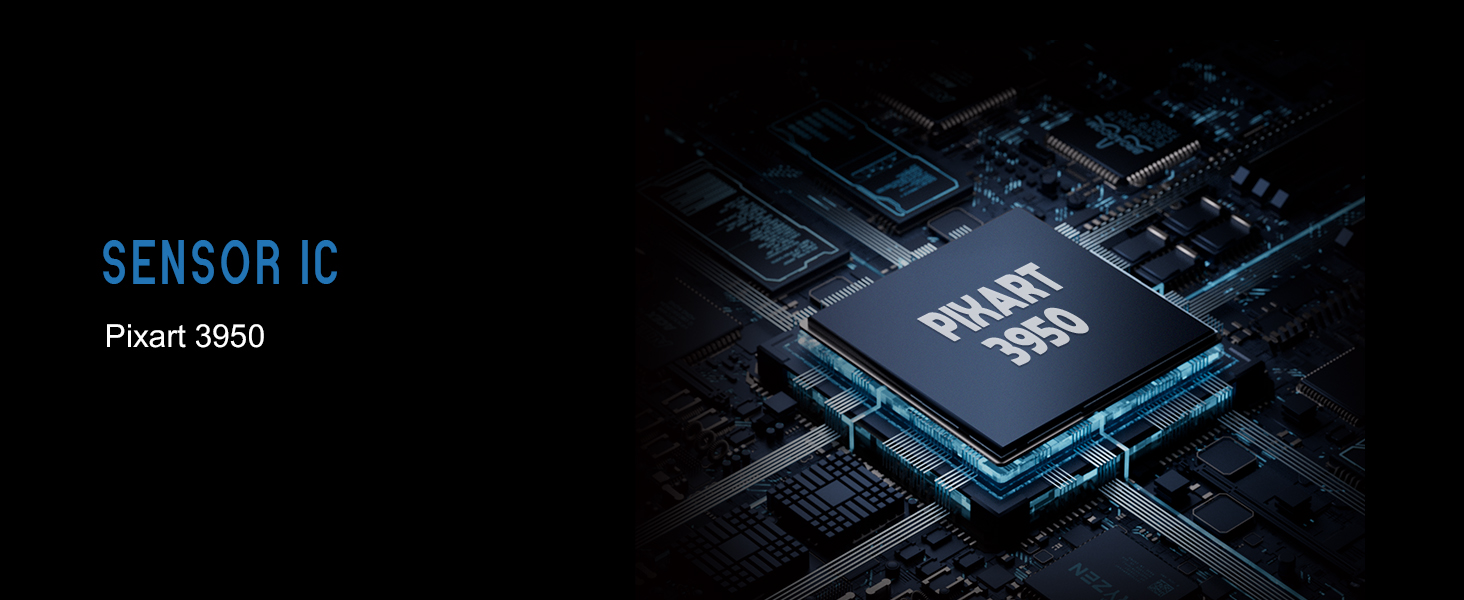
Image: Illustration showing the Lamzu Maya X mouse with its USB-C port for wired connection and the wireless dongle, highlighting its dual 2.4G wireless and wired modes.
Arahan Operasi
Fungsi Butang

Image: Diagram illustrating the button layout of the Lamzu Maya X mouse, including Left, Right, Wheel, DPI, Forward, Back, and On/Off switch.
- Klik Kiri/Kanan: Standard mouse clicks, utilizing durable optical switches.
- Roda Tatal: For vertical scrolling and middle-click function. Features a dust-proof encoder for precise movement.
- Butang DPI: Located on the top, allows cycling through preset DPI levels.
- Side Buttons (Forward/Back): Programmable buttons for navigation or in-game actions.
- Suis Hidup/Mati: Terletak di bahagian bawah tetikus.
Pelarasan DPI
The Lamzu Maya X supports up to 30,000 DPI. You can adjust DPI settings using the dedicated DPI button on the mouse. For custom DPI settings and other advanced configurations, download the official driver software from the Lamzu webtapak.
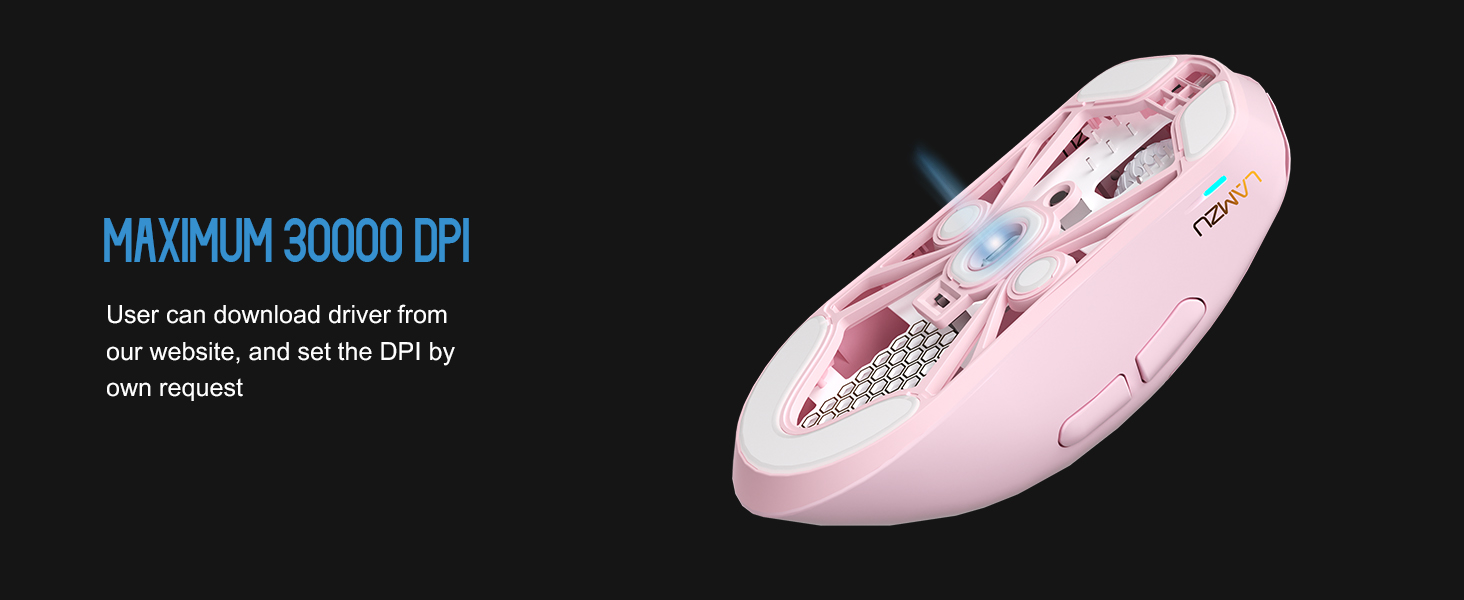
Imej: Lutsinar view of the Lamzu Maya X mouse highlighting the internal optical switches, designed for optimized click feeling and to prevent double clicks.
Kadar Mengundi
The mouse supports a maximum polling rate of 8,000 Hz when using the included 8K dongle. This high polling rate ensures extremely smooth and responsive cursor movement, minimizing input lag. Ensure the 8K dongle is properly connected for this feature to function.

Image: Illustration of the Lamzu Maya X mouse with its 8K polling dongle, emphasizing how an 8K dongle enhances cursor movement smoothness and eliminates stuttering delays.
Grip Styles
The symmetrical shape of the Lamzu Maya X is designed to accommodate various grip styles, including palm, claw, and fingertip grips, providing flexibility and comfort for different users.
Penyelenggaraan
Pembersihan
- Gunakan kain lembut dan kering untuk mengelap permukaan tetikus.
- Untuk kotoran degil, sedikit dampen kain dengan air atau larutan pembersih lembut. Elakkan bahan kimia yang keras.
- Jangan rendamkan tetikus di dalam air atau sebarang cecair.
- Regularly clean the sensor area on the underside of the mouse with a cotton swab to ensure optimal tracking performance.
Penjagaan Bateri
- Elakkan menyahcas sepenuhnya bateri dengan kerap.
- Simpan tetikus di tempat yang sejuk dan kering apabila tidak digunakan untuk tempoh yang lama.
- Gunakan hanya kabel USB Jenis-C yang disediakan untuk mengecas.
Menyelesaikan masalah
Isu dan Penyelesaian Biasa
| Isu | Penyelesaian yang Mungkin |
|---|---|
| Tetikus tidak bertindak balas (Tanpa Wayar) | Ensure the mouse is turned ON. Check battery level. Re-insert the USB dongle. Try a different USB port. |
| Tetikus tidak bertindak balas (Berwayar) | Ensure the USB Type-C cable is securely connected to both the mouse and the computer. Try a different USB port. |
| Inaccurate tracking or cursor jumpiness | Clean the optical sensor on the underside of the mouse. Use the mouse on a clean, uniform surface or a mouse pad. |
| DPI changes not registering | Ensure the DPI button is functioning correctly. If using custom settings, verify them in the software. |
| Poor wireless range or interference | Move the USB dongle closer to the mouse. Avoid placing the dongle near other wireless devices or large metal objects. |
Spesifikasi
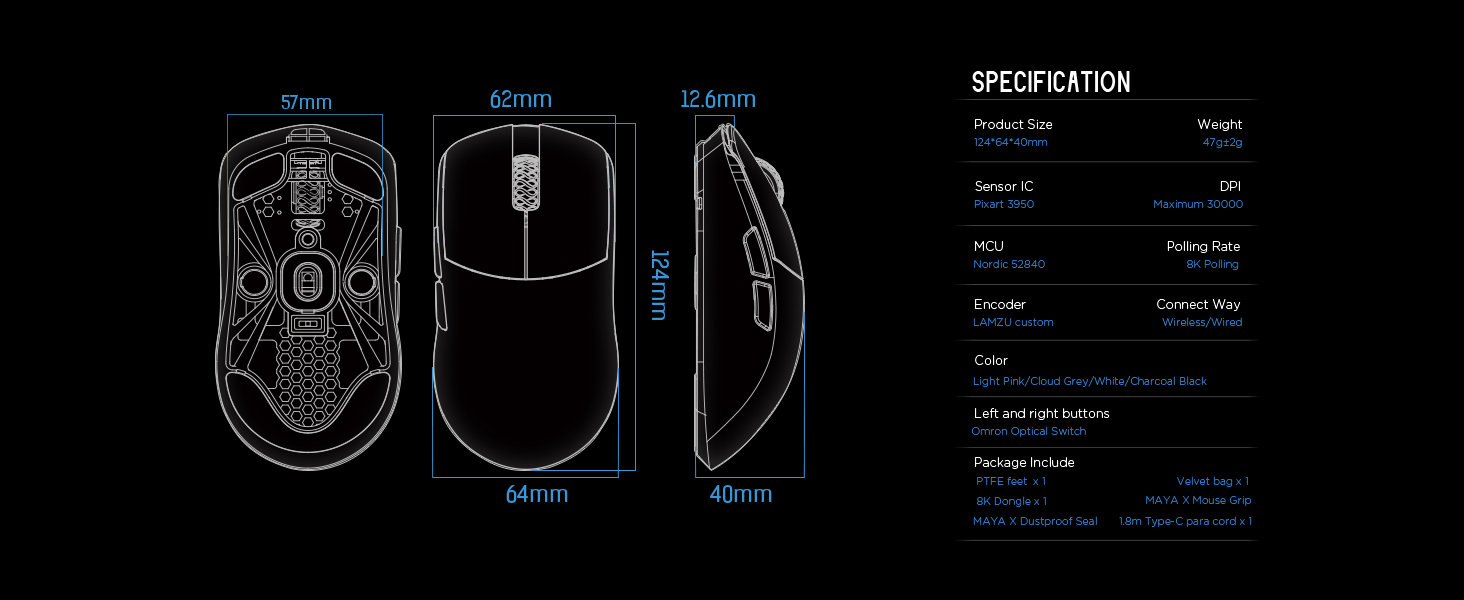
Image: Detailed diagram showing the dimensions and key specifications of the Lamzu Maya X mouse.
| Ciri | Perincian |
|---|---|
| Dimensi Produk | 4.88 x 2.52 x 0.04 inci (124 x 64 x 40 mm) |
| Berat Barang | 1.66 auns (47g) |
| IC penderia | Pixelart PAW3950 |
| DPI maksimum | 30,000 DPI |
| MCU | Nordik 52840 |
| Kadar Mengundi | Up to 8,000 Hz (with 8K dongle) |
| Teknologi Ketersambungan | Wayarles 2.4G, Berwayar USB |
| Suis | OMRON Optical Switches (70 million click lifespan) |
| Pengekod | Dust-Proof Encoder (30-grid roller) |
| Bateri | 1 bateri Lithium Ion (termasuk) |
Waranti dan Sokongan
For detailed warranty information and technical support, please refer to the official Lamzu webtapak atau hubungi perkhidmatan pelanggan mereka secara langsung. Simpan bukti pembelian anda untuk tuntutan waranti.