
1. Pengenalan
This manual provides comprehensive instructions for the assembly, operation, and maintenance of your Dardoo GT/F1 6030 Aluminum Simulation Racing Cockpit. Please read this manual carefully before assembly and use to ensure proper setup and optimal performance. Retain this manual for future reference.

Image 1.1: The Dardoo GT/F1 6030 Aluminum Simulation Racing Cockpit, showcasing its robust frame, ergonomic seat, and platforms for steering wheel, pedals, and shifter. Electronic devices are not included.
2. Maklumat Keselamatan
- Ensure all components are securely fastened before use. Loose parts can cause instability and potential injury.
- Do not exceed the maximum weight limit for the cockpit (200kg for the frame).
- Jauhkan bahagian kecil dan bahan pembungkus daripada kanak-kanak untuk mengelakkan bahaya tercekik.
- Use appropriate tools for assembly. Refer to the assembly instructions for specific tool requirements.
- Place the cockpit on a stable, level surface to prevent tipping. Consider using a mat underneath to protect flooring and reduce noise.
3. Kandungan Pakej
Your Dardoo GT/F1 6030 cockpit is shipped in two separate boxes. Please verify all components are present before beginning assembly.
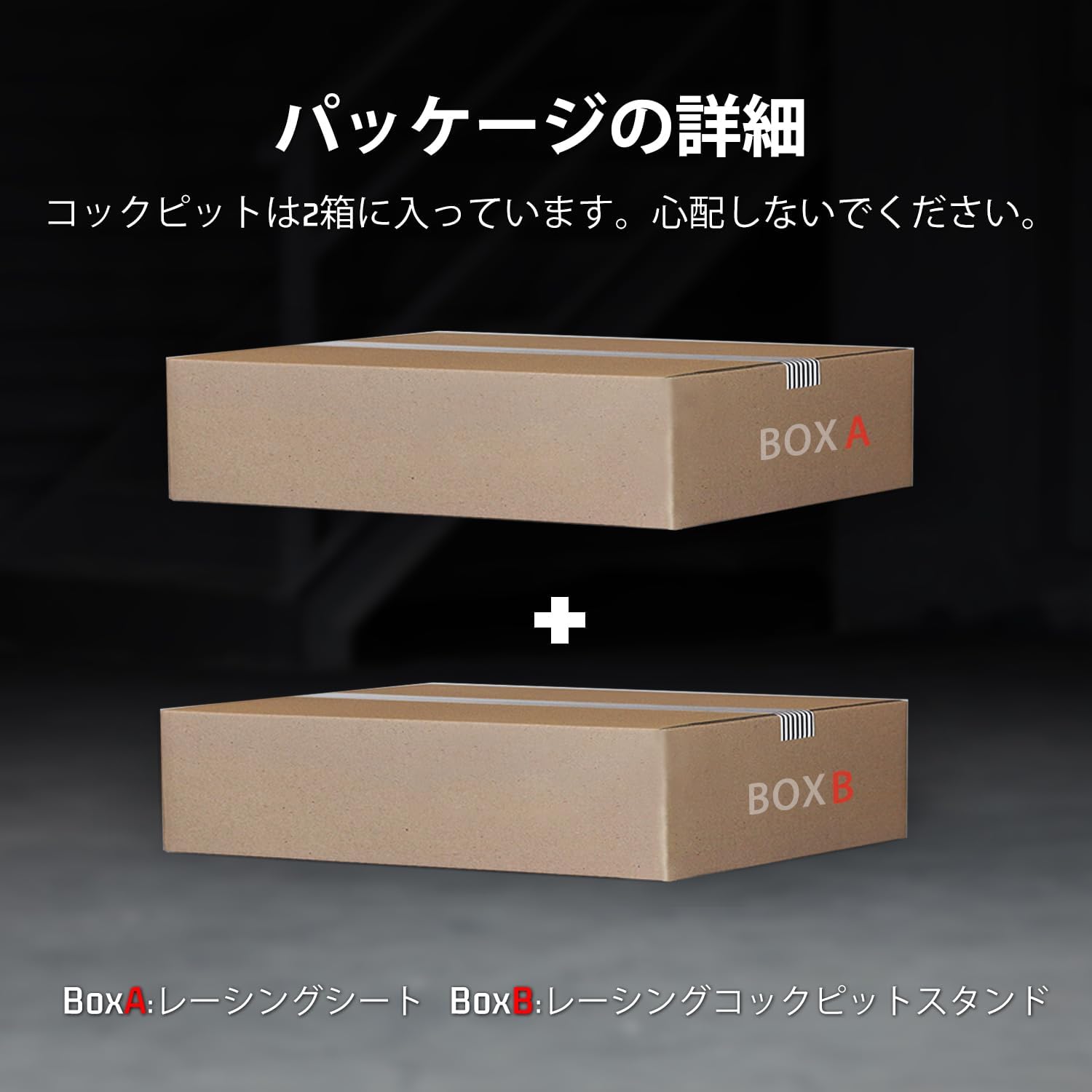
Image 3.1: The cockpit is delivered in two boxes. Box A contains the racing seat, and Box B contains the racing cockpit stand components.
Box A: Racing Seat
- Ergonomic Racing Seat (1)
- Seat Adjustment Handle (1)
- Mounting Hardware for Seat (various)
Box B: Cockpit Stand
- Aluminium Profiles (30x60mm) for Frame (various lengths)
- Steering Wheel Platform (1)
- Pedal Platform (1)
- Shifter Platform (1)
- Rubber Foot Pads (4)
- Assembly Hardware (bolts, nuts, washers, L-brackets, etc.)
- Assembly Tools (Allen wrenches, spanner)
Jika mana-mana bahagian yang hilang atau rosak, sila hubungi sokongan pelanggan.
4. Persediaan dan Pemasangan
Assembly requires careful attention to detail. It is recommended to have two people for certain steps, especially when handling larger frame sections or the seat. Allow ample time for assembly and initial adjustments.
4.1 Pemasangan Bingkai
- Unpack all components from Box B and lay them out. Identify the different aluminum profiles dan penyambung.
- Begin by assembling the base frame using the longest aluminum profiles and corner brackets. Ensure all connections are firm but do not fully tighten bolts yet.
- Attach the vertical supports for the steering wheel platform and the seat.
- Install the pedal platform at the front of the base frame.
- Attach the rubber foot pads to the bottom of the frame to prevent slipping and protect your floor.

Image 4.1: The cockpit frame features 30x60mm solid aluminum profiles for enhanced stability and durability, along with rubber foot pads for grip.
4.2 Seat Installation
- Unpack the ergonomic racing seat from Box A.
- Attach the seat to the designated seat rails on the cockpit frame using the provided hardware. Ensure the double slide rails are correctly aligned for smooth adjustment.
- Install the seat adjustment handle.
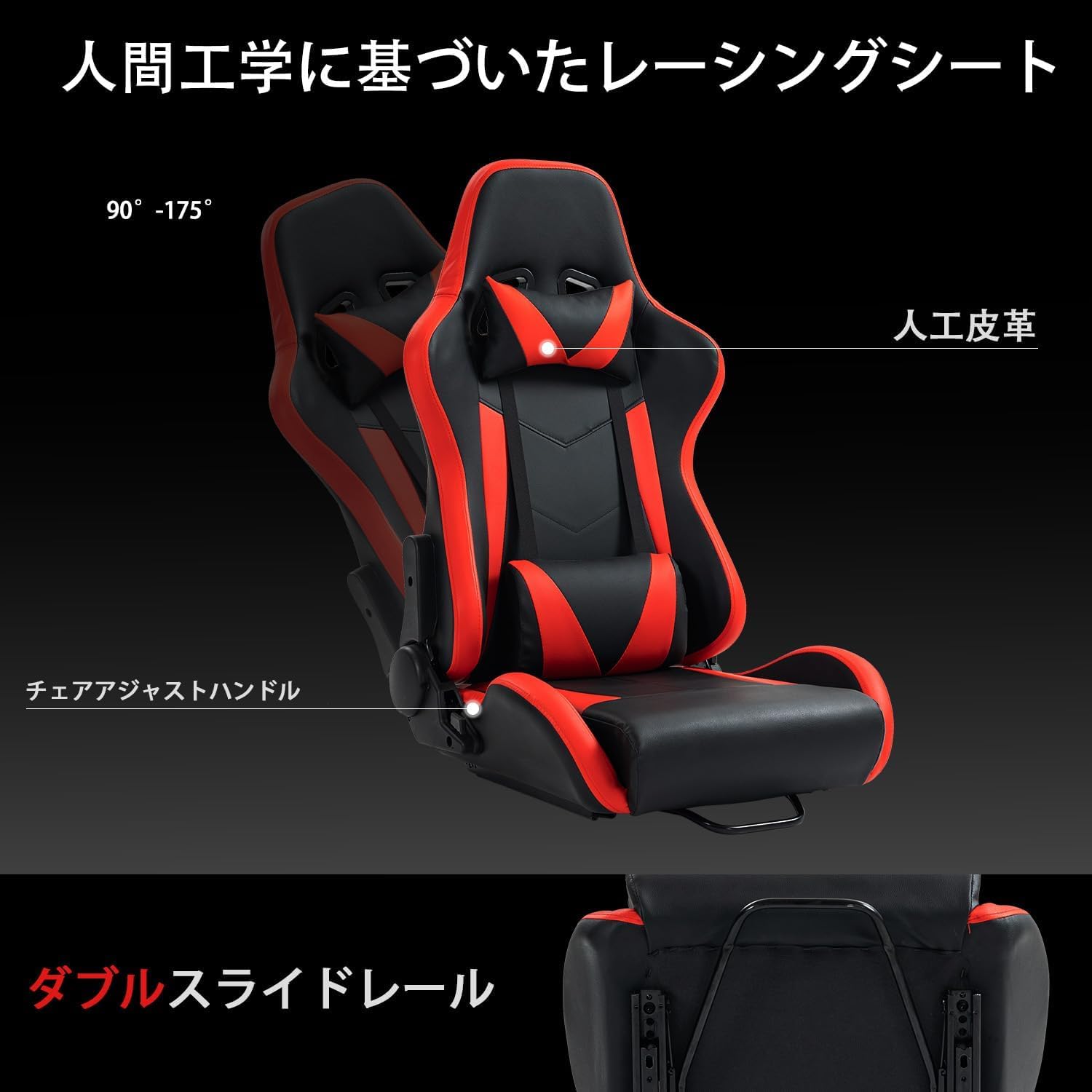
Image 4.2: The ergonomic racing seat, upholstered in synthetic leather, offers recline adjustment from 90° to 175° and features double slide rails for forward/backward positioning.
4.3 Peripheral Platform Installation
- Mount the steering wheel platform to the front vertical supports.
- Attach the shifter platform to either the left or right side of the cockpit, according to your preference.
- Once all components are in place, gradually tighten all bolts, ensuring the frame is square and stable.
5. Operasi dan Pelarasan
The Dardoo GT/F1 6030 cockpit offers extensive adjustability to accommodate various body types and racing styles.
5.1 Steering Wheel Platform Adjustment
- The steering wheel platform can be adjusted for both height and angle. Loosen the securing bolts, position the platform as desired, and re-tighten. The platform allows for a tilt of up to ±30 degrees.
5.2 Pedal Platform Adjustment
- The pedal platform's height and angle are fully adjustable. This allows for optimal pedal positioning for comfort and control.
5.3 Shifter Platform Adjustment
- The shifter platform can be installed on either the left or right side of the cockpit and its position can be adjusted along the horizontal bar.
5.4 Pelarasan Tempat duduk
- Use the seat adjustment handle to slide the seat forward or backward on its rails.
- The seat backrest can be reclined from 90° to 175° for personalized comfort during long racing sessions.

Imej 5.1: Terperinci view of the adjustable steering wheel platform (height and angle), pedal platform (height and angle), shifter platform (left/right installation), and seat (forward/backward and recline).
5.5 Keserasian Peranti
The Dardoo GT/F1 6030 cockpit is designed for broad compatibility with popular racing peripherals.
- Logitech: G29, G920, G923
- Thrustmaster: T500, T818, T80, T128, T300
- Fanatec: CSL-DD, GT-DD-PRO
- Moza: R5, R9, R12, R16
- PXN: V9
- And many other popular brands of steering wheels, pedals, and gear shifters.

Image 5.2: The cockpit is compatible with a wide range of racing peripherals from brands such as Logitech, Fanatec, Moza, Thrustmaster, and PXN.
6. Penyelenggaraan
Regular maintenance will ensure the longevity and optimal performance of your racing cockpit.
- Pembersihan: Wipe down aluminum profiles and seat upholstery with a soft, damp kain. Elakkan pembersih atau pelarut yang melelas yang boleh merosakkan kemasan.
- Pengikat: Periodically check all bolts and nuts for tightness. Re-tighten as necessary to maintain structural integrity and prevent wobbling.
- Bahagian bergerak: Ensure seat rails and adjustment mechanisms operate smoothly. If they become stiff, a small amount of silicone lubricant can be applied.
- Storan: If storing the cockpit for an extended period, ensure it is clean and dry. Store in a cool, dry place away from direct sunlight.
7. Penyelesaian masalah
This section addresses common issues you might encounter with your racing cockpit.
| Masalah | Kemungkinan Punca | Penyelesaian |
|---|---|---|
| Cockpit feels unstable or wobbly. | Bolt longgar atau permukaan yang tidak rata. | Check and tighten all assembly bolts. Ensure the cockpit is on a flat, level surface. |
| Seat does not slide smoothly. | Debris in rails or lack of lubrication. | Clean the seat rails. Apply a small amount of silicone lubricant if necessary. |
| Peripheral platforms are difficult to adjust. | Bolt pengikat terlalu ketat. | Loosen the adjustment bolts slightly before attempting to reposition. Re-tighten once adjusted. |
| Bahagian yang hilang semasa membuka kotak. | Shipping error or oversight. | Contact Dardoo customer support immediately with your purchase details. |
8. Spesifikasi
- model: 6030
- Bahan Bingkai: 30x60mm Solid Aluminum Profiles
- Bahan Tempat Duduk: Kulit Sintetik
- Dimensi Produk (L x W x H): Kira-kira 152 x 79.8 x 115 cm (59.8 x 31.4 x 45.3 inci)
- Berat produk: 37.6 kg (82.9 lbs)
- Player Height Range: 1.4m - 1.9m (4'7" - 6'3")
- Frame Weight Limit: 200 kg (440 lbs)
- Pelarasan:
- Steering Wheel Platform: Height and Angle (±30°)
- Pedal Platform: Height and Angle
- Shifter Platform: Left/Right mountable, adjustable position
- Seat: Forward/Backward (double slide rails), Recline (90°-175°)
- Keserasian: Logitech, Thrustmaster, Fanatec, Moza, PXN, and other major racing peripheral brands.
- Peningkatan Pilihan: Compatible with additional monitor brackets for an enhanced racing setup.
- Asal: China
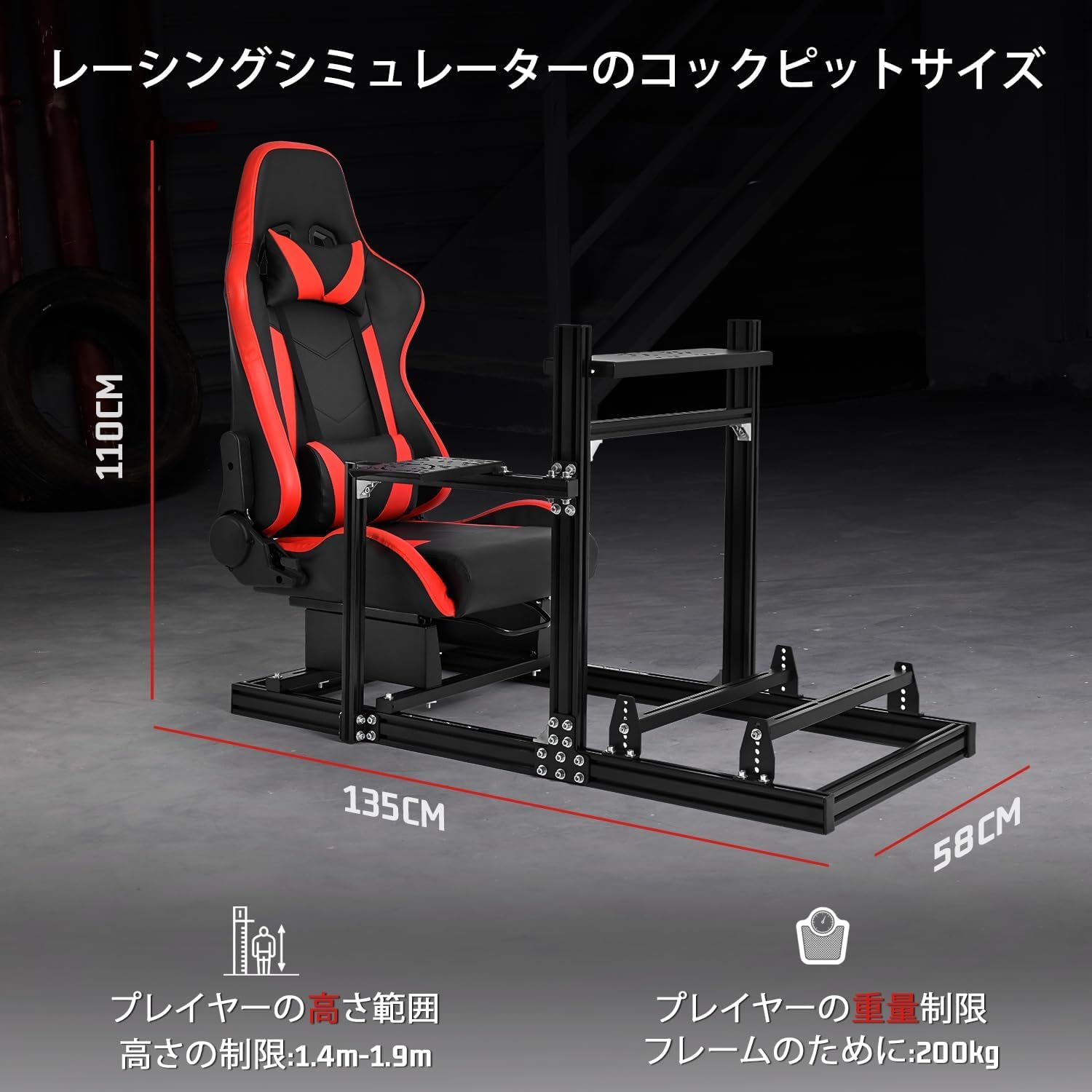
Image 8.1: Key dimensions of the racing cockpit (135cm length, 58cm width, 110cm height) and recommended user height (1.4m-1.9m) and frame weight limit (200kg).
9. Maklumat Waranti
Dardoo products are manufactured to high-quality standards. This product comes with a limited warranty against manufacturing defects from the date of purchase. Please retain your proof of purchase for warranty claims.
Waranti biasanya meliputi kecacatan bahan dan mutu kerja di bawah penggunaan biasa. Ia tidak meliputi kerosakan yang disebabkan oleh salah guna, kemalangan, pengubahsuaian tanpa kebenaran atau haus dan lusuh biasa.
For specific warranty terms and conditions, please refer to the warranty card included with your product or contact Dardoo customer support.
10. Sokongan Pelanggan
If you have any questions, require assistance with assembly, or encounter any issues not covered in this manual, please contact Dardoo customer support.
- Sokongan dalam talian: Visit the official Dardoo webtapak untuk Soalan Lazim dan sumber sokongan.
- e-mel: support@dardoo.com
- telefon: +1-XXX-XXX-XXXX
When contacting support, please have your product model (6030) and purchase information ready.