
ELEPHAS BL128-PLUS
ELEPHAS Projector User Manual
Model: BL128-PLUS
1. Pengenalan
Thank you for choosing the ELEPHAS Projector. This projector is designed to provide a high-quality home theater experience with its 800 ANSI lumens brightness, 1080p HD resolution, and versatile connectivity options. Enjoy officially licensed streaming apps like Netflix, Prime Video, and YouTube directly from the device, along with seamless dual-band WiFi and Bluetooth 5.0 for enhanced audio. This manual will guide you through the setup, operation, and maintenance of your new projector.
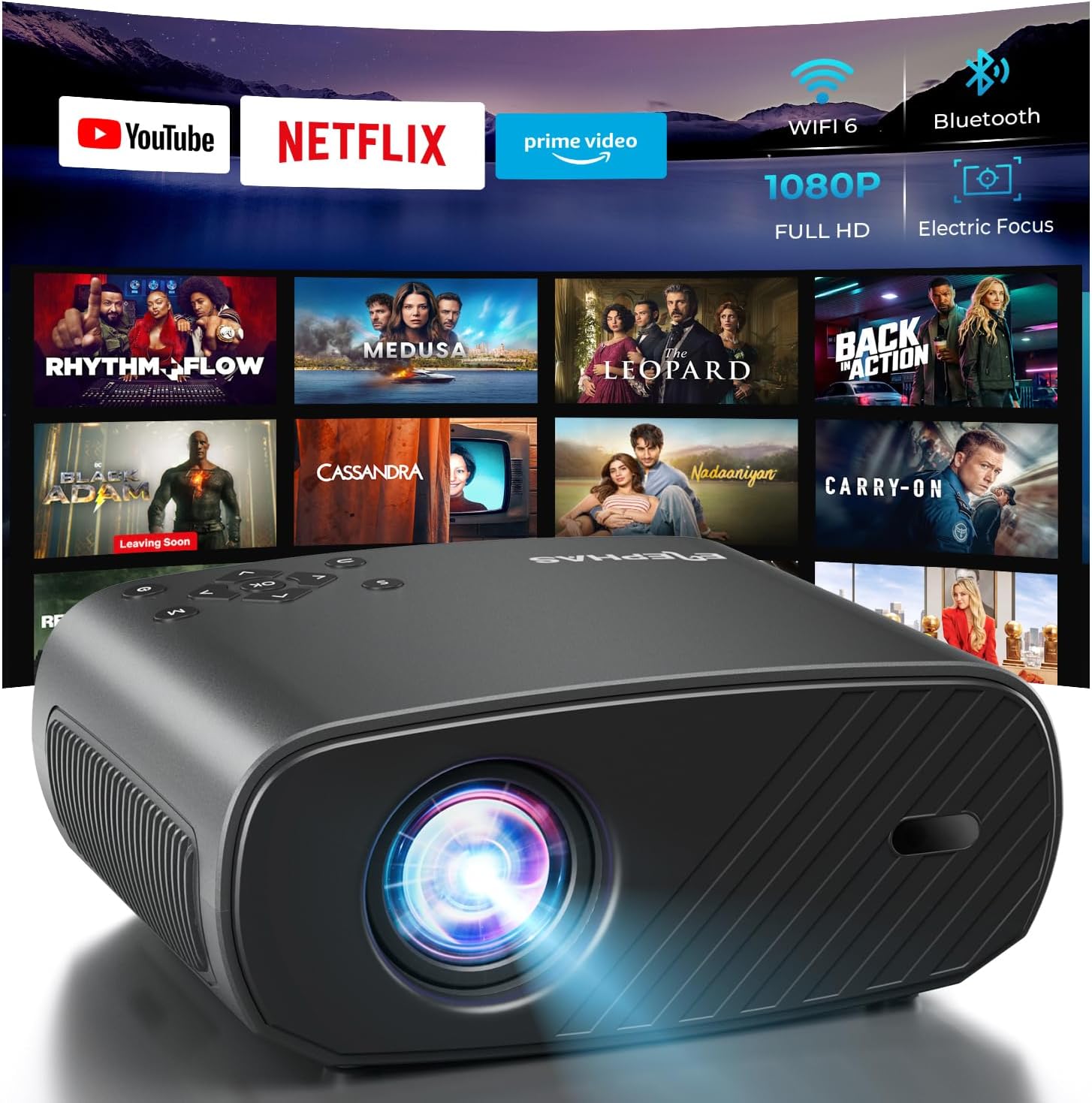
The ELEPHAS Projector offers a comprehensive entertainment solution with integrated streaming services and advanced display technology.
2. Maklumat Keselamatan
- Jangan halang bukaan pengudaraan. Pastikan aliran udara yang mencukupi di sekitar projektor untuk mengelakkan terlalu panas.
- Jangan lihat terus ke dalam kanta projektor apabila lamp sedang dihidupkan, kerana cahaya terang boleh menyebabkan kerosakan mata.
- Keep the projector away from water or any liquids. Do not expose it to rain or moisture.
- Gunakan hanya penyesuai kuasa yang disediakan bersama projektor.
- Avoid placing the projector on unstable surfaces where it could fall.
- Cabut plag projektor semasa ribut petir atau apabila tidak digunakan untuk tempoh yang lama.
3. Kandungan Pakej
Sila tandai kotak untuk item berikut:
- ELEPHAS Projector (BL128-PLUS)
- Kabel Kuasa
- Kabel HDMI
- Alat Kawalan Jauh
- Manual Pengguna
4. Produk Lebihview
Familiarize yourself with the various components and ports of your ELEPHAS Projector.

The projector features multiple connectivity options for diverse media sources.
Panel Depan:
- Kanta: Menayangkan imej ke skrin.
Panel belakang:
- HDMI Ports (HDMI1, HDMI2): Connect to devices like laptops, gaming consoles, or streaming sticks.
- USB Ports (USB1, USB2): Sambungkan pemacu USB untuk main balik media atau kuasakan peranti luaran.
- Pelabuhan AV: Sambungkan ke peranti lama menggunakan kabel AV.
- Port Alat dengar: Connect external headphones or speakers via a 3.5mm audio jack.
- Input Kuasa: Sambungkan kabel kuasa.
5. Persediaan
5.1 Penempatan
Letakkan projektor di atas permukaan yang stabil dan rata. Untuk optimum viewing, ensure the projector is aligned with your projection surface (wall or screen). The projector can project images up to 150 inches. The ideal projection distance will vary based on desired screen size.

The ELEPHAS Projector delivers stunning brightness and clarity for an immersive viewpengalaman dalam.
5.2 Sambungan Kuasa
- Sambungkan kabel kuasa ke port input kuasa projektor.
- Palamkan hujung kabel kuasa yang lain ke dalam salur keluar kuasa.
- Tekan butang kuasa pada projektor atau alat kawalan jauh untuk menghidupkannya.
5.3 Pelarasan Imej Awal
The ELEPHAS Projector features cutting-edge electric focus and auto keystone correction for instant image perfection.
- Pembetulan Auto Keystone: The projector will automatically adjust the image to correct trapezoidal distortion, ensuring a rectangular picture even if the projector is not perfectly aligned.
- Fokus Elektrik: The projector will automatically adjust the focus for a sharp image. Manual adjustments can typically be made via the remote control if needed.
6. Arahan Operasi
6.1 Menyambung Peranti
Your projector supports various input sources:
- HDMI: Connect your laptop, gaming console, Blu-ray player, or streaming devices (e.g., Firestick) to the HDMI ports. Select the corresponding HDMI input from the projector's source menu.
- USB: Insert a USB flash drive into a USB port to play media files (videos, photos, music). Navigate to the media player application on the projector's interface.
- Wireless Connectivity (Wi-Fi): The projector supports dual-band WiFi (2.4G and 5G) for seamless screen mirroring from iOS and Android devices. Access the screen mirroring function from the main menu and follow the on-screen instructions to connect your device.

Effortlessly connect your mobile devices wirelessly for screen mirroring.
6.2 Aplikasi Penstriman
The ELEPHAS Projector comes with officially licensed Netflix, Prime Video, and YouTube apps pre-installed, allowing direct access to a vast library of content.

Enjoy seamless access to popular streaming platforms directly from the projector.
- Navigate to the desired app from the home screen using the remote control.
- Log in with your account credentials to start streaming.
6.3 Audio Bluetooth
Enhance your audio experience by connecting external Bluetooth speakers or headphones.

Connect wirelessly to your favorite audio devices via Bluetooth 5.0.
- Go to the projector's settings menu.
- Select 'Bluetooth' and turn it on.
- Letakkan peranti audio Bluetooth anda ke dalam mod berpasangan.
- Select your device from the list of available devices on the projector screen to connect.
7. Penyelenggaraan
7.1 Membersihkan Lensa
Use a soft, lint-free cloth specifically designed for optical lenses. Do not use abrasive cleaners or cloths, as they can scratch the lens.
7.2 Membersihkan Badan dan Lubang Udara Projektor
Wipe the projector's exterior with a soft, dry cloth. Use a small brush or vacuum cleaner with a soft brush attachment to gently clean the ventilation openings to prevent dust buildup, which can affect performance and lifespan.
8. Penyelesaian masalah
| Masalah | Kemungkinan Punca | Penyelesaian |
|---|---|---|
| Tiada gambar di skrin | Power cable disconnected; Incorrect input source selected; Device not powered on. | Check power connection; Select correct input source (HDMI1/2, USB); Ensure connected device is on. |
| Imej kabur | Out of focus; Projector not perpendicular to screen. | Allow auto-focus to adjust or manually adjust focus via remote; Auto keystone correction should fix image shape. |
| Tiada bunyi | Volume too low/muted; External audio device not connected properly; Incorrect audio output selected. | Increase volume; Check Bluetooth connection or 3.5mm cable; Ensure projector's audio output is set correctly. |
| Isu sambungan Wi-Fi/Bluetooth | Out of range; Interference; Incorrect password. | Move closer to router/device; Reduce interference; Re-enter password. |
| Fan noise is noticeable | Normal operation; Blocked vents. | A slight fan noise is normal for projectors. Ensure vents are not blocked and are clean. |
9. Spesifikasi
| Ciri | Perincian |
|---|---|
| Jenama | GAJAH |
| Nombor Model | BL128-PLUS |
| Resolusi Paparan | 1920 x 1080 (HD Penuh) |
| Kecerahan | 800 ANSI Lumen |
| Nisbah Kontras | 10,000:1 |
| Teknologi Ketersambungan | Bluetooth, HDMI, USB, Wi-Fi |
| Ciri Khas | Auto Focus, Built-In Speaker, Netflix Official License, Prime Video, YouTube Support |
| Penggunaan yang Disyorkan | Pawagam Rumah |
| Berat Barang | 4.64 paun |
| Dimensi Pakej | 13.98 x 10.87 x 5.28 inci |
10. Waranti dan Sokongan
The ELEPHAS Projector is backed by a Waranti 1 tahun from the date of purchase. This warranty covers manufacturing defects and ensures reliable performance of your device.
For any questions, setup assistance, troubleshooting, or warranty claims, please contact ELEPHAS customer support. Our dedicated team is available 24/7 to provide prompt and helpful service.
Please refer to the contact information provided on the ELEPHAS official webtapak atau dokumentasi pembelian anda untuk saluran sokongan yang paling terkini.
Ask a question about this manual
Ask about setup, troubleshooting, compatibility, parts, safety, or missing instructions. Manuals+ will review the question and use this page’s manual context to help answer it.