
SelfieShow C15
SelfieShow C15 Aluminum Selfie Stick Phone Tripod Instruction Manual
Model: C15 | Brand: SelfieShow
1. Pengenalan
This manual provides detailed instructions for the proper setup, operation, and maintenance of your SelfieShow C15 Aluminum Selfie Stick Phone Tripod. Please read this manual thoroughly before using the product to ensure optimal performance and longevity.
Kandungan Pakej
- Tripod Telefon Tongkat Selfie
- Wireless Remote Control (with 1 CR2032 battery included)
- Manual Arahan

Figure 1: The SelfieShow C15 Aluminum Selfie Stick Phone Tripod shown collapsed, extended as a selfie stick, and set up as a tripod with the remote control.
2. Komponen Selesaiview
Familiarize yourself with the main parts of your SelfieShow C15 device:
- Extendable Aluminum Pole: The main shaft that extends for selfie stick use or tripod height adjustment.
- Pangkalan Tripod: Foldable legs at the bottom for stable freestanding use. Features anti-slip silicone pads.
- Pemegang Telefon: cl boleh larasamp to secure your smartphone. Detachable.
- 360° Rotatable Ball Head: Allows for flexible angle adjustments of the phone holder. Includes a 1/4" screw for other accessories and a cold shoe interface.
- Kawalan Jauh Wayarles: Bluetooth-enabled remote for capturing photos or starting videos from a distance. Stores securely in the handle.
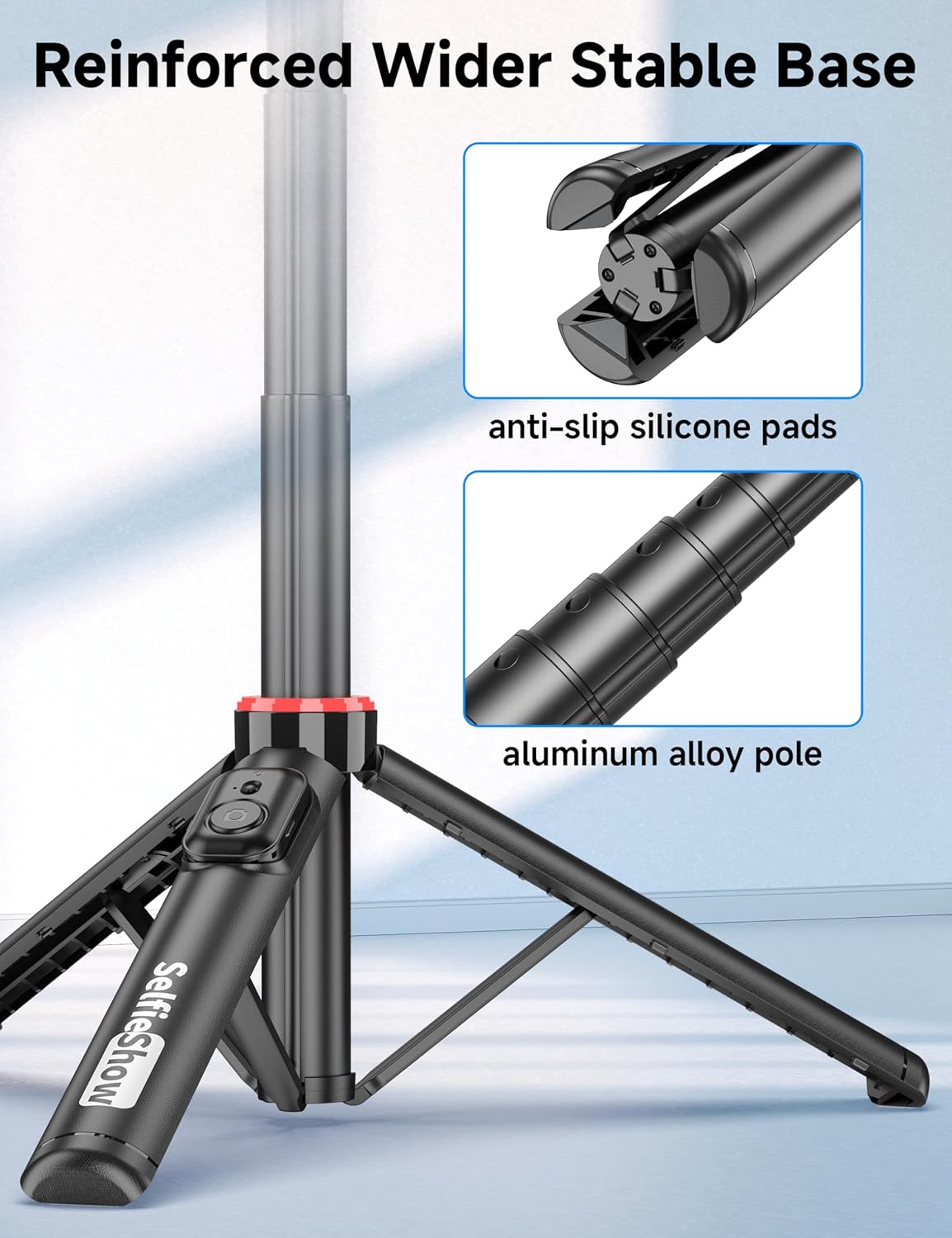
Rajah 2: Jarak dekat view of the reinforced tripod base, highlighting the anti-slip silicone pads and the durable aluminum alloy pole construction.
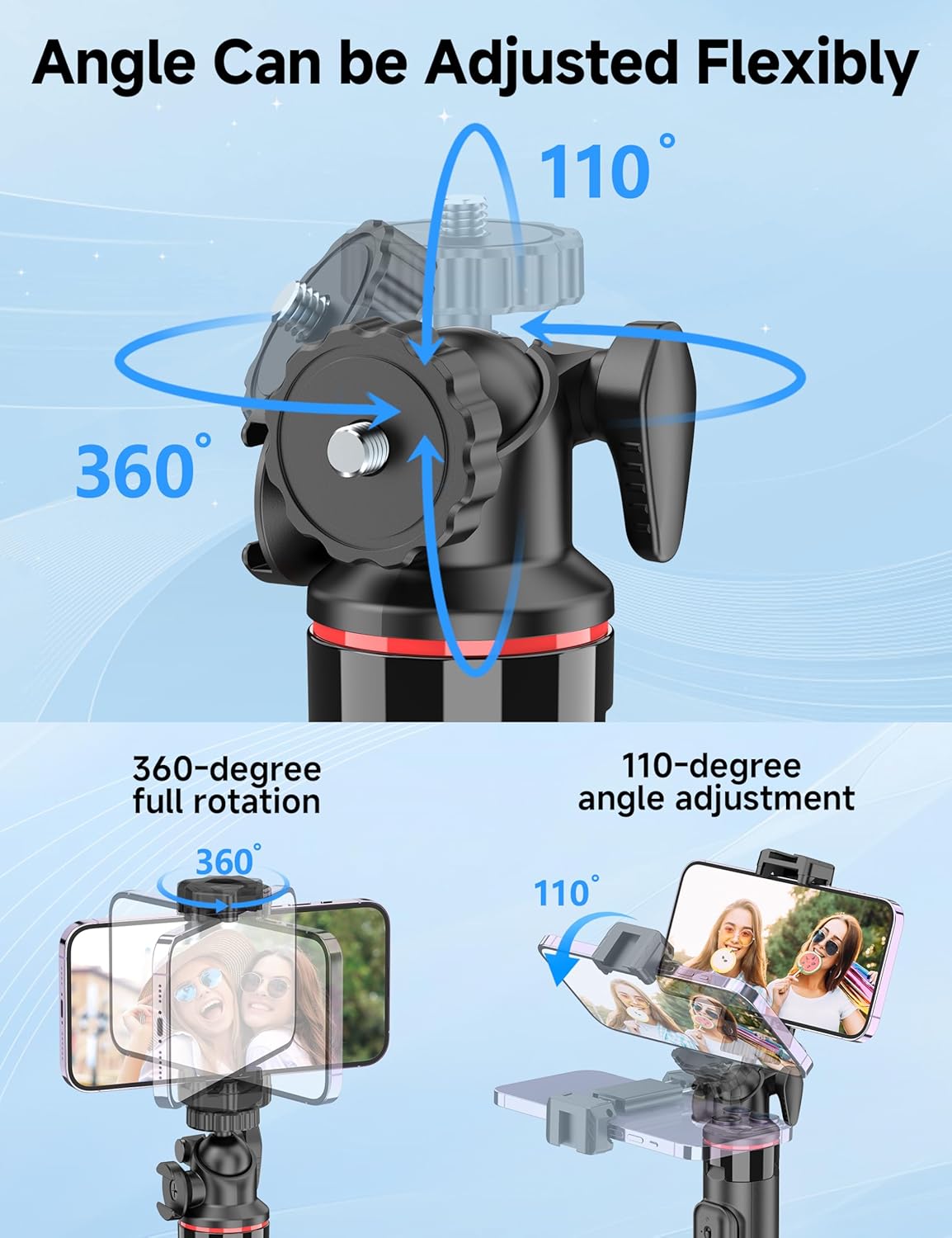
Figure 3: Illustration of the 360-degree full rotation and 110-degree angle adjustment capabilities of the ball head for flexible phone positioning.
3. Arahan Persediaan
3.1 Berpasangan Kawalan Jauh
- Ensure the remote control has a working CR2032 battery.
- Press and hold the button on the remote control until the indicator light flashes, indicating it is in pairing mode.
- Pada telefon pintar anda, pergi ke tetapan Bluetooth dan cari peranti yang tersedia.
- Select "SelfieShow" from the list to pair. The indicator light on the remote will stop flashing once successfully paired.
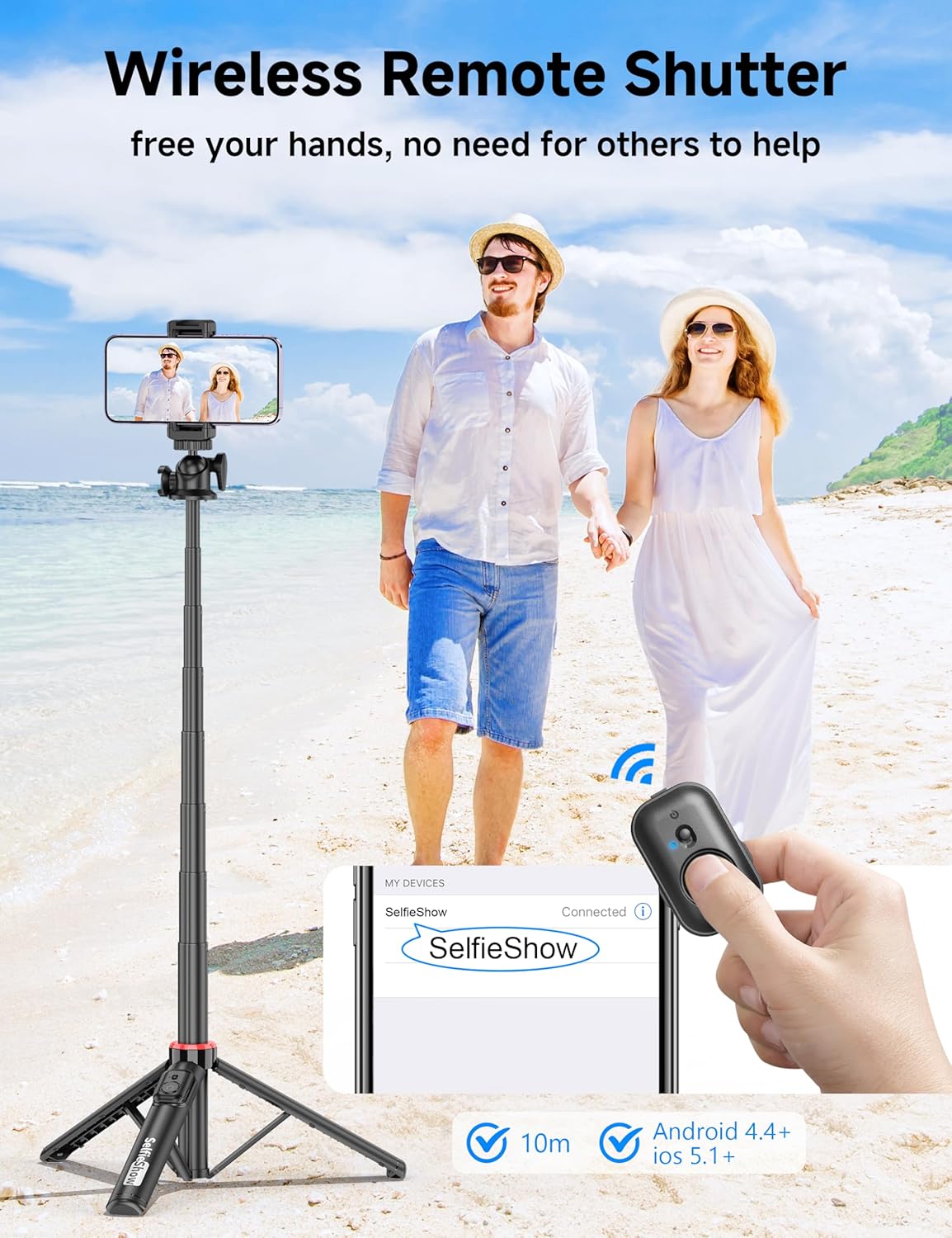
Figure 4: Visual guide for pairing the wireless remote shutter via Bluetooth, showing the remote and a phone screen with 'SelfieShow' connected.
3.2 Menyambungkan Telefon Pintar Anda
- Gently pull apart the phone holder clamps to expand them.
- Insert your smartphone into the holder, ensuring it is securely gripped by both clamps. The holder accommodates phones between 2.5 to 3.7 inches (6.5 to 9.5 cm) in width.
- Ensure your phone's buttons are not obstructed or pressed by the clamps.
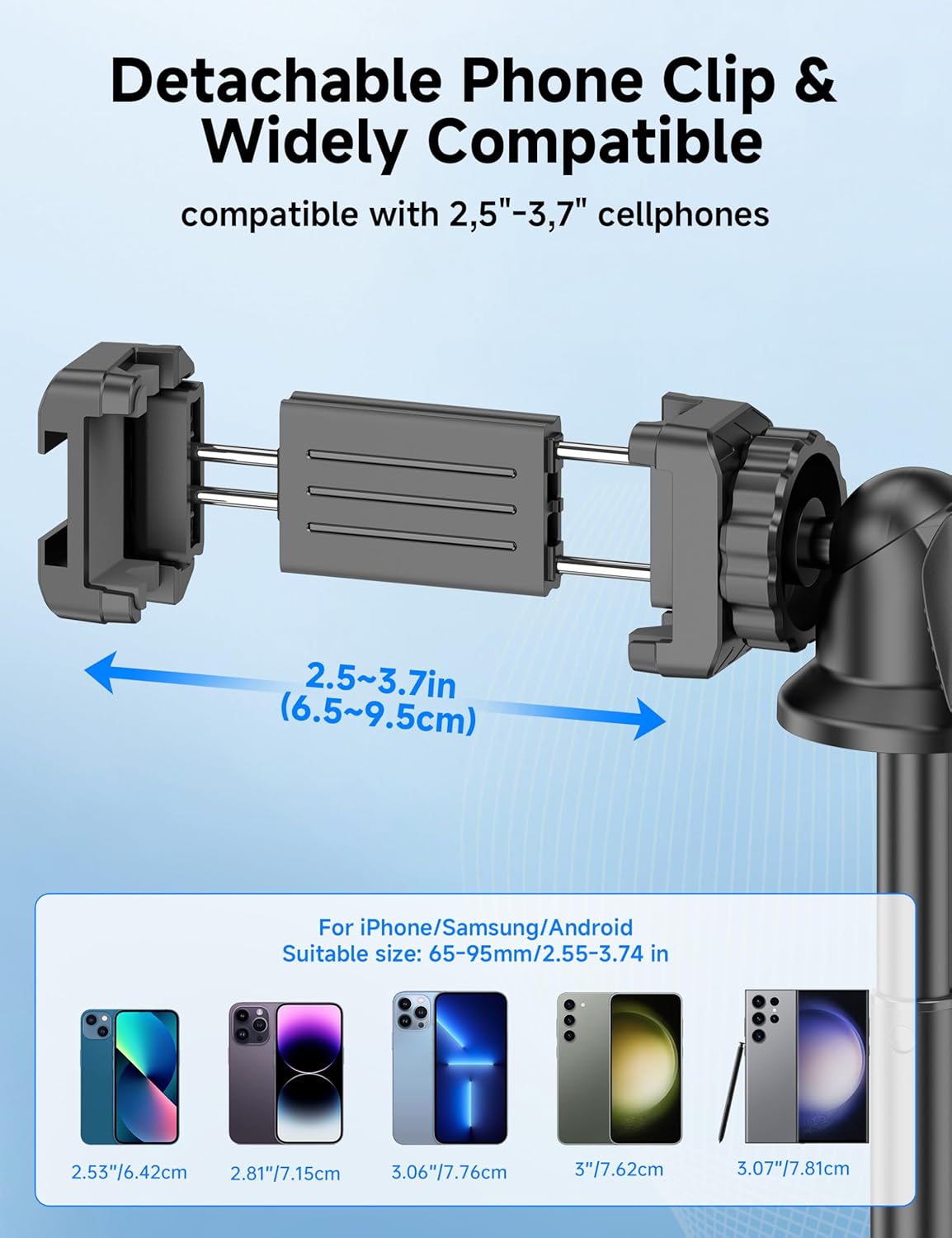
Figure 5: Diagram illustrating the adjustable width of the phone clip (2.5-3.7 inches) and its compatibility with various smartphone models.
4. Arahan Operasi
4.1 Menggunakannya sebagai Tongkat Swafoto
- Pegang pemegang dengan kuat.
- Extend the aluminum pole to your desired length. The pole can extend from 9.8 inches (25 cm) to 49 inches (126 cm).
- Adjust the phone holder's angle using the ball head to achieve the desired shot.
- Use the paired wireless remote control to capture photos or start/stop video recording.
4.2 Menggunakannya sebagai Tripod
- From the collapsed position, gently pull the bottom handle downwards to deploy the tripod legs. Ensure the legs are fully spread for maximum stability.
- Letakkan tripod di atas permukaan yang rata dan stabil.
- Extend the aluminum pole to your desired height.
- Adjust the phone holder's angle using the ball head.
- Use the paired wireless remote control to capture photos or start/stop video recording.
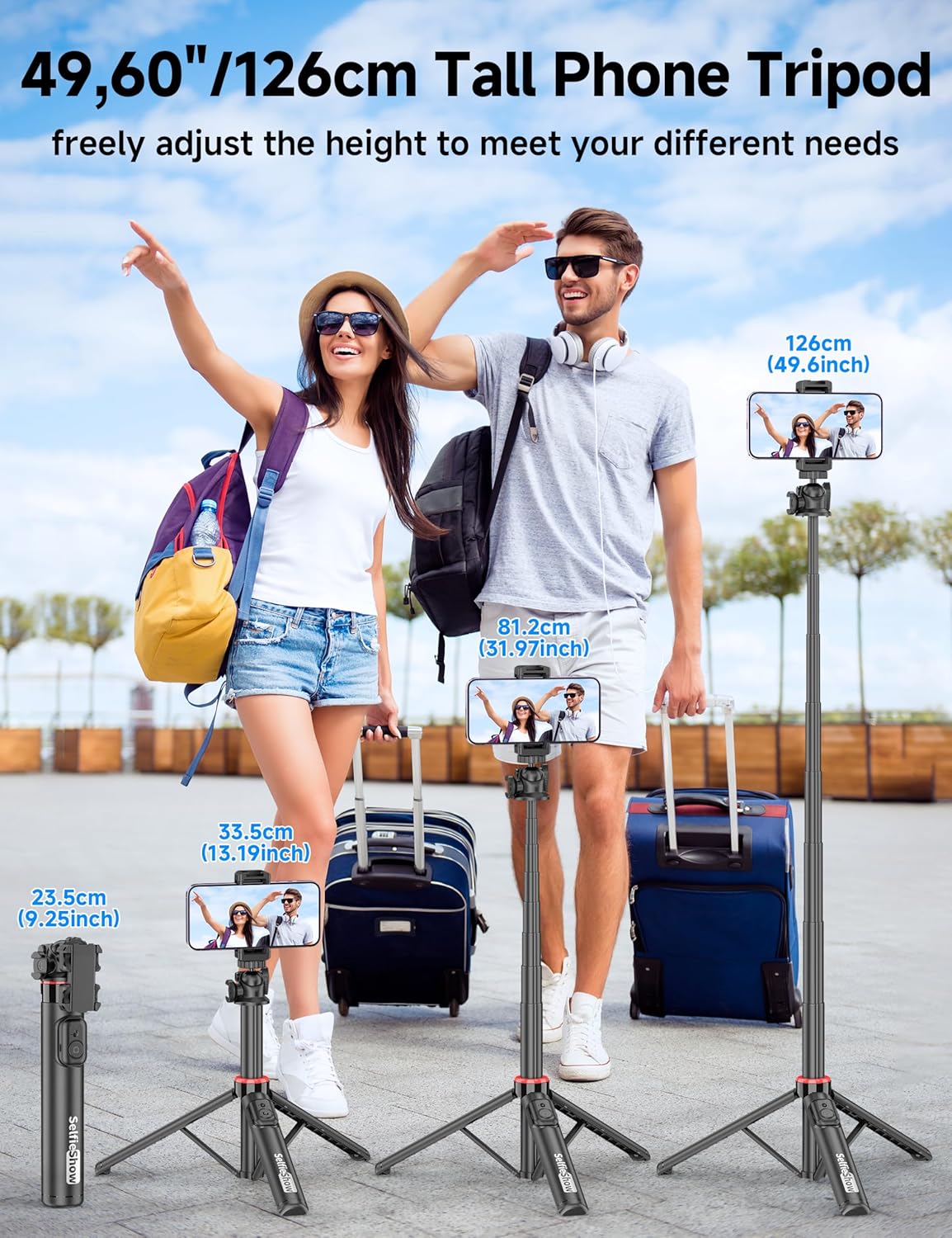
Figure 6: Visual guide demonstrating the adjustable height of the tripod from its folded state to various extended heights, up to 49 inches (126 cm).
4.3 Using the Cold Shoe and 1/4" Screw Mount
The SelfieShow C15 features a cold shoe interface and a standard 1/4" screw mount for expanded functionality:
- Kasut Sejuk: Located on top of the phone holder, this allows you to attach accessories such as external microphones or LED fill lights.
- 1/4" Screw Mount: The ball head features a universal 1/4" screw, allowing direct attachment of compact cameras, action cameras (like GoPro), or other compatible accessories when the phone holder is detached.
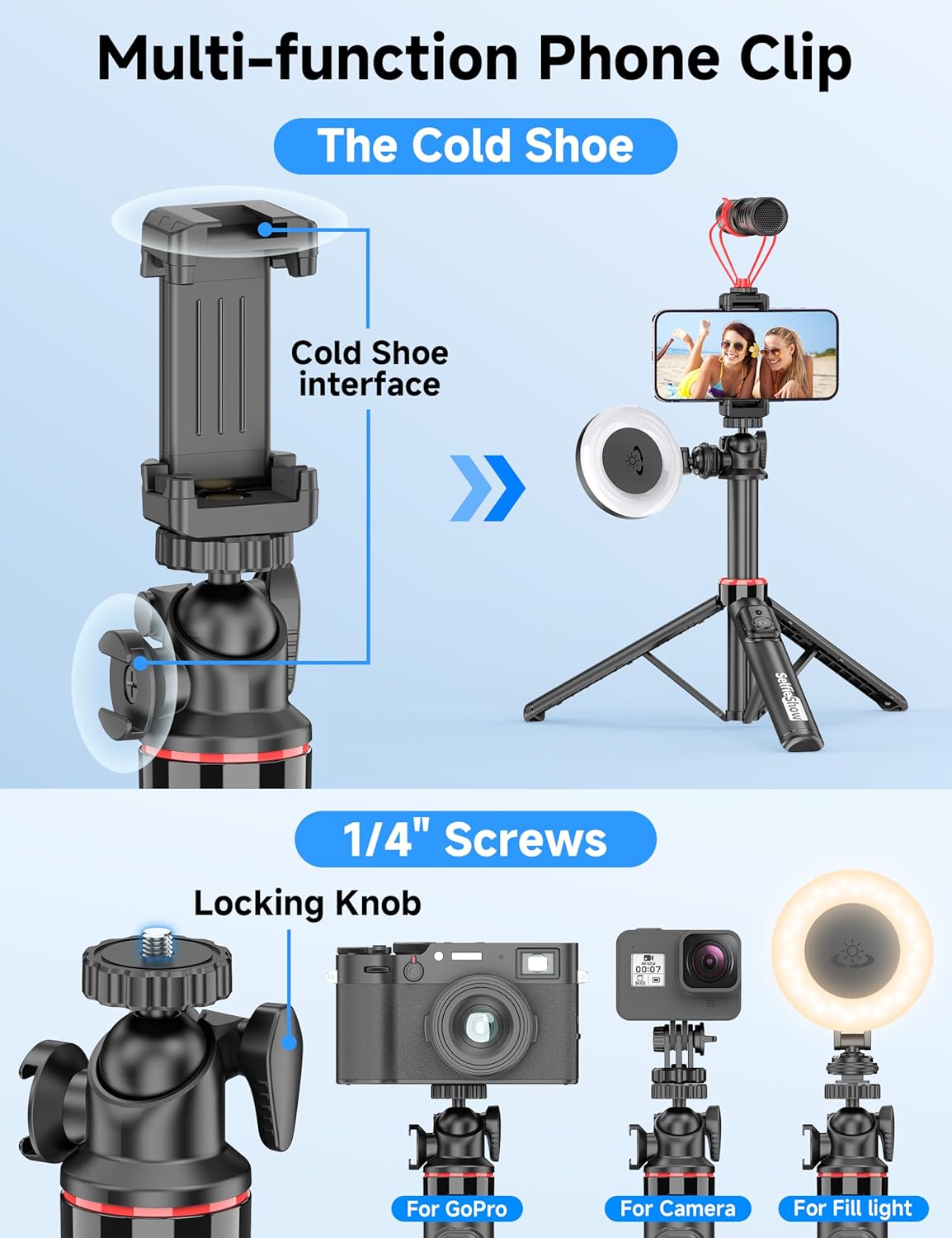
Rajah 7: Terperinci view of the multi-function phone clip, highlighting the cold shoe interface for attaching external accessories.
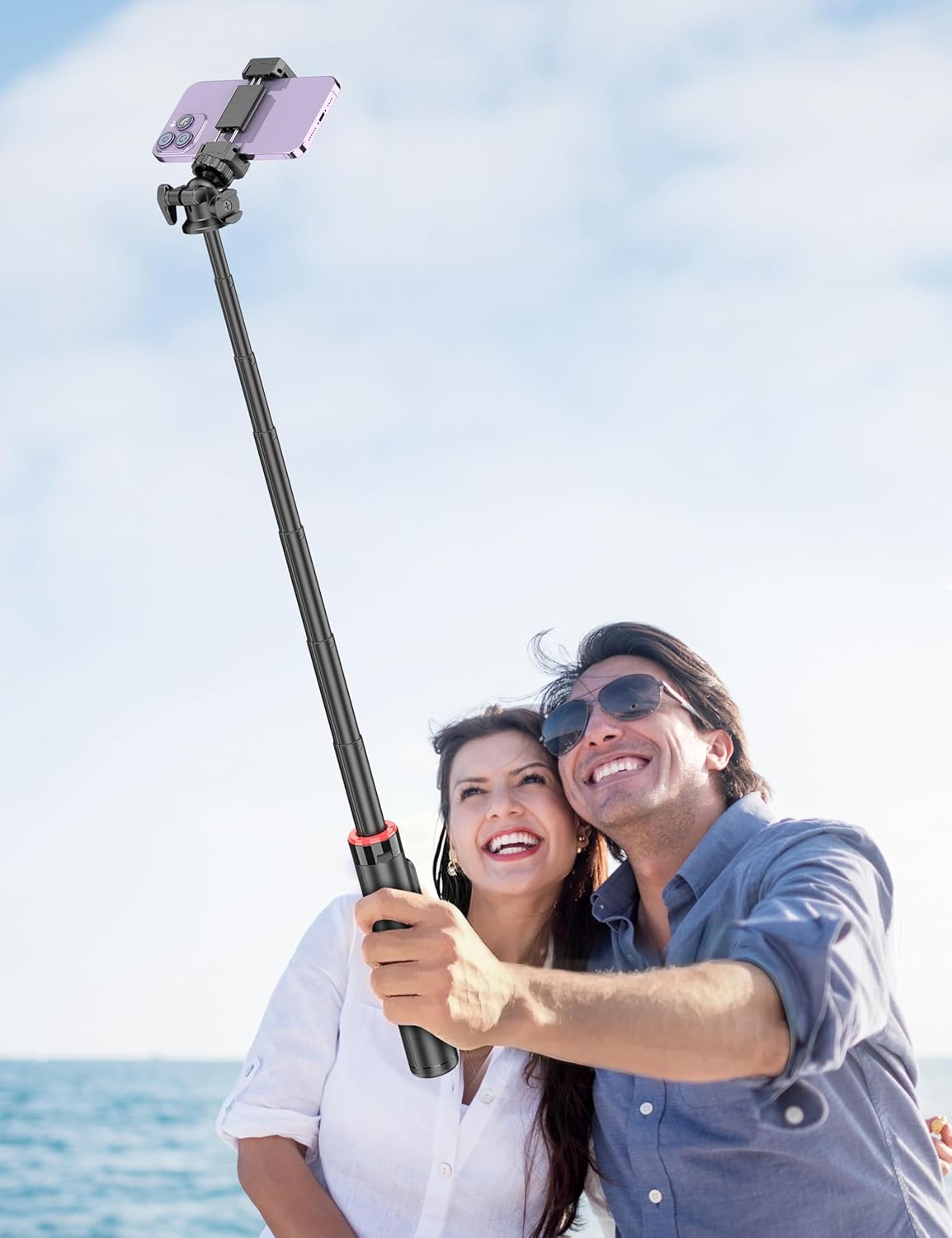
Figure 8: Image demonstrating the 1/4 inch screw mount for connecting cameras, GoPros, or fill lights, showcasing the versatility of the tripod head.
5. Penyelenggaraan
5.1 Pembersihan
- Lap peranti dengan kain lembut dan kering.
- Jangan gunakan bahan kimia atau pembersih kasar.
- Elakkan mendedahkan peranti kepada kelembapan berlebihan.
5.2 Penyimpanan
- Simpan kayu swafoto di tempat yang sejuk dan kering apabila tidak digunakan.
- Ensure the remote control is securely placed in its designated slot to prevent loss.
5.3 Penggantian Bateri Kawalan Jauh
The remote control uses a CR2032 coin cell battery. To replace:
- Cari petak bateri pada alat kawalan jauh.
- Use a small coin or tool to open the compartment.
- Tanggalkan bateri lama dan masukkan bateri CR2032 baharu dengan bahagian positif (+) menghadap ke atas.
- Tutup petak bateri dengan selamat.
6. Penyelesaian masalah
6.1 Remote Control Not Connecting
- Ensure the remote control battery is not depleted. Replace if necessary.
- Pastikan Bluetooth didayakan pada telefon pintar anda.
- Try unpairing and re-pairing the remote control in your phone's Bluetooth settings.
- Ensure the remote is within the 30 ft (10 m) operating range of your phone.
6.2 Ketidakstabilan Tripod
- Pastikan kaki tripod dihulurkan sepenuhnya dan dikunci pada kedudukannya di atas permukaan yang rata dan stabil.
- Avoid extending the pole to its maximum height in windy conditions or on uneven terrain.
- Verify that your smartphone is securely seated in the phone holder and balanced.
6.3 Phone Not Fitting in Holder
- Check that your phone's width is within the compatible range of 2.5 to 3.7 inches (6.5 to 9.5 cm).
- Remove any bulky phone cases if they prevent a secure fit.
7. Spesifikasi
| Ciri | Perincian |
|---|---|
| Nama Model | C15 |
| Jenama | SelfieShow |
| bahan | aluminium |
| Berat Barang | 10.5 auns (297.67 gram) |
| Saiz Dilipat | 9.8 inci (25 cm) |
| Ketinggian Minimum | 9.8 inci (25 cm) |
| Ketinggian Maksimum | 49 inci (124.5 cm) |
| Lebar Pemegang Telefon | 2.5 - 3.7 inci (6.5 - 9.5 cm) |
| Jenis Kepala Tripod | Ball Head (360° rotation) |
| Julat Kawalan Jauh | Sehingga 30 kaki (10 m) |
| Bateri Kawalan Jauh | 1 x CR2032 (termasuk) |
| Peranti Serasi | Telefon Pintar (iPhone, Android) |
| Ciri-ciri Tambahan | Cold Shoe, 1/4" Screw Mount |
8. Maklumat Waranti
SelfieShow products are manufactured to high-quality standards. For specific warranty details, please refer to the warranty card included with your purchase or contact customer support. Typically, products are covered against manufacturing defects for a period specified at the time of purchase.
9. Sokongan Pelanggan
If you encounter any issues or have questions regarding your SelfieShow C15 Aluminum Selfie Stick Phone Tripod that are not addressed in this manual, please contact our customer support team. Refer to your product packaging or the SelfieShow official webtapak untuk maklumat hubungan.
Ask a question about this manual
Ask about setup, troubleshooting, compatibility, parts, safety, or missing instructions. Manuals+ will review the question and use this page’s manual context to help answer it.