
1. Produk Lebihview
The Adin S8BT Bone Conduction Vibration Speaker is an innovative audio device that transmits sound through vibrations, allowing any flat surface to become a speaker. Its compact and portable design makes it ideal for various indoor and outdoor environments.
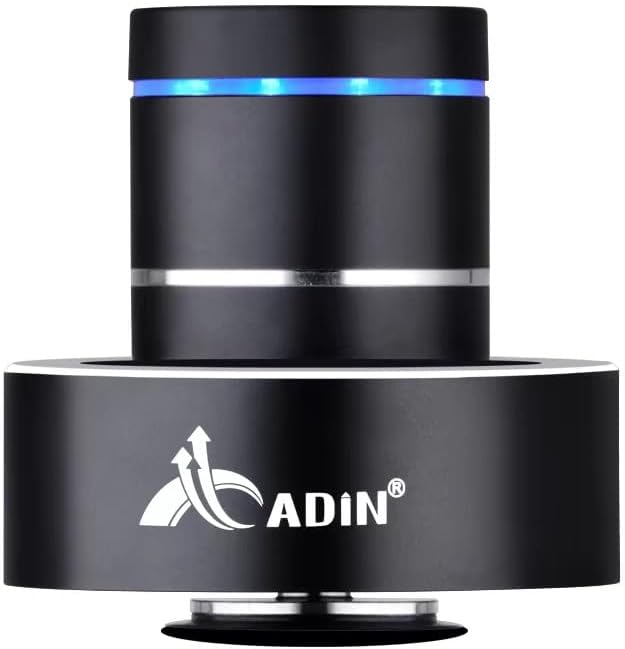
Figure 1: Adin S8BT Bone Conduction Vibration Speaker. This image displays the main unit of the speaker, showcasing its sleek black cylindrical design with a luminous blue accent ring and silver band. The speaker is designed to sit on a surface, utilizing bone conduction technology.

Figure 2: Adin S8BT Speaker and Included Accessories. This image shows the Adin S8BT speaker alongside its retail packaging, a USB charging cable, and an auxiliary audio cable, indicating the complete product package.
2. Ciri-ciri Utama
- Teknologi Pengaliran Tulang: Transforms any flat surface into a speaker, delivering immersive audio.
- Kesambungan Tanpa Wayar: Seamlessly stream audio via Bluetooth from compatible devices.
- Padat dan Mudah Alih: Lightweight and small form factor for easy transport and placement.
- Kawalan Intuitif: Simple touch controls for volume adjustment, track switching, and playback management.
- Reka Bentuk Pelbagai Guna: Can function as a speaker, ambient lamp, or decorative item.
- Hayat Bateri yang Panjang: Built-in high-performance battery with Type-C socket charging.
3. Kandungan Pakej
Sila sahkan bahawa semua item terdapat dalam pakej anda:
- Adin S8BT Bone Conduction Vibration Speaker
- USB Charging Cable (1m)
- Auxiliary Audio Cable (1m)
- Instruction Manual (PDF version available online)
4. Spesifikasi Teknikal
| Ciri | Spesifikasi |
|---|---|
| Nama Model | Adin S8BT Bone Conduction Speaker |
| Jenis Pembesar Suara | Pengaliran Tulang |
| Teknologi Ketersambungan | Bluetooth |
| Julat Bluetooth | 10 Meter |
| Kaedah Kawalan | Sentuh |
| Sumber Kuasa | Dikuasakan Bateri |
| Kuasa Output Maksimum Pembesar Suara | 26 Watt |
| Respons Kekerapan | 18 KHz |
| Mod Keluaran Audio | Stereo |
| bahan | aluminium |
| warna | Hitam |
| Dimensi Produk | 3.35"D x 3.35"W x 3.35"H |
| Berat Barang | 2.2 paun |
| Penggunaan Dalaman/Luar | Dalaman, Luaran |
| Adakah Kalis Air | Tidak |
5. Panduan Persediaan
5.1 Pengecasan Awal
Before first use, fully charge the speaker. Connect the provided USB charging cable to the speaker's DC 5V port and the other end to a USB power adapter (not included) or a computer's USB port.

Figure 3: Adin S8BT Speaker Ports. This image shows the side of the speaker with the DC 5V charging port, ON/OFF/BT switch, and AUX input, indicating connectivity options.
5.2 Menghidupkan/Mematikan
Locate the ON/OFF switch on the side of the speaker. Slide it to the "ON" position to power on the device. Slide it to the "OFF" position to power off.
5.3 Placement for Optimal Sound
For the best audio experience, place the speaker on a flat, solid surface. Different surfaces will produce varying sound qualities and volumes due to the bone conduction technology. Experiment with surfaces like wood, glass, metal, or cardboard to find your preferred sound.
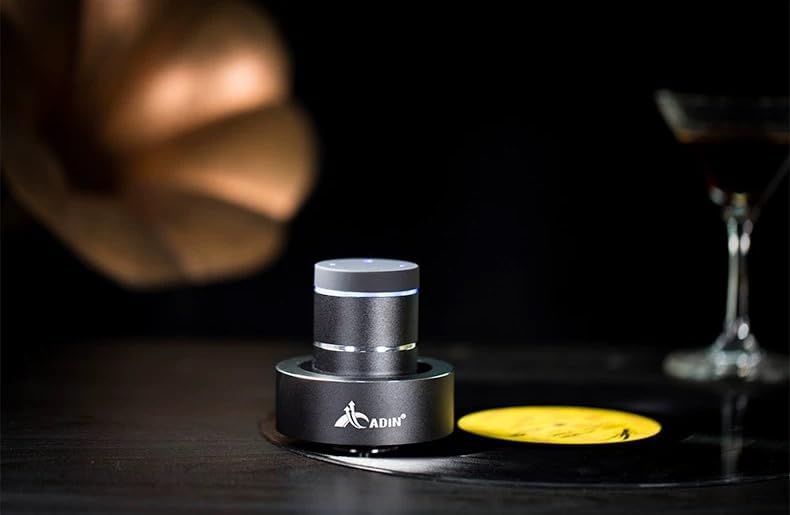
Figure 4: Adin S8BT Speaker in Use. This image depicts the Adin S8BT speaker placed on a flat surface, demonstrating its compact size and how it integrates into an environment for audio playback.
6. Arahan Operasi
6.1 Berpasangan Bluetooth
- Ensure the speaker is powered on and in Bluetooth mode. The blue accent ring will likely flash, indicating it's ready for pairing.
- Pada telefon pintar anda atau peranti berdaya Bluetooth lain, pergi ke tetapan Bluetooth.
- Cari untuk available devices. The speaker should appear as "Adin S8BT" or similar.
- Select the speaker from the list to pair. Once paired, the blue light may become solid or change its flashing pattern.
6.2 Main Balik Audio
Once connected via Bluetooth, you can play audio from your device. Use the touch controls on the top of the speaker to manage playback:
- Ketik: Main/Jeda.
- Leret Kiri/Kanan: Previous/Next Track.
- Tahan: Volume Up/Down (specific gesture may vary, refer to quick start guide for precise touch controls).
6.3 Input AUX
For devices without Bluetooth, use the provided auxiliary cable. Connect one end to the speaker's "Link In" port and the other end to your audio source's headphone jack.
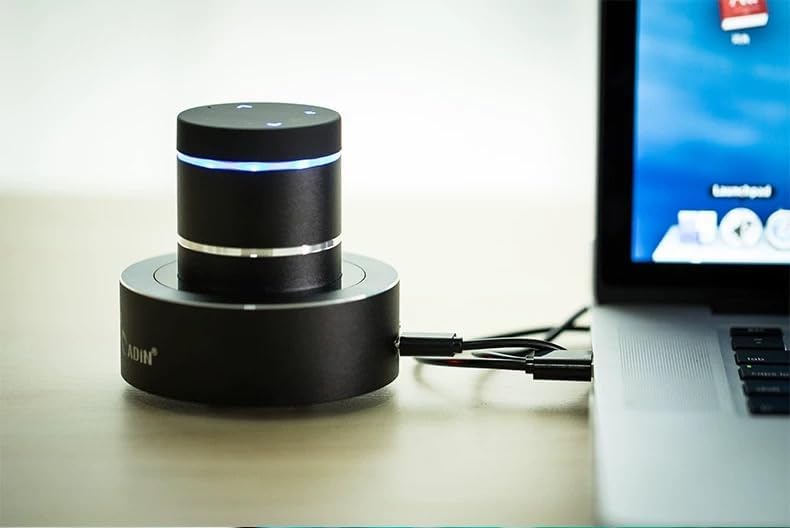
Figure 5: Adin S8BT Speaker with AUX Connection. This image illustrates the Adin S8BT speaker connected to a laptop via an auxiliary cable, demonstrating its wired connectivity option for audio input.
7. Penyelenggaraan dan Penjagaan
- Pembersihan: Gunakan kain lembut dan kering untuk mengelap permukaan pembesar suara. Jangan gunakan pembersih atau pelarut yang kasar.
- Storan: Simpan pembesar suara di tempat yang sejuk dan kering jauh dari cahaya matahari langsung dan suhu yang melampau.
- Pendedahan Air: Penceramah adalah bukan kalis air. Elakkan pendedahan kepada air atau kelembapan berlebihan.
- Penjagaan Bateri: Untuk memanjangkan hayat bateri, elakkan daripada menyahcas sepenuhnya bateri dengan kerap. Mengecasnya dengan kerap, walaupun tidak digunakan untuk tempoh yang lama.
8. Penyelesaian masalah
| Masalah | Kemungkinan Punca | Penyelesaian |
|---|---|---|
| Tiada bunyi dari pembesar suara. | Speaker is off, not paired, or volume is too low. | Ensure speaker is ON. Re-pair Bluetooth. Increase speaker and device volume. Check surface contact. |
| Tidak boleh berpasangan melalui Bluetooth. | Speaker not in pairing mode, device Bluetooth off, or too far. | Ensure speaker is in pairing mode (flashing blue light). Turn device Bluetooth off/on. Move device closer to speaker (within 10m). |
| Kualiti bunyi yang buruk. | Unsuitable surface, low battery, or interference. | Try placing on a different, more solid surface. Charge the speaker. Move away from other electronic devices. |
| Pembesar suara tidak dicas. | Cable issue, power source issue, or dirty port. | Check USB cable connection. Try a different USB port or power adapter. Ensure charging port is clean. |
9. Waranti dan Sokongan
For information regarding warranty coverage, please refer to the warranty card included with your purchase or contact the manufacturer directly. Keep your proof of purchase for any warranty claims.
If you encounter issues not covered in this manual or require further assistance, please contact Adin customer support through their official webtapak atau peruncit tempat anda membeli produk tersebut.