
Produk Selesaiview
The AINAVITO 13.5" Android 13 Car Headrest Monitor is designed to provide a premium entertainment experience for rear-seat passengers. Featuring a 4K video decoding IPS touch screen, robust Android 13 operating system, and versatile connectivity options, this monitor transforms your vehicle's back seat into a personal theater.

Image: The 13.5-inch IPS touch screen monitor displaying vibrant colors and high resolution.
Ciri-ciri Utama:
- 13.5-inch Ultra HD IPS Screen with 1920x1280 resolution and 4K video decoding.
- Android 13 OS with 4GB RAM and 64GB ROM.
- Wireless Phone Mirroring (AirPlay for iOS, Miracast for Android).
- "MyCar Link" app for remote control from the driver's seat.
- HDMI Input/Output for multi-screen synchronization and external device connection.
- USB and Micro SD ports supporting up to 1TB storage.
- Multiple audio playback methods: built-in speakers, Bluetooth, wired headset, FM transmitter.
- Universal installation with adjustable metal bracket.
- Smart Over-The-Air (OTA) updates.
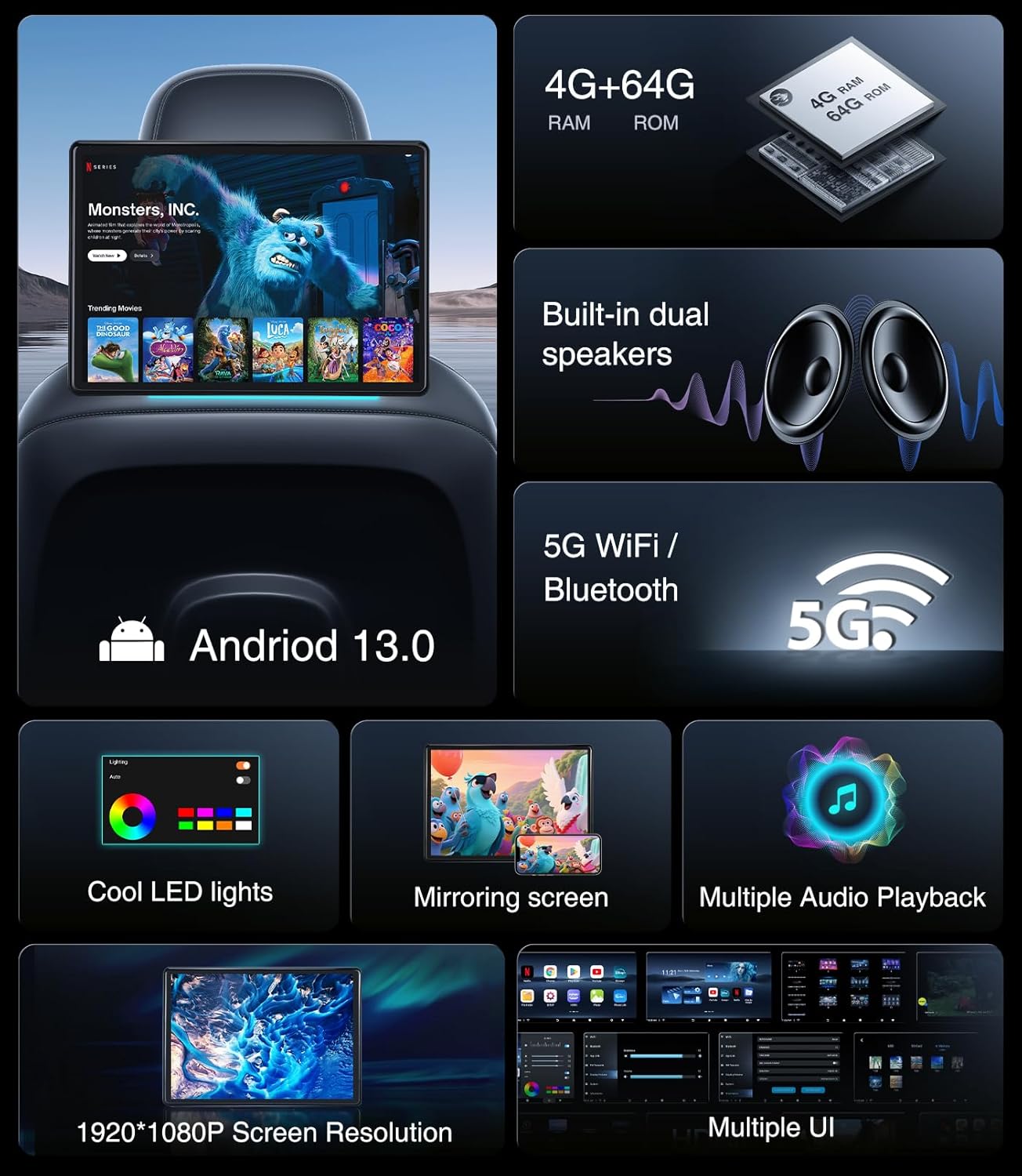
Image: A visual summary of the monitor's core features, including its operating system, memory, connectivity, and display resolution.
Persediaan dan Pemasangan
Kandungan Pakej:
Sebelum pemasangan, pastikan semua komponen ada:
- 1x Headrest Monitor
- Pendakap Pemasangan 1x
- 1x DC 12V Adapter (for home use)
- 1x Kabel HDMI
- 1x Car Battery Power Cable
- 1x Cigarette Power Cable
- 1x Product Operation Manual

Image: A clear display of all items included in the product package.
Memasang Monitor:
- Identify the headrest rods in your vehicle. The adjustable metal bracket is designed for round rods with sizes between 5.12-7.87 inches.
- Attach the mounting bracket securely to the headrest rods. Ensure it is tightened to prevent movement during travel.
- Slide the monitor onto the bracket until it clicks into place.
Nota: This monitor is compatible with over 98% of car installations using round rods. It is not suitable for square rods or seats without rods.
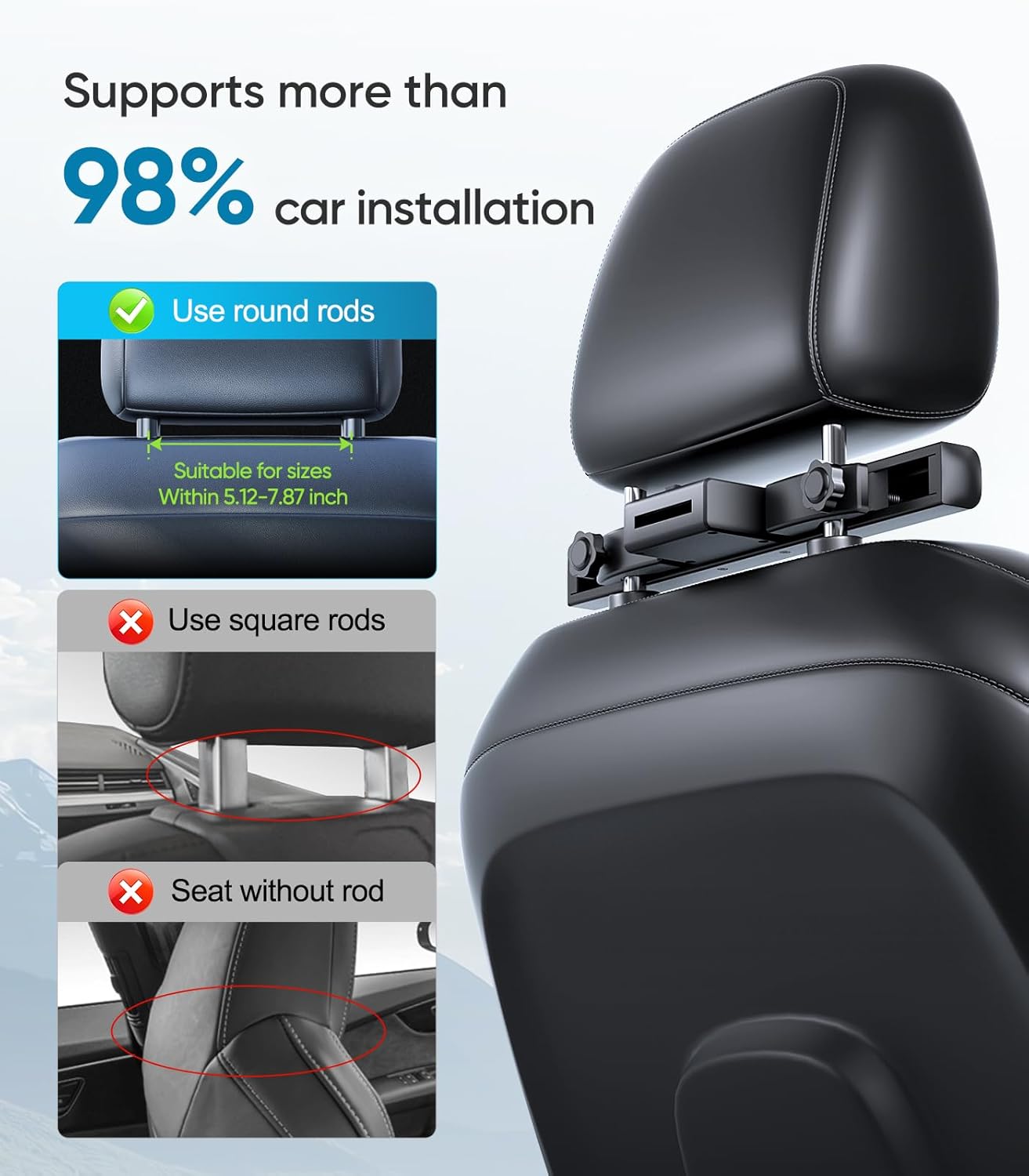
Image: Visual guide for headrest installation, highlighting compatible and incompatible headrest types.
Menghidupkan Monitor:
Monitor boleh dikuasakan dalam dua cara:
- Penggunaan Dalam Kereta: Use the provided car cigarette lighter cable or the car battery fuse cable to connect the monitor to your vehicle's power supply.
- Kegunaan Rumah: Use the included DC 12V adapter to power the monitor from a standard wall outlet.

Image: Illustration of power options for the monitor, both in-car and at home.
Arahan Operasi
Initial Setup and Wi-Fi Connection:
- Hidupkan monitor.
- Navigasi ke menu "Tetapan".
- Select "Wi-Fi" and connect to an available network. Ensure your phone is connected to the same Wi-Fi network for mirroring functions.
Using Android 13 OS and Apps:
The monitor runs on Android 13 OS, providing access to a wide range of applications via the Google Play Store. You can download and install apps such as Netflix, YouTube, Disney+, and more.
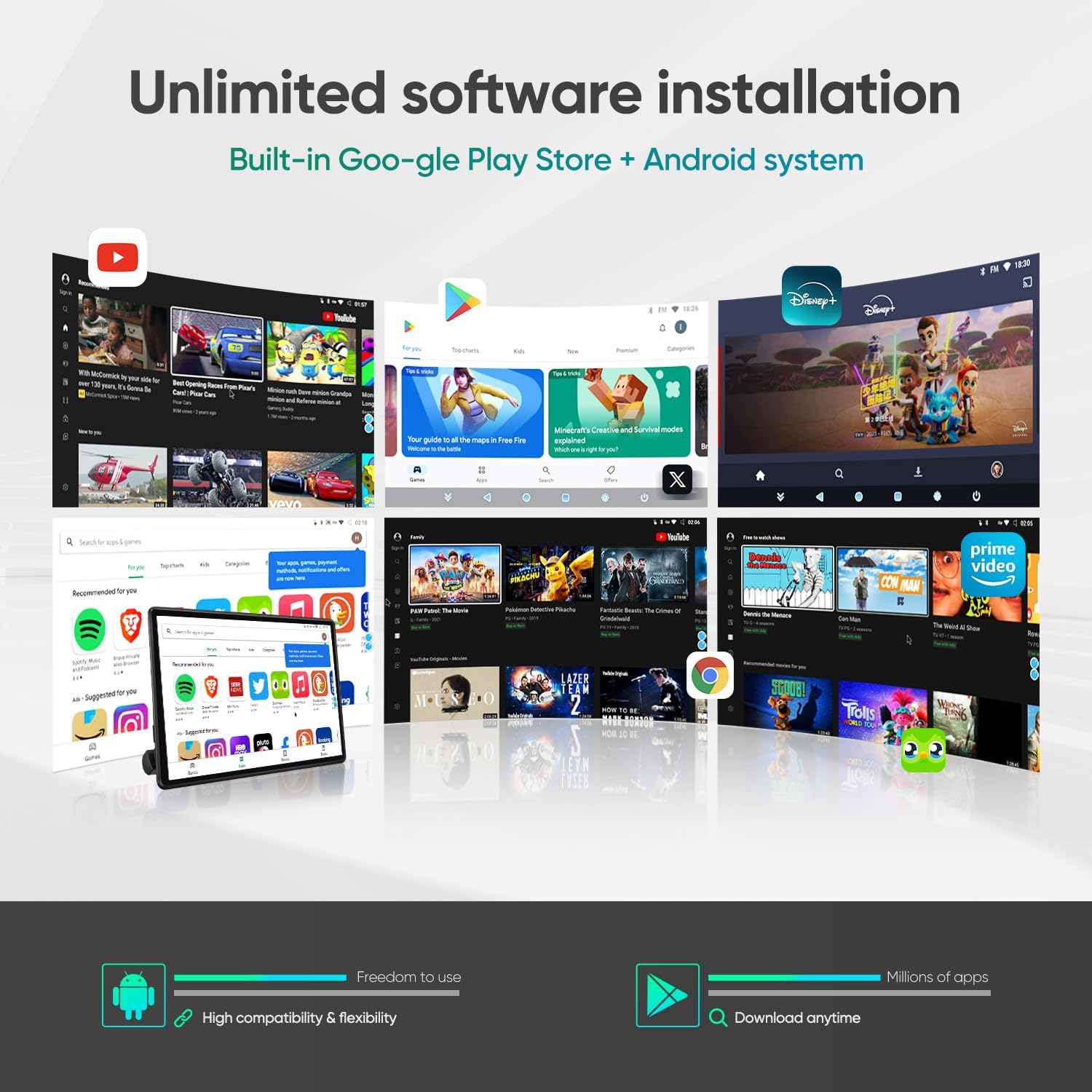
Image: The monitor's interface showing available applications and the Google Play Store.
Wireless Phone Mirroring (AirPlay/Miracast):
Mirror your smartphone screen to the monitor for seamless content sharing.
- Ensure both your phone and the monitor are connected to the same Wi-Fi network.
- Download and open the "MyCar Link" app on your smartphone.
- On the monitor, open the "Phone Link" app.
- For Android phones, select "Android System" in the "Phone Link" app on the monitor. Then, on your Android phone, find the screen mirroring feature (e.g., Smart View, Cast) and select the monitor's device name (e.g., "ANORSE_XXXX").
- For iPhones, select "Apple System" in the "Phone Link" app on the monitor. Then, on your iPhone, open the Control Center, tap "Screen Mirroring," and select the monitor's device name (e.g., "LT-Link_XXXX").

Image: A smartphone connected to the monitor via screen mirroring, displaying content.
Connecting External Devices (HDMI, USB, Micro SD):
The monitor offers various ports for expanded entertainment options:
- Input/Output HDMI: Connect gaming consoles (PS4/PS5, X-BOX), TV boxes, Fire TV sticks, PCs, or projectors. Use HDMI output to link two monitors for synchronized playback.
- Port USB: Sambungkan pemacu USB untuk main balik media atau mengecas.
- Slot Kad Mikro SD: Insert Micro SD cards up to 1TB for additional storage and media playback.

Imej: Selesaiview of monitor ports and compatible external devices for enhanced entertainment.
Pilihan Main Balik Audio:
Choose your preferred audio output method:
- Pembesar Suara Terbina dalam: Enjoy audio directly from the monitor.
- Alat dengar Bluetooth: Pair a wireless Bluetooth headset for private listening.
- Fon Kepala Berwayar: Connect a wired headset via the 3.5mm headphone port.
- Pemancar FM: Transmit audio to your car's speakers by tuning your car radio to the selected FM frequency on the monitor.
Tetapan Monitor:
Access the monitor settings to customize your experience:
- Tap the "Settings" icon on the home screen.
- Here you can adjust Wi-Fi and Bluetooth connections, manage app links, and configure FM transmission.
- In the "System" menu, you can change the preferred theme. To access this, you will need to input the password: HR8888.
- Tap the gear icon (usually located at the bottom right) to adjust screen brightness, volume, and ambient light color.
Penyelenggaraan
Smart OTA Updates:
The monitor supports Smart Over-The-Air (OTA) updates. The system and installed applications will automatically upgrade when connected to the internet, ensuring you always have the latest features and security patches.

Image: Visual representation of the OTA Cloud Update feature.
Menyelesaikan masalah
Isu dan Penyelesaian Biasa:
- Tiada Kuasa:
Ensure the power cable is securely connected to both the monitor and the power source (car cigarette lighter, car battery, or home adapter). Check the vehicle's fuse if using car power.
- Isu Sambungan Wi-Fi:
Verify that the Wi-Fi network is active and the password is correct. Try restarting both the monitor and your Wi-Fi router/hotspot.
- Phone Mirroring Not Working:
Confirm both devices are on the same Wi-Fi network. Ensure the "MyCar Link" app is open on your phone and the "Phone Link" app is open on the monitor. Double-check that you have selected the correct device name for mirroring. For Android, ensure Miracast/Smart View is enabled. For iPhone, ensure Screen Mirroring is selected from the Control Center.
- No Audio from Speakers:
Check the volume settings on the monitor. If FM transmitter is enabled, the built-in speakers will be muted; disable FM transmitter or ensure your car radio is tuned to the correct frequency.
- Skrin Tidak Responsif:
Try restarting the monitor. If the issue persists, perform a factory reset (refer to the "System" settings, advanced options, if available, or contact support).
Spesifikasi
| Ciri | Perincian |
|---|---|
| Saiz Skrin | 13.5 Inci |
| Jenis Paparan | Skrin Sentuh IPS |
| Resolusi | 1920x1280 (4K Video Decoding Support) |
| Sistem Operasi | Android 13 |
| RAM | 4GB |
| ROM (Storan Dalaman) | 64GB (Expandable up to 1TB via Micro SD) |
| Ketersambungan | 5G Wi-Fi, Bluetooth, HDMI In/Out, USB, Micro SD |
| Output Audio | Built-in Speakers, 3.5mm Headphone Jack, FM Transmitter |
| Dimensi Produk | 13.5 x 13.5 x 13.5 inci |
| Berat Barang | 4.53 paun |

Image: Internal hardware details, emphasizing the processor, RAM, and ROM.
Waranti dan Sokongan
Maklumat Waranti:
This AINAVITO Car Headrest Monitor comes with a Waranti 1 tahun dari tarikh pembelian, meliputi kecacatan pembuatan dan pincang fungsi di bawah penggunaan biasa.
Sokongan Pelanggan:
Untuk sebarang pertanyaan, bantuan teknikal atau tuntutan waranti, sila hubungi pasukan sokongan kami:
- Talian Utama: +1 888 502 7557
- Waktu bekerja: 3:00 PM - 3:00 AM PDT
- e-mel: info@ainavito.com
You can also seek help via your order center on Amazon by clicking on "Sold By - APEXNAV" and then "ASK a Question". Our engineers provide 24-hour after-sale service.

Image: A customer service representative ready to assist with product inquiries.