
pengenalan
This manual provides essential instructions for the proper setup, operation, and maintenance of your INIU 16ft Premium VR Link Cable with Charging. This cable is designed to connect your compatible VR headset to a PC for VR gaming while simultaneously providing power to the headset, ensuring extended gameplay sessions.
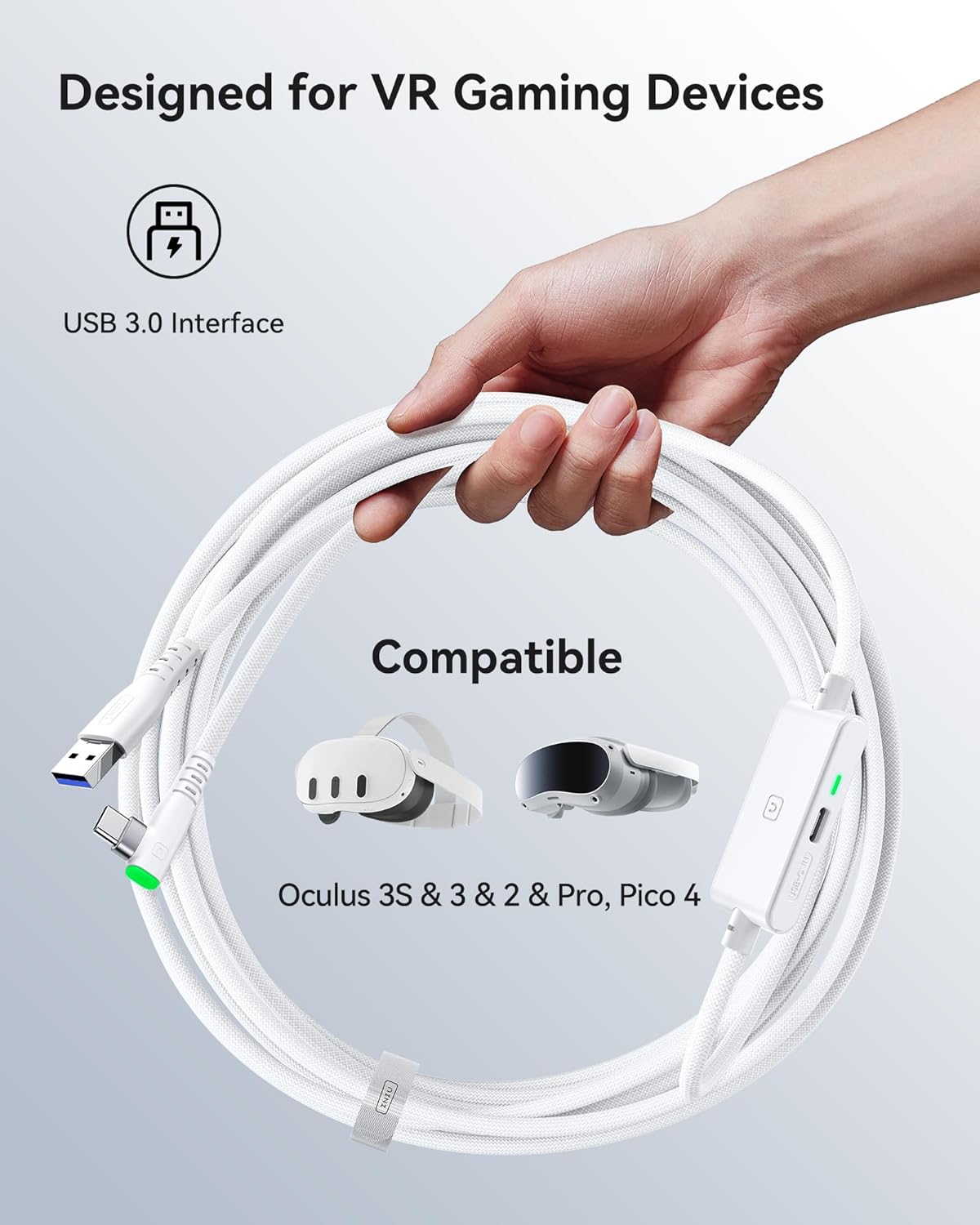
Imej: The INIU VR Link Cable, highlighting its USB 3.0 interface and compatibility with various VR gaming devices including Oculus Quest 3S, 3, 2, Pro, and Pico 4.
Arahan Persediaan
- Connect to VR Headset: Insert the 90-degree USB-C connector of the link cable firmly into the USB-C port on your VR headset (e.g., Meta Quest 3, Oculus Quest 2, Pico 4). Ensure a secure connection.
- Sambung ke PC: Plug the standard USB-A connector of the link cable into an available USB 3.0 port on your computer.
- Connect Power Adapter (for Charging): For simultaneous charging, connect a USB-C to USB-C cable from a PD/QC fast adapter (not included) to the dedicated USB-C charging port on the link cable's central hub. This port is specifically for power delivery to the VR headset.
- Hidupkan kuasa: Once all connections are made, power on your VR headset and PC. Follow your VR platform's instructions (e.g., Oculus Link, SteamVR) to establish the VR connection.
Nota Penting: This is a VR link cable designed for VR headsets. JANGAN use the separate USB-C charging port to charge phones, tablets, laptops, or other non-VR devices, as it is optimized for VR headset power delivery.

Imej: A visual representation of the INIU VR Link Cable in use, demonstrating simultaneous connection to a VR headset, a PC, and a power adapter for charging. The image emphasizes the separate USB-C charging port.
Arahan Operasi
- Simultaneous Charging and Data Link: The cable allows for high-speed data transfer (USB 3.0) for PC VR gaming while simultaneously charging your VR headset. This ensures uninterrupted gameplay.
- SmartProtect2.0 Technology: The built-in SmartProtect2.0 chip intelligently manages power delivery and data synchronization. It controls the current to maintain the VR headset's battery within a safe range, typically around 78%, to prevent overcharging and prolong battery life.
- Julat Gerakan Lanjutan: The 16ft (5m) cable length provides ample freedom of movement during VR sessions, reducing restrictions and enhancing immersion.
- Sambungan Selamat: The 90-degree USB-C connector is designed to hook firmly into your VR glasses, minimizing accidental disconnections. A flexible joint and an included sticky buckle further secure the cable, preventing strain and ensuring a stable link during active gameplay.
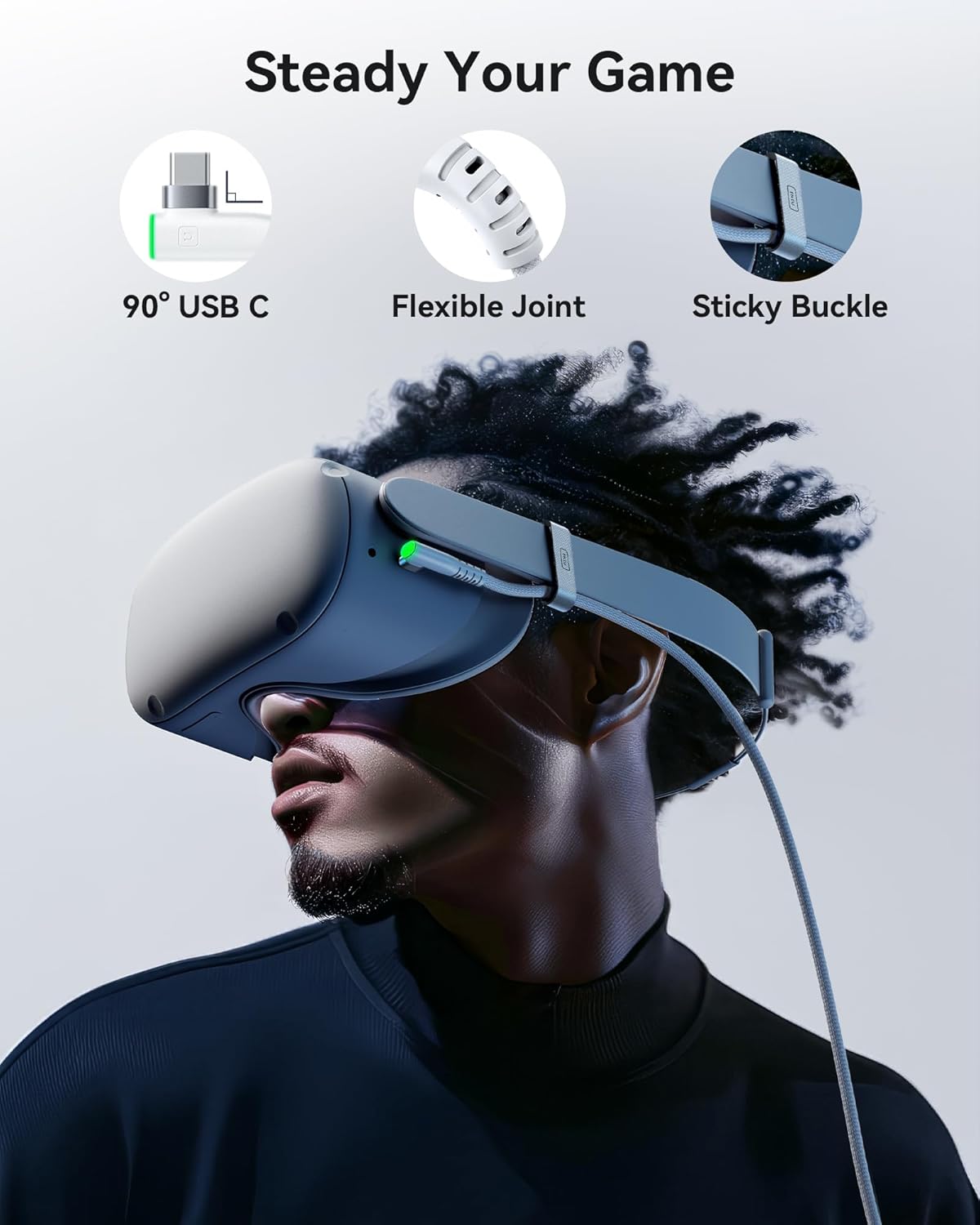
Imej: Details of the INIU VR Link Cable's design features, including the 90-degree USB-C connector for a snug fit, a flexible joint for durability, and a sticky buckle to secure the cable to the headset strap.

Imej: An illustration of a user enjoying VR gameplay with the 16ft INIU VR Link Cable, highlighting the extended length and the anti-wear FLYWEAVE coat that allows for free movement.
Penyelenggaraan
- Pembersihan: Gently wipe the cable and connectors with a dry, soft cloth to remove dust and debris. Avoid using liquid cleaners directly on the connectors.
- Storan: When not in use, coil the cable loosely. Avoid tight coiling or sharp bends, which can damage the internal wires and the FLYWEAVE coat. Store in a cool, dry place.
- Pengendalian: Sentiasa genggam penyambung penyambung apabila memasang atau mencabut kabel, bukannya menarik kabel itu sendiri.
- Pemeriksaan: Periksa kabel secara berkala untuk sebarang tanda haus, koyak atau kerosakan pada penyambung. Hentikan penggunaan jika kerosakan diperhatikan.
Menyelesaikan masalah
- Issue: VR headset is not connecting to PC or connection is unstable.
- Penyelesaian:
- Ensure both the 90-degree USB-C connector and the USB-A connector are fully inserted into their respective ports.
- Verify that the PC's USB port is a USB 3.0 port (often blue inside).
- Check if the sticky buckle is properly securing the cable to the headset to prevent movement.
- Try connecting the USB-A end to a different USB 3.0 port on your PC.
- Restart your VR headset and PC.
- Issue: VR headset is not charging or charging slowly while connected.
- Penyelesaian:
- Ensure a PD/QC fast adapter is connected to the separate USB-C charging port on the cable's hub. Standard USB chargers may not provide sufficient power.
- Verify that the USB-C to USB-C cable used for charging is functional and properly connected.
- Confirm that the power adapter is plugged into a working wall outlet.
- Remember that the SmartProtect2.0 chip maintains battery around 78% for safety; it will not charge to 100% during use.
- Issue: Data transfer speed seems slow.
- Penyelesaian:
- While the cable is 16ft long, cable length can slightly affect transfer speed. Ensure your PC's USB 3.0 port is functioning optimally.
- Close any unnecessary background applications on your PC that might be consuming bandwidth or processing power.
Spesifikasi
| Jenama | INIU |
| Model | 16ft Premium VR Link Cable with Charging |
| Jenis Penyambung | USB Type C (90-degree for headset), USB Type A (for PC), USB Type C (for charging) |
| Jenis Kabel | USB Jenis C |
| Panjang Kabel | 16 kaki (5 meter) |
| Peranti Serasi | Meta Quest 3s, Quest 3, Oculus Quest 2, Quest 1, Quest Pro; Pico 4, Pico 4 Pro, Pico 4 Enterprise; PC VR, Steam VR |
| Ciri Khas | Braided (FLYWEAVE), Data Transfer (USB 3.0), Fast Charging (3A PD/QC compatible), High Speed, SmartProtect2.0 Chip, 90-degree USB-C, Flexible Joint, Sticky Buckle |
Maklumat Waranti
The INIU 16ft Premium VR Link Cable with Charging is covered by INIU's industry-leading 3-year iNiu Care warranty. This warranty covers manufacturing defects and ensures product reliability. Please retain your proof of purchase for warranty claims.
Sokongan Pelanggan
For technical assistance, troubleshooting guidance, or to inquire about warranty services, please contact INIU customer support. Details for reaching our support team can typically be found on the official INIU website or through the contact information provided with your product packaging.