
1. Pengenalan
This manual provides essential instructions for the proper setup, operation, and maintenance of your OnePlus Nord N30 5G smartphone. Please read this guide thoroughly before using your device to ensure optimal performance and longevity.
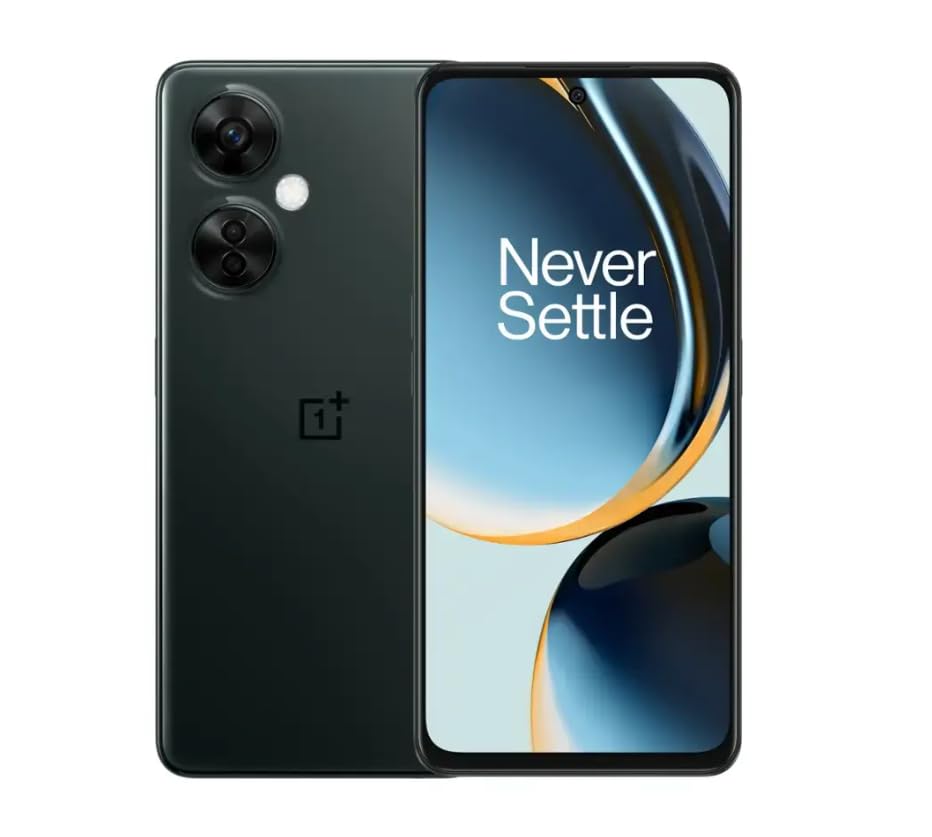
Image 1.1: OnePlus Nord N30 5G smartphone. This image displays the overall design of the device, highlighting its screen and camera module.
2. Apa yang ada di dalam Kotak
Sahkan bahawa semua item terdapat dalam pakej:
- OnePlus Nord N30 5G Smartphone
- Penyesuai Kuasa
- Kabel USB
Nota: Aksesori mungkin berbeza mengikut wilayah.
3. Persediaan
3.1. Memasukkan Kad SIM
- Cari dulang kad SIM di sisi peranti.
- Insert the SIM ejector tool (not included, use a paperclip if necessary) into the small hole next to the tray to open it.
- Place your Nano-SIM card(s) into the tray with the gold contacts facing down. The device supports a single SIM card and a microSDXC card for expandable storage.
- Tolak dulang kembali ke dalam slot dengan berhati-hati sehingga ia sama dengan badan telefon.
3.2. Pengecasan Awal dan Hidupkan
Sebelum penggunaan pertama, disyorkan untuk mengecas peranti sepenuhnya.
- Connect the USB cable to the power adapter and then to the phone's USB-C port.
- Plug the power adapter into a wall outlet. The device supports 50W SUPERVOOC fast charging.
- Once sufficiently charged, press and hold the Power button (located on the side) until the OnePlus logo appears.
3.3. Konfigurasi Peranti Permulaan
Ikut gesaan pada skrin untuk melengkapkan persediaan awal:
- Pilih bahasa pilihan anda.
- Sambung ke rangkaian Wi-Fi.
- Review dan terima terma dan syarat.
- Log masuk dengan akaun Google anda atau buat yang baharu.
- Set up security features such as fingerprint unlock or face unlock.
4. Arahan Operasi
4.1. Paparan dan Navigasi
The OnePlus Nord N30 5G features a 6.72-inch LCD display with a 120Hz refresh rate for smooth visuals. Navigate the OxygenOS interface using gestures or traditional navigation buttons.
- Leret ke atas: Akses laci aplikasi.
- Leret ke Bawah: Access notifications and quick settings.
- Ketik: Pilih item.
- Cubit: Zum masuk atau keluar.
4.2. Penggunaan Kamera
The device is equipped with a triple rear camera system and a front camera.
- Kamera Utama: 108 MP, f/1.7 (wide) for high-resolution photos.
- Kamera Makro: 2 MP, f/2.4 for close-up shots.
- Kamera Kedalaman: 2 MP, f/2.4 for portrait mode effects.
- Kamera Depan: 16 MP, f/2.4 for selfies and video calls.
Open the Camera app and select your desired mode (Photo, Video, Portrait, Macro, etc.) from the interface. Tap the shutter button to capture images or start/stop video recording.
4.3. Pengurusan Storan
The phone comes with 128GB of internal storage. You can expand this up to 1TB using a microSDXC card inserted into the SIM tray.
- To check storage usage: Go to tetapan > Penyimpanan.
- Untuk bergerak files to microSD: Use the File Apl pengurus.
4.4. Ketersambungan
The device supports 5G cellular technology, Wi-Fi, and Bluetooth 5.1.
- 5G: Ensure your SIM card and plan support 5G for faster mobile data speeds.
- Wi-Fi: Sambung ke rangkaian wayarles melalui tetapan > Wi-Fi.
- Bluetooth: Pair with wireless headphones or other devices via tetapan > Bluetooth.
4.5. Ciri-ciri Keselamatan
Secure your device using the side-mounted fingerprint sensor or face unlock.
- To set up fingerprint unlock: Go to tetapan > Keselamatan & privasi > Buka kunci cap jari.
- To set up face unlock: Go to tetapan > Keselamatan & privasi > Buka kunci muka.
4.6.Audio
The device features dual stereo speakers for enhanced audio experience. It also includes a 3.5 mm audio jack for wired headphones.
5. Penyelenggaraan
5.1. Penjagaan Bateri
The 5000mAh battery provides extended usage. To prolong battery life:
- Elakkan suhu yang melampau.
- Use the provided 50W SUPERVOOC charger for optimal charging speed and battery health.
- Elakkan daripada mengalirkan bateri sepenuhnya dengan kerap.
5.2. Kemas Kini Perisian
Keep your OxygenOS (based on Android 13) updated to ensure optimal performance, security, and access to new features.
- Untuk menyemak kemas kini: Pergi ke tetapan > Perihal peranti > OxygenOS version.
5.3. Membersihkan Peranti
Gunakan kain lembut dan tidak berbulu untuk membersihkan skrin dan badan telefon. Elakkan menggunakan bahan kimia yang keras atau bahan yang melelas.
6. Penyelesaian masalah
Bahagian ini menangani isu biasa yang mungkin anda hadapi.
6.1. Peranti Tidak Dihidupkan
- Ensure the battery is charged. Connect the device to the charger for at least 15 minutes.
- Tekan dan tahan butang Kuasa selama 10-15 saat untuk memaksa mula semula.
6.2. Isu Ketersambungan Rangkaian
- Check if the SIM card is correctly inserted.
- Verify that mobile data is enabled in tetapan > Rangkaian mudah alih.
- Mulakan semula peranti.
- Contact your carrier (T-Mobile) to confirm service availability in your area.
6.3. Apl Ranap atau Membeku
- Tutup dan buka semula apl.
- Kosongkan cache apl: tetapan > Apl > [Nama Apl] > Storage usage > Kosongkan cache.
- Ensure the app and OxygenOS are updated to the latest versions.
6.4. Bateri Cepat Kehabisan
- Kurangkan kecerahan skrin.
- Disable unused features like Bluetooth, GPS, or Wi-Fi when not needed.
- Semak penggunaan bateri masuk tetapan > Bateri untuk mengenal pasti apl yang haus kuasa.
- Ensure background app refresh is limited for non-essential apps.
7. Spesifikasi
| Nama Model | OnePlus Nord N30 5G |
| Sistem Operasi | OxygenOS (based on Android 13) |
| Pemproses | Qualcomm Snapdragon 695 Octa-core |
| RAM | 8GB |
| Storan Dalaman | 128GB (Expandable up to 1TB via microSDXC) |
| Paparan | 6.72 inches LCD, 2400 x 1080 resolution, 120Hz Refresh Rate |
| Kamera Belakang | 108 MP (wide), 2 MP (macro), 2 MP (depth) |
| Kamera Depan | 16 MP |
| Kapasiti Bateri | 5000 mAh |
| Mengecas | 50W SUPERVOOC Fast Charging (approx. 47 minutes for full charge) |
| Ketersambungan | 5G, Wi-Fi, Bluetooth 5.1, USB-C |
| Bicu Audio | 3.5 mm |
| Dimensi | 6 x 4 x 4 inci |
| Berat badan | 10.8 auns |
| Ciri Khas | Dual SIM, Side-mounted Fingerprint Sensor, Face Unlock, Dual Stereo Speakers |
8. Renewed Product Information
This OnePlus Nord N30 5G is an Amazon Renewed product. Renewed products are pre-owned and professionally inspected, tested, and cleaned to work like new. They come with generic or original accessories and packaging.
8.1. Syarat-syarat Amazon yang Diperbaharui
Amazon Renewed products are categorized based on their cosmetic condition and battery life. All renewed products are fully functional and have a battery life greater than 80% of a new equivalent.

Image 8.1: Amazon Renewed conditions overview. This image illustrates the criteria for Excellent, Good, and Acceptable cosmetic conditions for renewed products.
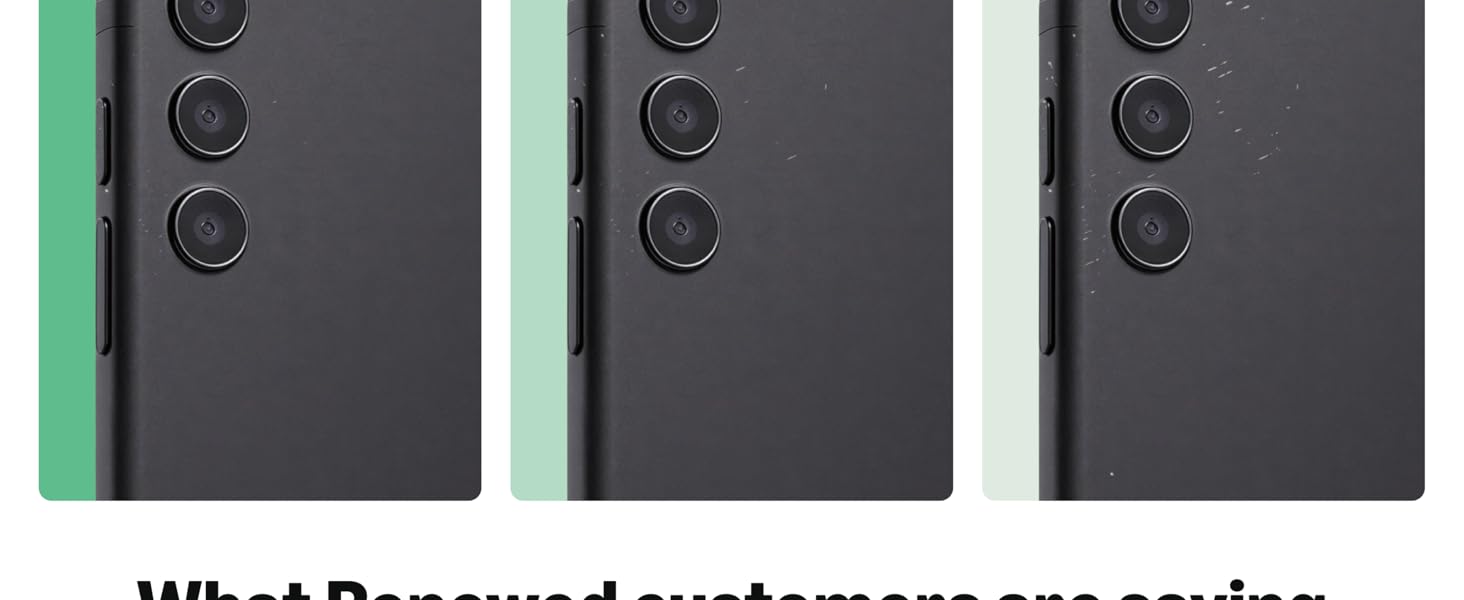
Imej 8.2: Ekspresi visualamples of renewed product cosmetic conditions. This image provides visual examples of what 'Excellent', 'Good', and 'Acceptable' cosmetic conditions might look like on a phone's back.
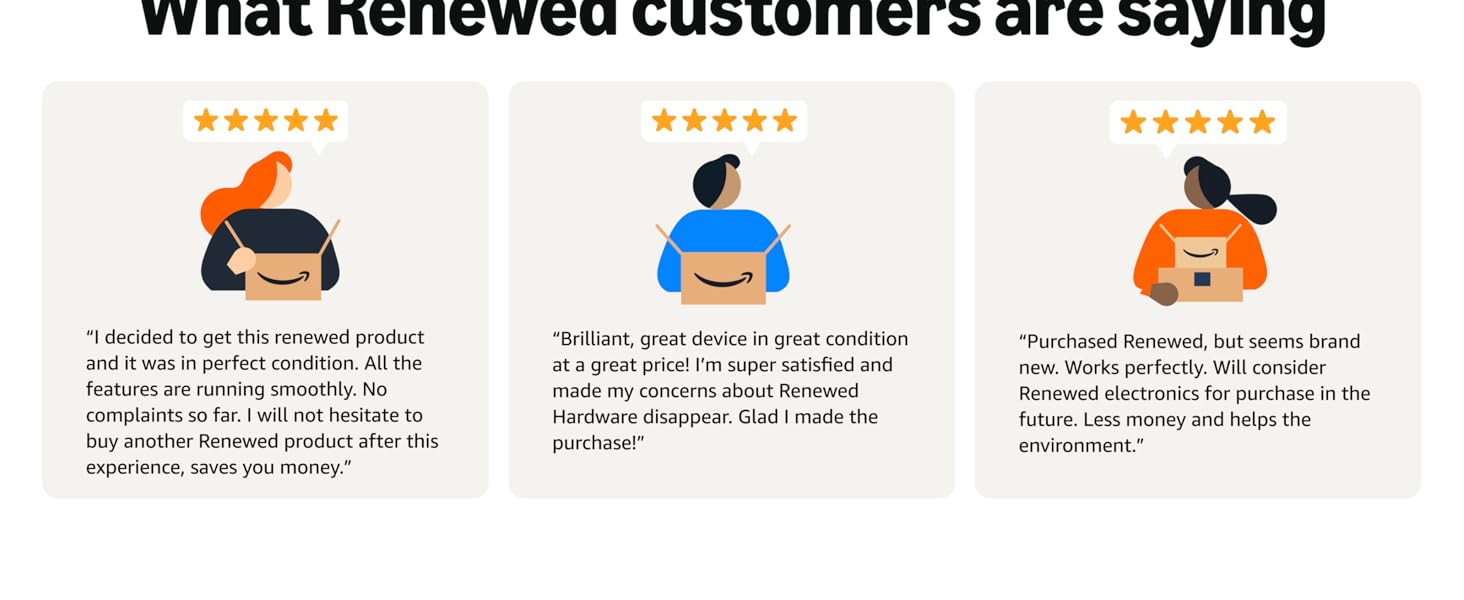
Image 8.3: Customer feedback on Amazon Renewed. This image presents testimonials from customers regarding their positive experiences with Amazon Renewed products.
9. Waranti dan Sokongan
9.1. Maklumat Waranti
As an Amazon Renewed product, this device is backed by the Amazon Renewed Guarantee. Please refer to the Amazon Renewed program terms and conditions for specific warranty details and coverage. This typically includes a limited warranty for a specified period from the date of purchase, covering defects in materials and workmanship.
9.2. Sokongan Pelanggan
For technical assistance, troubleshooting, or warranty claims, please contact Amazon Customer Service or refer to the official OnePlus support webtapak untuk sumber tambahan dan Soalan Lazim.
- Perkhidmatan Pelanggan Amazon: melawat amazon.com/contact-us
- OnePlus Support: Visit the official OnePlus support webtapak untuk wilayah anda.