
BoyKeep K20-6
BoyKeep 2K Outdoor Security Camera User Manual
Model: K20-6
1. Pengenalan
Thank you for choosing the BoyKeep 2K Outdoor Security Camera. This manual provides essential information for the proper installation, operation, and maintenance of your camera. Please read this manual thoroughly before using the product and retain it for future reference.
Maklumat Keselamatan
- Ensure the power supply matches the camera's requirements to prevent damage.
- Do not expose the camera to extreme temperatures, humidity, or direct water immersion.
- Elakkan meletakkan kamera berhampiran medan elektromagnet yang kuat.
- Handle the camera with care; avoid dropping or subjecting it to strong impacts.
- For outdoor installation, ensure the camera is securely mounted to prevent falling.
2. Produk Lebihview dan Isi Pakej
The BoyKeep K20-6 is a 2K outdoor security camera featuring 360° pan/tilt capabilities, color night vision, motion detection, tracking, and two-way audio communication. It connects via 2.4GHz Wi-Fi for remote monitoring.

Image: Multiple BoyKeep K20-6 cameras, showcasing their design and compact form factor.
Apa yang ada dalam Kotak
- Camera Body (K20-6)
- Penyesuai Kuasa (Elektrik Berwayar)
- Skru Pemasangan dan Palam Dinding
- Manual Pengguna (dokumen ini)
Note: A memory card for local storage is not included and must be purchased separately if desired.
3. Panduan Persediaan
3.1 Pemasangan Fizikal
The camera is designed for wall mounting. Choose a location that provides the desired viewing angle and is within reach of a power outlet. Ensure the mounting surface is sturdy enough to support the camera.

Image: Illustrates the camera's mounting and its 360° pan and tilt capabilities.
- Mark the drilling positions on the wall using the camera's base as a template.
- Gerudi lubang dan masukkan palam dinding.
- Pasangkan tapak kamera pada dinding menggunakan skru yang disediakan.
- Adjust the camera angle as needed after mounting.
3.2 Sambungan Kuasa
Connect the provided power adapter to the camera's power input port and then plug it into a standard electrical outlet. The camera will power on automatically.
3.3 Pemasangan Apl dan Sambungan Wi-Fi
The camera operates via a smartphone application. Please ensure your Wi-Fi network is 2.4GHz, as the camera does not support 5GHz Wi-Fi.
- Download the official BoyKeep app from your smartphone's app store (iOS or Android).
- Daftar untuk akaun baharu atau log masuk jika anda sudah mempunyai akaun.
- Follow the in-app instructions to add your new camera. This typically involves scanning a QR code on the camera or entering its serial number, and then connecting it to your 2.4GHz Wi-Fi network.
- Setelah disambungkan, anda akan dapat view suapan langsung dan mengawal kamera melalui aplikasi.
4. Arahan Operasi
4.1 Langsung View dan Kawalan Pan/Tilt
Open the BoyKeep app and select your camera to access the live video feed. You can control the camera's pan (horizontal) and tilt (vertical) movements directly from the app interface to achieve a 360° field of view.

Image: Demonstrates the 360° view capability controlled via the smartphone app.
4.2 2K Image Quality and Night Vision
The camera provides clear 2K resolution video. It features both color night vision and infrared night vision modes. In low-light conditions, the camera can automatically switch to night vision. Color night vision is activated when sufficient ambient light or the camera's spotlight is on, providing full-color images even in darkness.

Image: Highlights the 2K Full HD resolution for clear video capture.
Image: Compares Color Night Vision (with spotlight) and Infrared Night Vision (without spotlight).
4.3 Pengesanan dan Penjejakan Gerakan
The camera is equipped with intelligent motion and sound detection. When motion or sound is detected, the camera can automatically track the moving object or person, ensuring comprehensive coverage. You will receive warning messages on your mobile phone via the app.

Image: Depicts the smart motion tracking feature, showing the camera's ability to follow moving subjects.
4.4 Customize Activity Area
You can define specific activity zones within the camera's field of view through the app. This allows you to focus motion detection on critical areas and reduce false alarms from irrelevant movements.
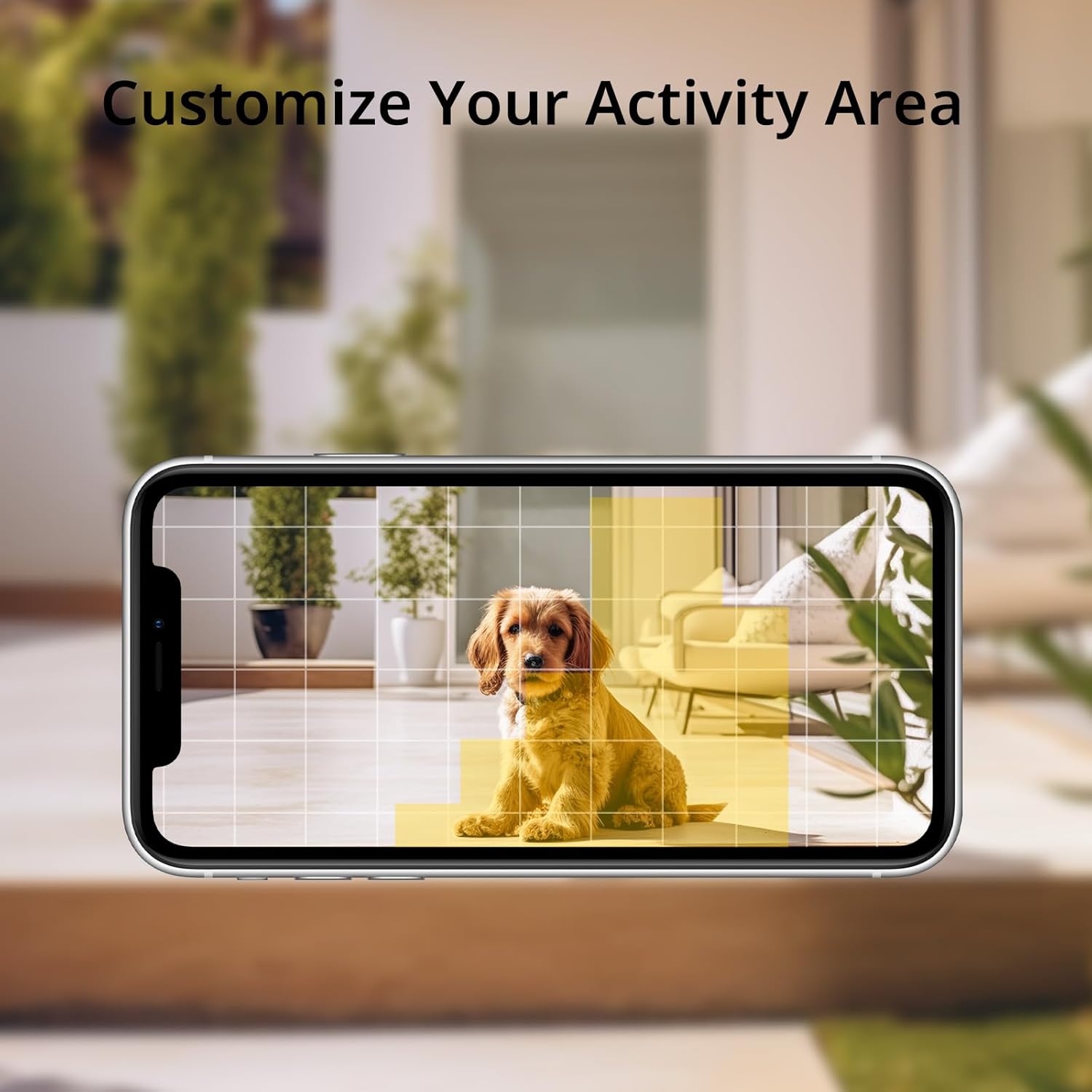
Image: Shows how to customize activity areas for motion detection within the app.
4.5 Audio Dua Hala
The camera supports two-way audio communication. You can speak through the camera using your smartphone app and hear responses from the camera's location, allowing for real-time interaction with visitors or delivery personnel.
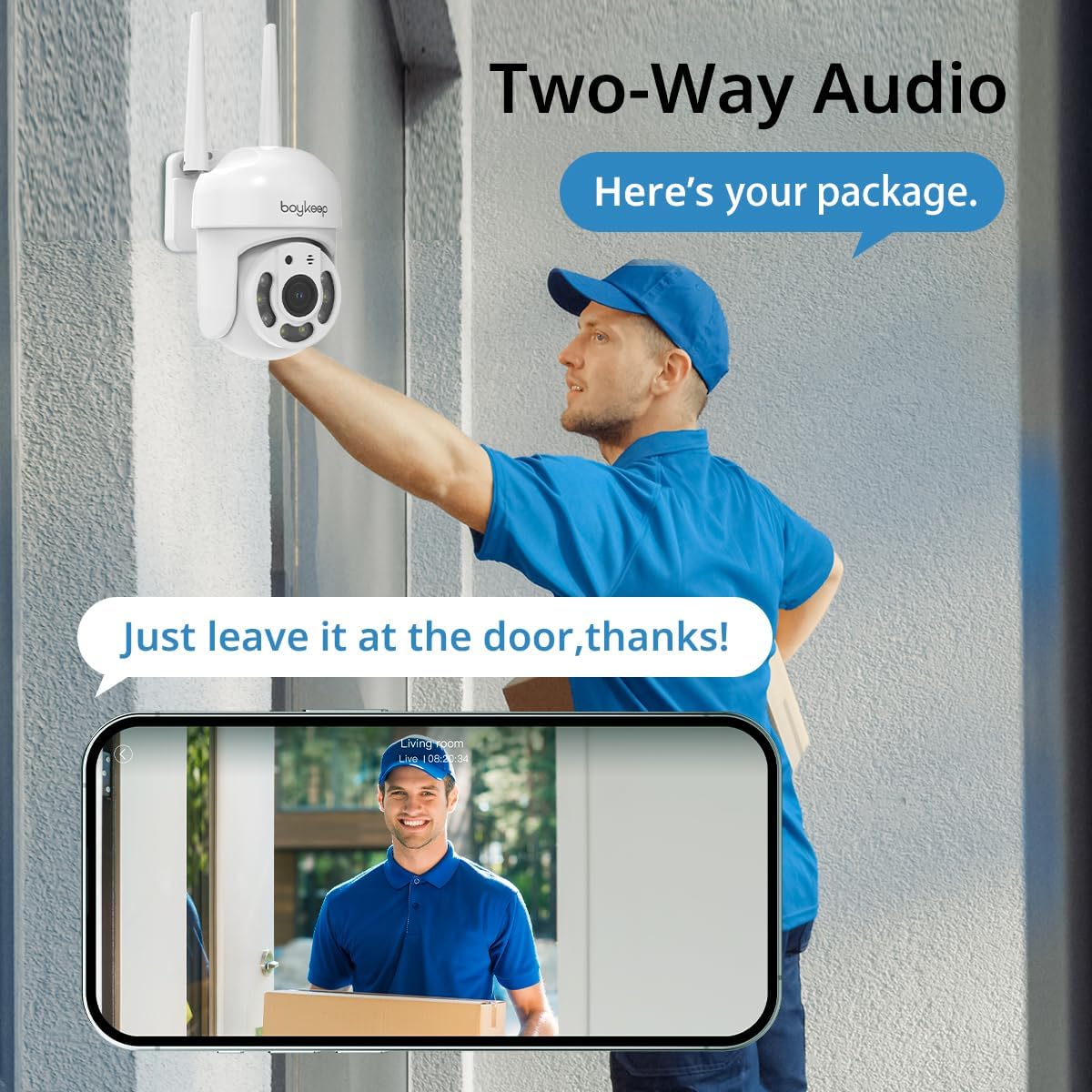
Image: Illustrates the two-way audio feature, enabling communication through the camera.
4.6 Rakaman dan Penyimpanan
The camera supports both cloud storage and local storage via a memory card (not included). You can enable 24/7 continuous recording to a memory card to minimize the risk of losing important information. A 30-day free trial of cloud storage is also available.
4.7 Multi-Device Viewing and Sharing
The BoyKeep app allows you to add multiple cameras and view up to four real-time video feeds simultaneously. You can also share camera access with family members on up to 10 devices, enabling multiple users to monitor the property.
5. Penyelenggaraan
- Pembersihan: Lap kanta dan badan kamera dengan lembut menggunakan kain lembut dan kering. Jangan gunakan bahan kimia yang keras atau pembersih yang kasar.
- Kemas kini Firmware: Periodically check the BoyKeep app for available firmware updates. Keeping your camera's firmware up-to-date ensures optimal performance and security.
- Semakan Sambungan: Regularly verify that the power cable and Wi-Fi connection are secure and stable.
6. Penyelesaian masalah
| Masalah | Kemungkinan Punca | Penyelesaian |
|---|---|---|
| Kamera tidak dihidupkan | No power, faulty adapter, loose connection | Periksa soket kuasa, pastikan penyesuai disambungkan dengan selamat ke kamera dan soket. Cuba soket lain. |
| Tidak dapat menyambung ke Wi-Fi | Incorrect Wi-Fi password, 5GHz network, camera too far from router | Ensure correct 2.4GHz Wi-Fi password. Move camera closer to router. Restart router and camera. |
| Kualiti imej yang lemah | Dirty lens, poor network connection, low light | Clean the camera lens. Check Wi-Fi signal strength. Ensure adequate lighting for color night vision. |
| Pengesanan gerakan tidak berfungsi | Detection sensitivity too low, activity zone not set correctly, disabled in app | Adjust motion detection sensitivity in the app. Verify activity zones. Ensure motion detection is enabled. |
| Isu audio dua hala | Microphone/speaker blocked, app permissions, network delay | Ensure nothing is obstructing the microphone or speaker. Check app permissions for microphone access. Verify stable network connection. |
If you encounter issues not listed here or if troubleshooting steps do not resolve the problem, please contact BoyKeep customer support for assistance.
7. Spesifikasi
| Ciri | Perincian |
|---|---|
| Nombor Model | K20-6 |
| Resolusi Tangkapan Video | 3 MP (2K) |
| Protokol Ketersambungan | Wi-Fi (2.4GHz sahaja) |
| Julat Pan/Sendeng | 355° Mendatar, 120° Menegak |
| Penglihatan Malam | Color Night Vision, Infrared Night Vision |
| Audio | Ceramah 2 Hala |
| Pilihan Storan | Memory Card (not included), Cloud Service |
| Sumber Kuasa | Elektrik Bertali |
| Jenis Pemasangan | Lekap di dinding |
| Penggunaan Dalaman/Luar | Luar |
| Peranti Serasi | Smartphone (via App) |
8. Waranti dan Sokongan
BoyKeep provides a Waranti 24 bulan for this product. If you encounter any issues or have suggestions, please do not hesitate to contact our customer service team. We are committed to providing 100% satisfactory solutions within 3 working days.
For support, please refer to the contact information provided in the BoyKeep app or on the official BoyKeep webtapak.
Ask a question about this manual
Ask about setup, troubleshooting, compatibility, parts, safety, or missing instructions. Manuals+ will review the question and use this page’s manual context to help answer it.