
1. Produk Lebihview
The Roborock QV 35A is an advanced robot vacuum and mop designed to provide comprehensive floor cleaning. It features powerful suction, intelligent navigation, and a multi-functional docking station for automated maintenance.

Image 1.1: The Roborock QV 35A robot vacuum, its multi-functional docking station, and companion app interfaces on a smartphone and smartwatch.
Ciri-ciri Utama:
- HyperForce 8000 Pa Suction: Delivers powerful vacuuming for deep cleaning carpets and hard floors.
- Multi-functional Docking Station: Automates dust emptying, water refilling, mop washing, and mop drying.
- Mop Berputar Dua Kali: Two high-speed rotating mops (200 RPM) with 30 adjustable water levels for effective stain removal.
- 10mm Mop Lifting: Automatically lifts mops when detecting carpets to prevent wetting.
- Anti-Tangle Brush System: Features an asymmetric side brush and an all-rubber main brush to prevent hair entanglement.
- Reactive Tech Obstacle Avoidance: Intelligently detects and avoids obstacles, and suggests no-go zones.
- PreciSense LiDAR Navigation: Rapid 360° scanning for precise mapping and efficient cleaning paths, supporting multi-floor mapping (up to 4 levels).
- Roborock App Control: Offers customized cleaning routes, scheduling, map management, and compatibility with voice assistants.
2. Panduan Persediaan
2.1 Menyahkotak dan Semakan Komponen
Buang semua komponen dengan berhati-hati dan sahkan dengan senarai pembungkusan:
- Robot Vacuum * 1
- Dock (with pre-installed disposable dust bag) * 1
- Dock Base * 1
- Mop Module * 1
- Kord Kuasa * 1
- Manual Pengguna * 1

Image 2.1: A visual representation of the Roborock QV 35A package contents, including the robot, dock, and accessories, along with their dimensions.
2.2 Penempatan Stesen Dok
Place the multi-functional docking station on a hard, level surface against a wall. Ensure there is adequate clear space around the dock (at least 0.5 meters on both sides and 1.5 meters in front) for the robot to maneuver easily. Connect the power cord to the dock and plug it into a power outlet.
2.3 Pengecasan Awal
Place the robot onto the docking station. Ensure the charging contacts align. The robot will begin charging automatically. For first-time use, it is recommended to fully charge the robot before operation.
2.4 Pemasangan dan Sambungan Apl
- Download the Roborock app from your smartphone's app store.
- Open the app and follow the on-screen instructions to create an account and add your Roborock QV 35A device.
- Aplikasi ini akan membimbing anda melalui menyambungkan robot ke rangkaian Wi-Fi rumah anda.
2.5 Pemetaan Awal
Once connected, initiate a mapping run through the app. The robot will use its PreciSense LiDAR navigation system to scan your home and create a detailed map. This map is crucial for efficient cleaning and allows for advanced features like zone cleaning and virtual walls.
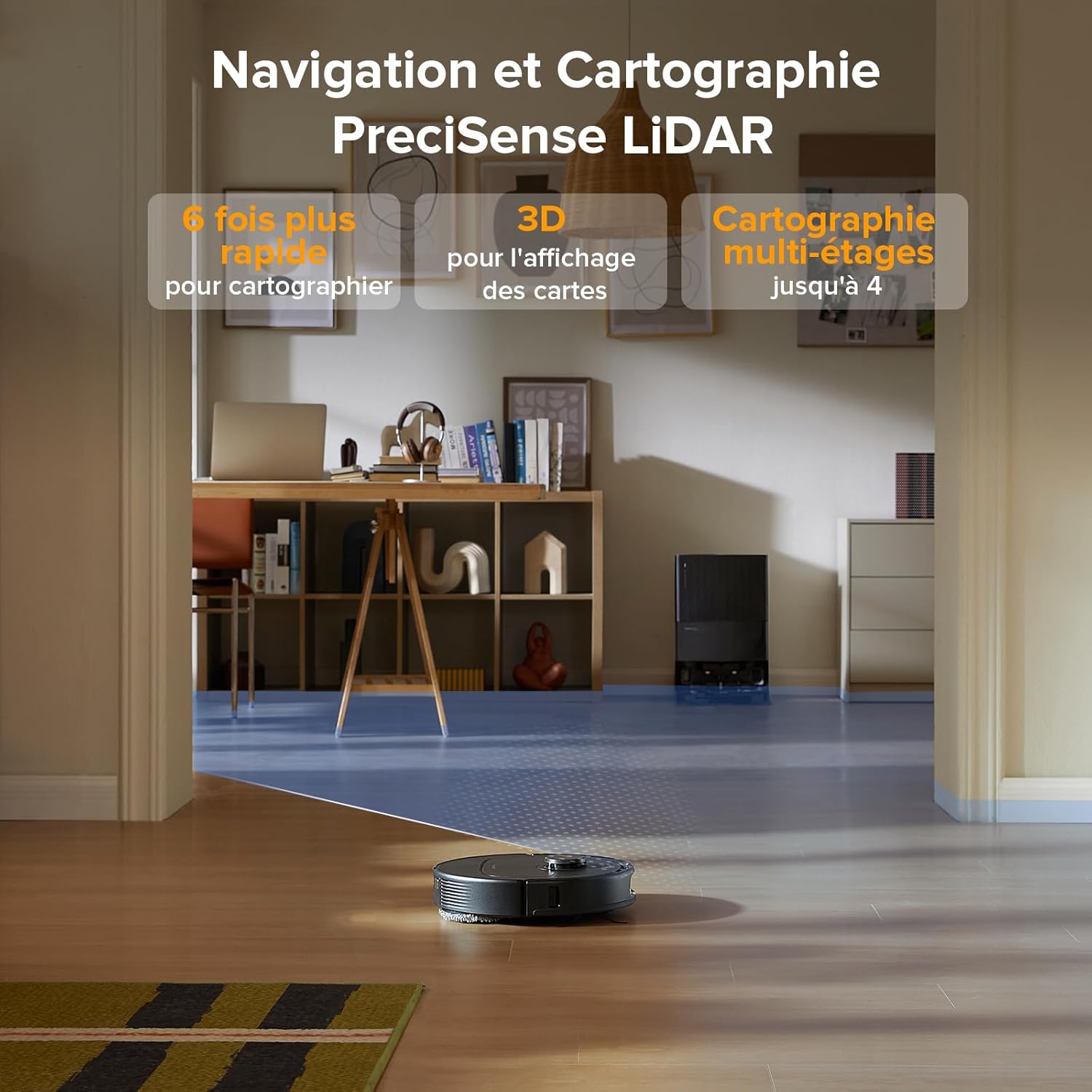
Image 2.2: The Roborock QV 35A utilizing its LiDAR sensor to rapidly map a room, displaying the 3D mapping capability.
3. Arahan Operasi
3.1 Memulakan Kitaran Pembersihan
Anda boleh memulakan kitaran pembersihan dengan beberapa cara:
- Via Roborock App: Tap 'Clean' on the main screen. You can select full house cleaning, specific rooms, or custom zones.
- Pada Robot: Press the power button on the robot once to start a full cleaning cycle.
- Kawalan Suara: Use compatible voice assistants (Alexa, Google Home) with commands like "Start cleaning."

Image 3.1: Various control methods for the Roborock QV 35A, including third-party voice commands, launch widgets, and the Apple Watch application.
3.2 Mod Pembersihan dan Penyesuaian
The Roborock app offers extensive customization:
- Kuasa sedutan: Adjust suction levels (e.g., Quiet, Balanced, Turbo, Max, Max+).
- Aliran Air: Control the water output for mopping (30 levels available).
- Roborock SmartPlan: Define room types and floor materials in the app for the robot to automatically adapt water flow and suction power.
- Penggalak Permaidani: Automatically increases suction power when a carpet is detected.
- Mop Lifting: The robot automatically lifts its mops by 10mm when transitioning from hard floors to carpets.

Image 3.2: The Roborock SmartPlan feature, showing how the robot adapts cleaning settings based on room type and floor material defined in the app.
3.3 Penjadualan dan Rutin
Set up cleaning schedules and personalized routines via the Roborock app:
- Pembersihan Harian: Programkan robot untuk membersihkan pada waktu dan hari tertentu.
- Custom Routines: Create shortcuts for frequently used cleaning tasks (e.g., 'After Meals' for kitchen cleaning).
- Temporary Cleaning: Add or temporarily ignore zones as needed, then resume the original cleaning task.

Image 3.3: The Roborock app interface demonstrating how to program daily cleaning schedules and save frequently used operations as shortcuts.
3.4 Obstacle Avoidance and No-Go Zones
The Reactive Tech system enables the robot to detect and avoid common household obstacles. You can also define specific areas:
- Dinding Maya: Create invisible barriers the robot will not cross.
- Zon Dilarang Pergi: Designate specific areas the robot should avoid entirely.
- Intelligent Suggestions: The robot can suggest areas where it might get stuck as potential no-go zones.

Image 3.4: The Reactive Tech system in action, showing the Roborock QV 35A detecting and navigating around common household items like a teddy bear and slippers.
4. Penyelenggaraan
Regular maintenance ensures optimal performance and extends the lifespan of your Roborock QV 35A.
4.1 Penyelenggaraan Stesen Docking
- Auto Dust Emptying: The dock automatically empties the robot's dustbin into a 2.7L sealed bag, requiring manual emptying approximately every 7 weeks.
- Auto Water Refill: The dock refills the robot's water tank from its 4L reservoir, covering up to 330 m² on a single fill.
- Mencuci dan Mengeringkan Mop: The dock washes the robot's mops and then air-dries them to prevent odors and mildew.
- Detachable Dock Base: The base of the dock is fully removable for easy cleaning to prevent clogging.

Imej 4.1: Tamatview of the Roborock QV 35A's multi-functional docking station, highlighting its automated maintenance capabilities.

Image 4.2: The detachable base of the docking station being cleaned under a faucet, demonstrating ease of maintenance.
4.2 Pembersihan Komponen Robot
- Berus Utama: Regularly check and clean the main brush for tangled hair or debris. The all-rubber design helps prevent entanglement.
- Berus Sisi: Inspect and clean the asymmetric side brush.
- Pad Mop: While the dock washes them, periodically check the mop pads for excessive wear or stubborn stains.
- Penapis HEPA: Clean or replace the HEPA filter as indicated by the app or every 3-6 months, depending on usage.
- Penderia: Wipe the robot's sensors (LiDAR, cliff sensors, obstacle avoidance sensors) with a dry cloth to ensure accurate navigation.

Image 4.3: The anti-tangle brush system of the Roborock QV 35A, featuring an asymmetric side brush and an all-rubber main brush designed to prevent hair entanglement.
5. Penyelesaian masalah
If you encounter issues with your Roborock QV 35A, refer to the following common solutions:
5.1 Robot Tidak Mengecas
- Ensure the power cord is securely plugged into both the dock and the wall outlet.
- Verify that the robot is correctly docked and its charging contacts are aligned with the dock's contacts. Clean contacts if dirty.
- Periksa sama ada salur keluar kuasa berfungsi.
5.2 Robot Stuck or Not Moving
- Clear any obstacles (cables, small toys, clothing) from the robot's path.
- Check if the main brush, side brush, or wheels are entangled with hair or debris.
- Clean the cliff sensors and obstacle avoidance sensors.
- If the robot is stuck on a threshold, ensure it is within the 2cm climbing capacity.
5.3 Prestasi Pembersihan yang Lemah
- Empty the dustbin and check the dust bag in the dock.
- Bersihkan atau gantikan penapis HEPA.
- Clean the main brush and side brush.
- Ensure the water tank is filled and the mop pads are clean and properly attached.
- Adjust suction power and water flow settings in the app to a higher level if needed.
5.4 Isu Kesambungan Aplikasi
- Pastikan rangkaian Wi-Fi anda stabil dan robot berada dalam julat.
- Restart your Wi-Fi router and the robot.
- Verify that the Roborock app is updated to the latest version.
- If issues persist, try re-pairing the robot with the app.
6. Spesifikasi
| Ciri | Spesifikasi |
|---|---|
| Jenama | roborock |
| Nombor Model | roborock QV 35A |
| warna | Hitam |
| Dimensi Robot (L x W x H) | 35L x 35W x 9.65H cm |
| Dimensi Dok (P x L x T) | 34L x 48.7W x 51.9H cm |
| Berat Robot | 11.8 Kilograms (Total product weight) |
| Kapasiti Tangki Air | 370 Milliliters (Robot) / 4 Liters (Dock) |
| kuasa | 60 Watt |
| Pemadaman Automatik | ya |
| Tahap Kebisingan | 64 dB (Balanced Mode) / 55 dB (Mop-only Mode) |
| Keserasian | Alexa, Amazon Echo, Google Home, Smartphone, Smartwatch |
| Ciri Khas | Intelligent Mapping, Automatic Mop Washing, LiDAR Navigation, Advanced Personalized Cleaning, Obstacle Avoidance |
| Jenis Penapis | HEPA |
| Sumber Kuasa | Dikuasakan Bateri |
| Kaedah Kawalan | Permohonan |
7. Waranti dan Sokongan
For warranty information, please refer to the documentation included with your product or visit the official Roborock website. For technical support or service inquiries, please contact Roborock customer service through their official channels.
You can typically find support contact details within the Roborock app under the 'Help' or 'Support' section.