
1. Pengenalan
This manual provides essential information for the safe and efficient operation of your ZDSSY E2 Mini Projector. Please read it thoroughly before use and retain it for future reference.
2. Persediaan
2.1 Menyahkotak dan Komponen
Keluarkan semua barang dari kotak dengan berhati-hati. Pastikan komponen berikut ada:
- Projektor Mini
- Alat Kawalan Jauh
- Kord Kuasa
- Manual Pengguna (dokumen ini)
2.2 Menghidupkan
- Sambungkan kord kuasa ke port input kuasa projektor.
- Pasangkan hujung kord kuasa yang satu lagi ke dalam soket elektrik yang sesuai.
- Tekan butang kuasa pada projektor atau alat kawalan jauh untuk menghidupkan peranti.
2.3 Penempatan Awal
Letakkan projektor pada permukaan yang stabil dan rata. Untuk optimum viewing, ensure the projection surface (wall or screen) is clean and smooth. The projector supports various mounting options including table placement, tripod mount, and ceiling mount.
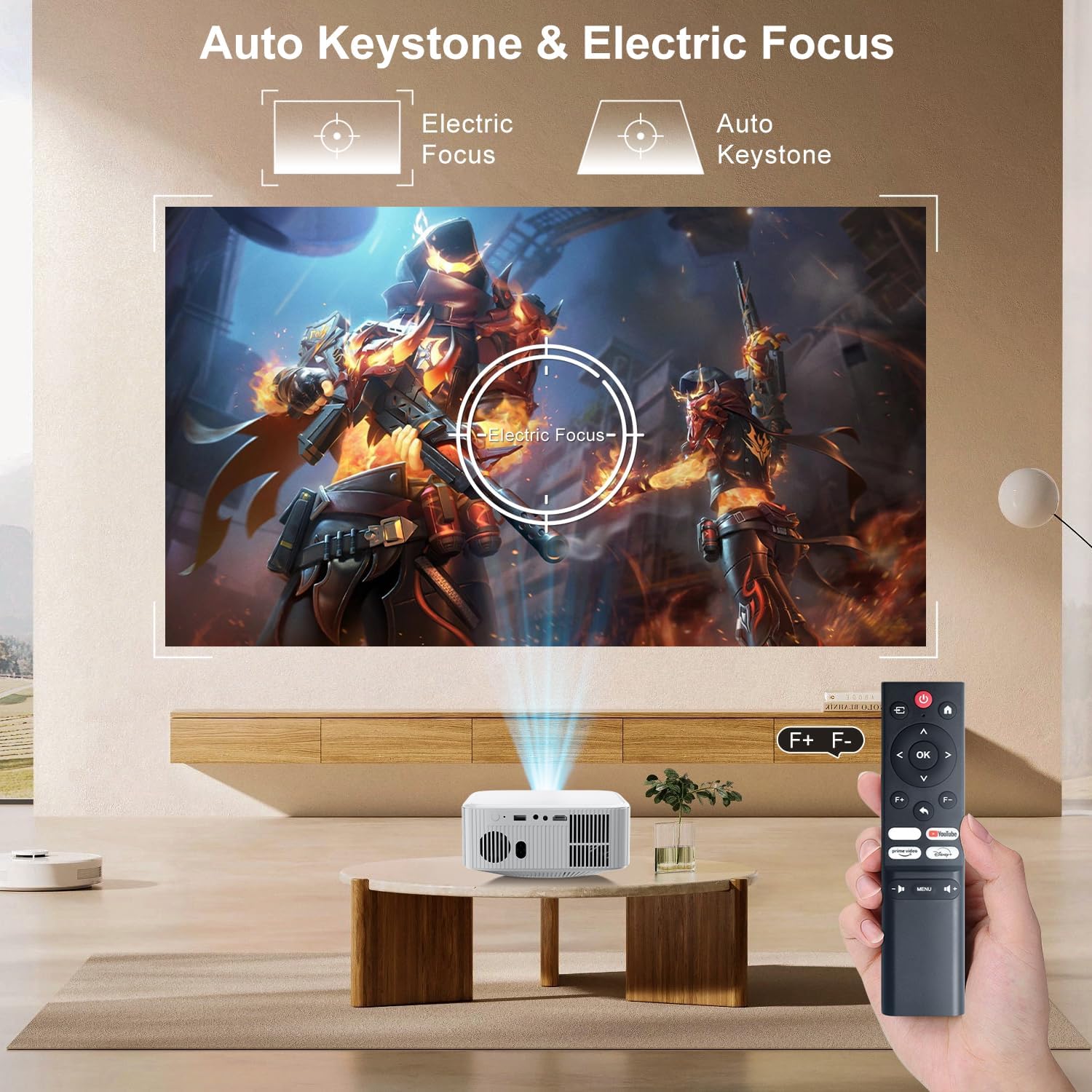
Image: The ZDSSY E2 Mini Projector demonstrating flexible placement options and screen sizes from 40 to 300 inches.
3. Operasi
3.1 Navigation and Remote Control
Use the provided remote control to navigate the projector's interface. The remote allows you to select apps, adjust settings, and control media playback.
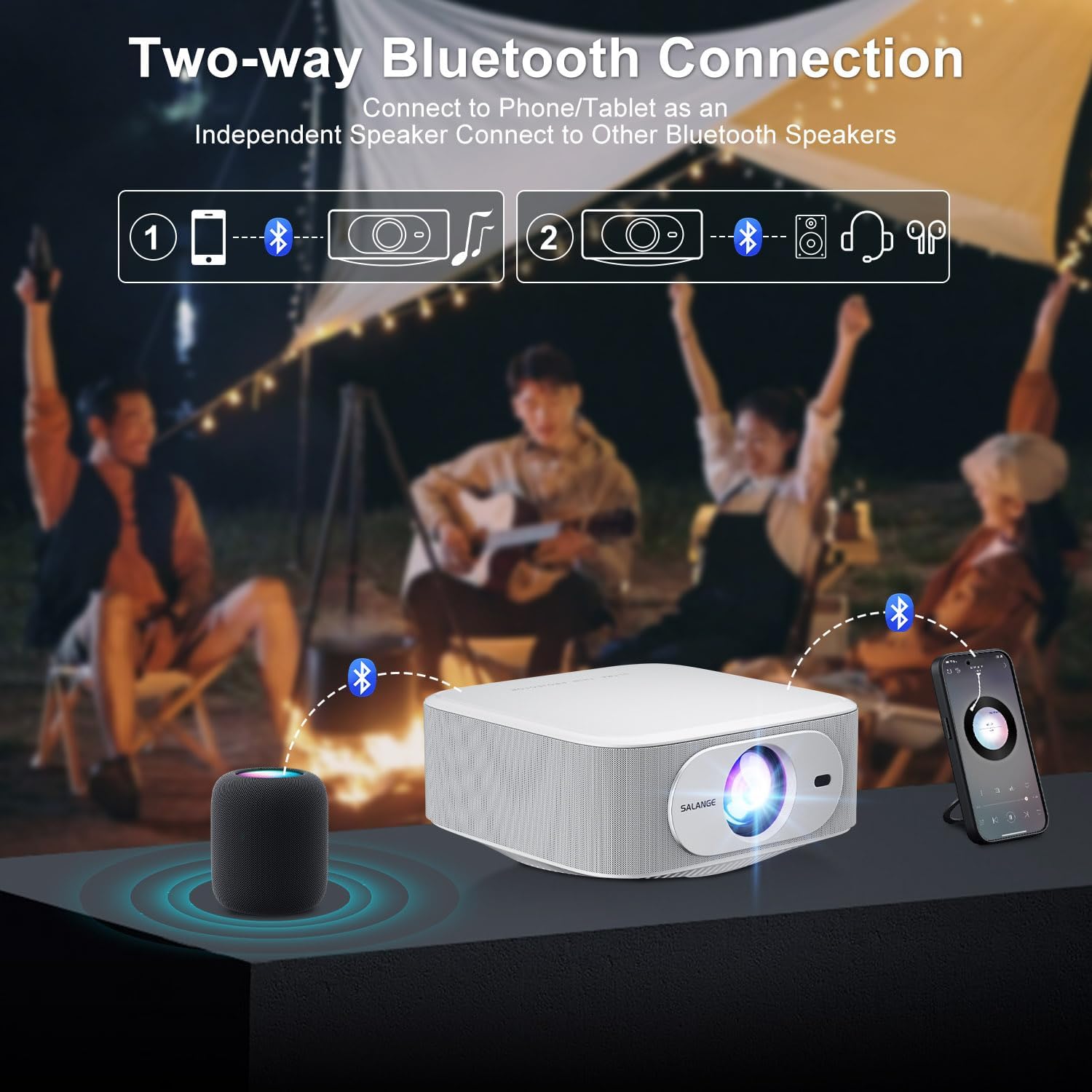
Image: The ZDSSY E2 Mini Projector and its remote control, highlighting the user interface.
3.2 Auto Keystone and Electric Focus
The projector features automatic keystone correction and electric focus for a clear and properly aligned image. These functions adjust the picture automatically upon startup or when the projector is moved.
- Fokus Elektrik: Provides instant, crystal-clear images.
- Pembetulan Keystone 4-Titik: Smoothly adjusts the screen across a wide ±45° range from any direction.
- Fungsi Zum: Laraskan saiz skrin dari 100% hingga 50% tanpa menggerakkan projektor.

Image: Visual representation of the auto keystone and electric focus features of the ZDSSY E2 Mini Projector.
3.3 Menyambung ke Wi-Fi
The ZDSSY E2 supports dual-band 5G/2.4G Wi-Fi for fast and stable internet connectivity.
- Navigasi ke menu 'Tetapan' pada projektor.
- Select 'Network' or 'Wi-Fi settings'.
- Pilih rangkaian Wi-Fi yang anda inginkan daripada senarai.
- Masukkan kata laluan jika digesa dan sambungkan.
3.4 Sambungan Bluetooth
The projector features two-way Bluetooth 5.2, allowing it to function as a standalone speaker or connect to external Bluetooth audio devices.
- As a Bluetooth Speaker: Connect your mobile device to the projector via Bluetooth to use the projector's built-in speakers for audio playback.
- Menyambung Pembesar Suara Luaran: Pair the projector with external Bluetooth speakers, headphones, or soundbars for an enhanced audio experience. (Note: Bluetooth is for audio transmission only and does not support video.)

Image: Illustration of the two-way Bluetooth connectivity of the ZDSSY E2 Mini Projector.
3.5 Using Built-in Apps
The ZDSSY E2 comes with officially licensed apps like Prime Video, YouTube, and more, pre-installed on its Android 13 Whale OS system. Access these apps directly from the home screen for instant entertainment.

Image: The ZDSSY E2 Mini Projector's home screen showing pre-installed streaming applications.
3.6 Sambungan Peranti Luaran
The projector is equipped with multiple ports for connecting external devices:
- Port HDMI: Connect gaming consoles, laptops, Fire Sticks, or other HDMI-enabled devices.
- Port USB: Mainkan media terus daripada pemacu USB.
- Bicu Fon Kepala 3.5mm: Sambungkan fon kepala berwayar atau pembesar suara luaran.

Image: Close-up of the ZDSSY E2 Mini Projector's connectivity ports.
4. Penyelenggaraan
4.1 Pembersihan
- Kanta: Gunakan kain lembut dan bebas bulu yang direka khas untuk kanta optik. Jangan gunakan pembersih atau kain yang kasar.
- Luaran: Lap bahagian luar projektor dengan kain lembut dan kering. Untuk tanda degil, sedikit damp Kain boleh digunakan, diikuti dengan tisu kering.
- Pengudaraan: Pastikan bukaan pengudaraan bersih daripada habuk dan halangan untuk mengelakkan terlalu panas.
4.2 Penyimpanan
Apabila tidak digunakan untuk tempoh yang lama, simpan projektor di tempat yang sejuk dan kering, jauh daripada cahaya matahari langsung dan suhu yang melampau. Gunakan pembungkusan asal atau bekas pelindung untuk mengelakkan pengumpulan habuk dan kerosakan.
5. Penyelesaian masalah
| Masalah | Kemungkinan Punca | Penyelesaian |
|---|---|---|
| Tiada Kuasa | Kord kuasa tidak disambungkan; Salur keluar kuasa rosak | Pastikan kord kuasa disambungkan dengan kukuh; Cuba soket yang lain. |
| Imej Kabur | Focus not adjusted; Projector too far/close to screen | Allow auto-focus to complete or manually adjust focus; Adjust projector distance. |
| Tiada Bunyi | Volume too low; External audio device not connected/paired | Increase volume; Check Bluetooth connection or wired audio cable. |
| Isu Sambungan Wi-Fi | Incorrect password; Router issues; Signal interference | Verify Wi-Fi password; Restart router; Move projector closer to router. |
| Apps Not Working | No internet connection; App requires update | Check Wi-Fi connection; Update the app from the app store. |
6. Spesifikasi
| Ciri | Perincian |
|---|---|
| Jenama | ZDSSY |
| Nombor Model | E2 |
| Resolusi Paparan | 1920 x 1080 (Native 1080P, 4K Support) |
| Kecerahan | 400 ANSI Lumen |
| Sistem Operasi | Smart Android 13.0 NTV (Whale OS) |
| Ingatan | RAM 1GB + ROM 8GB |
| Ketersambungan | Wi-Fi 5G/2.4G, Two-way Bluetooth 5.2 |
| Ciri Khas | Electric Focus, Auto Keystone Correction (4D/4P), Zoom (100%-50%), Built-in Apps (Prime Video, YouTube, etc.) |
| Pelabuhan | 1 HDMI, 1 USB, 1 3.5mm Headphone Jack |
| Dimensi Produk | 7.67 x 7.67 x 3.54 inci |
| Berat Barang | 3.3 paun |
| Penggunaan yang Disyorkan | Dalaman/Luar |
7. Waranti dan Sokongan
The ZDSSY E2 Mini Projector comes with a standard manufacturer's warranty. For specific warranty details, including coverage and duration, please refer to the warranty card included in your product packaging or contact ZDSSY customer support.
Sokongan Pelanggan
If you encounter any issues or have questions regarding your projector, please contact ZDSSY customer support through the retailer's platform or the official ZDSSY website. Our support team is available to assist you with troubleshooting, technical inquiries, and service requests.