
1. Pengenalan
Thank you for choosing the Relaxweex Mini Digital Camera Keychain. This compact and portable camera is designed for capturing moments in 1080p resolution, featuring a built-in flash and a user-friendly interface. This manual provides essential information for setting up, operating, and maintaining your device to ensure optimal performance.
2. Produk Lebihview
2.1 Kandungan Pakej
- 1 x Mini Digital Camera Keychain
- 1 x Pangkalan Pengecasan
- 1 x 16GB TF Card (pre-installed or separate)
- 1 x Kabel Pengecas USB
- 1 x Keychain Accessory
- 1 x Gelang tangan
2.2 Komponen Kamera
Biasakan diri anda dengan komponen fizikal kamera:

Image: The Relaxweex Mini Digital Camera Keychain shown with its charging base, USB cable, 16GB TF card, keychain accessory, and wristband.
- Kanta: Main camera lens for capturing images and videos.
- Lampu kilat: Menyediakan pencahayaan untuk keadaan cahaya malap.
- Skrin Paparan: 1.44-inch color screen for live view, main balik dan navigasi menu.
- Butang Kuasa: Menghidupkan/mematikan kamera.
- Butang Mod: Beralih antara mod foto dan video.
- Butang Rana / Rakam: Initiates photo capture or video recording.
- Butang Navigasi (+/-): Used for menu navigation, zooming, and filter selection.
- Slot Kad Memori: For inserting the TF (MicroSD) card.
- Port USB-C: Untuk pengecasan dan pemindahan data.
- Keychain/Lanyard Loop: Attachment point for accessories.

Imej: A terperinci view of the camera's side, highlighting the action buttons for mode switching and filter selection, and the 1.44-inch screen.
3. Persediaan
3.1 Memasukkan Kad Memori
The camera requires a TF (MicroSD) card for storing photos and videos. A 16GB card is included.
- Cari slot kad memori di sisi kamera.
- Insert the TF card with the printed side facing up, gently pushing until it clicks into place. Ensure it is fully seated.
- To eject, gently press the card inward until it springs out.

Image: A close-up showing a 16GB memory card being inserted into the camera's designated slot, with an arrow indicating the correct direction.
3.2 Mengecas Bateri
Before first use, fully charge the camera's built-in battery.
- Connect the charging base to the camera's USB-C port.
- Connect the USB charging cable to the charging base and a power source (e.g., computer USB port, USB wall adapter).
- The charging indicator light will show the charging status. A full charge provides approximately 600 minutes of operation.

Image: The camera is shown connected to its charging base, which is then connected via a USB cable to a power source, illustrating the charging process.
3.3 Memasang Aksesori
Attach the keychain or wristband for convenient carrying and to prevent loss.
- Thread the keychain or wristband loop through the designated attachment point on the camera.
- Secure the accessory as needed.

Image: A hand is shown attaching a keychain accessory to the camera's loop, demonstrating how to secure it for portability.
4. Arahan Operasi
4.1 Hidupkan/Mati Kuasa
- Untuk menghidupkan, tekan dan tahan Butang Kuasa sehingga skrin menyala.
- Untuk mematikan, tekan dan tahan Butang Kuasa sekali lagi sehingga skrin dimatikan.
4.2 Mod Foto
- Pastikan kamera dihidupkan.
- Tekan ke Butang Mod to switch to photo mode (indicated by a camera icon on the screen).
- Frame your shot using the display screen.
- Tekan ke Butang Pengatup untuk mengambil gambar.
- To apply filters, use the Navigation Buttons (+/-) to cycle through available options (e.g., Cool Color, Warm Color, Black & White, Retro, Fresh).
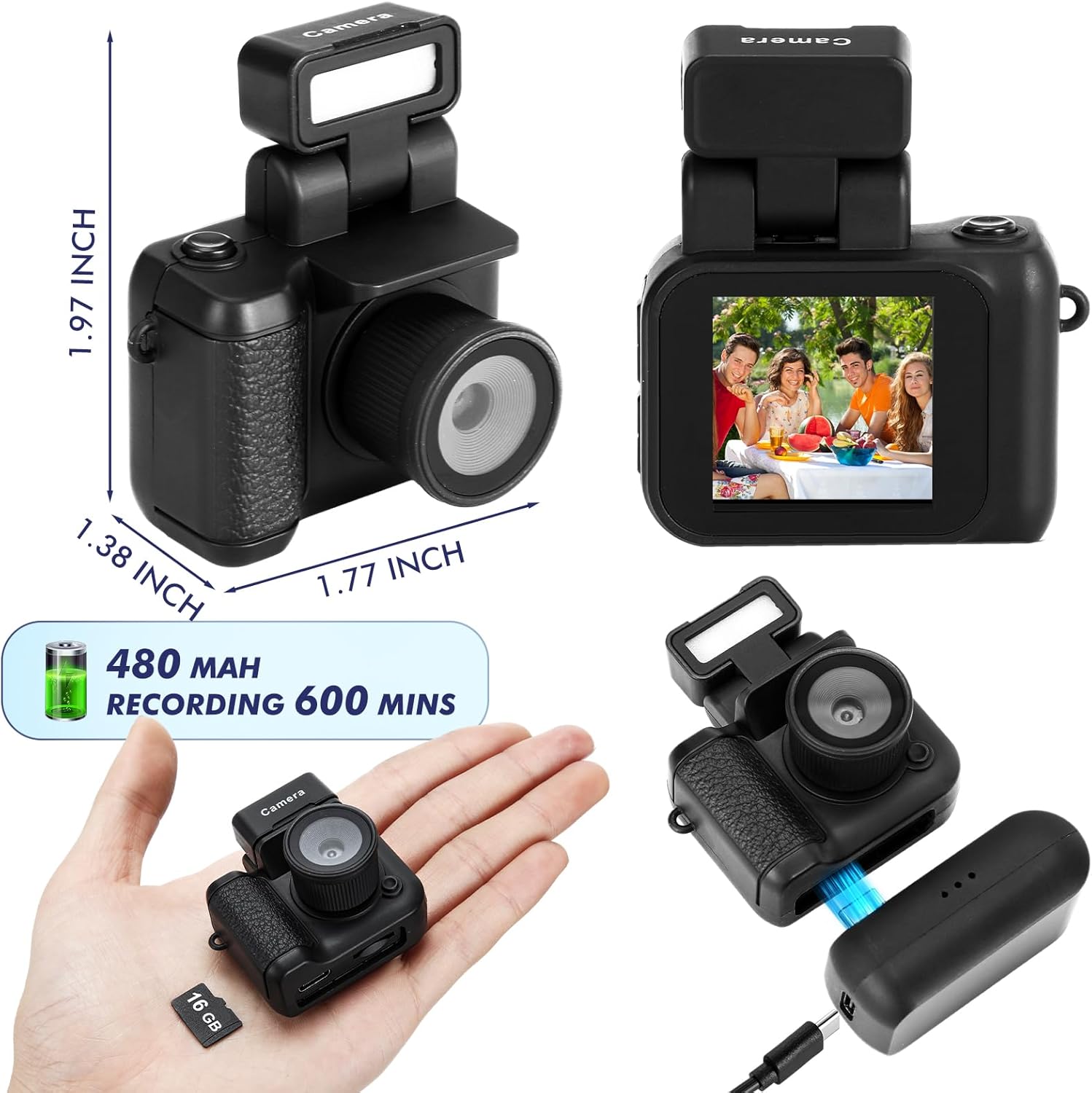
Image: The camera's screen displays different photo filters such as Original Image, Cool Color, Warm Color, Black & White, Retro, and Fresh, demonstrating the creative options available.
4.3 Mod Video
- Pastikan kamera dihidupkan.
- Tekan ke Butang Mod to switch to video mode (indicated by a video camera icon on the screen).
- Tekan ke Butang Rekod to start recording. A red indicator or timer will appear on the screen.
- Tekan ke Butang Rekod sekali lagi untuk menghentikan rakaman.
Video: This video demonstrates the various features and usage scenarios of the Relaxweex Mini Digital Camera, including switching between photo and video modes, applying filters, and attaching accessories.
4.4 Fungsi Flash
The camera features a built-in flash for improved visibility in dark environments.
- The flash component can be installed or removed as needed.
- When installed, the flash can be activated to provide continuous light or to flash during photo capture. Refer to the on-screen menu for flash settings (On/Fill).
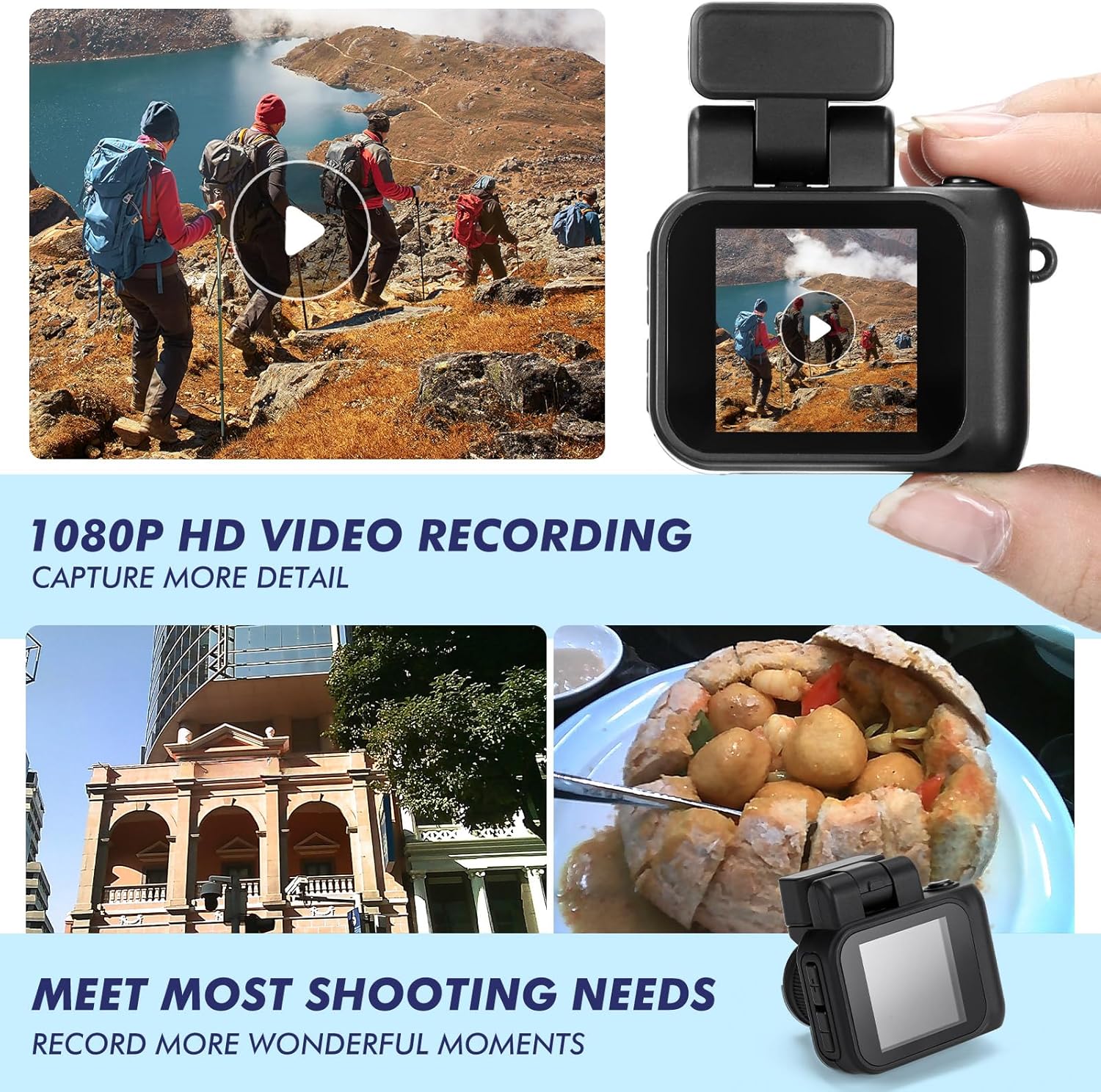
Image: Two images show a person on a bicycle, one with the flash off (Close Flash Effect) and one with the flash on (Open Flash Effect), illustrating the illumination provided by the camera's flash.
4.5 ViewFoto dan Video
Anda boleh semulaview your captured content directly on the camera's screen.
- In either photo or video mode, use the Navigation Buttons (+/-) to scroll through your saved files.
- Tekan ke Butang Pengatup/Rakam untuk memainkan video atau view foto dalam skrin penuh.
5. Pengurusan Kad Memori
5.1 Memindahkan Files ke Komputer
To access your photos and videos, connect the camera to a computer:
- Matikan kamera.
- Sambungkan kamera ke komputer anda menggunakan kabel USB yang disediakan.
- Kamera akan muncul sebagai pemacu cakera boleh tanggal pada komputer anda.
- Buka pemacu untuk mengakses dan menyalin files.
5.2 Memformat Kad Memori
Formatting the memory card will erase all data. Back up important files sebelum meneruskan.
- Navigate to the camera's settings menu (usually accessible by holding the Mode button or a specific combination).
- Select the 'Format Card' option.
- Confirm your selection to format the card.
6. Penyelenggaraan
- Pembersihan: Use a soft, dry cloth to clean the camera body. For the lens and screen, use a specialized lens cleaning cloth. Avoid abrasive materials or harsh chemicals.
- Storan: Simpan kamera di tempat yang sejuk dan kering jauh dari cahaya matahari langsung dan suhu yang melampau.
- Penjagaan Bateri: For long-term storage, charge the battery to about 50% to prolong its lifespan.
7. Penyelesaian masalah
| Masalah | Kemungkinan Punca | Penyelesaian |
|---|---|---|
| Kamera tidak dihidupkan. | Bateri lemah. | Charge the camera fully using the provided USB cable and charging base. |
| Ralat kad memori. | Card not inserted correctly or corrupted. | Reinsert the TF card. If the issue persists, try formatting the card (after backing up data) or using a different TF card. |
| Kualiti imej/video yang lemah. | Low light, dirty lens, or incorrect settings. | Ensure adequate lighting. Clean the lens. Check if flash is enabled in low light. |
| Charging base feels loose. | Minor manufacturing variation. | Ensure the camera is securely seated in the charging base and the USB cable is firmly connected. Handle with care during charging. |
| TF card difficult to insert/remove. | Misalignment or tight slot. | Ensure correct orientation. Apply gentle, even pressure. Do not force the card. If it's consistently difficult, contact support. |
8. Spesifikasi
| Ciri | Perincian |
|---|---|
| Nama Model | HAT0879 |
| Resolusi Video | 1080p |
| Resolusi Penderia Foto | 2.1 MP |
| Saiz Skrin | 1.44 inches (approx. 1 Centimeter) |
| Jenis Bateri | Ion Litium Terbina Dalam |
| Purata Hayat Bateri | Up to 600 minutes (recording) |
| Kapasiti Penyimpanan Memori | 16 GB (Kad TF disertakan) |
| Disokong File Format | JPEG (photos), MP4 (videos) |
| Teknologi Ketersambungan | USB |
| Ciri Khas | Flash Function, Long Life Battery, Color Screen |
| Dimensi (lebih kurang) | 1.97 x 1.77 x 1.38 inci |
9. Waranti dan Sokongan
For warranty information or technical support, please refer to the product packaging or contact Relaxweex customer service through the retailer where the product was purchased. Keep your purchase receipt for warranty claims.