
pengenalan
This manual provides comprehensive instructions for the OSALO Scientific Calculator OS-82ES-2. Designed for secondary students, this calculator features 252 functions, a 2-line written display, and dual power sources for reliable performance.

Imej: Depan view of the OSALO Scientific Calculator OS-82ES-2.
Persediaan
Bekalan Kuasa
The OSALO OS-82ES-2 calculator operates on dual power: solar and battery.
- Kuasa Suria: The solar panel located at the top of the calculator provides power in well-lit environments.
- Kuasa Bateri: For low-light conditions or when solar power is insufficient, the calculator uses a single LR44 battery (included).

Image: Illustration showing the dual power supply (solar and battery) of the calculator.
Penggunaan Awal
Before first use, ensure the protective slide cover is removed. The calculator is ready for use once powered on.

Imej: Terperinci view of the calculator's components, including the solar panel, display, and various keys.
Arahan Operasi
Operasi Asas
The calculator features a 2-line written display that mimics textbook expressions, showing both input and calculation results.
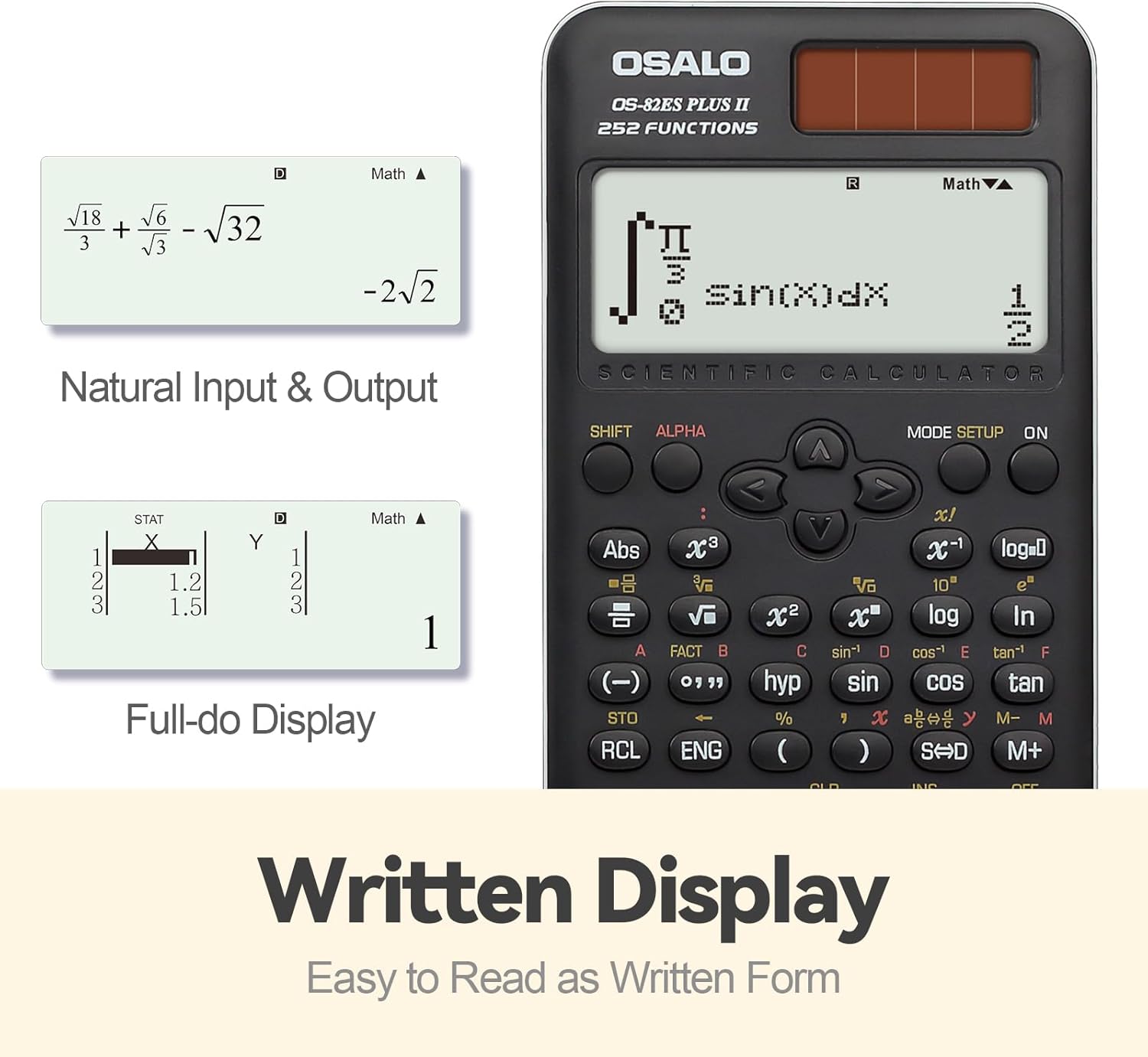
Imej: Cthample of the calculator's natural input and output display, showing mathematical expressions as they appear in textbooks.
Fungsi Lebihview
The OS-82ES-2 offers 252 functions, covering a wide range of scientific calculations.
- Pengiraan asas
- Variable statistics
- Prime factorization
- Differentiation calculation
- Integration calculation
- Fungsi berbilang ulang tayang
- Combination and Permutation
- Pengiraan Pecahan
- 9 variable memories
- Fraction-decimal conversion (using SD keys)

Image: Visual representation highlighting the 252 functions of the scientific calculator, including statistical and fractional capabilities.
Smart History and Recall
Utilize the smart history feature to quickly retrieve, reuse, or edit previous formulas. This streamlines complex calculations and reduces repetitive input.
Melaraskan Kontras Paparan
To adjust the display contrast for optimal readability:
- Tekan ke PENYEDIAAN MODE butang.
- Navigasi ke CONTRAST (usually option 5).
- Use the arrow keys to adjust between CAHAYA dan GELAP tetapan.
- Tekan AC untuk keluar dari tetapan.

Image: Comparison of the calculator's display in dark and bright contrast settings, demonstrating the brightness adjustment function.
Video Produk Rasmi
Video: An official product video demonstrating the features and usage of the OSALO Scientific Calculator, including its 252 functions, 2-line display, and dual power capabilities. Duration: 34 seconds.
Penyelenggaraan
Pembersihan
To clean the calculator, wipe it gently with a soft, dry cloth. Do not use abrasive cleaners or solvents, as these may damage the surface or internal components.
Penyimpanan
When not in use, store the calculator in a cool, dry place, away from direct sunlight and extreme temperatures. The included slide-on hard case provides protection against dust and physical damage.
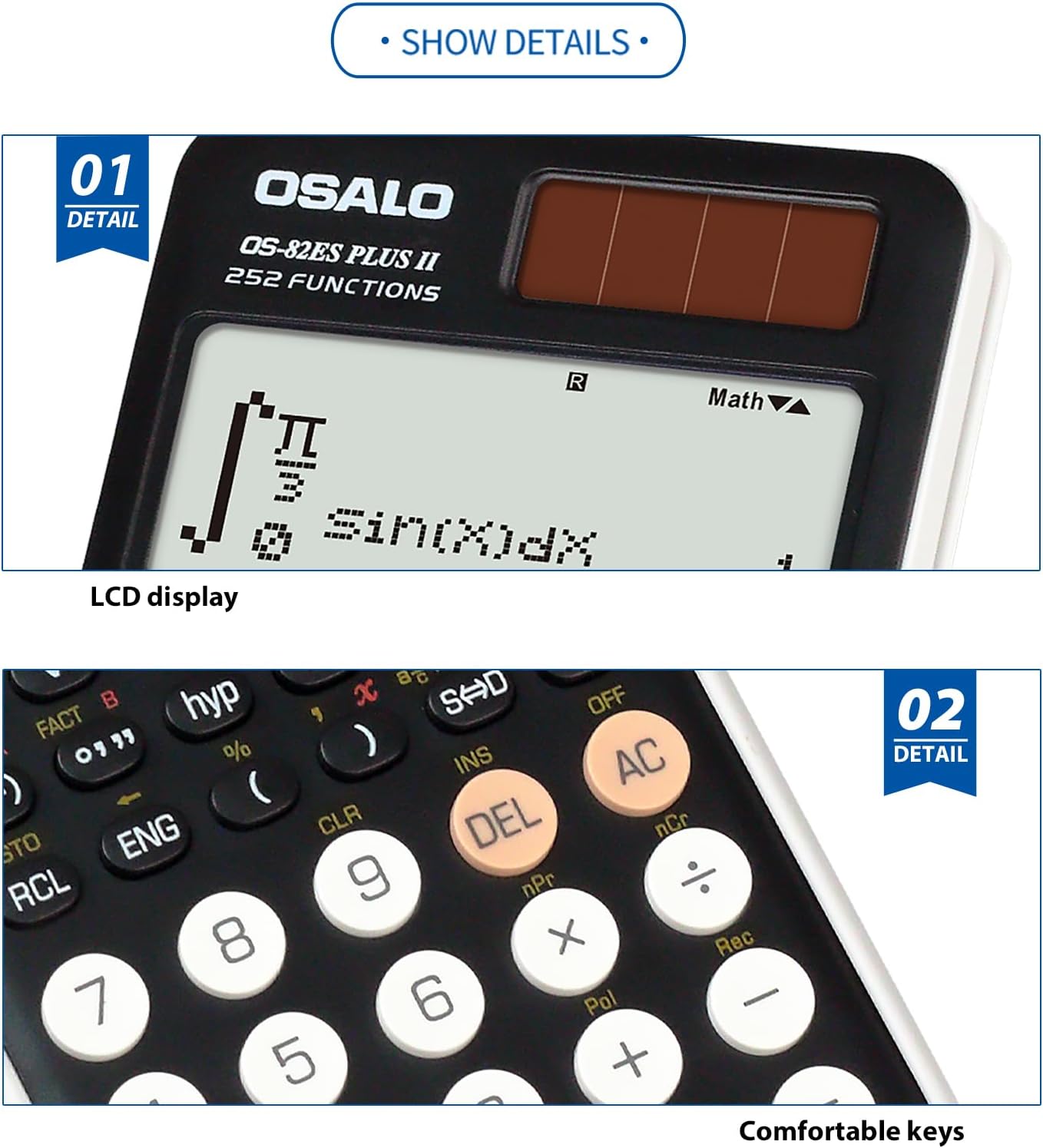
Imej: Jarak dekat view highlighting the clear LCD display and the comfortable, responsive keys of the calculator.
Menyelesaikan masalah
Paparan kosong atau malap
- Ensure the calculator is in a well-lit area to activate solar power.
- Check the battery. If the display remains dim or blank, the LR44 battery may need replacement.
- Adjust the display contrast using the PENYEDIAAN MODE function as described in the Operating Instructions.
Calculator does not respond
- Tekan ke ON butang.
- If unresponsive, try pressing the TETAP SEMULA button (if available, usually a small recessed button requiring a thin object like a paperclip).
- Ensure sufficient power from either solar or battery sources.
Spesifikasi
| Ciri | Perincian |
|---|---|
| Nombor Model | OS-82ES-2 |
| Fungsi | 252 |
| Jenis Paparan | 2-line Written Display |
| Sumber Kuasa | Battery (1 LR44 included) & Solar |
| Dimensi (L x W x H) | 6.46 x 3.15 x 0.1 inches (164 x 80 x 2.5 mm approx) |
| Berat badan | 4.9 auns (lebih kurang 140g) |
| warna | Hitam |
| Jenis Kalkulator | Kejuruteraan/Saintifik |
| Saiz Skrin | 2.4 Inci |

Image: Visual representation of the calculator's thin profile and lightweight design, along with its precise dimensions.
Waranti dan Sokongan
For warranty information and customer support, please refer to the official OSALO webtapak atau hubungi peruncit anda. Simpan resit pembelian anda sebagai bukti pembelian.
Nota: Terma jaminan khusus mungkin berbeza mengikut rantau dan peruncit.