
pengenalan
Thank you for choosing the CREATE Speaker Retro. This portable Bluetooth speaker combines a classic retro design with modern audio technology, offering versatile connectivity and powerful sound. This manual will guide you through the setup, operation, and maintenance of your new speaker to ensure optimal performance and longevity.

Image: The CREATE Speaker Retro, highlighting its elegant retro aesthetic and compact form factor.
Arahan Keselamatan Penting
- Baca semua arahan dengan teliti sebelum menggunakan produk.
- Simpan manual ini untuk rujukan masa hadapan.
- Do not expose the speaker to water or excessive moisture. This product is bukan kalis air.
- Jangan letak berhampiran sumber haba seperti radiator, daftar haba, dapur atau radas lain (termasuk amppenghidup) yang menghasilkan haba.
- Gunakan hanya lampiran/aksesori yang ditentukan oleh pengilang.
- Cabut plag radas ini semasa ribut petir atau apabila tidak digunakan untuk tempoh yang lama.
- Rujuk semua servis kepada kakitangan perkhidmatan yang berkelayakan.
Kandungan Pakej
The CREATE Speaker Retro package includes:
- CREATE Speaker Retro Portable Bluetooth Speaker (1 unit)
- Kabel Pengecas USB-C
- Manual Pengguna (dokumen ini)
Kawalan dan Port Lebihview
Familiarize yourself with the speaker's controls and connection ports:

Imej: Terperinci view panel kawalan atas pembesar suara.
- Tombol Kelantangan: Melaraskan kelantangan bunyi keseluruhan.
- Tombol Bes: Melaraskan tahap bes.
- Tombol Treble: Melaraskan tahap treble.
- Suis Pemilih Input: Toggles between AUX, Bluetooth (BT), and USB input modes.
- Suis kuasa: Menghidupkan/Mematikan pembesar suara.
- Input AUX (3.5mm): Untuk menyambungkan peranti audio luaran melalui kabel audio.
- Port USB: Untuk main balik pemacu USB.
- DC-IN 5V Port: Untuk mengecas pembesar suara.
- Lampu Penunjuk: Menunjukkan status kuasa, status pengecasan dan status berpasangan Bluetooth.
Persediaan
1. Mengisi Speaker
Before first use, fully charge the speaker. Connect the provided USB-C charging cable to the DC-IN 5V port on the speaker and the other end to a compatible USB power adapter (not included) or a computer's USB port. The indicator light will show the charging status. A full charge takes approximately 4-5 hours.
- mengecas: Indicator light glows (color may vary).
- Dicas Penuh: Indicator light turns off or changes color.
2. Menghidupkan/Mematikan
To power on the speaker, flip the Suis Kuasa to the "ON" position. To power off, flip the switch to the "OFF" position.
Arahan Operasi
1. Mod Bluetooth
The speaker features Bluetooth 5.2 for wireless audio streaming with a range of up to 10 meters.
- Hidupkan pembesar suara.
- Tetapkan Suis Pemilih Input to "BT/AUX" and then ensure it's in Bluetooth mode (indicator light will blink, indicating pairing mode).
- Pada telefon pintar, tablet atau peranti lain yang didayakan Bluetooth anda, dayakan Bluetooth dan cari peranti yang tersedia.
- Select "CREATE Speaker Retro" from the list.
- Once paired, the indicator light will stop blinking and remain solid. You can now play music wirelessly.
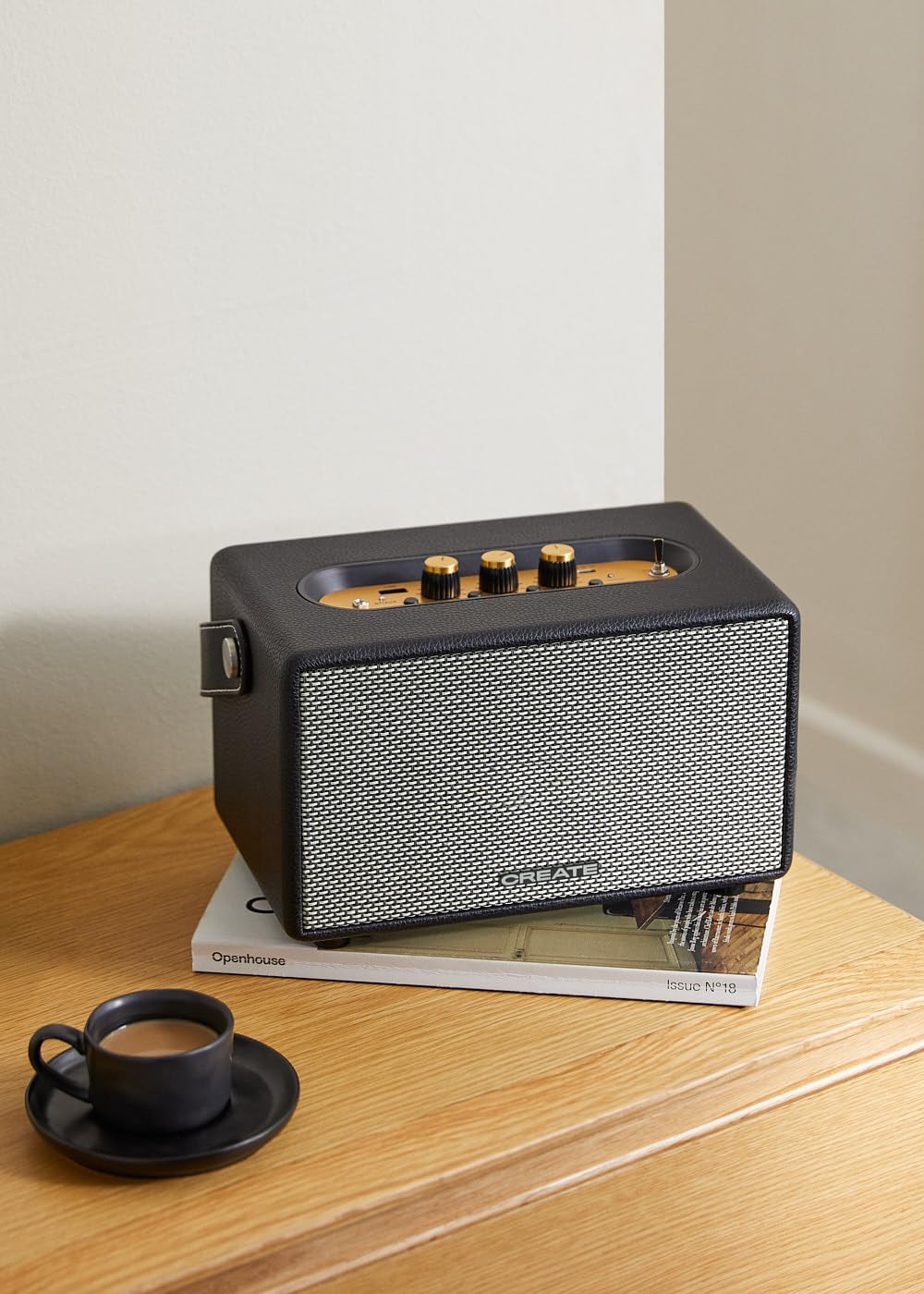
Image: Connecting to the speaker via Bluetooth from a mobile device.
2. USB Playback Mode
Mainkan audio files terus daripada pemacu denyar USB.
- Hidupkan pembesar suara.
- Masukkan pemacu kilat USB yang mengandungi audio files ke dalam Port USB.
- Tetapkan Suis Pemilih Input to "USB". The speaker will automatically begin playing music from the USB drive.

Image: Inserting a USB drive for direct audio playback.
3. Mod Input AUX
Sambungkan peranti audio luaran menggunakan kabel audio 3.5mm.
- Hidupkan pembesar suara.
- Sambungkan satu hujung kabel audio 3.5mm (tidak disertakan) ke Input AUX port pada pembesar suara.
- Connect the other end of the cable to the headphone jack or audio output of your external device (e.g., MP3 player, laptop).
- Tetapkan Suis Pemilih Input to "AUX". The speaker will now play audio from your connected device.
4. Melaraskan Bunyi
Use the dedicated knobs on the control panel to fine-tune your audio experience:
- Putar Tombol Kelantangan to increase or decrease the overall sound level.
- Putar Tombol Bass to adjust the low-frequency sounds.
- Putar Tombol Treble to adjust the high-frequency sounds.
Penyelenggaraan
Pembersihan
To clean the speaker, use a soft, dry cloth. Do not use abrasive cleaners, waxes, or solvents as they may damage the finish. Avoid spraying liquids directly onto the speaker.
Penyimpanan
When not in use for extended periods, store the speaker in a cool, dry place away from direct sunlight and extreme temperatures. Ensure the speaker is fully charged before storing to preserve battery health.
Penjagaan Bateri
The speaker is equipped with a built-in rechargeable battery. To maximize battery life:
- Elakkan menyahcas sepenuhnya bateri dengan kerap.
- Recharge the battery regularly, even if the speaker is not used often.
- Do not expose the speaker to temperatures above 45°C (113°F) or below 0°C (32°F).
Menyelesaikan masalah
If you encounter any issues with your CREATE Speaker Retro, please refer to the following common problems and solutions:
| Masalah | Kemungkinan Punca | Penyelesaian |
|---|---|---|
| Speaker tidak dihidupkan. | Bateri habis. | Charge the speaker for 4-5 hours using the USB-C cable. |
| Tiada suara dari pembesar suara. | Kelantangan terlalu rendah; mod input salah; peranti tidak disambungkan dengan betul. | Increase volume. Ensure the correct input mode (BT, USB, AUX) is selected. Reconnect Bluetooth device or AUX cable. |
| Gandingan Bluetooth gagal. | Speaker is not in pairing mode; device is out of range; interference. | Ensure speaker is in Bluetooth pairing mode (blinking indicator). Move device closer to speaker (within 10m). Turn off other Bluetooth devices. |
| Main balik USB tidak berfungsi. | Incorrect input mode; USB drive not formatted correctly or no compatible files. | Ensure "USB" input mode is selected. Check USB drive for compatible audio files (e.g., MP3). Try a different USB drive. |
| Play/Pause button not responding. | Kemungkinan masalah perkakasan atau gangguan perisian. | Restart the speaker. If the issue persists, contact customer support. (Note: A user review mentioned this issue.) |
Spesifikasi
| Nama Model | SPEAKER RETRO |
| Nombor Model | 181643_452174 |
| Dimensi (D x W x H) | 17 x 26 x 15 cm |
| Berat badan | 2.5 kg |
| Max. Speaker Output Power | 40 W |
| Mod Keluaran Audio | Stereo (Saluran 2.0) |
| Teknologi Ketersambungan | Bluetooth 5.2, USB, AUX (3.5mm) |
| Julat Bluetooth | Sehingga 10 meter |
| Kapasiti Bateri | 3000 mAh |
| Hayat Bateri | Sehingga 5 jam (bergantung pada penggunaan) |
| Masa Mengecas | lebih kurang 4-5 jam |
| Kaedah Kawalan | Touch (knobs and switches) |
| warna | Hitam |
| Kalis air | Tidak |
Waranti dan Sokongan
Maklumat Waranti
The CREATE Speaker Retro comes with a standard manufacturer's warranty. Please retain your proof of purchase for warranty claims. The warranty covers defects in materials and workmanship under normal use. It does not cover damage caused by misuse, accidents, unauthorized modifications, or exposure to water.
For specific warranty terms and conditions, please refer to the warranty card included with your product or contact CREATE customer service.
Sokongan Pelanggan
If you have any questions, require technical assistance, or need to report an issue that cannot be resolved using the troubleshooting guide, please contact CREATE customer support.
You can find more information and contact details on the official CREATE weblaman web atau melalui kedai jenama Amazon mereka:


