
pengenalan
Thank you for choosing the RORSOU B8 Bluetooth Headphones. These over-ear headphones are designed to provide a superior audio experience with deep bass and Hi-Fi stereo sound, powered by a 40mm audio driver and advanced Bluetooth 5.4 technology. Enjoy extended listening with up to 50 hours of playtime and versatile connectivity options. This manual will guide you through the setup, operation, and maintenance of your new headphones.

Figure 1: RORSOU B8 Bluetooth Headphones (Beige White)
The RORSOU B8 headphones feature a sleek beige white finish with gold accents, designed for comfort and portability.
Apa yang ada dalam Kotak
- Manual Pengguna
- Kusyen Telinga (prapasang)
- Protective Case (Drawstring Bag)
- Kabel Pengecas USB-C
- Kabel Audio AUX 3.5mm

Figure 2: Included accessories with the RORSOU B8 Headphones.
The box contains the headphones, a user manual, a USB-C charging cable, a 3.5mm AUX cable, and a soft drawstring protective case.
Produk Selesaiview & Kawalan
Familiarize yourself with the buttons and ports on your RORSOU B8 headphones for optimal use.

Rajah 3: Terperinci view of headphone controls and ports.
The right earcup features the main controls including the EQ button, USB-C charging port, 3.5mm audio jack, and power/playback buttons.
- Butang Kuasa/Main/Jeda: Tekan lama untuk hidup/mati. Tekan pendek untuk main/jeda muzik atau jawab/tamatkan panggilan.
- Butang Naik Kelantangan (+): Tekan sebentar untuk meningkatkan kelantangan. Tekan lama untuk melangkau ke trek seterusnya.
- Butang Turun Kelantangan (-): Tekan pendek untuk mengurangkan kelantangan. Tekan lama untuk pergi ke trek sebelumnya.
- Butang EQ: Press to cycle through 6 preset EQ modes (Standard, Classical, Metal, Jazz, Rock, Bass).
- Port Pengecasan USB-C: Untuk mengecas fon kepala.
- Bicu Audio 3.5mm: Untuk sambungan berwayar menggunakan kabel AUX.
- mikrofon: Untuk panggilan bebas tangan.
Persediaan
Mengecas Fon Kepala Anda
- Sambungkan kabel pengecas USB-C ke port pengecasan fon kepala.
- Sambungkan hujung kabel USB yang satu lagi ke sumber kuasa USB yang serasi (cth., port USB komputer, penyesuai dinding).
- Penunjuk LED akan menunjukkan status pengecasan. Pengecasan penuh mengambil masa kira-kira 2 jam.
- Once fully charged, the headphones provide up to 50 hours of playtime.
Berpasangan Bluetooth
- Pastikan fon kepala dimatikan.
- Long press the Power/Play/Pause button until the LED indicator flashes blue and red alternately. This indicates pairing mode.
- Pada peranti anda (telefon pintar, tablet, PC), dayakan Bluetooth dan cari peranti yang tersedia.
- Select "RORSOU B8" from the list of found devices.
- Once successfully paired, the LED indicator will turn solid blue or flash blue slowly.
- The headphones can be paired with two devices simultaneously and seamlessly switch between them.
Sambungan Berwayar (AUX)
If your headphones run out of battery or you prefer a wired connection, you can use the included 3.5mm AUX cable.
- Connect one end of the 3.5mm AUX cable to the headphone's 3.5mm audio jack.
- Sambungkan hujung yang satu lagi ke output audio peranti anda.
- Fon kepala akan bertukar secara automatik kepada mod berwayar.
Arahan Operasi
Hidupkan/Mati Kuasa
- Hidupkan kuasa: Long press the Power/Play/Pause button until the LED indicator lights up.
- Matikan: Long press the Power/Play/Pause button until the LED indicator turns off. The headphones will automatically shut down after 5 minutes if no device is connected.
Kawalan Kelantangan
- Tingkatkan Kelantangan: Tekan pendek butang Kelantangan Naik (+).
- Kurangkan Kelantangan: Tekan pendek butang Kelantangan Turun (-).
Kawalan Main Semula
- Main/Jeda: Tekan sebentar butang Kuasa/Main/Jeda.
- Lagu Seterusnya: Tekan lama butang Naikkan Kelantangan (+).
- Trek Sebelumnya: Tekan lama butang Kelantangan Turun (-).
Pengurusan Panggilan
- Jawab Panggilan Masuk: Tekan sebentar butang Kuasa/Main/Jeda.
- Tamatkan Panggilan: Short press the Power/Play/Pause button during a call.
- Tolak Panggilan: Long press the Power/Play/Pause button when a call is incoming.
- Call Back Last Number: Double click the Power/Play/Pause button.
Mod EQ
The RORSOU B8 headphones offer 6 preset EQ modes to optimize your listening experience for different music genres.
- Mod Standard: Bunyi seimbang profile.
- Classical Mode: Enhanced for classical music.
- Mod Logam: Optimized for heavy metal and rock.
- Mod Jazz: Tailored for jazz music.
- Rock Mode: Boosted for rock music.
- Mod Bes: Enhanced bass for powerful low-end sound.
To switch between modes, press the EQ button on the right earcup.
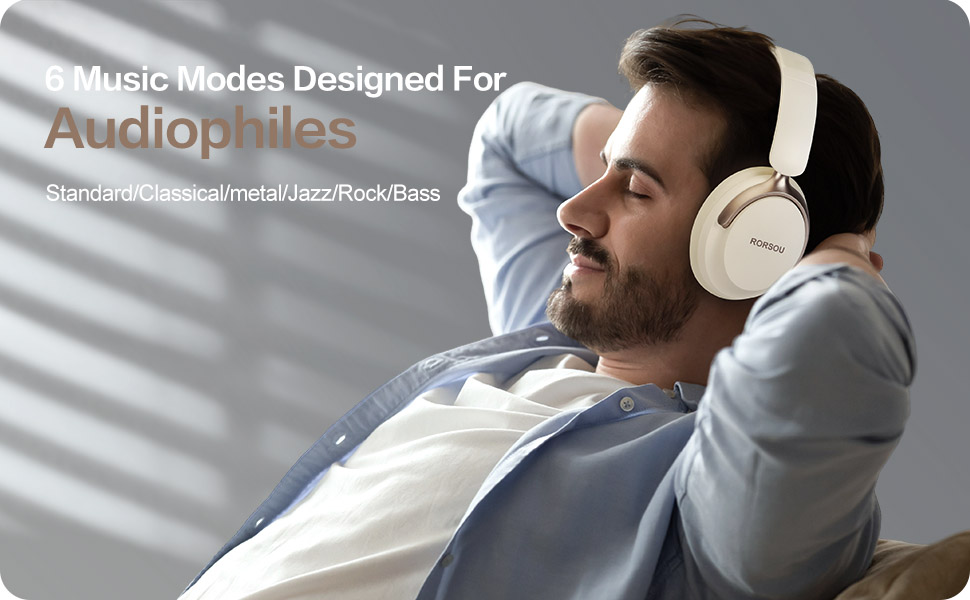
Figure 4: Experience optimized sound with 6 EQ modes.
The EQ modes allow users to customize the audio output to match their preferred music style.

