
1. Pengenalan
This manual provides essential instructions for the safe and effective use of your Sigma 56mm f/1.4 DC DN Contemporary Lens for RF Mount. This high-performance prime lens is designed for APS-C-format RF-mount mirrorless cameras, offering an 89.6mm equivalent focal length, ideal for portraiture and general photography. Key features include a Special Low Dispersion (SLD) element for reduced chromatic aberrations, a stepping AF motor for fast and quiet autofocus, and a rounded nine-blade diaphragm for pleasinbokeh.
2. Kandungan Pakej
Sahkan bahawa semua item yang disenaraikan di bawah disertakan dalam pakej anda. Jika ada barang yang hilang atau rosak, sila hubungi peruncit anda.
- Sigma 56mm f/1.4 DC DN Contemporary Lens for RF Mount
- Tudung Lensa
- Cap Lensa Depan
- Cap Lensa Belakang
- Essential Cleaning Kit (includes lens cleaning paper, wet/dry wipes, cleaning solution, brush, cotton swabs, microfiber cloth, carrying pouch)
- Hurricane Blower

Image 2.1: The Sigma 56mm f/1.4 DC DN Contemporary Lens shown with its full accessory bundle, including lens caps, lens hood, cleaning kit, and a hurricane blower.
3. Pengenalan Bahagian
Familiarize yourself with the different parts of your lens:
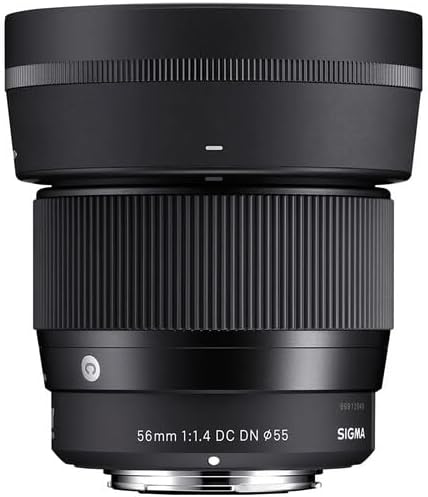
- Cincin Fokus: Digunakan untuk pemfokusan manual.
- Indeks Pemasangan Kanta: Align with the camera's mount index for proper attachment.
- Lekapan Lensa: The part that connects to the camera body.
- Lens Hood Attachment Mark: Indicates where to align the lens hood.
- Tapis Benang: Located at the front of the lens for attaching filters.

Imej 3.1: Depan view of the lens, showing the focus ring and filter thread.
Imej 3.2: Sisi view of the lens, highlighting the lens mount index and lens mount.
4. Persediaan
4.1 Memasang Lensa
- Tanggalkan penutup kanta belakang daripada kanta dan penutup badan daripada kamera anda.
- Align the lens mount index mark on the lens with the corresponding index mark on your camera body.
- Insert the lens into the camera mount and rotate it clockwise (for RF mount) until it clicks into place. Do not force the lens.
4.2 Menanggalkan Kanta
- While holding the lens release button on your camera body, rotate the lens counter-clockwise until it stops.
- Tanggalkan kanta dari badan kamera dengan berhati-hati.
- Pasangkan penutup kanta belakang pada kanta dan penutup badan pada kamera untuk melindunginya daripada habuk dan kerosakan.
4.3 Memasang Tudung Lensa
The included lens hood helps to block stray light, reducing flare and ghosting, and provides some physical protection to the front element.
- Align the lens hood attachment mark on the lens hood with the corresponding mark on the front of the lens.
- Push the hood onto the lens and rotate it clockwise until it locks into place.
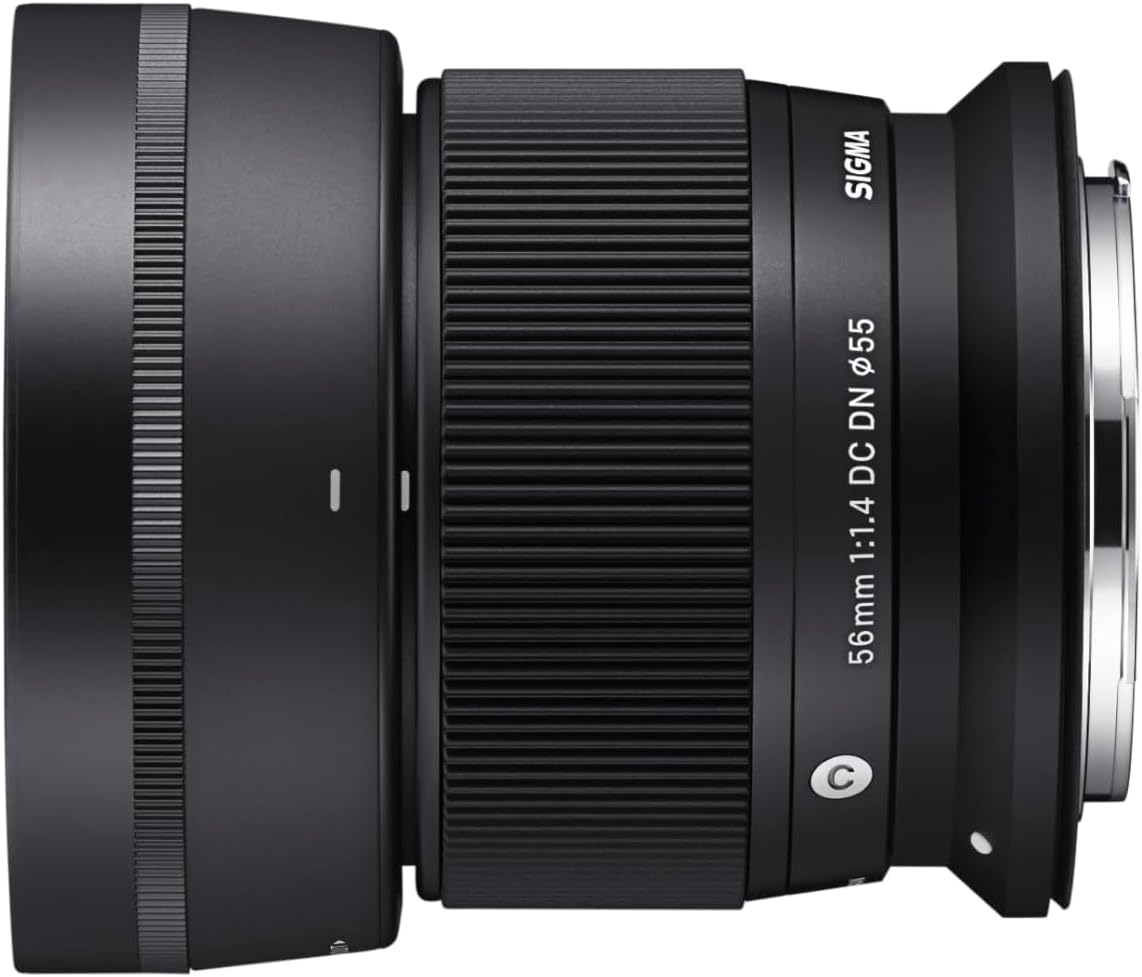
Image 4.1: The lens with its dedicated lens hood properly attached.
5. Mengendalikan Lensa
5.1 Autofocus (AF)
This lens features a stepping AF motor, providing fast, precise, and near-silent autofocus performance. The autofocus mode is typically controlled via your camera body's settings. Refer to your camera's instruction manual for details on selecting AF modes (e.g., Single AF, Continuous AF).
5.2 Manual Focus (MF)
To use manual focus, set your camera to MF mode. Rotate the focus ring on the lens to adjust focus. Your camera may offer focus peaking or magnification aids to assist with precise manual focusing.
5.3 Kawalan Apertur
The aperture (f/1.4 to f/16) is controlled electronically through your camera body. Adjust the aperture setting on your camera to control depth of field and exposure.
6. Penyelenggaraan
Penjagaan dan penyelenggaraan yang betul akan memastikan jangka hayat dan prestasi optimum kanta anda.
6.1 Membersihkan Lensa
- Elemen Kanta: Use the hurricane blower to remove dust and loose particles. For smudges or fingerprints, use a clean, soft microfiber cloth with a small amount of lens cleaning solution. Wipe gently in a circular motion from the center outwards. Avoid touching the lens surface with your fingers.
- Badan Lensa: Wipe the lens body with a soft, dry cloth. Do not use organic solvents like thinner or benzene.
- Lekapan Lensa: Keep the lens mount clean and free of dust. Avoid touching the electronic contacts.

Image 6.1: Components of a typical lens cleaning kit, including cloths, wipes, and brushes.

Image 6.2: A hurricane blower, used for safely removing dust from lens surfaces.
6.2 Penyimpanan
- Sentiasa pasangkan penutup kanta hadapan dan belakang apabila kanta tidak digunakan.
- Store the lens in a cool, dry, and well-ventilated place, away from direct sunlight and high humidity.
- Avoid storing the lens with mothballs or chemicals that may damage coatings.
7. Penyelesaian masalah
Jika anda menghadapi masalah dengan lensa anda, rujuk masalah dan penyelesaian biasa berikut:
- Lens not attaching to camera: Ensure the lens mount index marks are aligned correctly and rotate until a click is heard. Check for any obstructions on the lens mount or camera body.
- Autofokus tidak berfungsi: Verify that the camera is set to an autofocus mode. Ensure the lens is securely attached. Check camera settings for any focus area restrictions.
- Imej adalah kabur: Check if the lens is in focus (autofocus or manual focus). Ensure the shutter speed is appropriate to prevent camera shake. Clean the lens elements if smudges are present.
- Kanta tidak dikenali oleh kamera: Detach and reattach the lens. Clean the electronic contacts on both the lens and camera body with a dry, clean cloth. Ensure your camera's firmware is up to date.
If problems persist, consult your camera's manual or contact Sigma customer support.
8. Spesifikasi
| Ciri | Spesifikasi |
|---|---|
| Nombor Model | 351972 |
| Panjang Fokus | 56mm (89.6mm equivalent on APS-C) |
| Apertur Maksimum | f/1.4 |
| Aperture minimum | f/16 |
| Lekapan Lensa | Canon RF |
| Jenis Kanta | Kanta Kamera Tanpa Cermin |
| Reka Bentuk Optik | Includes Special Low Dispersion (SLD) elements |
| Motor Fokus Automatik | Stepping AF motor |
| Bilah Diafragma | 9, Rounded |
| Dimensi Produk | 2.34 x 2.62 x 2.62 inci |
| Pengeluar | Sigma |
9. Waranti dan Sokongan
This Sigma lens comes with a 4-Year USA Warranty when purchased from an authorized dealer. Please retain your proof of purchase for warranty claims.
For technical support, service, or warranty inquiries, please contact Sigma customer service or visit the official Sigma website. Ensure you have your lens model number and purchase details available.
Sigma Global Webtapak: www.sigma-global.com