
pengenalan
Thank you for choosing the OLEVS Full Bed Frame. This manual provides essential information for the safe assembly, operation, and maintenance of your new bed frame. Please read all instructions carefully before beginning assembly and retain this manual for future reference.
Maklumat Keselamatan
Always follow assembly instructions to prevent instability. Do not exceed the 1000 pounds weight limit. Be cautious of USB charging cables to prevent entanglement. Exercise care when handling LED lights to avoid burns during maintenance.
Kandungan Pakej
Before assembly, ensure all parts are present and undamaged. Refer to the included parts list in your packaging. Key components include:
- Komponen Kerangka Katil Logam
- Kepala katil berlapis
- LED Light Strip with Remote Control
- Integrated USB Charging Station
- Perkakasan Pemasangan (skru, bolt, sepana Allen)
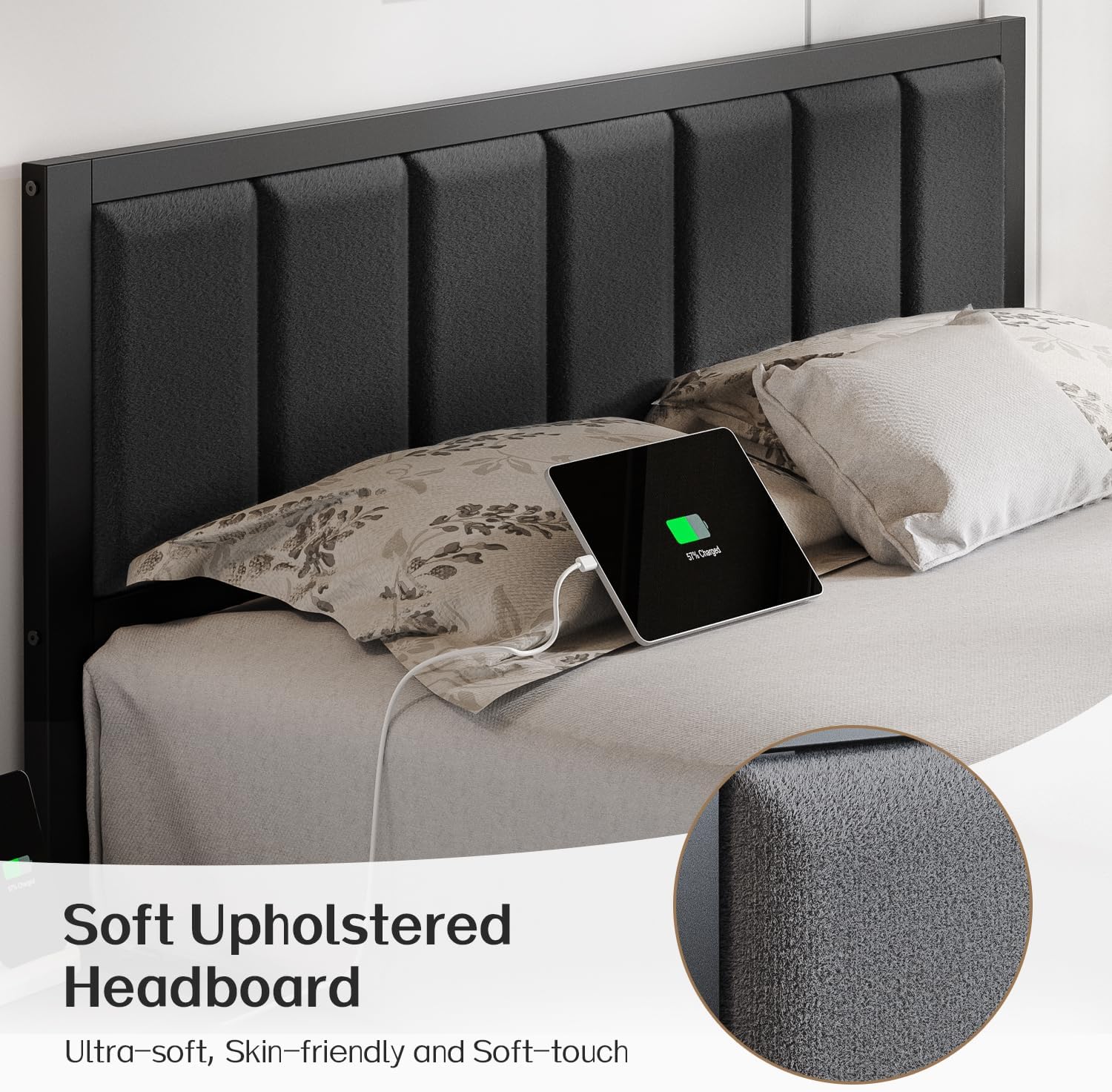
Figure 1: Product Dimensions and Key Features. This image illustrates the overall size of the bed frame, the length of the LED strip, the charging station cable length, and the maximum weight capacity.
Arahan Perhimpunan
Assembly is designed to be straightforward. It is recommended to have two people for easier and quicker assembly. Please follow the step-by-step instructions provided in your product packaging. Ensure all connections are secure before use.
- Buka bungkus dan Kenalpasti Bahagian: Lay out all components and hardware. Match them against the parts list in your manual.
- Pasang Bingkai: Connect the main frame sections using the provided bolts and Allen wrench. Do not fully tighten bolts until all sections are aligned.
- Pasangkan Kepala Katil: Pasangkan kepala katil berlapis kain pada rangka utama.
- Pasang Bilah: Place the metal slats onto the frame. Ensure they are evenly spaced and secured according to the instructions. The noise-reducing sponge on the slats helps prevent squeaking.
- Install Charging Station: Integrate the USB charging station into the designated slot on the headboard or side rail.
- Apply LED Lights: Adhere the LED light strip to the underside of the bed frame.
- Pengetatan Akhir: Once all components are in place and aligned, securely tighten all bolts.
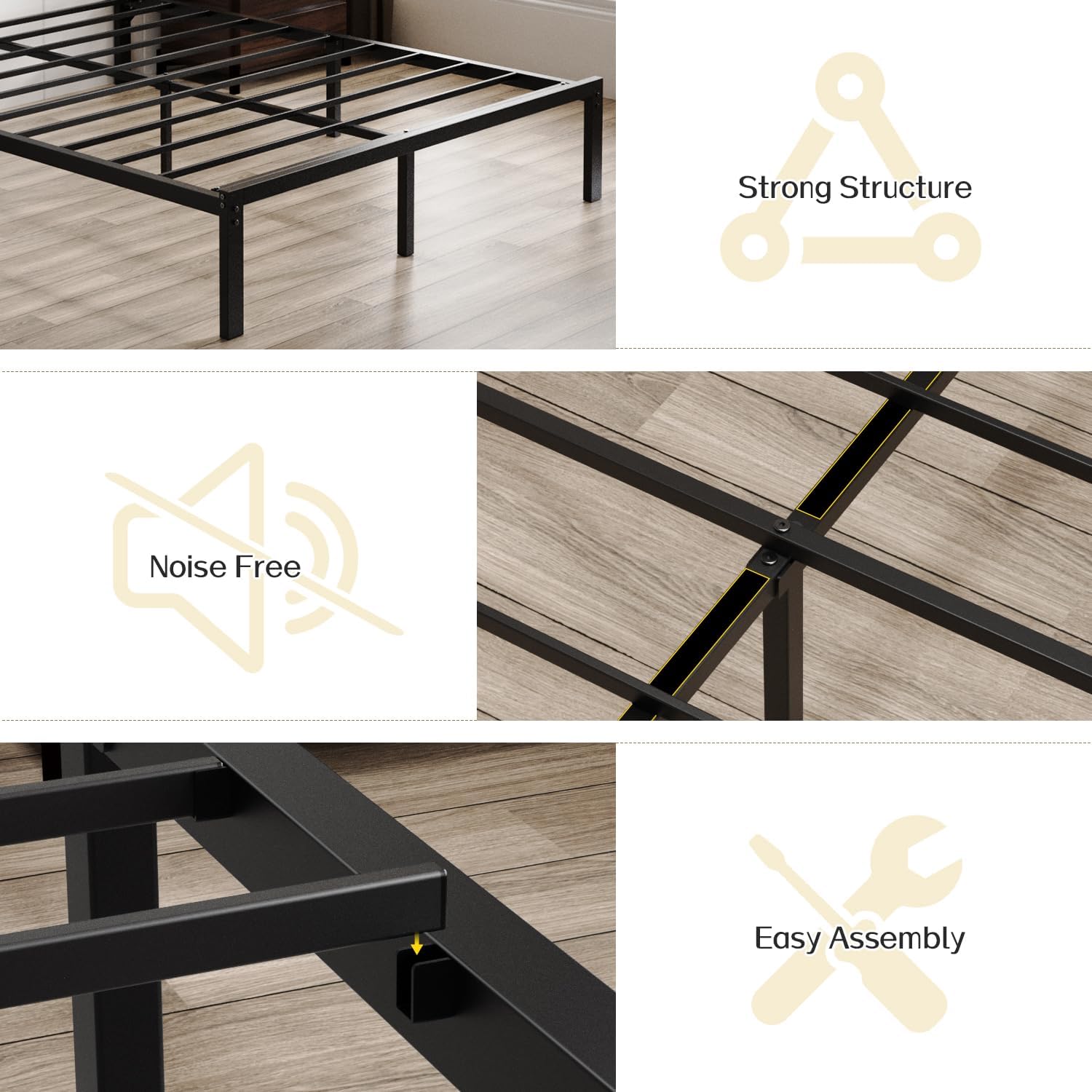
Figure 2: Construction Details. This image highlights the robust metal slat structure, noise-free design elements, and the ease of assembly.
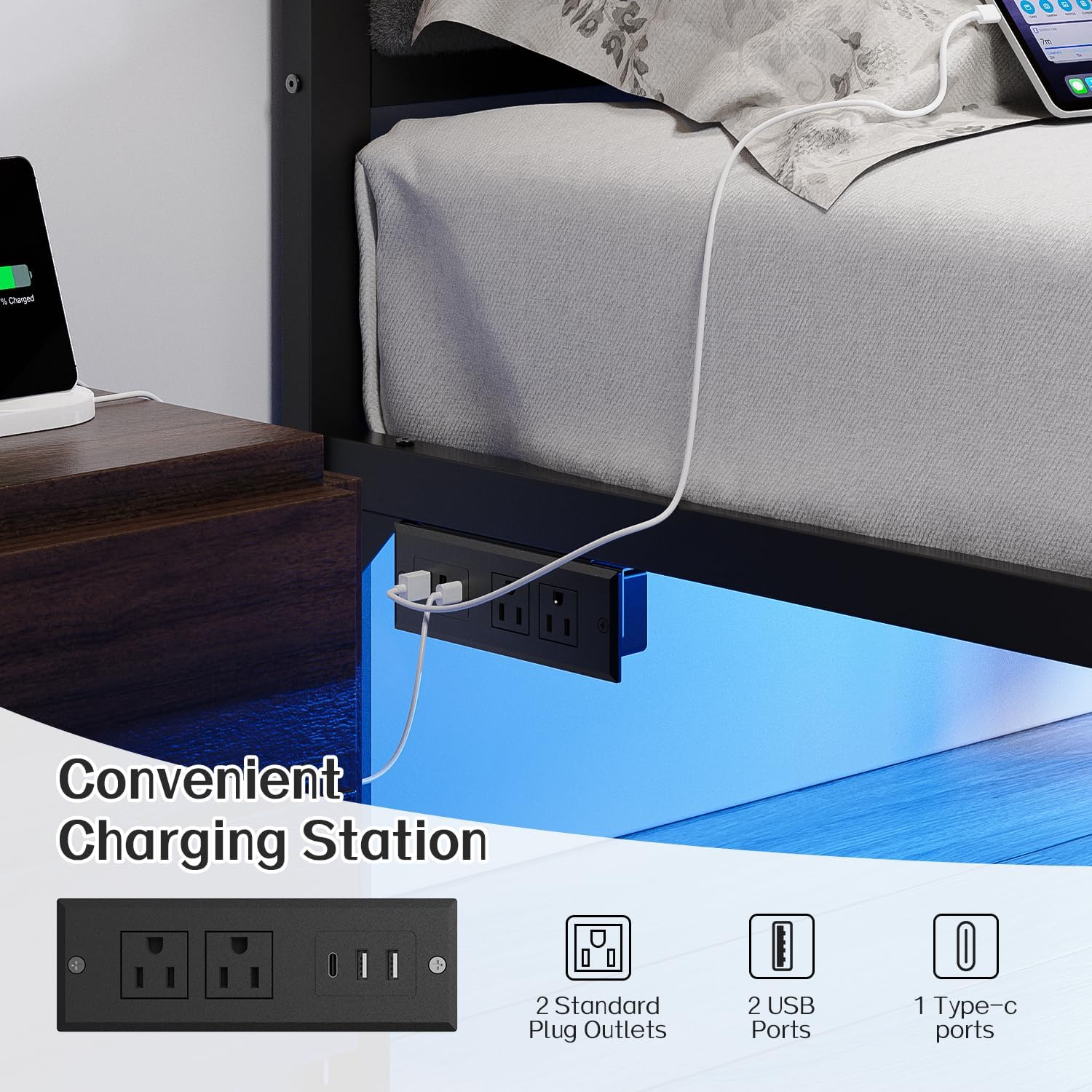
Figure 3: Soft Upholstered Headboard. This image details the plush, skin-friendly fabric of the headboard, designed for comfort.
Arahan Operasi
Operasi Lampu LED
The under-bed LED lights can be controlled via the included remote control or a compatible smartphone application. The lights offer adjustable brightness, over 60,000 colors, dynamic modes, music sync, and mic modes.
- Kawalan Jauh: Point the remote at the LED receiver to change colors, adjust brightness, or select dynamic lighting patterns.
- Apl Telefon Pintar: Download the recommended app (refer to your product packaging for details) to connect and control the lights via Bluetooth.
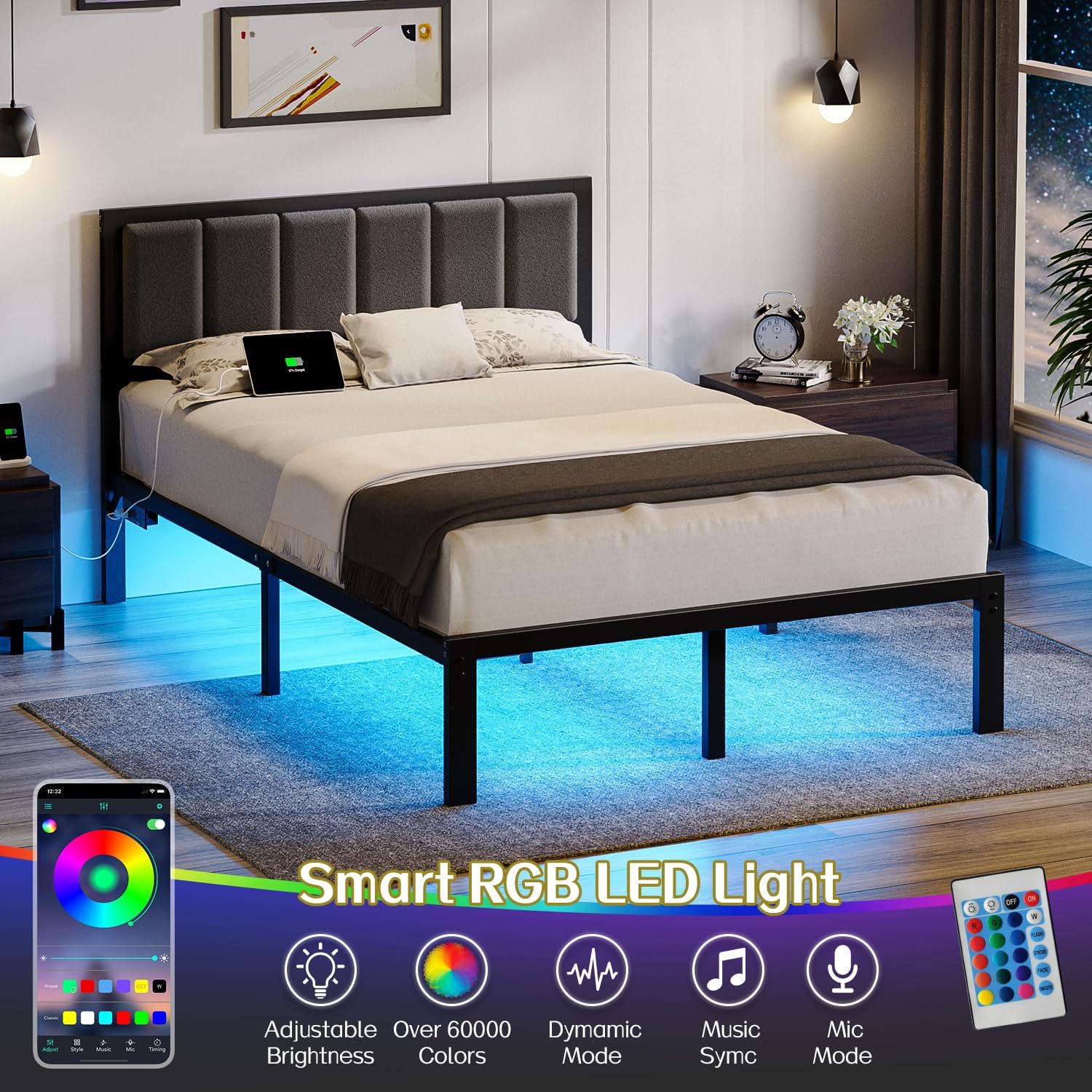
Figure 4: Smart RGB LED Light Features. This image demonstrates the customizable LED lighting options, including app and remote control functionality.
USB Mengecas Stesen
The integrated charging station provides convenient power access for your devices. It includes two standard plug outlets, two USB ports, and one Type-C port.
- Sambungan Kuasa: Ensure the bed frame's power cord is securely plugged into a wall outlet.
- Pengecasan Peranti: Connect your electronic devices to the available USB, Type-C, or standard outlets for charging.
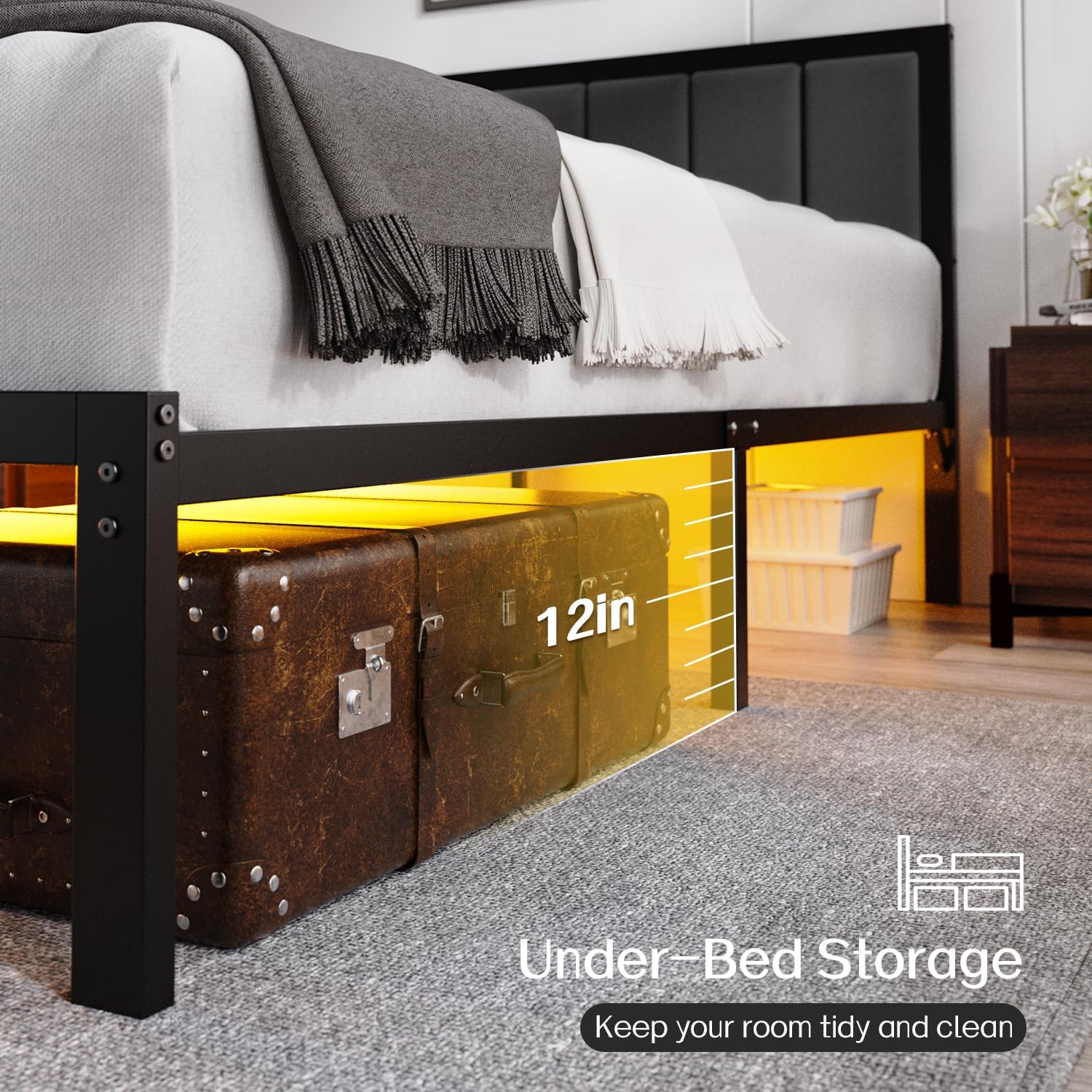
Figure 5: Convenient Charging Station. This image highlights the built-in power outlets and USB ports for easy device charging.
Video 1: OLEVS LED Bed Frame Features. This video demonstrates the functionality of the LED lights and the convenience of the integrated charging station.
Penyelenggaraan
- Pembersihan: Lap bingkai logam dengan iklanamp cloth. For the upholstered headboard, use a soft brush or vacuum cleaner to remove dust. Spot clean with a mild fabric cleaner if necessary.
- Ketatkan Sambungan: Periodically check and tighten all bolts and screws to ensure the frame remains stable and noise-free.
- Lampu LED: Ensure the LED strip and receiver are free from dust and obstructions. If lights malfunction, check the power connection and remote control battery.
- Stesen Pengecasan: Keep the charging ports clean and free of debris. Avoid spilling liquids on the charging station.
Menyelesaikan masalah
- Bed Frame is Noisy: Check all bolts and screws for tightness. Ensure the metal slats are properly seated and the noise-reducing sponge is intact.
- Lampu LED Tidak Berfungsi: Verify the power connection to the LED strip. Check the remote control battery and ensure it is pointed correctly at the receiver. If using the app, ensure Bluetooth is enabled and the device is paired.
- Stesen Pengecasan Tidak Berfungsi: Confirm the bed frame's main power cord is securely plugged into a functional wall outlet. Test with different devices and cables to rule out device-specific issues.
- Tilam Gelongsor: The bed frame features an embedded design to help keep the mattress in place. Ensure the mattress is correctly positioned within the frame.
Spesifikasi
| Jenama | OLEVS |
| Nombor Model | BF-F-006 |
| Saiz | penuh |
| Dimensi Produk | 75"L x 54"W x 38"H |
| bahan | Logam, Fabrik |
| warna | Hitam |
| Ciri Khas | Lighted, No Box Spring Needed, USB Port |
| Komponen yang Disertakan | Kepala katil |
| Perhimpunan Diperlukan | ya |
| Jarak Tanah ke Item | 12 Inci |
| Berat Barang | 37 paun |
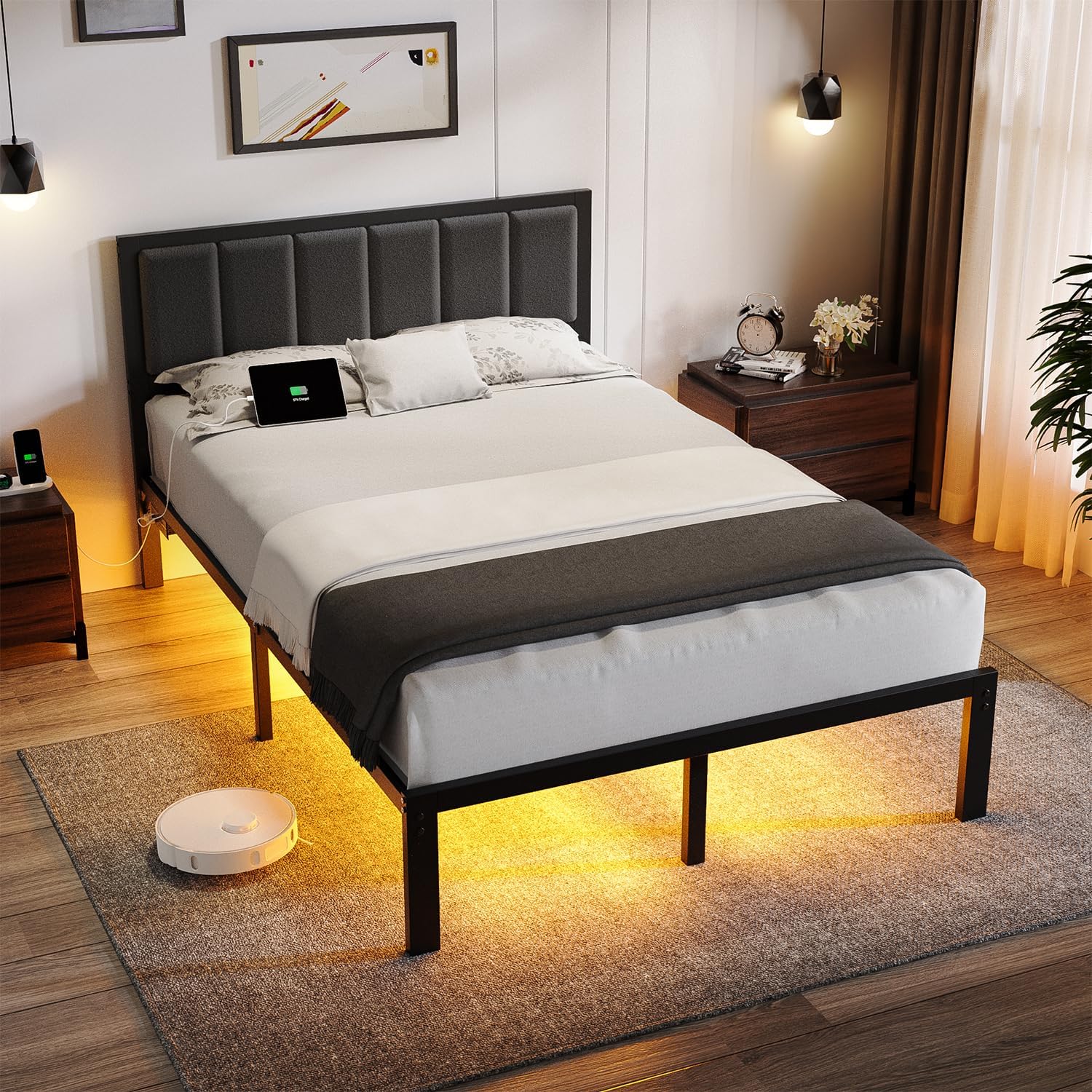
Figure 6: Under-Bed Storage. This image illustrates the 12-inch clearance under the bed, providing ampruang untuk penyimpanan.
Waranti dan Sokongan
For warranty information or technical support, please refer to the documentation included with your purchase or contact OLEVS customer service through the retailer where the product was purchased. Please have your model number (BF-F-006) and purchase date available when contacting support.