
1. Pengenalan
Thank you for choosing the EuroFone S3 Plus Motorcycle Intercom with 2K HD Camera. This device is designed to enhance your riding experience by providing seamless communication, high-definition video recording, and entertainment features. Please read this manual carefully to understand the product's functions and ensure safe and optimal use.

Image 1.1: The EuroFone S3 Plus Intercom unit, showcasing reka bentuk padat dan dail kawalannya.
2. Kandungan Pakej
Sila sahkan bahawa semua item yang disenaraikan di bawah disertakan dalam pakej anda:
- 1 x EuroFone S3 Plus Bluetooth Host Unit
- 1 x Kabel Pengecas Jenis-C
- 2 x Helmet Clips (1 Screw Clip, 1 Velcro Clip)
- 1 x Stereo Headset
- 1 x Manual Arahan
- 2 x Microphones (1 Hard Mic for open-face helmets, 1 Soft Mic for full-face helmets)
3. Produk Lebihview
Familiarize yourself with the various parts and controls of your S3 Plus intercom unit.

Image 3.1: Detailed diagram of the S3 Plus unit with numbered components.
| Tidak. | Komponen | Fungsi |
|---|---|---|
| 1 | Lensa Kamera | Captures 2K HD video footage. |
| 2 | Butang Interkom | Activates and manages intercom communication. |
| 3 | Butang Rekod | Memulakan dan menghentikan rakaman video. |
| 4 | Butang Wi-Fi | Activates Wi-Fi for app connection and file pemindahan. |
| 5 | Dail Putar | Adjusts volume, navigates menus, and controls music playback. |
| 6 | Butang pelbagai fungsi | Manages phone calls, voice assistant, and other features. |
| 7 | Butang Kuasa | Menghidupkan/mematikan peranti. |
| 8 | TF Card / Reset Button | Slot for microSD card; press and hold for reset. |
| 9 | Earphone Mic Jack | Connects the stereo headset and microphone. |
| 10 | Charging Port / K-Line Plug | Port Jenis-C untuk pengecasan dan pemindahan data. |
4. Persediaan
4.1. Pemasangan Topi Keledar
The S3 Plus can be mounted on most helmets using either the screw clip or the Velcro clip.
- Choose Clip Type: Select the screw clip for a more permanent attachment or the Velcro clip for easier removal.
- Kedudukan: Attach the clip to the left side of your helmet, ensuring it is securely fastened and does not obstruct your vision or helmet functionality.
- Memasang Unit: Slide the S3 Plus host unit onto the installed clip until it clicks into place.
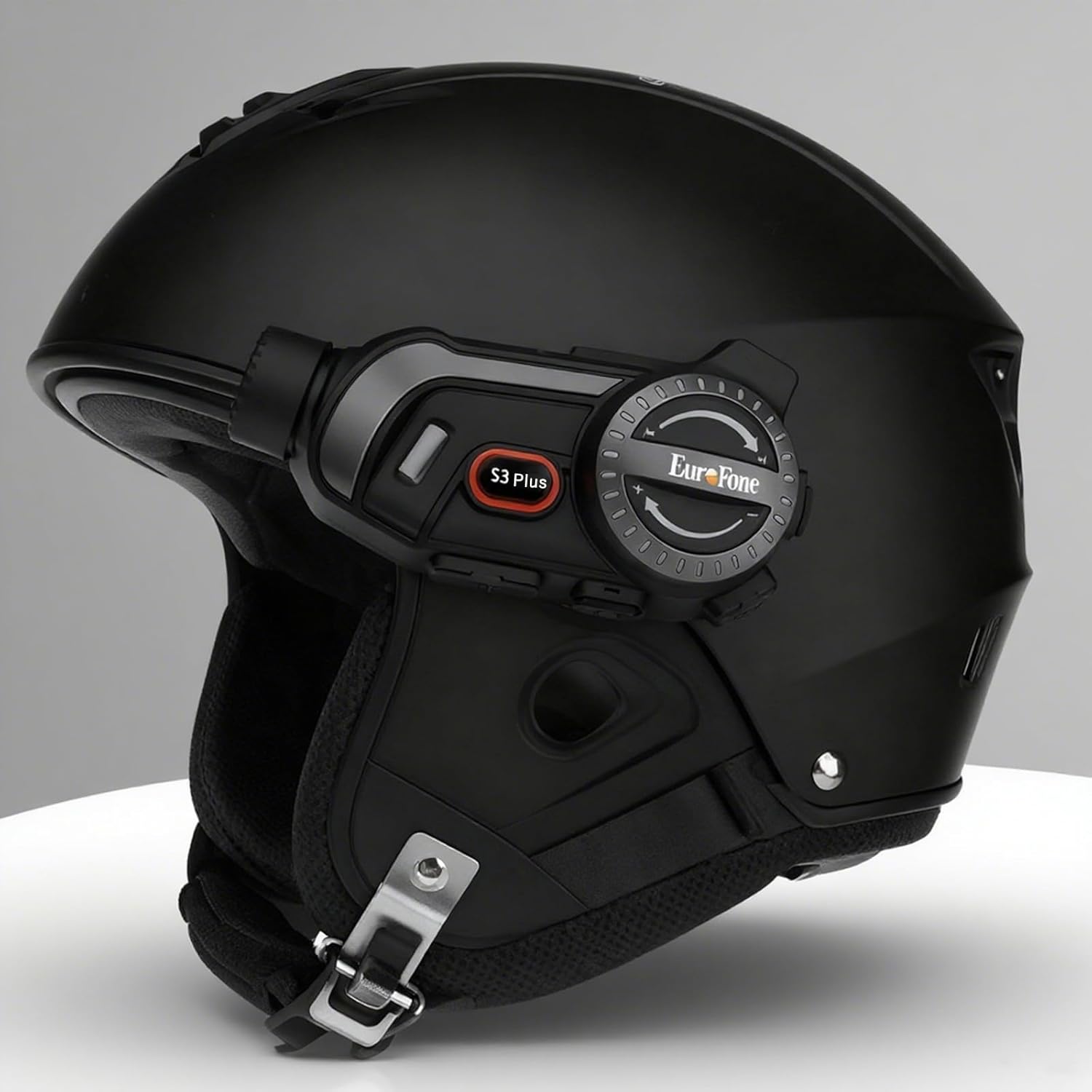
Image 4.1: The S3 Plus intercom unit securely attached to the side of a helmet.
4.2. Headset and Microphone Connection
Connect the stereo headset and microphone to the S3 Plus unit.
- Pasang Pembesar Suara: Place the headset speakers inside the helmet's ear pockets, ensuring they are aligned with your ears for optimal sound.
- Pilih Mikrofon: Choose the hard mic for open-face helmets or the soft mic for full-face helmets. Attach the microphone to the inside of the helmet near your mouth.
- Sambungkan ke Unit: Plug the headset and microphone cable into the Earphone Mic Jack (9) on the S3 Plus unit.
4.3. Mengecas Peranti
Before first use, fully charge the S3 Plus unit.
- Sambungkan Kabel: Insert the Type-C charging cable into the Charging Port (10) on the S3 Plus unit.
- Sumber Kuasa: Sambungkan hujung kabel yang satu lagi ke penyesuai kuasa USB (tidak disertakan) atau port USB komputer.
- Penunjuk Pengecasan: Penunjuk LED akan menunjukkan status pengecasan. Pengecasan penuh mengambil masa kira-kira 1.5 jam.
4.4. Hidupkan/Mati Kuasa
- Hidupkan kuasa: Press and hold the Power Button (7) for approximately 3 seconds until the LED indicator lights up and you hear a voice prompt.
- Matikan: Press and hold the Power Button (7) for approximately 3 seconds until the LED indicator turns off and you hear a voice prompt.
5. Arahan Operasi
5.1. Berpasangan Bluetooth
Pair your S3 Plus with your smartphone or other Bluetooth devices.
- Masukkan Mod Berpasangan: With the S3 Plus powered off, press and hold the Power Button (7) for about 5-7 seconds until the LED indicator flashes red and blue alternately, indicating pairing mode.
- Dayakan Bluetooth: Pada telefon pintar atau peranti anda, dayakan Bluetooth dan cari peranti yang tersedia.
- Pilih Peranti: Select "EuroFone S3 Plus" from the list of found devices. If prompted, enter "0000" as the PIN.
- Pengesahan: Once paired, the LED indicator will flash blue slowly, and you will hear a voice confirmation.

Image 5.1: Illustration of Bluetooth 5.1 connectivity and extended battery performance.
5.2. Fungsi Interkom
The S3 Plus supports both two-way and multi-person group intercom communication.
- Interkom Dua Hala: To initiate a direct intercom call with another S3 Plus unit, ensure both units are powered on and within range (up to 2000m in open terrain). Briefly press the Intercom Button (2) on one unit. The units will connect automatically.
- Group Intercom (Up to 6 Riders): The S3 Plus supports simultaneous communication for up to 6 riders. Follow the pairing instructions in the manual for multi-unit connection. The system features automatic reconnection, so if a rider goes out of range, they will automatically rejoin the conversation when back in range.

Image 5.2: Visual representation of up to 6 riders engaged in group intercom communication.
5.3. Operasi Kamera
Record your rides in 2K HD quality.
- Masukkan Kad TF: Ensure a microSD (TF) card (Class 10 or higher, up to 128GB) is inserted into the TF Card slot (8) before recording.
- Mula/Hentikan Rakaman: Briefly press the Record Button (3) to start recording. The LED indicator will change to confirm recording is active. Press again to stop recording.
- Rakaman Gelung: The S3 Plus supports loop recording, automatically overwriting the oldest files apabila kad memori penuh.
- Wi-Fi App Connection: Press the Wi-Fi Button (4) to activate the unit's Wi-Fi. Connect your smartphone to the S3 Plus Wi-Fi network (details in the dedicated app manual). Use the companion app to view hidup footage, rakaman main balik dan muat turun files.

Image 5.3: Details on 2K video resolution (2560*1440) and the 135° wide-angle lens for comprehensive capture.
5.4. Main Semula dan Perkongsian Muzik
Enjoy music from your paired smartphone and share it with another rider.
- Main/Jeda: Briefly press the Multi-function Button (6) to play or pause music.
- Pelarasan Kelantangan: Rotate the Rotary Dial (5) clockwise to increase volume, counter-clockwise to decrease volume.
- Trek Seterusnya / Sebelumnya: Press the Rotary Dial (5) forward or backward to skip tracks.
- Perkongsian Muzik: While music is playing, activate the music sharing function (refer to the full manual for specific button combinations) to share your audio with a connected intercom unit.

Image 5.4: Two riders enjoying shared music during their journey, illustrating the music sharing feature.
5.5. Radio FM
Tune into FM radio stations for news, weather, and entertainment.
- Aktifkan Radio FM: Press and hold the Intercom Button (2) for approximately 2 seconds to turn on the FM radio.
- Stesen Imbasan: Briefly press the Rotary Dial (5) forward or backward to scan for the next or previous available station.
- Matikan Radio FM: Press and hold the Intercom Button (2) for approximately 2 seconds again to turn off the FM radio.

Image 5.5: A rider listening to FM radio, highlighting the integrated FM radio functionality.
5.6. Pembantu Suara
Access your smartphone's voice assistant (e.g., Siri) hands-free.
- Aktifkan Pembantu Suara: Briefly press the Multi-function Button (6) twice to activate your paired smartphone's voice assistant.
- Gesaan Suara: The S3 Plus supports voice prompts in Japanese, English, and Chinese, which can be switched as needed.

Image 5.6: Visualizing the voice assistant feature, HIFI audio quality, and key device statistics like weight and battery life.
5.7. Panggilan Telefon
Manage incoming and outgoing phone calls safely while riding.
- Jawab Panggilan: When a call comes in, the S3 Plus will automatically answer after approximately 10 seconds, allowing for hands-free communication.
- Tamatkan Panggilan: Briefly press the Multi-function Button (6) to end an active call.
- Tolak Panggilan: Press and hold the Multi-function Button (6) for 2 seconds to reject an incoming call.
- Dail Semula Nombor Terakhir: Briefly press the Multi-function Button (6) twice to redial the last number.
6. Penyelenggaraan
Proper maintenance ensures the longevity and performance of your S3 Plus intercom.
- Pembersihan: Gunakan yang lembut, damp kain untuk membersihkan bahagian luar unit. Jangan gunakan bahan kimia yang keras atau pembersih yang kasar.
- Pendedahan Air: The S3 Plus is IP67 waterproof. While it can withstand rain, avoid prolonged submersion in water or exposure to heavy downpours. If wet, wipe dry immediately with a towel.
- Storan: Simpan peranti di tempat yang sejuk dan kering jauh dari cahaya matahari langsung dan suhu yang melampau apabila tidak digunakan.
- Penjagaan Bateri: Untuk jangka hayat bateri yang optimum, elakkan daripada kerap mencas sepenuhnya bateri. Cas peranti secara berkala, walaupun tidak digunakan untuk tempoh yang lama.
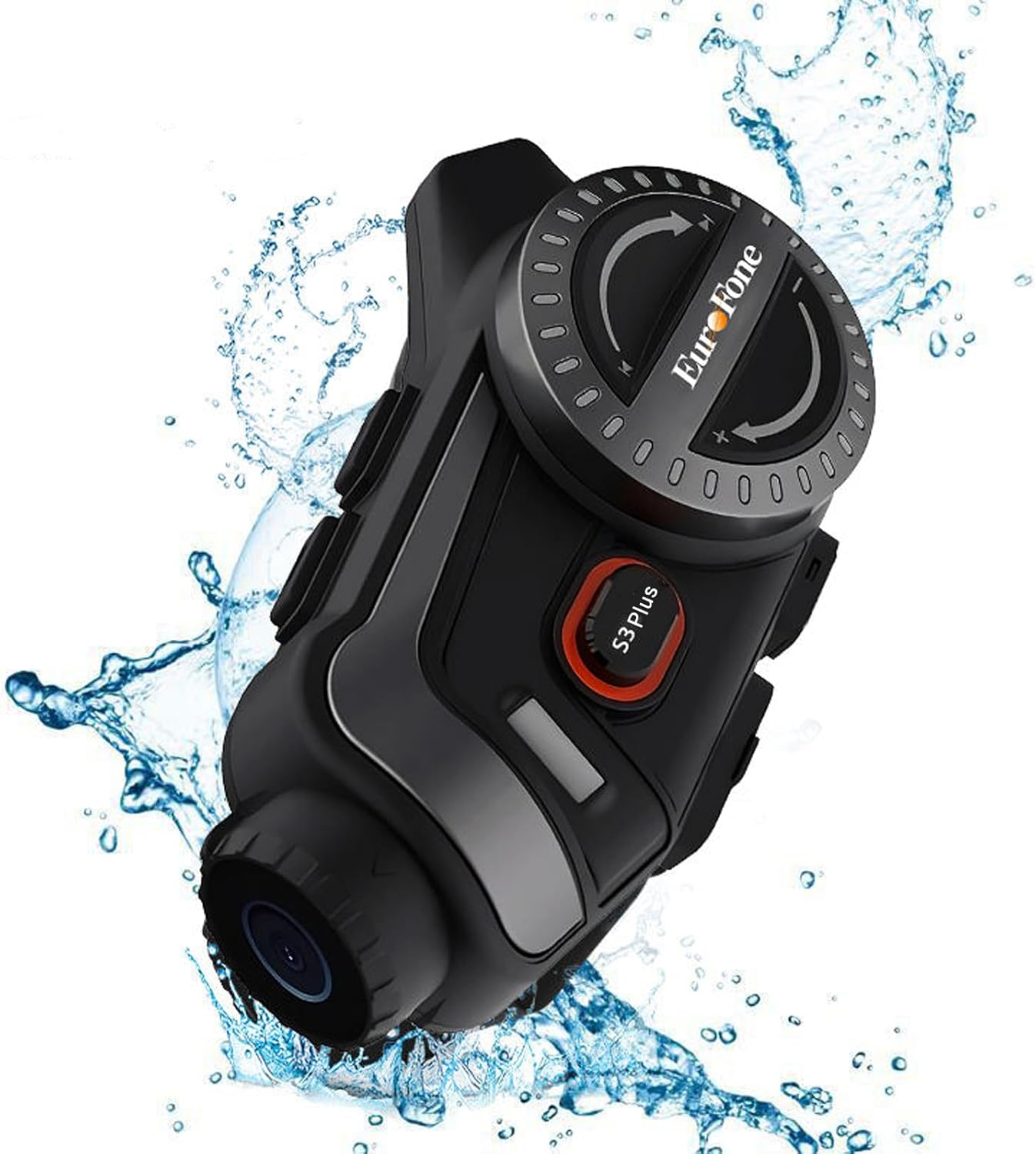
Image 6.1: The S3 Plus unit demonstrating its IP67 waterproof and dustproof capabilities.
7. Penyelesaian masalah
If you encounter issues with your S3 Plus, refer to the following common problems and solutions:
- Peranti Tidak Dihidupkan: Ensure the battery is charged. Connect to a charger and try again. If unresponsive, try a factory reset by pressing the Reset Button (8) with a small pin.
- Tidak Boleh Dipasangkan dengan Telefon Pintar: Ensure the S3 Plus is in pairing mode (flashing red and blue). Turn off and on your phone's Bluetooth. Clear previous Bluetooth connections on both devices and try again.
- Intercom Connection Issues: Ensure both intercom units are within range and fully charged. Re-initiate the intercom connection. Obstacles can reduce range.
- Poor Audio Quality (Intercom/Music): Check headset and microphone connections. Ensure speakers are correctly positioned in the helmet. The device features CVC8.0 and DSP dual noise cancellation for clear audio, but extreme wind noise can still affect quality.
- Rakaman Tidak Berfungsi: Ensure a compatible microSD (TF) card is inserted and has sufficient free space. Format the card if necessary (refer to app instructions or connect to PC).
- Wi-Fi App Connection Failure: Ensure the S3 Plus Wi-Fi is activated. Check your smartphone's Wi-Fi settings to confirm connection to the device's network. Ensure the app is up-to-date.
8. Spesifikasi
Key technical specifications of the EuroFone S3 Plus intercom:
| Ciri | Spesifikasi |
|---|---|
| Nama Model | S3 Plus |
| Jenama | EuroFone |
| warna | Hitam |
| Teknologi Ketersambungan | Wayarles (Bluetooth 5.1) |
| Versi Bluetooth | 5.1 |
| Julat Interkom | Up to 2000 meters (1500-2000m between 2 units) |
| Interkom Kumpulan | Up to 6 riders simultaneous talk |
| Resolusi Video | 2K HD (1440p) |
| Lensa Kamera | 135° Wide Angle, 14mm Sony HD F2.0 |
| Rakaman Video Berterusan | Sehingga 8 jam |
| Kapasiti Bateri | 2000mAh |
| Masa Bual Berterusan | Sehingga 45 jam |
| Masa Main semula Muzik | Sehingga 80 jam |
| Masa Tunggu Sedia | Sehingga 1000 jam |
| Masa Mengecas | lebih kurang 1.5 jam (Jenis-C) |
| Penilaian Kalis Air | IP67 |
| Pembatalan Bunyi | CVC8.0 & DSP Dual Noise Cancellation |
| Ciri Khas | FM Radio, Music Sharing, Voice Assistant (Siri compatible), Auto-Answer Calls, Loop Recording, WiFi App Support, GPS Guidance Compatibility |
| Dimensi Produk | 5.7 x 10.5 x 3.5 cm |
| Berat Produk | 0.45 kg |
9. Waranti dan Sokongan
The EuroFone S3 Plus Motorcycle Intercom comes with a 1-year warranty, affirming its quality and reliability. If you have any questions, concerns, or require technical assistance, please do not hesitate to contact our support team. We aim to respond within 24 hours.
For support, please refer to the contact information provided with your purchase or visit the official EuroFone webtapak.