
3256807357861001-83uE
Astronaut Rabbit Galaxy Projector Lamp Manual Pengguna
Model: 3256807357861001-83uE
Brand: GENERIC
pengenalan
The Astronaut Rabbit Galaxy Projector Lamp is designed to transform any room into a captivating cosmic environment. This device projects stunning starry skies and dynamic nebula effects, creating a soothing and immersive atmosphere for relaxation, sleep, or entertainment.
Ciri-ciri Produk
- Projects a stunning array of stars and nebulae.
- Creates a mesmerizing galaxy effect.
- Rotating projection for dynamic display.
- Chemical-free design for safety.
- Charming Astronaut-themed design.
- Adjustable arms and magnetic absorption for flexible positioning.
- Timer function (45/90 minutes).
Kandungan Pakej
- Astronaut Rabbit Galaxy Projector Lamp
- Alat Kawalan Jauh
- Kabel Kuasa USB
- Manual Pengguna
Produk Selesaiview dan Dimensi
Familiarize yourself with the components and size of your projector.

Imej: Depan dan belakang view of the Astronaut Rabbit Projector, highlighting magnetic absorption for the head, adjustable arms, and easy assembly of the ears.

Image: Diagram showing the dimensions of the Astronaut Rabbit Projector: 18.6cm (7.32in) height, 14cm (5.51in) width, and 10cm (3.94in) depth. A remote control is also pictured.
Persediaan
- Bongkar: Keluarkan semua komponen dari pembungkusan dengan berhati-hati.
- Assemble Ears: Gently attach the rabbit ears to the designated slots on the astronaut's head.
- Kedudukan: Place the projector on a stable, flat surface. The head is magnetically attached and can be rotated 360 degrees to adjust the projection angle.
- Sambungan Kuasa: Connect the USB power cable to the projector's power input port and plug the other end into a compatible USB power adapter (not included) or a USB port.
Arahan Operasi
The projector is controlled via the included remote control. Ensure the remote has working batteries.
Image: Close-up of the remote control, showing buttons for power, nebula brightness (B+, B-), nebula color/mode (S+, S-), star brightness (S+, S-), star mode (S+, S-), timer (45/90 min), and reset.
Operasi Asas
- Hidupkan/Mati Kuasa: Press the "ON/OFF" button on the remote control to turn the projector on or off.
- Nebula Effect: Use the "NEBULA S+" and "NEBULA S-" buttons to cycle through different nebula colors and patterns. The "B+" and "B-" buttons adjust the brightness of the nebula.
- Star Effect: Use the "STAR S+" and "STAR S-" buttons to adjust the brightness or mode of the stars.
- Simultaneous/Separate Projection: Nebulas and stars can be used simultaneously or separately.
- Fungsi Pemasa: Press the timer button to set the projector to automatically turn off after 45 or 90 minutes.
- Tetapkan semula: Press the "RESET" button to return settings to default.
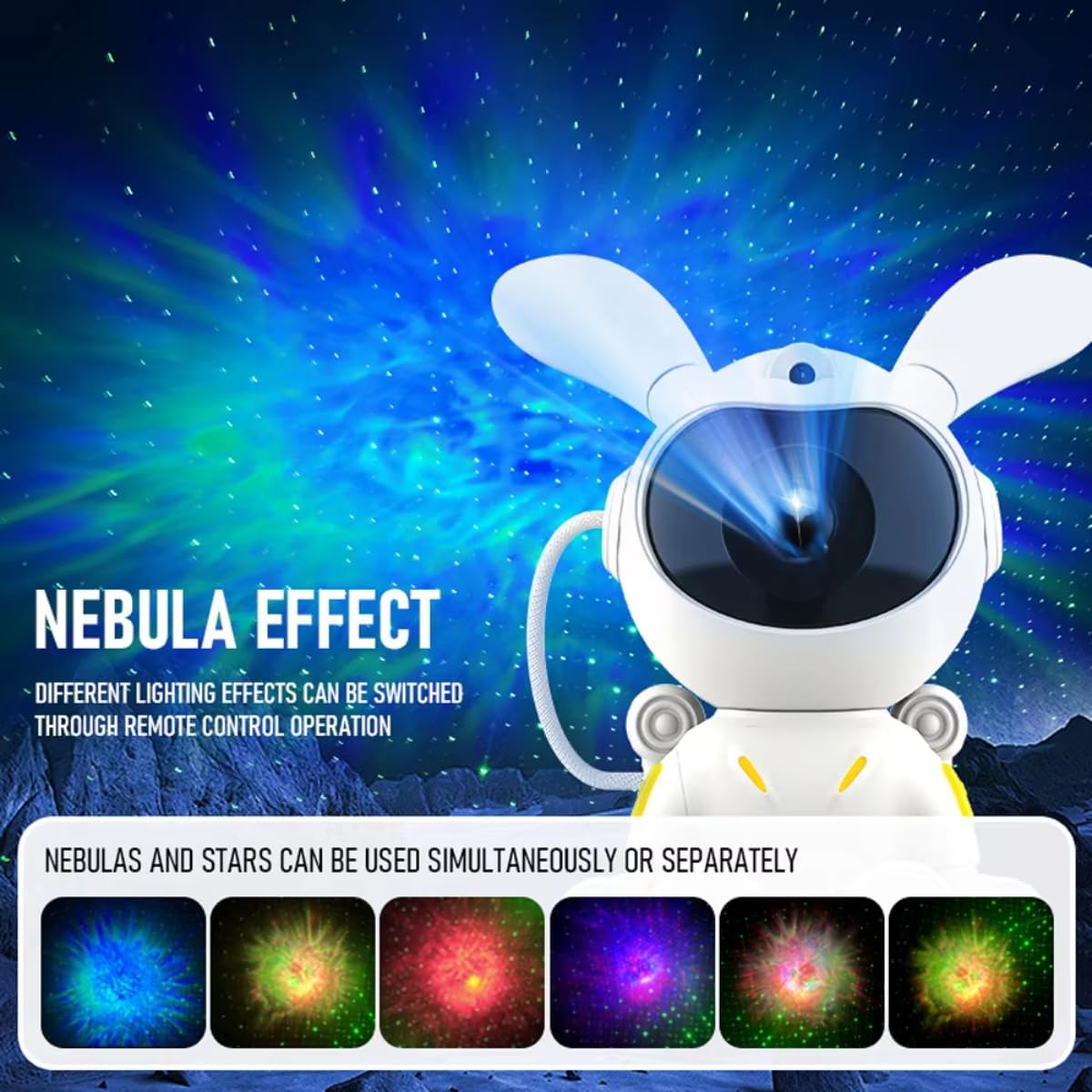
Image: The Astronaut Rabbit Projector displaying various colorful nebula effects, illustrating that different lighting effects can be switched via remote control.

Image: The Astronaut Rabbit Projector illuminating a child's room with a starry sky, emphasizing its ability to create a peaceful sleeping atmosphere and showing the 45/90 minute custom timer function.
Penyelenggaraan
- Pembersihan: Gunakan kain lembut dan kering untuk mengelap permukaan projektor. Jangan gunakan pembersih atau pelarut yang kasar.
- Storan: Apabila tidak digunakan, simpan projektor di tempat yang sejuk dan kering jauh dari cahaya matahari langsung.
- Penjagaan Lensa: Avoid touching the projection lens directly. If cleaning is necessary, use a lens cleaning cloth.
Menyelesaikan masalah
| Masalah | Kemungkinan Punca | Penyelesaian |
|---|---|---|
| Projektor tidak dihidupkan | Tiada sambungan kuasa | Pastikan kabel USB disambungkan dengan selamat dan sumber kuasa aktif. |
| Alat kawalan jauh tidak berfungsi | Bateri mati atau tidak dimasukkan dengan betul | Gantikan bateri atau pastikan ia dimasukkan dengan polariti yang betul. |
| Tayangan adalah kabur | Lens is dirty or protective film not removed | Clean the lens with a soft cloth. Ensure any protective film on the lens is removed. |
| No stars/nebula | Feature turned off or brightness too low | Use remote to activate star/nebula mode and increase brightness. |
Jika masalah berterusan, sila hubungi khidmat pelanggan.
Spesifikasi
| Ciri | Perincian |
|---|---|
| Jenama | GENERIK |
| Nombor Model | 3256807357861001-83uE |
| warna | seperti gambar |
| Dimensi | Approx. 18.6cm (H) x 14cm (W) x 10cm (D) |
| Input Kuasa | USB |
| Pemasa | 45/90 minit |
Catatan: Spesifikasi boleh berubah tanpa notis.
Maklumat Keselamatan
- Do not look directly into the projection lens.
- Jauhkan daripada kanak-kanak kecil.
- Jangan buka atau ubah suai peranti.
- Use only the provided power cable or a compatible USB power source.
- Elakkan peranti daripada terdedah kepada air atau kelembapan berlebihan.
- Do not use in environments with extreme temperatures.
Waranti dan Sokongan
For warranty information or technical support, please refer to the product packaging or contact the seller directly. Specific warranty details are not provided in this manual.
Ask a question about this manual
Ask about setup, troubleshooting, compatibility, parts, safety, or missing instructions. Manuals+ will review the question and use this page’s manual context to help answer it.