
pengenalan
This manual provides detailed instructions for the setup, operation, and maintenance of your LFF Atomic Clock LWC204-TEMU. This digital wall clock features a large LCD display, atomic time synchronization, indoor and outdoor temperature readings, and date display. Please read this manual thoroughly before using the device to ensure proper function and longevity.
Kandungan Pakej
Sila semak kandungan bungkusan dengan teliti. Jika ada item yang hilang atau rosak, hubungi sokongan pelanggan.
- Clock Unit (Main Display)
- Manual Arahan (Dokumen Ini)
- Penderia Suhu Luaran
- Perkakasan Pemasangan (Skru, Sauh Dinding)
- Power Adapter (for optional continuous power)
Note: Batteries are not included and must be purchased separately. The main clock unit requires 3x AA batteries, and the outdoor sensor requires 2x AAA batteries.
Ciri-ciri Produk
- Large LCD Digital Display for easy readability
- Atomic Clock (RCC) for precise time synchronization
- Indoor Temperature display (°C/°F)
- Outdoor Temperature display (°C/°F) with wireless sensor
- Date and Weekday display
- Alarm Clock function with snooze
- Daylight Saving Time (DST) symbol
- Supports up to 3 outdoor remote sensors (one included)
- Wireless range of up to 330 feet (100 meters)
Produk Selesaiview
Familiarize yourself with the main display and control buttons of your LFF Atomic Clock.

Imej: Depan dan belakang view of the LFF Atomic Clock. The front display shows time, indoor temperature, date, weekday, and outdoor temperature, along with icons for alarm, RCC reception, and DST. The back panel highlights the 'SET', 'ALARM', 'CHANNEL', 'DOWN/WAVE/°C/°F', and 'UP/ALARM' buttons.
Elemen Paparan:
- Paparan Masa: Shows current time (HH:MM).
- Penunjuk PM: Appears for afternoon hours.
- DST Symbol: Indicates Daylight Saving Time is active.
- RCC Reception Icon: Shows status of atomic clock signal reception.
- Alarm Clock Icon: Menandakan penggera telah ditetapkan.
- Suhu Dalaman: Current temperature inside (°C/°F).
- Date/Month/Weekday: Tarikh dan hari semasa dalam seminggu.
- Suhu Luaran: Current temperature from the wireless sensor (°C/°F).
Control Buttons (Rear Panel):
- Butang SET: Enters setup mode for time, date, and other settings.
- Butang PENGGERA: Activates/deactivates the alarm and enters alarm setting mode.
- CHANNEL Button: Switches between outdoor sensor channels (if multiple sensors are used).
- DOWN/WAVE/°C/°F Button: Decreases values during setting, manually initiates atomic signal search (WAVE), and switches temperature units.
- UP/ALARM Button: Increases values during setting, and can also activate/deactivate alarm.
Persediaan
1. Pemasangan Bateri
The clock unit and outdoor sensor require batteries for operation. Ensure correct polarity (+/-) when inserting batteries.
- Main Clock Unit: Open the battery compartment on the back and insert 3x AA batteries (not included).
- Penderia Luaran: Open the battery compartment and insert 2x AAA batteries (not included).

Imej: This image illustrates the battery requirements for the LFF Atomic Clock. The main clock unit requires three AA batteries, and the wireless outdoor sensor requires two AAA batteries. Batteries are not included with the product.
Alternatively, the main clock unit can be powered continuously using the included power adapter. Insert the adapter into the DC port on the back of the clock.
2. Initial Synchronization (Atomic Clock)
After inserting batteries, the clock will automatically attempt to synchronize with the atomic time signal (RCC). This process may take several minutes to several hours, depending on your location and signal strength. The RCC reception icon will flash during synchronization and become solid when a stable signal is received.
- For best reception, place the clock near a window and away from electronic devices that may cause interference.
- To manually initiate an atomic signal search, press and hold the DOWN/WAVE/°C/°F butang selama beberapa saat.
3. Penempatan Sensor Luar
Place the outdoor sensor in a shaded, dry location, protected from direct sunlight and precipitation, to ensure accurate temperature readings. The sensor should be within the 330ft (100m) wireless range of the main clock unit.

Imej: This image demonstrates the wireless range and ideal placement for the LFF Atomic Clock's outdoor sensor. The sensor should be placed outdoors, within 330 feet (100 meters) of the main unit, and in a location that allows for clear signal transmission, such as mounted on an exterior wall.
- Ensure the sensor is mounted vertically to allow for proper drainage.
- Avoid placing the sensor near heat sources (e.g., vents, windows) or reflective surfaces that could affect temperature accuracy.
- The clock supports up to 3 outdoor sensors. If using multiple sensors, press the SALURAN button on the main unit to cycle through them.
Arahan Operasi
1. Manual Time and Date Setting
If the atomic clock signal is not available or you prefer to set the time manually:
- Tekan dan tahan butang SET button for 3 seconds to enter time setting mode. The hour digit will flash.
- Gunakan UP/ALARM or DOWN/WAVE/°C/°F butang untuk melaraskan nilai berkelip.
- Tekan SET again to confirm and move to the next setting (e.g., Minute, Year, Month, Day, Time Zone, 12/24-hour format).
- Ulang langkah 2 dan 3 sehingga semua tetapan dikonfigurasikan.
- Tekan SET one last time or wait 15 seconds for the clock to exit setting mode automatically.
2. Menetapkan Penggera
- Tekan ke PENGGERA butang sekali untuk memaparkan masa penggera.
- Tekan dan tahan butang PENGGERA button for 3 seconds to enter alarm setting mode. The hour digit will flash.
- Gunakan UP/ALARM or DOWN/WAVE/°C/°F butang untuk melaraskan jam.
- Tekan PENGGERA sekali lagi untuk mengesahkan jam dan beralih ke tetapan minit.
- Gunakan UP/ALARM or DOWN/WAVE/°C/°F butang untuk melaraskan minit.
- Tekan PENGGERA one last time to confirm and exit alarm setting mode.
Untuk mengaktifkan atau menyahaktifkan penggera, tekan PENGGERA button briefly when the current time is displayed. The alarm icon will appear or disappear on the display.
3. Temperature Unit Selection (°C/°F)
To switch between Celsius and Fahrenheit for temperature display, press the DOWN/WAVE/°C/°F button briefly during normal time display.
4. Waktu Penjimatan Siang (DST)
The clock is designed to automatically adjust for Daylight Saving Time if the atomic signal is received. A DST icon will appear on the display when DST is active.
5. Large Display Readability
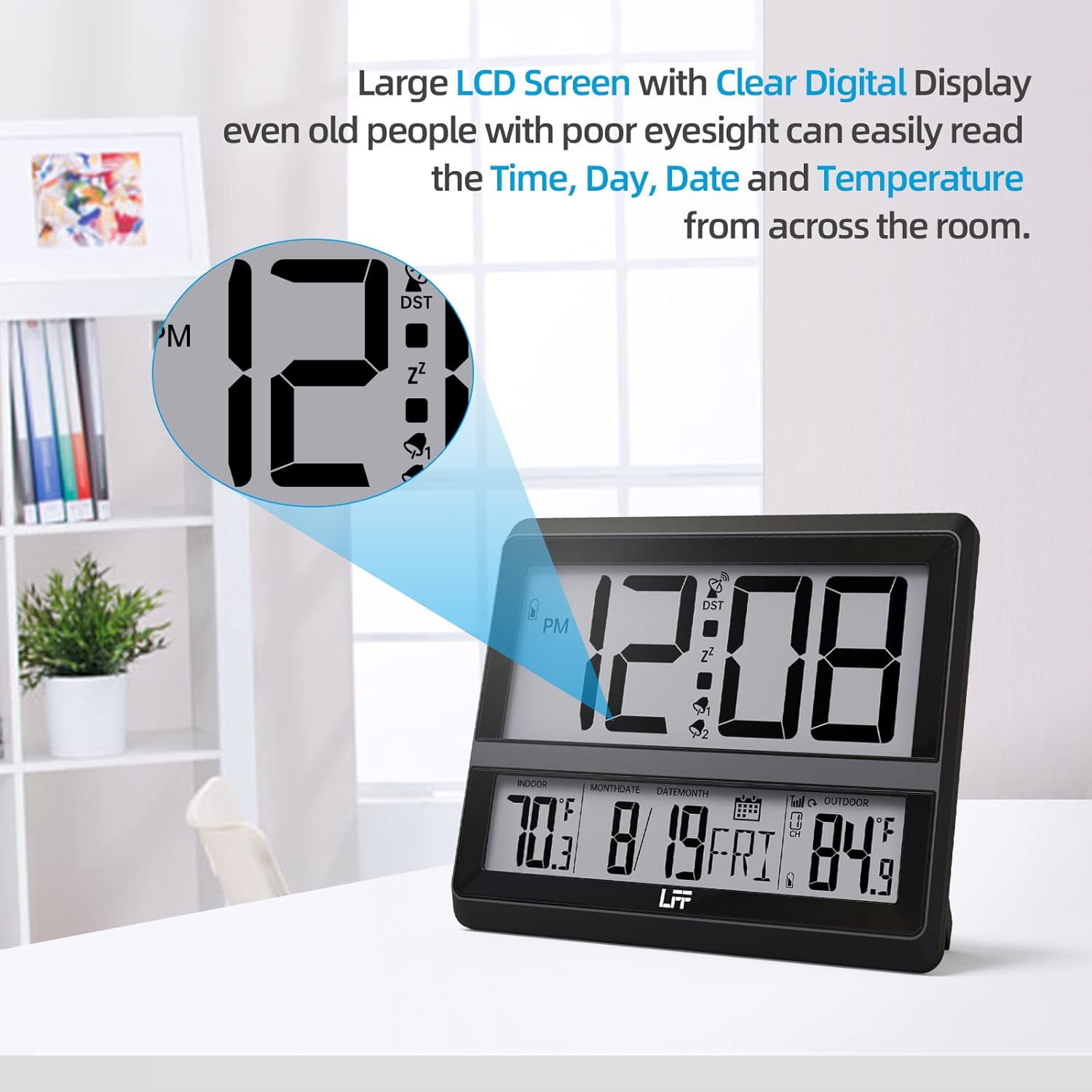
Imej: This image highlights the large LCD screen of the LFF Atomic Clock, demonstrating its clear digital display. The large numbers for time, day, date, and temperature are easily readable from a distance, enhancing user convenience.
The LFF Atomic Clock features a large LCD screen with clear digital numbers, designed for easy readability of time, day, date, and temperature from various distances.
Penyelenggaraan
- Pembersihan: Wipe the clock and sensor with a soft, dry cloth. Do not use abrasive cleaners or chemicals.
- Penggantian Bateri: Replace batteries in both the main unit and outdoor sensor when the low battery indicator appears on the display. Always replace all batteries at once with new ones of the same type.
- Storan: If storing the clock for an extended period, remove all batteries to prevent leakage.
Menyelesaikan masalah
| Masalah | Penyelesaian yang Mungkin |
|---|---|
| No display on clock unit. | Check battery installation (polarity, charge). Ensure power adapter is securely connected if used. |
| Masa tidak betul atau tidak disegerakkan. | Ensure the clock is placed near a window, away from interference. Manually initiate atomic signal search (press and hold DOWN/WAVE/°C/°F). Check time zone setting. |
| Suhu luar tidak dipaparkan atau tidak tepat. | Check batteries in the outdoor sensor. Ensure sensor is within range (330ft/100m) and not obstructed. Press SALURAN button to re-establish connection. Relocate sensor to a shaded, dry area. |
| Penggera tidak berbunyi. | Ensure the alarm is activated (alarm icon visible). Check alarm time setting. |
Spesifikasi
- Nombor Model: LWC204-TEMU
- Jenama: LFF
- Jenis Paparan: LCD Digital
- Power Source (Main Unit): 3x AA Batteries (not included) or Power Adapter (included)
- Power Source (Outdoor Sensor): 2x Bateri AAA (tidak termasuk)
- Ciri Khas: Alarm, Atomic Time (RCC), Indoor/Outdoor Temperature
- warna: Hitam
- Dimensi Produk: 8.7 x 1.5 x 7.5 inci (22.1 x 3.8 x 19.1 cm)
- Berat Barang: 1.3 paun (0.59 kg)
- Julat Tanpa Wayar: Sehingga 330 kaki (100 meter)
- UPC: 799849203702
Waranti dan Sokongan
LFF products are manufactured to high-quality standards. For warranty information or technical support, please refer to the contact details provided on the product packaging or visit the official LFF webtapak. Simpan resit pembelian anda sebagai bukti pembelian untuk sebarang tuntutan waranti.