
Jectse Jectsesikcd0et3w-11
Jectse Digital Camera User Manual
Model: Jectsesikcd0et3w-11
pengenalan
Terima kasih kerana membeliasing the Jectse Digital Camera. This compact and portable camera is designed to capture high-quality photos and videos, offering features such as 5K video resolution, 80MP photo resolution, and 18X digital zoom. This manual provides detailed instructions on how to set up, operate, and maintain your camera to ensure optimal performance and longevity.
Maklumat Keselamatan
- Jangan dedahkan kamera kepada air atau kelembapan berlebihan.
- Elakkan daripada menjatuhkan kamera atau mendedahkannya kepada hentaman yang kuat.
- Jauhkan kamera daripada cahaya matahari langsung dan suhu tinggi.
- Gunakan hanya kabel pengecasan dan penyesuai kuasa yang ditentukan.
- Jangan cuba membuka atau membaiki kamera sendiri. Hubungi khidmat pelanggan untuk mendapatkan bantuan.
- Jauhkan daripada kanak-kanak kecil.
Kandungan Pakej
Sila pastikan semua item ada dalam pakej anda:
- 1 x Jectse Digital Camera
- 1 x Kabel Pengecas Jenis-C
- 1 x Tali Tangan
- 1 x Manual Pengguna
- Note: Small Memory Card is not included.

Image: The Jectse Digital Camera shown alongside its included Type-C charging cable and hand strap, illustrating the complete package contents.
Produk Selesaiview
Familiarize yourself with the various parts and controls of your Jectse Digital Camera.

Imej: Depan view of the Jectse Digital Camera, highlighting the lens and flash.

Imej: Belakang view of the Jectse Digital Camera, showing the 2.8-inch display screen and control buttons.
Komponen Utama:
- Kanta: F/2.2 f=3.83mm wide angle lens with 18X digital zoom capability.
- kilat: Denyar terbina dalam untuk keadaan cahaya malap.
- Skrin Paparan: 2.8-inch screen for framing shots and reviewkandungan dalam.
- W/T Key: Used for zooming in (W) and out (T).
- Shutter Key: Press to capture photos or start/stop video recording.
- OK/Mode Button: Confirms selections and switches between modes.
- Butang Menu: Mengakses tetapan dan pilihan kamera.
- Butang DISP: Changes display information on the screen.
- Petak Bateri: Houses the built-in 750mAh rechargeable battery.
- Pelabuhan Jenis-C: Untuk mengecas kamera.
- Slot Kad Memori: Supports Small Memory Cards up to 256GB (not included).
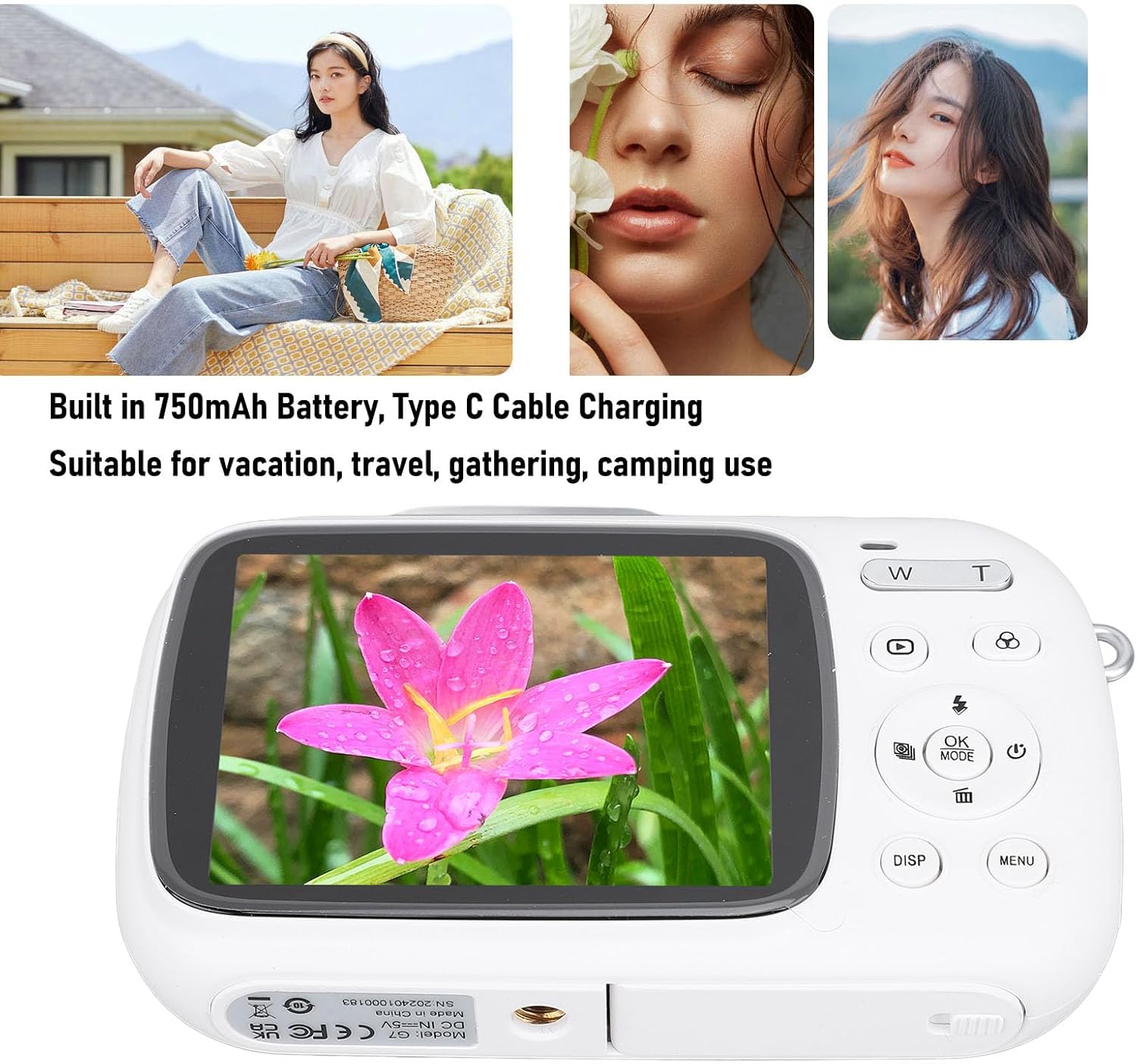
Image: Visual representation of key camera features including 80MP photo pixels, 5K HD video recording, 18X digital zoom, auto focusing, beauty filter, smiling selfie, continuous photo taking, built-in flash, and 2.8-inch display.
Persediaan
1. Mengecas Bateri
The camera has a built-in 750mAh rechargeable lithium-ion battery. Before first use, ensure the battery is fully charged.
- Connect the provided Type-C charging cable to the camera's Type-C port.
- Sambungkan hujung kabel yang satu lagi ke penyesuai kuasa USB (tidak disertakan) atau port USB komputer.
- The charging indicator light will illuminate. Charging typically takes about 3 hours.
- Once fully charged, the indicator light may change or turn off. Disconnect the cable.
2. Memasukkan Kad Memori
A Small Memory Card (up to 256GB) is required to store photos and videos. It is not included in the package.
- Locate the memory card slot on the side or bottom of the camera.
- Insert the Small Memory Card into the slot with the metal contacts facing the correct direction (refer to the diagram near the slot if available).
- Push the card gently until it clicks into place.
- To remove the card, push it in again until it springs out slightly, then pull it out.
3. Memasang Tali Tangan
Attach the included hand strap to prevent accidental drops.
- Thread the thin loop of the hand strap through the strap eyelet on the camera body.
- Pass the larger end of the strap through the loop you just created and pull tight to secure it.
Arahan Operasi
1. Menghidupkan/Mematikan
- To power on, press and hold the Power button (usually marked with a circle and a vertical line).
- Untuk mematikan kuasa, tekan dan tahan butang Kuasa sekali lagi sehingga skrin dimatikan.
2. Mengambil Foto
- Turn on the camera. It will typically default to photo mode. If not, press the MODE button to switch to photo mode.
- Frame your shot using the 2.8-inch display screen.
- Gunakan W/T keys to zoom in or out (18X digital zoom).
- Tekan ke Pengatup key halfway down to focus (if applicable).
- Tekan ke Pengatup key fully down to capture the 80MP photo.
3. Merakam Video
- Turn on the camera. Press the MODE button to switch to video recording mode.
- Frame your video using the display screen.
- Tekan ke Pengatup key to start recording 5K video. A recording indicator will appear on the screen.
- Tekan ke Pengatup kekunci sekali lagi untuk menghentikan rakaman.
4. Using Special Functions
The camera offers several creative functions:
- Continuous Photography: Allows you to take multiple photos in quick succession. Access this setting via the MENU.
- Time Lapse Photography: Captures images at set intervals to create a time-lapse video. Configure in MENU.
- Video Gelung: Records video in segments, overwriting older footage when the memory card is full. Useful for continuous recording.
- Barisan Komposisi: Displays grid lines on the screen to help with framing and composition. Toggle with HILANGKAN button or in MENU.
- Pengecaman Muka: Automatically detects and focuses on faces in the frame. Enable/disable in MENU tetapan.
- Flash terbina dalam: The flash will automatically activate in low-light conditions or can be manually controlled via the flash button or MENU.
5. Main Semula dan Semulaview
- Tekan ke Main balik button (often indicated by a triangle icon) to enter playback mode.
- Use the directional buttons to navigate through your photos and videos.
- Tekan OK kepada view a video or zoom into a photo.
- Tekan ke Main balik button again to exit playback mode.
Penyelenggaraan
Membersihkan Kamera
- Use a soft, lint-free cloth to wipe the camera body. Do not use liquid cleaners or solvents.
- For the lens and screen, use a specialized lens cleaning cloth or air blower to remove dust. Avoid touching the lens directly with your fingers.
- Pastikan kamera dimatikan sebelum membersihkannya.
Penyimpanan
- Simpan kamera di tempat yang sejuk dan kering jauh dari cahaya matahari langsung dan suhu yang melampau.
- Jika menyimpan untuk tempoh yang lama, pastikan bateri dicas separa (sekitar 50%) dan cas semula setiap beberapa bulan untuk mengekalkan kesihatan bateri.
Menyelesaikan masalah
| Masalah | Kemungkinan Punca / Penyelesaian |
|---|---|
| Kamera tidak dihidupkan. |
|
| Tidak boleh mengambil gambar/merakam video. |
|
| Imej adalah kabur. |
|
| Hayat bateri adalah pendek. |
|
Spesifikasi
| Ciri | Perincian |
|---|---|
| Bahan Produk | ABS |
| Resolusi Video | 5K (Maximum), 15FPS |
| Resolusi Foto | 80MP (Maximum) |
| Lensa | F/2.2 f=3.83mm Wide Angle Lens |
| Zum Digital | 18X |
| Skrin Paparan | 2.8 inci |
| Penyimpanan | Small Memory Card, up to 256GB (not included) |
| Bateri | 750mAh Lithium Ion Battery (built-in) |
| Port Pengecasan | Jenis-C |
| Masa Mengecas | lebih kurang 3 jam |
| Masa Ketahanan | Approx. 2 hours (usage dependent) |
| Berat Barang | 9.1 auns |
| Nombor Model | Jectsesikcd0et3w-11 |
Waranti dan Sokongan
Jectse products are manufactured to the highest quality standards. For information regarding warranty coverage, technical support, or service inquiries, please refer to the contact information provided with your purchase or visit the official Jectse webtapak.
Sila simpan bukti pembelian anda untuk tuntutan waranti.
Ask a question about this manual
Ask about setup, troubleshooting, compatibility, parts, safety, or missing instructions. Manuals+ will review the question and use this page’s manual context to help answer it.