
OnePlus CPH2655
OnePlus 13 Smartphone User Manual
Your comprehensive guide to the OnePlus 13.
pengenalan
Welcome to the world of the OnePlus 13. This device is engineered for exceptional speed and performance, featuring the Snapdragon 8 Elite processor, a vibrant 120Hz Super Fluid AMOLED display, and an advanced 5th Generation Hasselblad Camera System. This manual provides detailed instructions to help you get the most out of your new smartphone.
Apa yang ada dalam Kotak
Upon unboxing your OnePlus 13, please verify that all the following items are included:
- OnePlus 13 Handset
- Charger (80W SUPERVOOC)
- Kabel Data USB
- Alat Ejector SIM
- Panduan Cepat
- Panduan Keselamatan
- Kad Keahlian
- Pelekat Jenama
- Surat Aluan
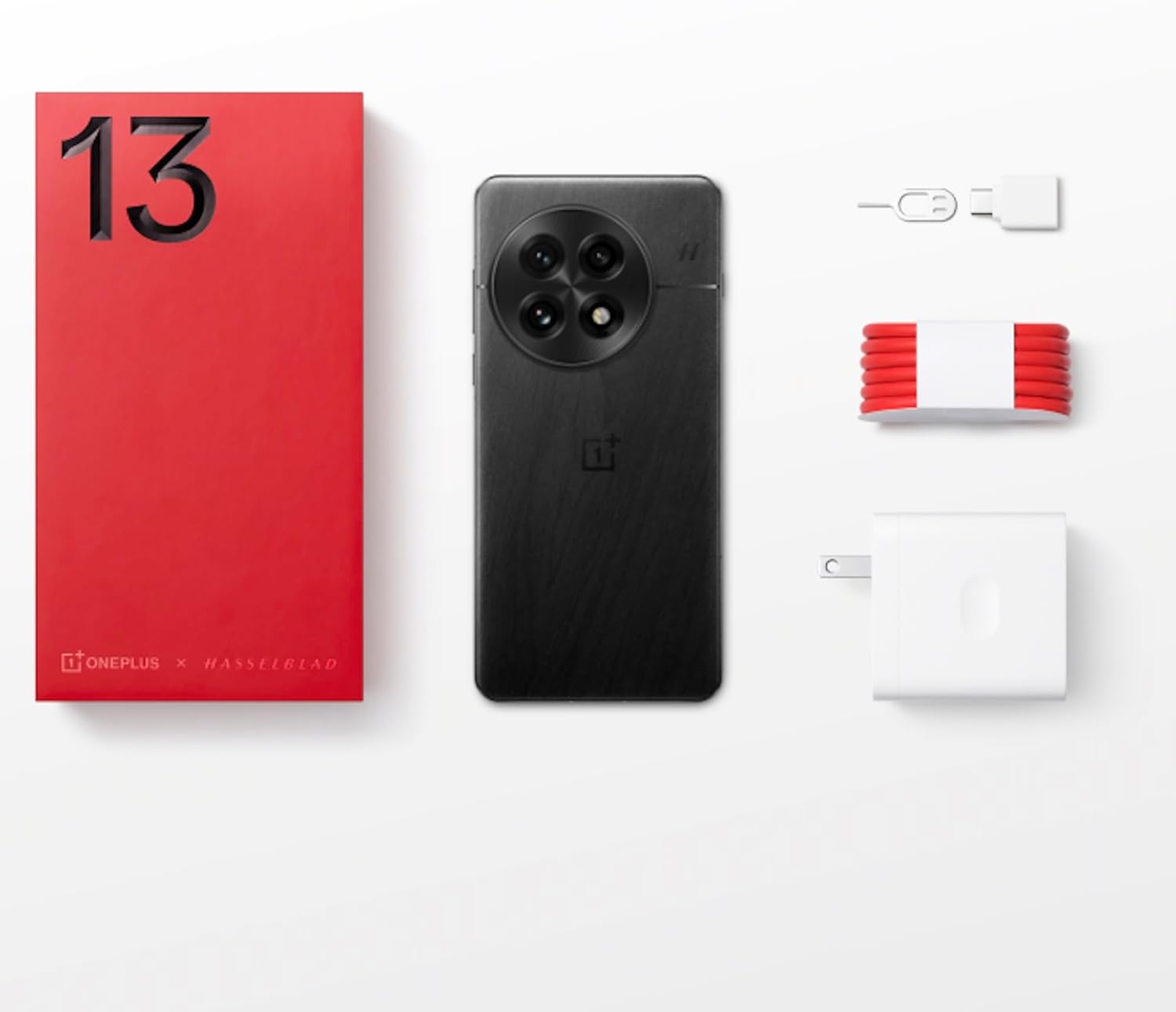
Figure 1: OnePlus 13 Box Contents
Persediaan
1. Memasukkan Kad SIM
- Locate the SIM card tray on the side of your OnePlus 13.
- Masukkan alat ejektor SIM ke dalam lubang kecil di sebelah dulang dan tekan perlahan-lahan sehingga dulang terkeluar.
- Place your Nano-SIM card(s) into the tray with the gold contacts facing down. The OnePlus 13 supports Dual SIM functionality.
- Tolak dulang kembali ke dalam slot dengan berhati-hati sehingga ia sama dengan badan telefon.
2. Menghidupkan dan Persediaan Awal
- Press and hold the Power button (located on the right side) until the OnePlus logo appears.
- Ikut gesaan pada skrin untuk memilih bahasa anda, menyambung ke Wi-Fi dan menyediakan akaun Google anda.
- Configure security features such as the built-in ultrasonic fingerprint sensor and facial recognition.
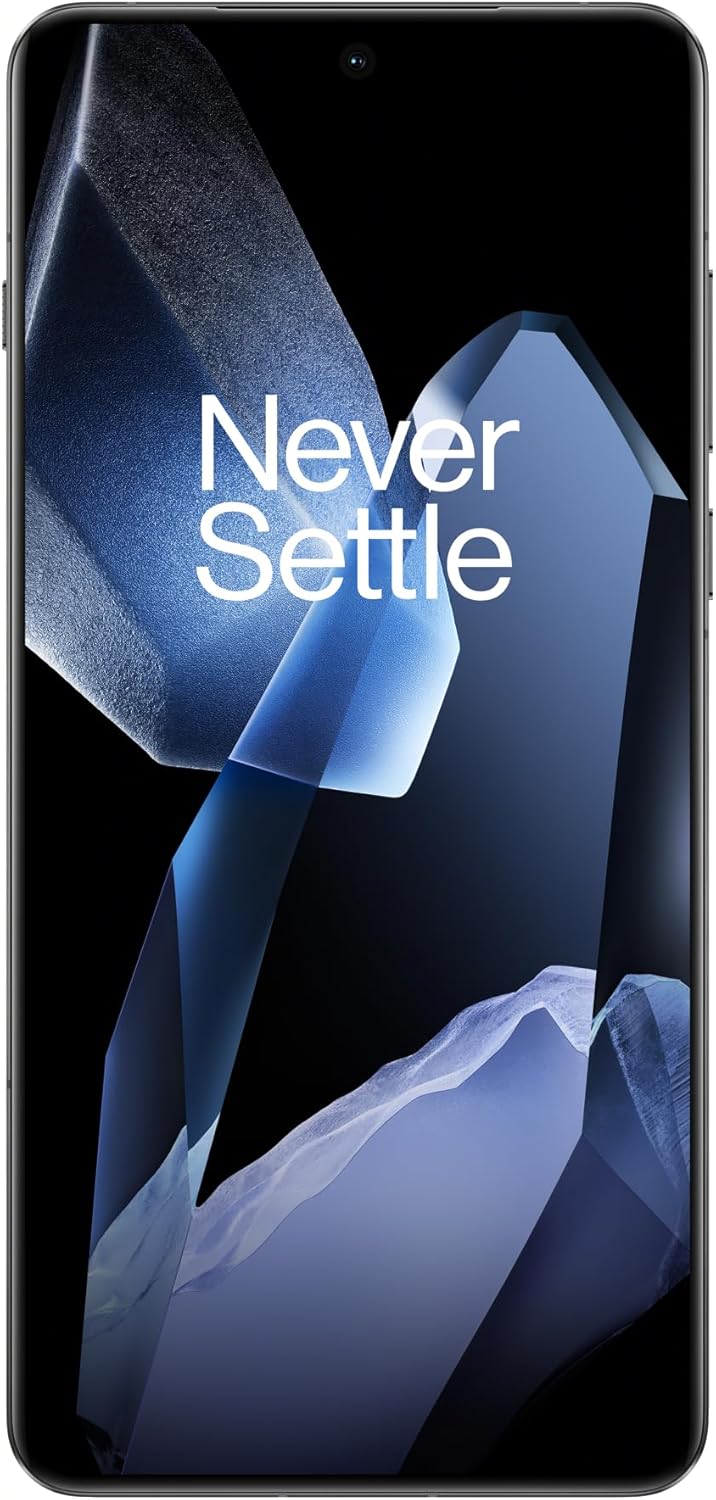
Figure 2: OnePlus 13 Front View
Operating Your OnePlus 13
OxygenOS 15
The OnePlus 13 runs on OxygenOS 15, providing a smooth, intuitive, and customizable Android experience. Explore various features and settings to personalize your device.
Ciri dan Fungsi Utama
- AI Notes: Your meeting companion. This feature allows for intelligent transcription and organization of notes, enhancing productivity.
- Carian Pintar: Know instantly. Quickly find files, contacts, and information across your device with smart search capabilities.
- Fluid Cloud: Touch and go. Experience seamless interaction and data synchronization across your devices.
- Berseri-seriView paparan: Bright in any light. The display automatically adjusts to provide optimal visibility even in direct sunlight.
- Built-In Ultrasonic Fingerprint Sensor: Unlock your phone securely and effortlessly with the advanced ultrasonic fingerprint sensor for quick access to your device.

Figure 3: Ultrasonic Fingerprint Sensor in action
Sistem Kamera
The OnePlus 13 features a 5th Generation Hasselblad Camera System, designed to capture every moment in breathtaking detail. The advanced triple-camera setup includes a versatile 50MP lens for stunning photos and videos, day or night.
- Mod Potret: Achieve studio-grade portraits with professional-looking depth and bokeh effects.
- Snapshot Photography: Eye for speed. Capture fast-moving subjects with clarity and precision.
- Clear Burst: Capture the whole moment. This feature allows you to take multiple shots in quick succession, ensuring you don't miss any action.

Figure 4: Hasselblad Camera System

Figure 5: Capturing Moments with the OnePlus 13 Camera
Bateri dan Pengecasan
The OnePlus 13 is equipped with a massive 6000mAh battery, designed to keep you powered throughout the day. It supports advanced charging technologies:
- 80W SUPERVOOC Fast Charging: Get back up and running quickly with incredibly fast wired charging speeds.
- 50W AIRVOOC Wireless Charging: Enjoy the convenience of rapid wireless charging, ensuring you stay powered up with North America's fastest wireless charging speed.
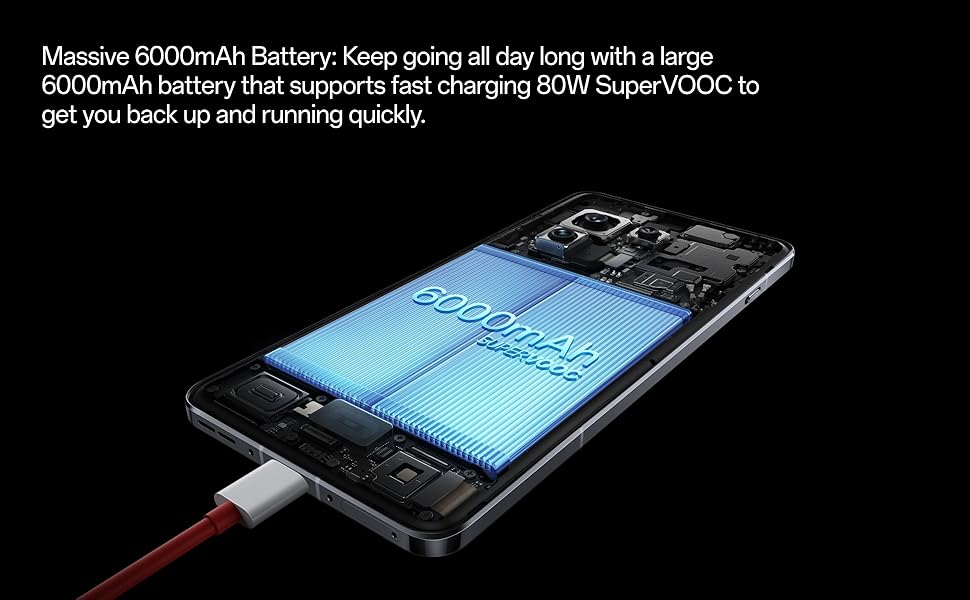
Figure 6: Massive 6000mAh Battery with SUPERVOOC Charging
Prestasi
Experience unparalleled speed and efficiency with the OnePlus 13:
- Lightning-Fast Snapdragon 8 Elite Processor: Powered by the latest Qualcomm Snapdragon 8 Elite chipset, enjoy exceptional speed, efficiency, and performance for gaming, multitasking, and productivity.
- Ample Memory and Storage: With up to 16GB of RAM and 512GB of storage, the OnePlus 13 handles demanding applications and large files dengan mudah.

Figure 7: Snapdragon 8 Elite Processor and Memory Configuration
Paparan
The OnePlus 13 features a stunning 120Hz ProXDR Display:
- Visual yang bersemangat: Experience vibrant colors and ultra-smooth visuals on a QHD+ ProXDR display.
- Kadar Refresh 120Hz: Perfect for gaming, streaming, and everyday use, providing a highly responsive and fluid visual experience.

Figure 8: Stunning 120Hz ProXDR Display
Ketahanan
The OnePlus 13 is built to withstand the elements:
- IP68 & IP69 Water and Dust Resistance: The OnePlus 13 is built to withstand the elements with an IP69 rating, offering superior protection against dust, dirt, and water. Whether you're caught in the rain or working in harsh environments, your device remains safe and fully functional.

Figure 9: IP69 Water and Dust Resistance
Spesifikasi
| Ciri | Perincian |
|---|---|
| Nama Model | OnePlus 13 (CPH2655) |
| Jenama | OnePlus |
| Sistem Operasi | Android 15 |
| Model CPU | Snapdragon 8 Elite |
| Kelajuan CPU | 4.32 GHz |
| Saiz Terpasang Memori RAM | 16 GB |
| Kapasiti Penyimpanan Memori | 512 GB |
| Saiz Skrin | 6.82 Inci |
| Resolusi | 2K DCI 1080p |
| Kadar Segar Semula | 120 Hz |
| Kapasiti Bateri | 6000 mAh |
| Masa Bual Telefon | 38.2 Jam |
| Ciri Khas | Dual SIM, Wireless Charging, Ultrasonic Fingerprint Sensor |
| Teknologi Ketersambungan | Bluetooth, GPS (Dual band: GPS(L1+L5) Galileo(E1+E10a)) |
| Dimensi Produk | 6.41 x 3.01 x 0.33 inci |
| Berat Barang | 7.5 auns (213 Gram) |
| warna | Black Eclipse |
| Pengeluar | OnePlus |
| Negara Asal | China |
| Tarikh Mula-mula Tersedia | 15 Mac 2025 |
Menyelesaikan masalah
If you encounter any issues with your OnePlus 13, please refer to the following general troubleshooting steps:
- Mulakan semula Peranti Anda: Mula semula yang mudah selalunya boleh menyelesaikan gangguan perisian kecil.
- Semak Sambungan: Ensure Wi-Fi, Bluetooth, and cellular data are properly enabled and connected.
- Kemas kini Perisian: Make sure your OxygenOS is updated to the latest version. Go to Settings > About device > OxygenOS version.
- Kosongkan Cache: For app-specific issues, try clearing the app's cache (Settings > Apps > App management > [App Name] > Storage usage > Clear cache).
- Tetapan Semula Kilang (Pilihan Terakhir): If problems persist, you may consider a factory reset. Amaran: Ini akan memadamkan semua data pada telefon anda. Sandarkan data penting sebelum meneruskan. Pergi ke Tetapan > Tetapan sistem > Sandarkan dan tetapkan semula > Tetapkan semula telefon > Padam semua data.
Waranti dan Sokongan
Your OnePlus 13 comes with a standard manufacturer's warranty. Please refer to the warranty card included in your product packaging for specific terms and conditions.
For further assistance, technical support, or warranty claims, please visit the official OnePlus support website or contact their customer service. Keep your proof of purchase handy.
- OnePlus Official Webtapak: www.oneplus.com/support
- Perkhidmatan Pelanggan: Refer to your region-specific contact information on the official webtapak.
Ask a question about this manual
Ask about setup, troubleshooting, compatibility, parts, safety, or missing instructions. Manuals+ will review the question and use this page’s manual context to help answer it.