
pengenalan
This manual provides detailed instructions for the JZK Voice Remote Control, designed as a replacement or secondary remote for NVIDIA Shield TV Pro models from 2015, 2017, and 2019. This remote features voice search capabilities and an ergonomic design for comfortable use. Please read this manual thoroughly before operating your device.
Kandungan Pakej
Sahkan bahawa semua item terdapat dalam pakej anda:
- 1 x JZK Voice Remote Control
- 1 x Panduan Pengguna (Dokumen ini)
Note: 2x AAA batteries are required and are not included in the package.

Image: Contents of the JZK remote control package, including the remote and a small user guide.
Persediaan
1. Pemasangan Bateri
- Cari petak bateri di belakang alat kawalan jauh.
- Luncurkan penutup bateri ke bawah untuk membukanya.
- Masukkan dua (2) bateri AAA, pastikan kekutuban (+ dan -) yang betul seperti yang ditunjukkan di dalam petak.
- Luncurkan penutup bateri ke tempat semula sehingga ia berbunyi dengan selamat.

Image: The remote control with its battery cover removed, illustrating where to insert two AAA batteries.
2. Memadankan Alat Kawalan Jauh
The remote control uses an infrared connection. For initial setup or re-pairing, follow these steps:
- Ensure your NVIDIA Shield TV is powered on and within 1 foot (approx. 30 cm) of the remote control.
- On your NVIDIA Shield TV, navigate to Settings > Device Preferences > Remotes & Accessories.
- Tekan dan tahan butang belakang butang dan Rumah button simultaneously on the JZK remote control until the remote's indicator light begins to flash.
- The NVIDIA Shield TV should detect the new remote. Select it from the list of available devices to complete the pairing process.
- Once paired, the remote's light will stop flashing, and you can begin using it.
If pairing fails, ensure the batteries are correctly installed and charged, and try the process again. You may also need to restart your NVIDIA Shield TV.
Arahan Operasi
Biasakan diri anda dengan butang dan fungsinya:

Image: Detailed button layout of the JZK remote control with labels for each function.
| Tidak. | Butang | Fungsi |
|---|---|---|
| 1 | Mikrofon Terbina dalam | Used for Voice Search commands. |
| 2 | kuasa | Turns the NVIDIA Shield TV on or off. |
| 3 | tetapan | Accesses the NVIDIA Shield TV settings menu. (Customizable in Settings > Devices & Accessories > Customize Settings button) |
| 4 | Cincin Navigasi | Navigates menus: Up, Down, Right, Left. |
| 5 | Select (OK) | Confirms selections or opens items. |
| 6 | belakang | Kembali ke skrin atau menu sebelumnya. |
| 7 | Rumah | Kembali ke skrin utama. |
| 8 | Maju Pantas | Melangkau ke hadapan dalam main balik media. |
| 9 | Main/Jeda | Memainkan atau menjeda main balik media. |
| 10 | Putar balik | Melangkau ke belakang dalam main balik media. |
| 11 | Carian Suara | Activates voice command input. Press and hold, then speak your command. |
| 12 | Tingkatkan Kelantangan | Meningkatkan kelantangan. |
| 13 | Kurangkan Kelantangan | Mengurangkan kelantangan. |
| 14 | Buka Netflix | Directly launches the Netflix application. |
Using Voice Search
The voice search feature allows for quick navigation and content discovery. To use it:
- Tekan dan tahan butang Carian Suara butang (11).
- Speak your command clearly into the built-in microphone (1). For example, say "Open YouTube," "Find action movies," or "Adjust volume."
- Lepaskan Carian Suara butang apabila anda selesai bercakap.
Penyelenggaraan
Membersihkan Alat Jauh
Untuk membersihkan alat kawalan jauh, gunakan kain lembut dan kering. Untuk kotoran degil, gunakan sedikit kainampen the cloth with water or a mild, non-abrasive cleaner. Avoid using harsh chemicals or solvents, as these can damage the remote's surface or internal components.
Penggantian Bateri
When the remote's performance degrades or it becomes unresponsive, it's time to replace the batteries. Follow the battery installation steps outlined in the Persediaan section. Always replace both AAA batteries at the same time with new ones.
Menyelesaikan masalah
If you encounter issues with your JZK Voice Remote Control, refer to the following common problems and solutions:
| Masalah | Kemungkinan Punca | Penyelesaian |
|---|---|---|
| Jauh tidak bertindak balas. | Low or dead batteries. Incorrect battery installation. Remote not paired. Obstruction between remote and Shield TV. | Replace batteries. Check battery polarity. Re-pair the remote (see Setup section). Ensure clear line of sight to Shield TV. |
| Voice Search not working. | Microphone blocked. Remote not properly paired for voice functions. Software glitch. | Ensure microphone is clear. Re-pair the remote. Restart NVIDIA Shield TV. |
| Buttons are sticky or not registering presses. | Kotoran atau serpihan di bawah butang. | Clean the remote (see Maintenance section). |
| Jarak jauh terputus dengan kerap. | Interference. Low batteries. | Ensure no strong interference sources nearby. Replace batteries. Re-pair the remote. |
Spesifikasi
| Ciri | Perincian |
|---|---|
| Jenama | JZK |
| Keserasian Model | NVIDIA Shield TV Pro (2015, 2017, 2019 models), NVIDIA Shield TV Cube (2019) |
| Jenis Sambungan | Inframerah (IR) |
| Sumber Kuasa | 2 x Bateri Beralkali AAA (tidak termasuk) |
| Ciri Khas | Voice Search, Ergonomic Design, Dedicated Netflix Button |
| bahan | ABS tahan lasak |
| warna | Hitam / Putih |
| Dimensi (L x W x H) | Lebih kurang 16.8 x 6 x 2.6 cm (6.6 x 2.4 x 1.0 inci) |
| Berat badan | Lebih kurang 60 gram (2.1 auns) |

Image: Dimensions of the JZK remote control, indicating its length, width, and thickness.
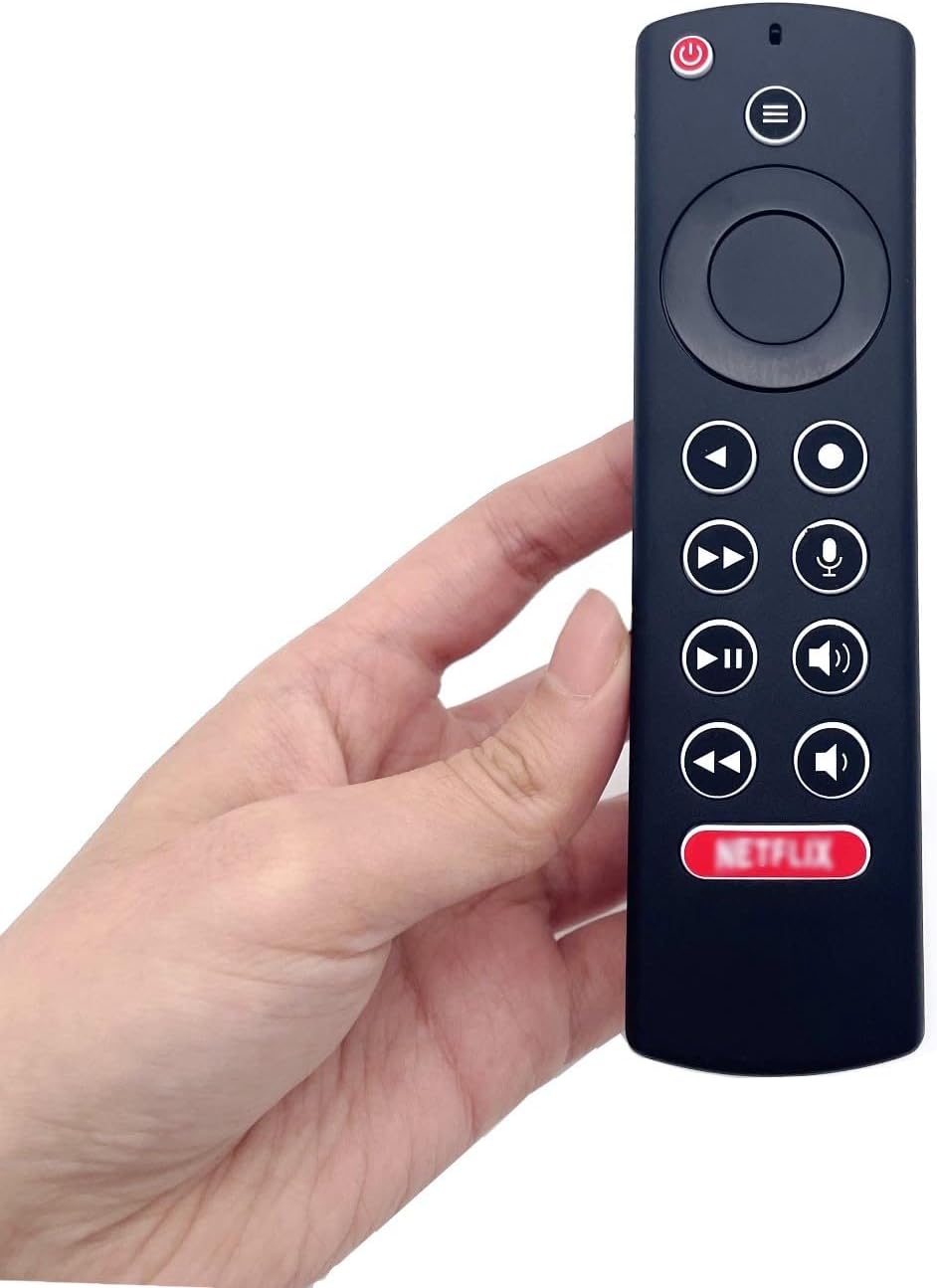
Image: The JZK remote control held in a hand, highlighting its comfortable and ergonomic design.
Maklumat Waranti
Specific warranty details for this JZK product are not provided in the product description. Please refer to the retailer's return policy or contact JZK customer support for information regarding warranty coverage and terms.
Sokongan
For further assistance, troubleshooting, or inquiries about your JZK Voice Remote Control, please contact the retailer where you purchased the product or refer to the official JZK website for customer support options.