
pengenalan
This manual provides detailed instructions for the setup, operation, maintenance, and troubleshooting of your MageGee V550 Wireless Gaming Keyboard and Mouse Combo. Please read this manual thoroughly before using the product to ensure optimal performance and longevity.
Persediaan
Sambungan Tanpa Wayar 2.4GHz
The MageGee V550 keyboard and mouse utilize a 2.4GHz wireless connection for stable and reliable performance. No drivers are required for installation; it is a plug-and-play device.

Image: The MageGee V550 keyboard and mouse connected via a single USB receiver, highlighting the 2.4G wireless technology and 33ft connection distance.
- Cari Penerima USB: The shared USB receiver for both the keyboard and mouse is conveniently stored in a slot on the bottom of the mouse.
- Sambung ke Komputer: Palamkan penerima USB ke dalam port USB yang tersedia pada komputer anda.
- Hidupkan Peranti: Turn on the power switches for both the keyboard and the mouse. These switches are located on the bottom of each device.
- Sahkan Sambungan: The devices should connect automatically. If they do not function properly, ensure both power switches are in the 'ON' position.
Mengecas Peranti
Both the keyboard and mouse are rechargeable via the included USB Type-C cable, eliminating the need for frequent battery replacements.
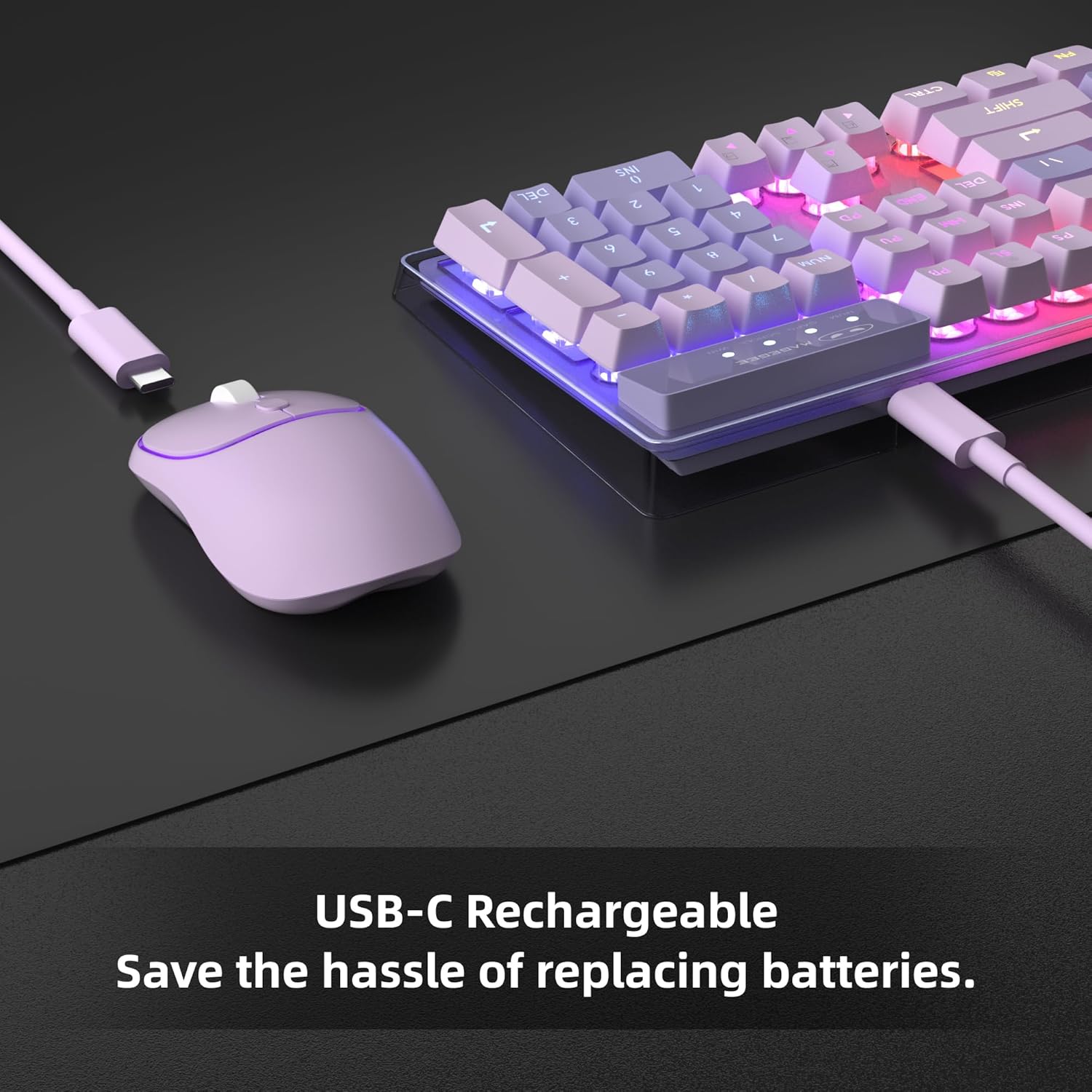
Image: The MageGee V550 keyboard and mouse being charged via USB-C cables, emphasizing the rechargeable feature.
- Sambungkan Kabel: For charging, connect the included USB Type-C cable to the charging port on the keyboard first.
- Palamkan ke Sumber Kuasa: Then, plug the other end of the USB cable into a computer USB port or a compatible USB wall adapter.
- Ensure Full Insertion: Make sure the USB cable is fully inserted into the charging port.
- Penjimatan Kuasa: The devices feature an auto-sleep mode to conserve power. They can be woken up by clicking any key.
Arahan Operasi
Dynamic RGB Backlight
The V550 keyboard and mouse feature dynamic RGB backlighting for an enhanced user experience.

Image: The MageGee V550 keyboard displaying various RGB backlight modes, with a list of features including 5 light modes, 8 colors, adjustable speed/brightness, and on/off function.
- Pencahayaan papan kekunci: The keyboard offers 5 light modes, 7 solid color backlights, and 1 rainbow backlight.
- Pelarasan: You can adjust 3 brightness levels and 4 light speeds.
- Keterlihatan: The shine-through keys ensure visibility in low-light environments.
- Mouse Lighting: The wireless mouse includes a vibrant RGB light strip.
- Togol: The backlight can be turned off at any time.
Ciri Papan Kekunci
The V550 keyboard is designed for comfort and functionality.
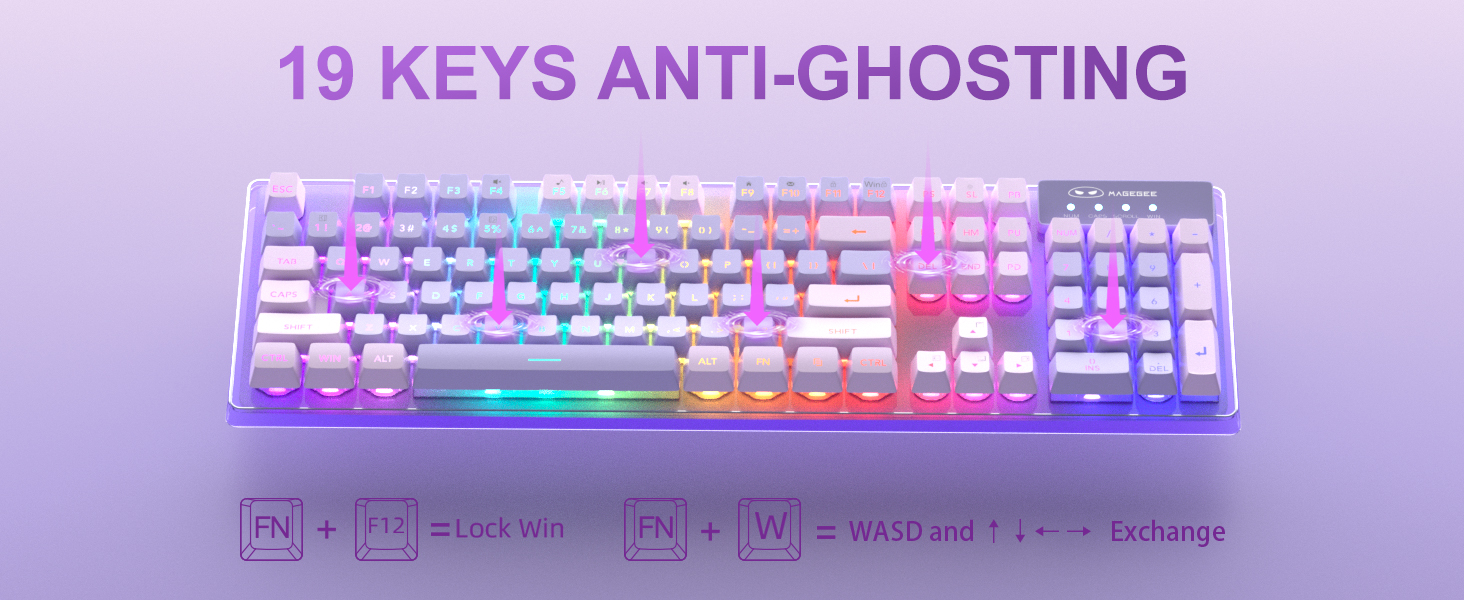
Image: The MageGee V550 keyboard highlighting the 19-key anti-ghosting feature, showing key combinations for Lock Win (FN+F12) and WASD/Arrow key exchange (FN+W).
- Reka Letak Saiz Penuh: A standard 104-key layout includes a number pad and 12 multimedia shortcuts.
- Keycaps: Features floating double-shot keycaps for durability and a comfortable typing feel.
- Kestabilan: Non-slip pads on the bottom enhance typing stability.
- Anti-Ghosting: Supports 19-key anti-ghosting for accurate input during gaming.
Ciri Tetikus
The V550 mouse is designed for precise control and quiet operation.

Imej: Terperinci view of the MageGee V550 mouse, showing its 4 buttons (scroll wheel, right, left, tracking speed), ergonomic design, and silent clicking feature.
- Butang: Features 4 buttons including a scroll wheel, left button, right button, and tracking speed button.
- Kelajuan Penjejakan: Adjustable tracking speed levels (1000-1200-1600 DPI).
- Ergonomi: Direka untuk cengkaman yang selesa semasa penggunaan lanjutan.
- Operasi senyap: Features silent clicking for a less disruptive experience.
Penyelenggaraan
Pembersihan
Regular cleaning helps maintain the performance and appearance of your keyboard and mouse.
- Pembersihan Am: Use a soft, dry cloth to wipe down the surfaces of the keyboard and mouse.
- Keycaps: For deeper cleaning, gently remove keycaps (if applicable and designed for removal) and use compressed air to clear debris from underneath. Wipe keycaps with a slightly damp kain dan larutan sabun lembut, kemudian keringkan sepenuhnya sebelum dipasang semula.
- Sensor Tetikus: Gunakan kapas dengan ringan dampened with rubbing alcohol to clean the optical sensor on the bottom of the mouse.
- Elakkan Cecair: Do not immerse the devices in water or use excessive liquid cleaners.
Menyelesaikan masalah
Isu Sambungan
- Tiada Sambungan: Pastikan penerima USB dipasang dengan selamat ke port USB yang berfungsi pada komputer anda.
- Suis Kuasa: Verify that the power switches on both the keyboard and mouse (located on the bottom) are turned ON.
- Tahap Bateri: Check if the keyboard and mouse have sufficient battery charge. Recharge if necessary.
- Gangguan: Move the devices closer to the USB receiver or away from other wireless devices that might cause interference.
Isu Pengecasan
- Tidak dicas: Ensure the USB Type-C cable is fully inserted into both the device's charging port and the power source (computer USB port or wall adapter).
- Sumber Kuasa: Confirm that the computer or wall adapter providing power is turned on and functioning correctly.
- Integriti Kabel: Try using a different USB Type-C cable to rule out a faulty cable.
Spesifikasi
Detailed technical specifications for the MageGee V550 Wireless Gaming Keyboard and Mouse Combo.

Image: Technical drawing showing the dimensions of the MageGee V550 keyboard (17.13 x 5.4 x 1.34 inches) and mouse (4.45 x 2.56 x 1.42 inches).
| Ciri | Perincian |
|---|---|
| Jenama | MageGee |
| Nombor Model | V550 |
| Teknologi Ketersambungan | 2.4G Wayarles |
| Susun atur papan kekunci | 104 kekunci bersaiz penuh |
| Lampu latar keyboard | Dynamic RGB (5 modes, 7 solid colors, 1 rainbow, 3 brightness, 4 speeds) |
| Kelajuan Penjejakan Tetikus | 1000-1200-1600 DPI |
| Ciri Khas | Backlit, Ergonomic, Rechargeable, Transparent Base, 19-Key Anti-Ghosting |
| Peranti Serasi | Komputer riba, Komputer Peribadi |
| Dimensi Papan Kekunci | 17.13 x 5.4 x 1.34 inci |
| Dimensi Tetikus | 4.45 x 2.56 x 1.42 inci |
| Berat Barang | 2.16 paun (gabungan) |
Waranti dan Sokongan
For warranty information, technical support, or service inquiries, please refer to the contact information provided with your product packaging or visit the official MageGee webtapak. Simpan resit pembelian anda sebagai bukti pembelian.