
pengenalan
Welcome to the GUHUAVMI GT4 Pro Smartwatch user manual. This guide provides detailed instructions on how to set up, operate, and maintain your new smartwatch. The GT4 Pro combines advanced health monitoring, comprehensive fitness tracking, and smart connectivity features in a durable, stylish design. Please read this manual carefully to ensure optimal performance and longevity of your device.
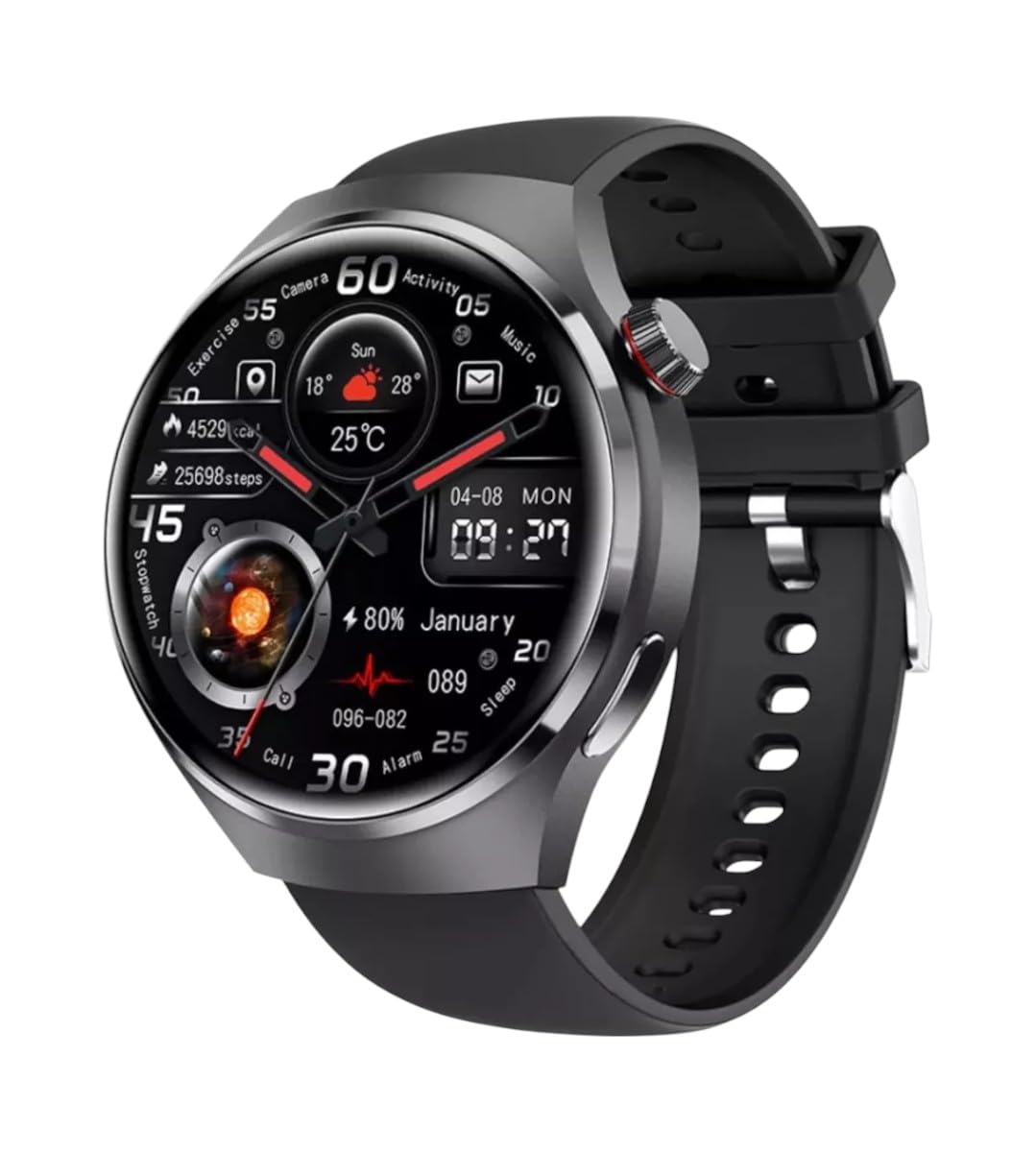
Imej: Depan view of the GUHUAVMI GT4 Pro Smartwatch, showcasing reka bentuk dan paparannya yang anggun.
Persediaan
1. Unboxing dan Komponen
Sebelum anda memulakan, pastikan semua komponen terdapat dalam pakej:
- GUHUAVMI GT4 Pro Smartwatch
- Pengecas Tanpa Wayar
- Manual Pengguna (dokumen ini)
2. Mengecas Jam Pintar
For first-time use, fully charge your GT4 Pro Smartwatch. Connect the wireless charger to a USB power adapter (not included) and place the smartwatch onto the magnetic charging base. The watch will indicate charging status on its screen.
- Masa Pengecasan: Kira-kira 3 jam untuk cas penuh.
- Hayat Bateri: Typical usage provides 5-7 days of battery life.

Image: The GUHUAVMI GT4 Pro Smartwatch placed on its magnetic wireless charger, displaying battery life and charging time information.
3. Hidupkan/Mati Kuasa
- Hidupkan kuasa: Tekan dan tahan butang sisi sehingga skrin menyala.
- Matikan: Tekan dan tahan butang sisi, kemudian pilih pilihan 'Matikan Kuasa' pada skrin.
4. Muat Turun Apl dan Berpasangan
To unlock the full potential of your GT4 Pro, download the companion app on your smartphone. Scan the QR code provided in the watch's initial setup screen or search for the app name (usually indicated on the watch or packaging) in your phone's app store.
- Dayakan Bluetooth pada telefon pintar anda.
- Buka aplikasi pendamping dan ikut arahan pada skrin untuk membuat akaun atau log masuk.
- In the app, select 'Add Device' or 'Pair Device' and choose 'GT4 Pro' from the list of available devices.
- Sahkan permintaan berpasangan pada telefon pintar dan jam tangan pintar anda.
Arahan Operasi
1. Navigasi Asas
The GT4 Pro features a 1.6-inch HD AMOLED touchscreen and a side crown button for navigation.
- Leret ke atas/bawah: Tatal melalui menu dan pemberitahuan.
- Leret Kiri/Kanan: Akses widget pantas atau muka jam tangan yang berbeza.
- Ketik: Pilih item atau buka aplikasi.
- Tekan Butang Sisi: Return to the home screen or access the app list.
2. Pembantu Suara AI
Your GT4 Pro is equipped with an integrated AI voice assistant for hands-free operation.
- Pengaktifan: Tap the voice assistant icon on the watch face or use a designated gesture/button press (refer to watch settings).
- Perintah: Speak clearly to ask questions, set reminders, make calls, or control music.
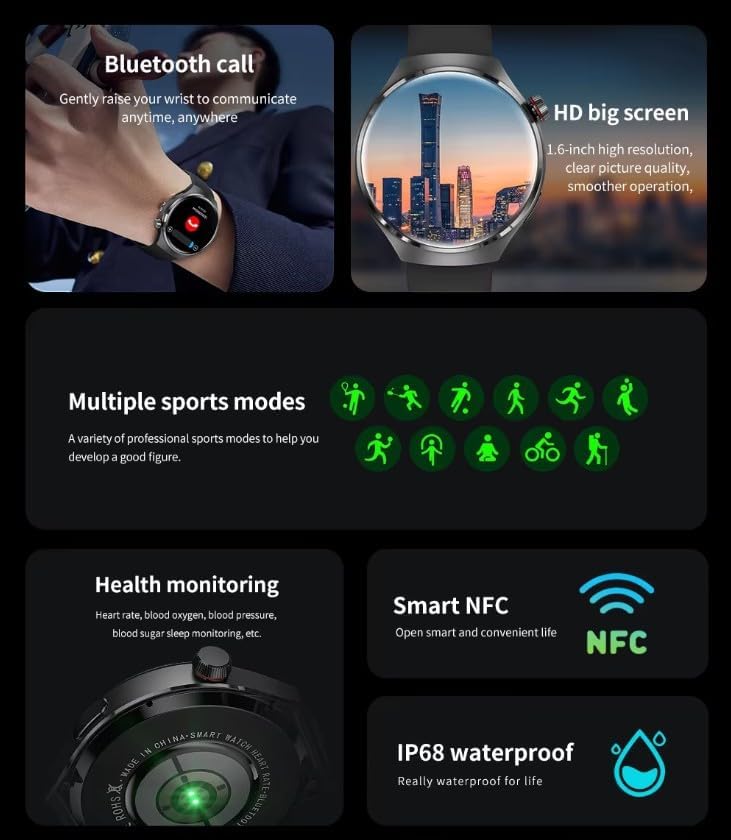
Image: The GUHUAVMI GT4 Pro Smartwatch displaying the AI voice assistant interface, showing exampkurang arahan suara.
3. Panggilan Bluetooth
Sebaik sahaja dipasangkan dengan telefon pintar anda, anda boleh membuat dan menerima panggilan terus daripada jam tangan pintar anda.
- Membuat Panggilan: Access the dialer or contacts list on your watch.
- Menerima Panggilan: Answer or reject incoming calls directly from the watch screen.
4. Pemantauan Kesihatan
The GT4 Pro provides real-time health data to help you monitor your well-being.
- Kadar Jantung: Continuous monitoring throughout the day.
- Oksigen Darah (SpO2): Ukur tahap ketepuan oksigen darah anda.
- Blood Sugar: Provides estimated blood sugar readings.
- Penjejakan Tidur: Memantau tidur stages dan kualiti.
View detailed health reports in the companion app.
5. Penjejakan Kecergasan
Track your workouts and daily activity with precision.
- Pelbagai Mod Sukan: Select from various activities like running, cycling, swimming, and more for accurate data.
- GPS terbina dalam: Records your route, distance, and pace during outdoor activities.
- Kompas: Provides directional guidance for outdoor adventures.

Image: The GUHUAVMI GT4 Pro Smartwatch showcasing icons for NFC, GPS, compass, heart rate, and Bluetooth call, highlighting its comprehensive features.
6. NFC Features
The GT4 Pro supports NFC for convenient interactions.
- Kawalan Akses: Use your watch for compatible access systems.
- Find My iPhone: Utilize NFC to locate your paired iPhone.
7. Dynamic Island Function
Experience enhanced interactive displays for notifications, music, and charging status.
- Interactive Displays: Smart displays adapt to show relevant information dynamically.
- Peningkatan OTA: New functional interactive displays may be added through future over-the-air updates.
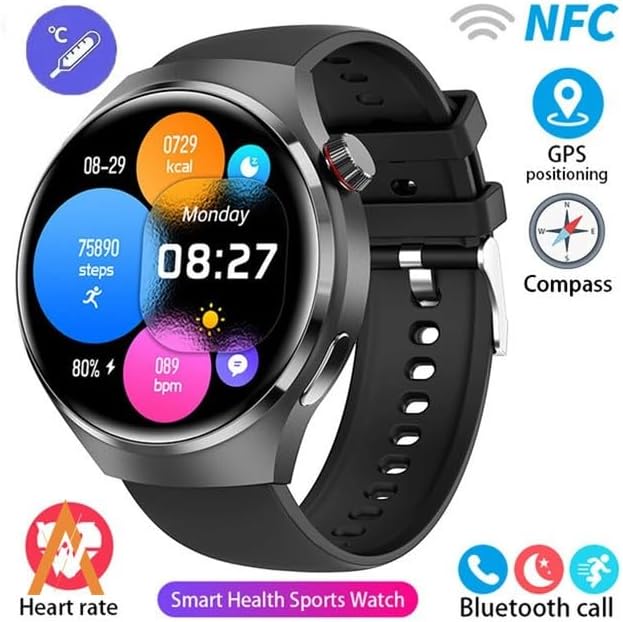
Image: The GUHUAVMI GT4 Pro Smartwatch screen demonstrating the Dynamic Island function, showing notifications and active processes.
8. Other Utility Features
The smartwatch includes several convenient tools:
- Kamera Jauh: Kawal kamera telefon pintar anda dari jauh.
- Jam loceng: Tetapkan penggera terus dari pergelangan tangan anda.
- Jam randik & Pemasa: Untuk ketepatan masa yang tepat.
- Pengukuran Suhu: Monitor ambient temperature.
- Multi-Time Zone Settings: Keep track of different time zones.
- Kawalan Main Semula Muzik: Manage music on your paired smartphone.
Penyelenggaraan
1. Rintangan Air (IP68)
The GT4 Pro has an IP68 waterproof rating, meaning it is resistant to dust and can withstand immersion in water up to 1.5 meters for 30 minutes. It is suitable for swimming and use in rainy conditions.
- Do not use in hot water, saunas, or steam rooms.
- Avoid exposure to high-velocity water.
- Selepas terdedah kepada air, lap jam tangan sehingga kering dengan kain lembut.
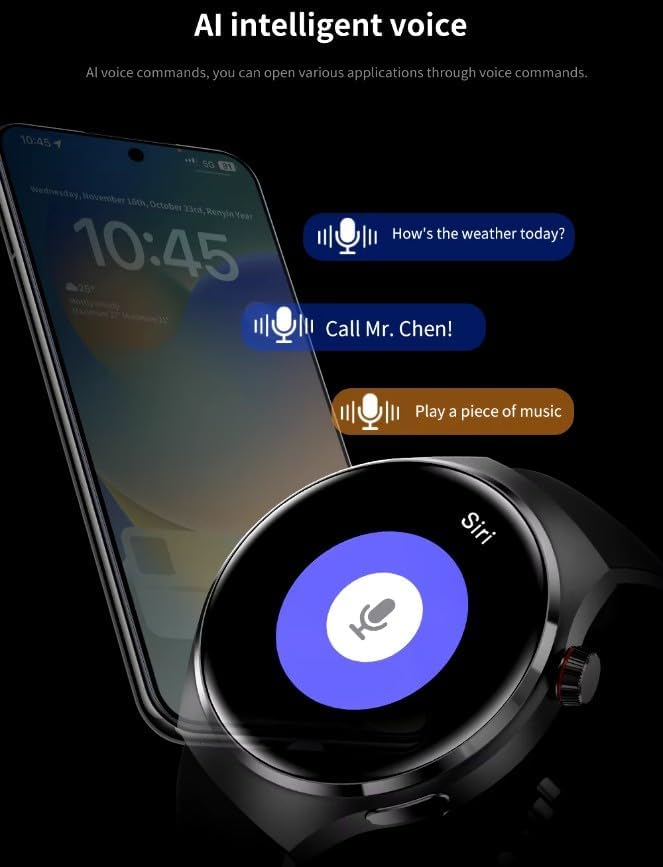
Image: Two GUHUAVMI GT4 Pro Smartwatches shown with water droplets, illustrating their IP68 waterproof capability.
2. Pembersihan
Regularly clean your smartwatch to maintain its appearance and sensor accuracy.
- Lap skrin dan badan dengan kain lembut,amp, kain tidak berbulu.
- Clean the charging contacts and heart rate sensor on the back of the watch to ensure proper function.
- Elakkan menggunakan bahan kimia yang keras atau bahan yang melelas.
3. Kemas Kini Perisian
Periodically check for software updates through the companion app. Updates can provide new features, performance improvements, and bug fixes.
Menyelesaikan masalah
- Tonton tidak dihidupkan: Pastikan jam tangan dicas sepenuhnya. Sambungkannya ke pengecas selama sekurang-kurangnya 30 minit.
- Tidak boleh berpasangan dengan telefon pintar:
- Pastikan Bluetooth didayakan pada telefon dan jam tangan anda.
- Pastikan jam tangan berada dalam julat telefon anda.
- Mulakan semula kedua-dua jam tangan dan telefon anda.
- Semak sama ada apl pendamping dikemas kini kepada versi terkini.
- Data kesihatan tidak tepat:
- Pastikan jam tangan dipakai dengan kemas di pergelangan tangan anda, tidak terlalu ketat atau terlalu longgar.
- Bersihkan penderia di belakang jam tangan.
- Elakkan pergerakan berlebihan semasa pengukuran.
- Hayat bateri pendek:
- Kurangkan kecerahan skrin.
- Lumpuhkan pemberitahuan atau ciri yang tidak diperlukan.
- Hadkan pemantauan kadar denyutan jantung berterusan jika tidak diperlukan.
Spesifikasi
| Ciri | Penerangan |
|---|---|
| Nombor Model | GT4 Pro |
| Paparan | 1.6-inch HD AMOLED, 360x360 resolution |
| Ketersambungan | Bluetooth 5.0 |
| Penilaian Kalis Air | IP68 |
| Pemantauan Kesihatan | Heart Rate, Blood Oxygen, Blood Sugar, Sleep Tracking |
| Penjejakan Kecergasan | Built-in GPS, Compass, Multiple Sports Modes |
| Pembantu Suara | AI Voice Assistant Integrated |
| NFC | Supported (e.g., Find My iPhone, Access Control) |
| Jenis Pengecasan | Pengecasan Tanpa Wayar Magnetik |
| Hayat Bateri Biasa | 5-7 hari |
| Masa Mengecas | lebih kurang 3 jam |
| Komponen yang Disertakan | Smartwatch, User Manual, Wireless Charger |
Waranti dan Sokongan
Maklumat Waranti
The GUHUAVMI GT4 Pro Smartwatch comes with a Waranti 6 bulan from the date of purchase. This warranty covers manufacturing defects under normal use. It does not cover damage caused by misuse, accidents, unauthorized modifications, or normal wear and tear.
Sokongan Pelanggan
If you encounter any issues or have questions regarding your GUHUAVMI GT4 Pro Smartwatch, please refer to the troubleshooting section of this manual. For further assistance, contact your retailer or the manufacturer's customer support channel. Please have your purchase receipt and product model number (GT4 Pro) ready when contacting support.