
1. Pengenalan
This manual provides detailed instructions for the safe and effective use of your AXNEN C22 2-Axis AI Tracking Phone Gimbal Stabilizer. Please read this manual thoroughly before operation and retain it for future reference. The AXNEN C22 is a versatile 4-in-1 device functioning as a universal stabilizer, extensible selfie stick, desktop tripod, and features 360-degree AI tracking.
2. Kandungan Pakej
Sahkan bahawa semua item yang disenaraikan di bawah disertakan dalam pakej anda. Jika ada item yang hilang atau rosak, sila hubungi sokongan pelanggan.
- C22 Gimbal Stabilizer x 1
- Kabel Pengecas USB-C x 1
- Manual Pengguna x 1

Image: Contents of the AXNEN C22 package, including the gimbal, USB cable, and user manual.
3. Produk Lebihview
The AXNEN C22 combines multiple functionalities into a single device, offering stability and flexibility for mobile photography and videography.
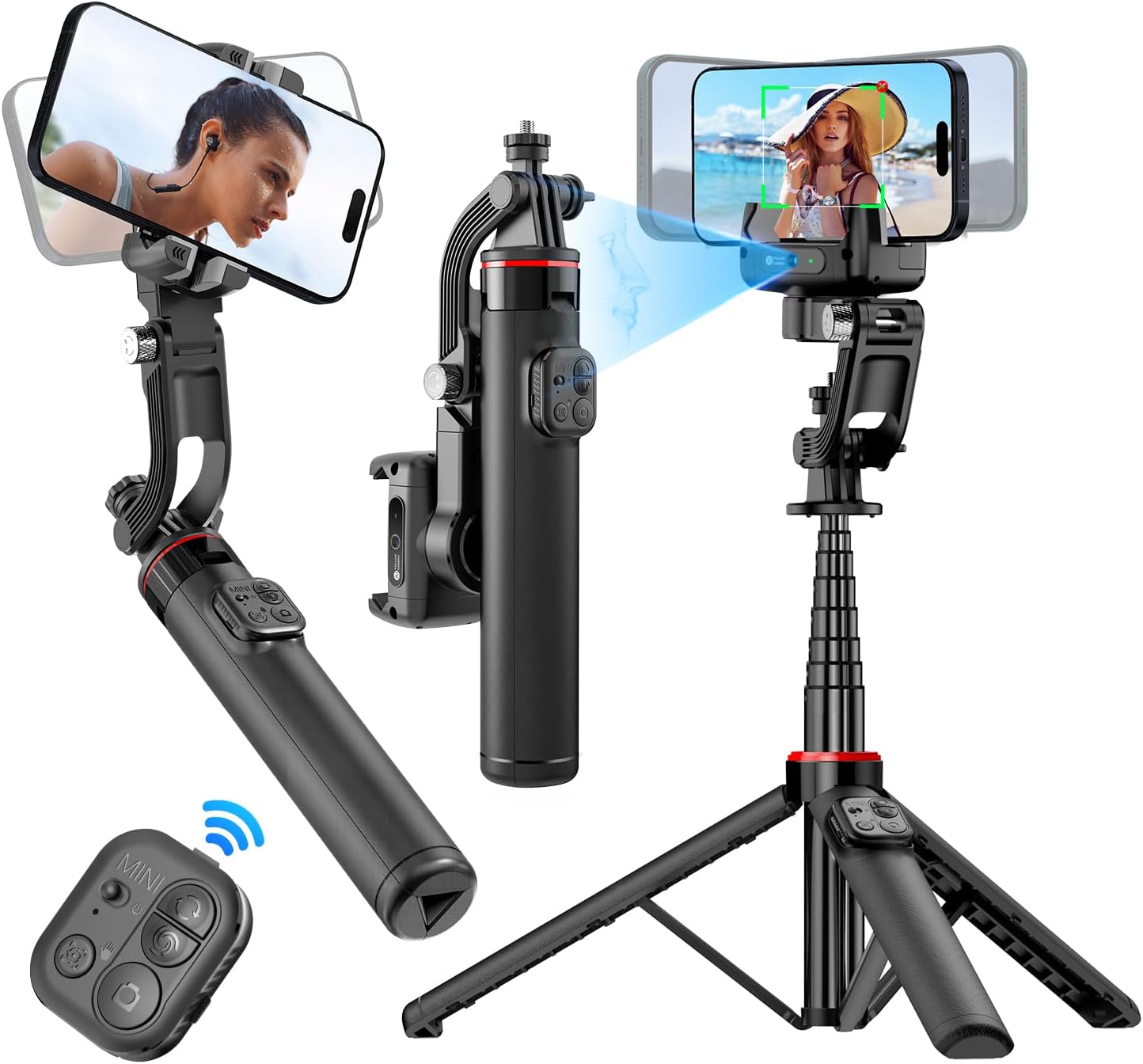
Image: The AXNEN C22 Gimbal Stabilizer shown in its different modes: handheld, extended selfie stick, and tripod setup, highlighting its versatility.
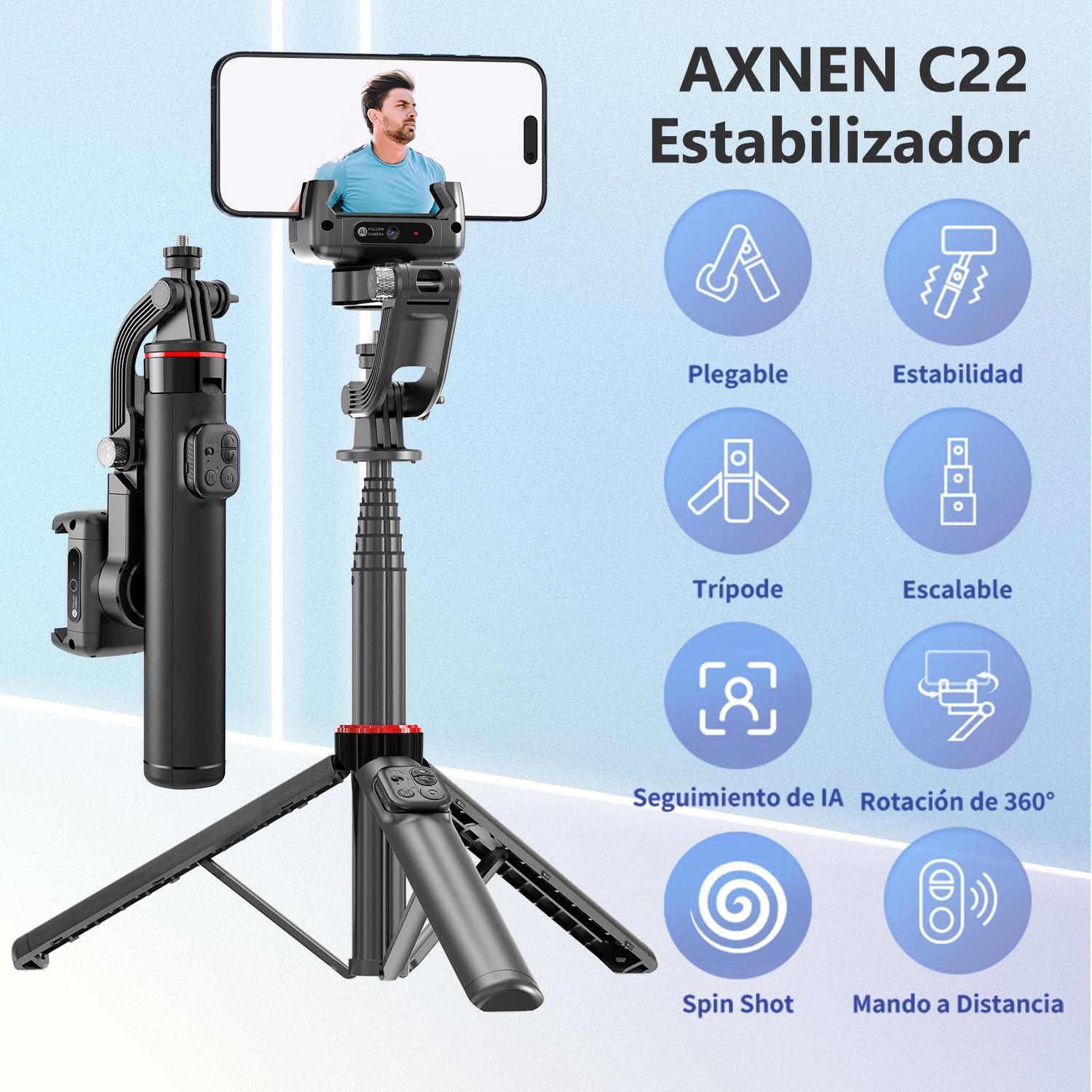
Image: Visual representation of the AXNEN C22's key features, including its foldable design, stability, tripod functionality, extendable pole, AI tracking, 360-degree rotation, spin shot capability, and remote control.
4. Persediaan
4.1 Membuka Lipatan Gimbal
- Buka lengan gimbal dengan lembut sehingga ia terkunci pada kedudukannya.
- Extend the telescopic pole to your desired length if using as a selfie stick.
- For tripod use, spread the base legs firmly on a flat surface.
4.2 Pemasangan Telefon
- Ensure the gimbal head is unlocked before installing your phone to avoid motor damage.
- Carefully place your smartphone into the phone clamp, memastikan ia berada di tengah dan selamat.
- The gimbal will automatically balance the phone.
4.3 Mengecas
Connect the provided USB-C cable to the charging port on the gimbal and to a suitable USB power source. The indicator light will show charging status. A full charge takes approximately 80 minutes.

Image: The AXNEN C22 gimbal connected via a USB-C cable for ultra-fast charging, highlighting its quick 80-minute full charge time.
4.4 Berpasangan Bluetooth
- Kuasa pada gimbal.
- Aktifkan Bluetooth pada telefon pintar anda.
- Cari untuk available devices and select "AXNEN C22" to pair.
- The remote control will automatically connect once the gimbal is paired.

Image: The AXNEN C22 remote control in use, demonstrating its 10-meter (33-foot) range for hands-free operation.
4.5 Pemasangan Aplikasi
For enhanced features, download the "Gimbal Show" application. Scan the QR code in the manual or visit the official website to download the app for iOS or Android devices.
Download the Gimbal Show App: https://www.tokqi.co/app.php/tokqi

Image: Screenshot of the Gimbal Show app interface, illustrating features like facial filters, dynamic zoom, time-lapse, and intelligent tracking.
5. Arahan Operasi
5.1 Hidupkan/Mati Kuasa
Press and hold the power button on the gimbal handle for 3 seconds to power on or off.
5.2 Fungsi Kawalan Jauh
The detachable remote control allows for convenient operation from a distance.
- Suis kuasa: Menghidupkan/mematikan alat kawalan jauh.
- Butang Tukar: Toggles between different modes or functions.
- Butang Mod: Selects specific gimbal modes.
- Butang Foto: Mencetuskan penangkapan foto atau rakaman video.
- Butang Kunci: Locks the gimbal's position.

Imej: Terperinci view of the AXNEN C22 remote control, with each button clearly labeled for its function, emphasizing ease of use.
5.3 Mod Gimbal
The AXNEN C22 offers multiple configurations to suit various shooting needs.
- Gimbal Stabilizer Mode: Provides smooth, stable footage by counteracting unwanted movements.
- Selfie Stick Mode: Extend the pole for wider shots or group selfies.
- Mod Tripod: Deploy the legs for stable static shots or time-lapses.
- Mod Penstriman Langsung: Ideal for stable, hands-free video broadcasts.

Image: Four distinct usage scenarios for the AXNEN C22, illustrating its functionality as a gimbal stabilizer, selfie stick, live streaming stand, and floor tripod.
To switch between Gimbal Mode and Selfie Stick Mode, use the quick switch mechanism. It is recommended to use the gimbal lock when the battery is low to conserve power.

Image: Diagram showing the quick switch mechanism on the AXNEN C22 to toggle between selfie stick mode (locked) and gimbal mode (unlocked).
5.4 Penjejakan AI
The built-in AI camera allows for intelligent facial and object tracking. Use gestures to control tracking.
- Gerak isyarat "OK": Initiates tracking.
- Gerak isyarat "Tapak tangan": Stops tracking.
The gimbal can track subjects whether stationary on a desktop or moving during manual operation.

Image: The AXNEN C22's smart AI camera feature, demonstrating gesture controls for initiating and stopping tracking, with a focus on facial recognition.

Imej: Cthamples of the AXNEN C22's AI tracking in action, including desktop tracking for static subjects and manual tracking for moving subjects, ensuring the face remains centered.
Putaran 5.5 360°
The gimbal supports 360-degree rotation for panoramic shots and dynamic video effects.
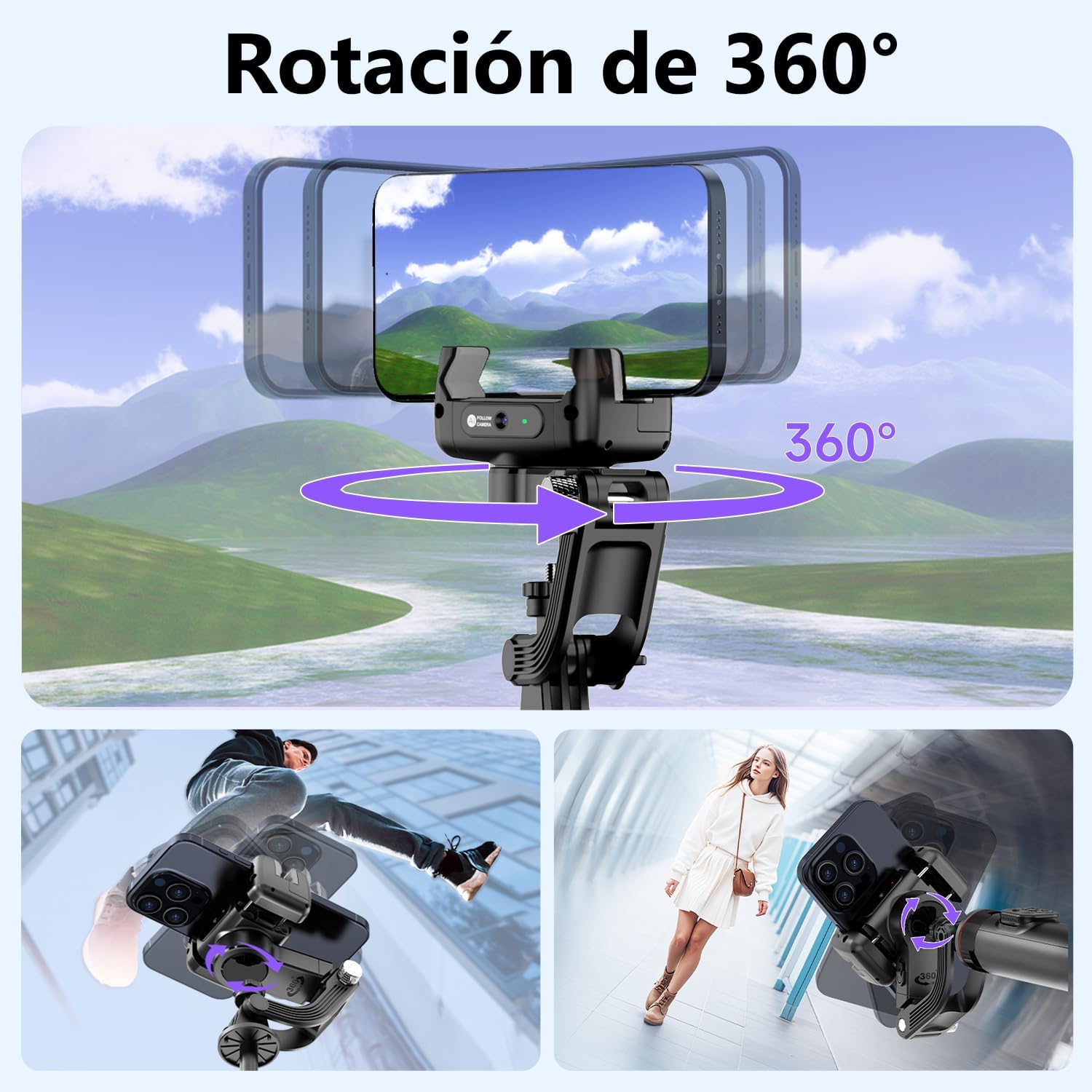
Image: The AXNEN C22 demonstrating its 360-degree rotation capability, allowing for versatile shooting angles and creative video effects.
5.6 Ciri Apl
The "Gimbal Show" app unlocks advanced shooting modes and features:
- Facial Filter: Apply real-time filters to enhance your appearance.
- Zum Dinamik: Achieve cinematic zoom effects like the Hitchcock zoom.
- Masa berlalu: Capture stunning time-lapse videos.
- Penjejakan Pintar: Enhanced AI tracking capabilities.

Image: Screenshots from the Gimbal Show app, showcasing features such as facial filters, dynamic zoom, time-lapse recording, and intelligent tracking.
5.7 Senario Penggunaan
The AXNEN C22 is designed for various daily applications:
- 360° Rotating Shot: For dynamic and immersive videos.
- Sports Shot: Capture smooth action footage.
- Low Angle Shot: Get unique perspectives.
- Daily Vlog: Perfect for everyday content creation.

Imej: Empat bekasamples illustrating how the AXNEN C22 can be used in daily life for various shooting styles, including 360-degree rotation, sports, low-angle, and vlogging.
6. Penyelenggaraan
- Pembersihan: Use a soft, dry cloth to clean the gimbal. Avoid using harsh chemicals or abrasive materials.
- Storan: Store the gimbal in a cool, dry place away from direct sunlight and extreme temperatures. Ensure it is folded and locked when not in use.
- Penjagaan Bateri: Untuk memanjangkan hayat bateri, elakkan daripada menyahcas sepenuhnya bateri dengan kerap. Cas peranti dengan kerap, walaupun tidak digunakan untuk tempoh yang lama.
7. Penyelesaian masalah
| Isu | Kemungkinan Punca | Penyelesaian |
|---|---|---|
| Gimbal not stabilizing / Unstable footage | Phone not properly balanced; Gimbal head locked; Low battery. | Ensure phone is centered and clamp is secure. Unlock the gimbal head. Charge the gimbal fully. |
| Bluetooth kerap terputus | Interference; Out of range; Low battery on remote or gimbal. | Ensure no strong interference sources nearby. Stay within 10m range. Charge both gimbal and remote. Re-pair Bluetooth. |
| AI Tracking not working | Poor lighting; Incorrect gesture; App not running or updated. | Ensure adequate lighting. Use clear "OK" or "Palm" gestures. Open the Gimbal Show app and ensure it's up to date. |
| Hayat bateri pendek | Frequent heavy use; Old battery; Cold environment. | Ensure full charge before use. Avoid extreme temperatures. Consider carrying a portable power bank for extended sessions. |
| Gimbal motor feels weak or unresponsive | Low battery; Overloaded with heavy phone; Gimbal head locked. | Charge the gimbal. Ensure your phone's weight is within the supported range. Unlock the gimbal head. |
8. Spesifikasi
- Nombor Model: C22
- Jenama: AXNEN
- Dimensi (Pakej): 26.5 x 10.2 x 5.2 cm
- Berat: 360 Gram
- Peranti Serasi: Mobile phones, iPhone, Android
- Jenis Bateri: 1 AA (Type of battery needed - Note: This likely refers to the remote control, the gimbal itself has a built-in rechargeable battery.)
- warna: Hitam
9. Waranti dan Sokongan
For warranty information and customer support, please refer to the documentation included with your purchase or contact the retailer. Keep your proof of purchase for any warranty claims.