
1. Produk Lebihview
The CUKTECH 65W USB C Charger and 20000mAh Power Bank Combo provides a versatile charging solution for a wide range of electronic devices. This product integrates a powerful wall charger with a high-capacity portable power bank, designed for both home and on-the-go use.
Ciri-ciri Utama:
- 65W USB-C Charger: Provides fast charging for devices including smartphones, tablets, and laptops. An iPhone 14 Pro Max can reach approximately 55% charge in 30 minutes.
- Triple-Port Output: Features two USB-C ports and one USB-A port, allowing simultaneous charging of up to three devices with a total output of 65W.
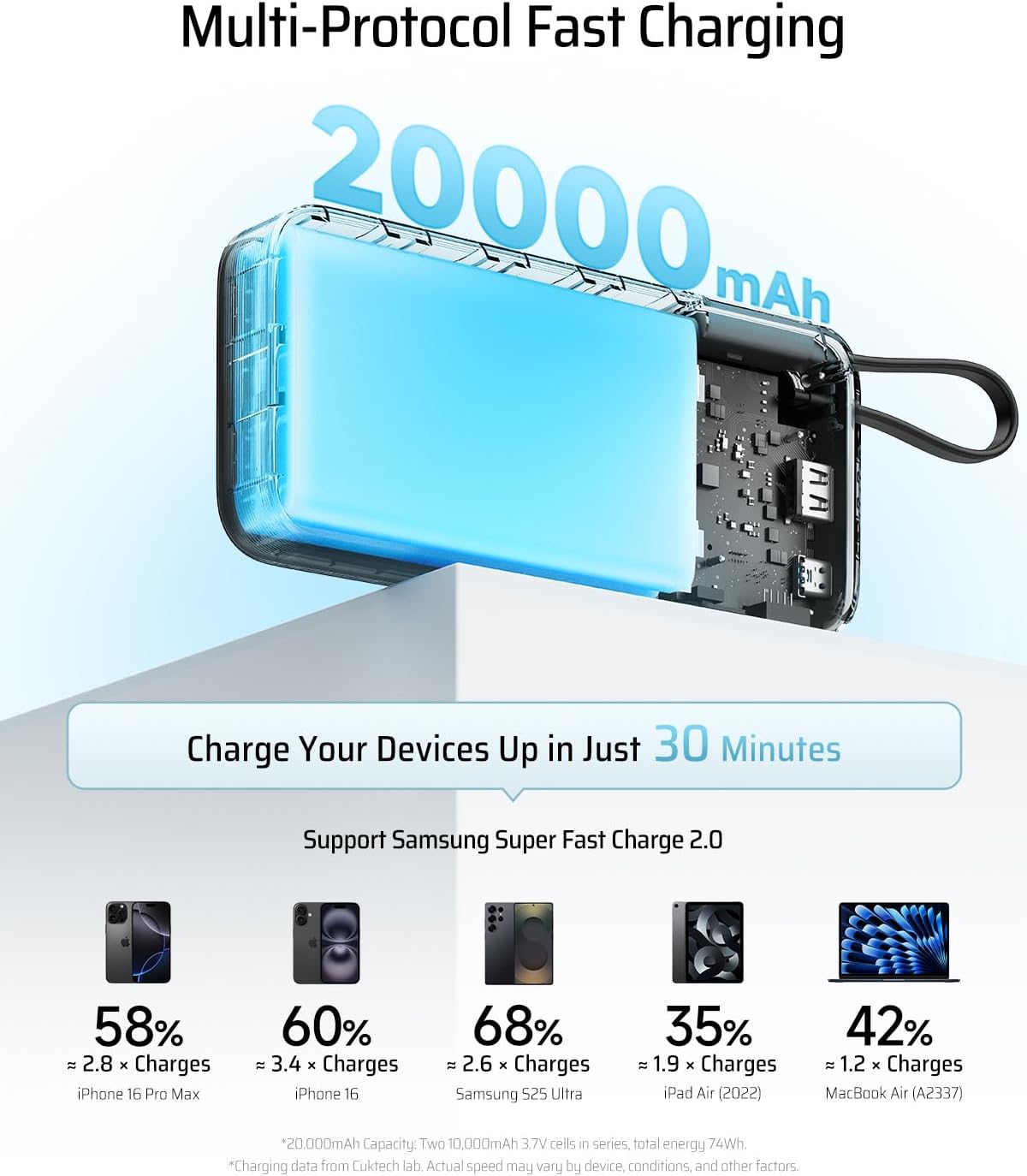
- Bank Kuasa 20000mAh: High capacity portable charger capable of providing multiple charges for mobile devices. For example, it can charge an iPhone 15 approximately 4.1 times, a Samsung Galaxy S24 Ultra about 2.9 times, and an iPad Air approximately 1.9 times.
- 45W MAX Power Bank Output: Supports rapid 45W MAX output for fast charging compatible devices like the iPhone 16/15 Pro Max, MacBook Air, and Samsung Galaxy S24 Ultra. A Samsung Galaxy S24 Ultra can be charged to approximately 50% in 20 minutes.
- Kabel USB-C Bersepadu: The power bank includes a built-in USB-C charging cable for convenience and durability, which also functions as a carrying strap.
Imej 1.1: Selesaiview of the CUKTECH 65W USB C Charger and 20000mAh Power Bank Combo.
2. Bermula
2.1 Kandungan Pakej
- CUKTECH 65W USB C Charger and 20000mAh Power Bank Combo
- Manual Pengguna
2.2 Pengecasan Awal Bank Kuasa
Before first use, fully charge the 20000mAh power bank. This ensures optimal performance and battery longevity.
- Connect the integrated USB-C cable from the power bank to the USB-C input port on the 65W charger.
- Plug the 65W charger into a standard wall outlet.
- The power bank's indicator lights will illuminate to show charging status. Charge until all indicator lights are solid, indicating a full charge.

Image 2.1: The power bank supports 45W MAX fast charging, which also applies to its self-charging capability.
3. Arahan Operasi
3.1 Using the 65W USB-C Charger
The 65W charger can be used independently to charge devices directly from a wall outlet.
- Unfold the AC prongs and plug the charger into a wall outlet.
- Connect your device's charging cable to one of the charger's output ports (2x USB-C, 1x USB-A).
- Connect the other end of the cable to your device. Charging will begin automatically.
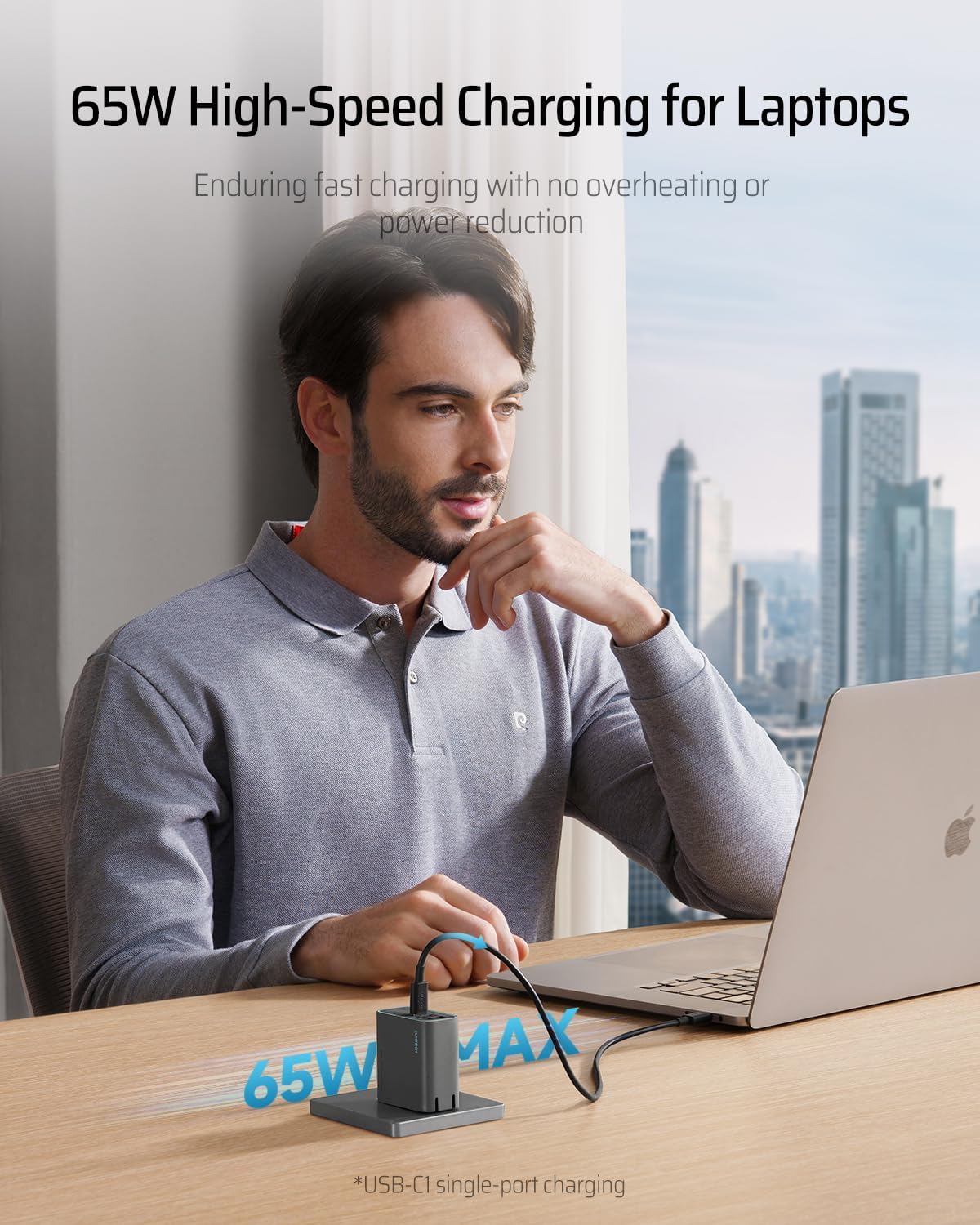
Image 3.1: The 65W charger provides high-speed charging for laptops and other compatible devices.
3.2 Using the 20000mAh Power Bank
The power bank provides portable power for your devices when a wall outlet is not available.
- Pastikan bank kuasa dicas secukupnya.
- For devices with a USB-C port, use the integrated USB-C cable or connect your own USB-C cable to one of the power bank's USB-C output ports.
- For devices requiring a USB-A connection, use your own USB-A cable with the power bank's USB-A output port.
- Connect the cable to your device. Charging will commence.

Image 3.2: The power bank features a convenient built-in USB-C cable for easy charging and portability.
3.3 Mengecas Berbilang Peranti
Both the charger and power bank can charge multiple devices simultaneously. The total output wattage will be distributed among the connected devices.
- When using the 65W charger, connect up to three devices to its available ports.
- When using the 20000mAh power bank, connect up to three devices to its available ports (including the built-in cable).

Image 3.3: The CUKTECH combo offers universal compatibility, charging a wide range of devices from phones to laptops.
4. Penjagaan dan Penyelenggaraan
- Keep the device dry. Do not expose it to moisture or liquids.
- Bersihkan peranti dengan kain lembut dan kering. Elakkan menggunakan bahan kimia yang keras atau bahan yang melelas.
- Simpan peranti di tempat yang sejuk dan kering jauh dari cahaya matahari langsung dan suhu yang melampau.
- Elakkan daripada menjatuhkan atau meletakkan peranti kepada kesan yang kuat.
- Periodically recharge the power bank if it is not used for extended periods to maintain battery health.
5. Penyelesaian masalah
| Isu | Kemungkinan Punca | Penyelesaian |
|---|---|---|
| Device not charging from charger. | Charger not plugged in correctly; cable faulty; device incompatible. | Ensure charger is firmly plugged into outlet. Try a different cable. Verify device compatibility. |
| Power bank not charging device. | Power bank battery depleted; cable faulty; device incompatible. | Recharge the power bank. Try a different cable. Verify device compatibility. |
| Kelajuan pengecasan perlahan. | Cable not supporting fast charging; multiple devices connected; device not supporting fast charging. | Use a high-quality, fast-charging compatible cable. Disconnect other devices to maximize power to one. Ensure your device supports fast charging protocols. |
| Bank kuasa tidak mengecas. | Charging cable faulty; wall adapter faulty; power bank internal issue. | Try a different USB-C cable and wall adapter. If issue persists, contact customer support. |
6. Spesifikasi Produk
| Ciri | Perincian |
|---|---|
| Model | B0DP43FW6Q |
| Kapasiti Power Bank | 20,000mAh |
| Charger Output (Max) | 65W (Jumlah) |
| Power Bank Output (Max) | 45W (Single Port) |
| Pelabuhan | 2x USB-C, 1x USB-A (on charger and power bank) |
| Kabel Terbina dalam | USB-C (supports 45W MAX) |
| Berat (Anggaran) | 17.6 oz (1.1 lb) |

Image 6.1: The power bank's weight is comparable to a standard bottle of water, highlighting its portability.
7. Maklumat Keselamatan Penting
- Jangan buka, ubah suai atau baiki peranti.
- Avoid exposure to extreme temperatures (above 45°C/113°F or below 0°C/32°F).
- Do not expose to fire or immerse in water.
- Jauhkan daripada kanak-kanak.
- Use only original or certified cables and adapters.
- If the device swells, emits an odor, or becomes excessively hot, discontinue use immediately and contact customer support.
- Lupuskan produk secara bertanggungjawab mengikut peraturan tempatan untuk sisa elektronik.
8. Waranti dan Sokongan
CUKTECH products are designed for reliability and performance. For warranty information or technical support, please refer to the official CUKTECH website or contact their customer service department. Please retain your proof of purchase for warranty claims.