
1. Produk Lebihview
The JONSBO CR1000 EVO ARGB CPU Cooler is designed for efficient and quiet CPU cooling, featuring significant performance upgrades and a low-noise design. It incorporates a new fan iteration with a noise level of 22-32dB(A) for quiet operation.
This cooler utilizes 4 nickel-plated copper heat pipes to optimize heat transfer efficiency, providing a 25% improvement compared to previous models. Its compact dimensions (L120 * W71 * H154mm) ensure compatibility with most tower cases.
The CR1000 EVO ARGB model features an integrated top cover with elegant lighting effects and a 12cm PWM ARGB fan with 9 sickle-shaped blades and 8 shock-absorbing silicone pads. The 5V 3Pin Rainbow ARGB system allows for synchronization with motherboard PCB for various lighting modes, including colorful, breathing, monochrome, and audio linkage.
It supports a wide range of platforms, including Intel LGA1851/1700/1200/115X and AMD AM4/AM5 sockets.

Image: JONSBO CR1000 EVO ARGB CPU Cooler showcasing its vibrant lighting.
Video: Official product video demonstrating the JONSBO CR1000 EVO CPU Air Cooler's features and appearance.
2. Apa yang ada di dalam Kotak
Upon opening your JONSBO CR1000 EVO ARGB CPU Cooler package, you should find the following components:
- Kipas CPU
- Heatsink with 4 Copper Heat Pipes
- Sirip Aluminium
- Mounting Hardware for Intel and AMD Sockets
- Pes Termal (yang telah disapu terlebih dahulu atau dalam tiub)
- Manual Pengguna (dokumen ini)
3. Spesifikasi
| Ciri | Spesifikasi |
|---|---|
| Dimensi Produk | 4.72 x 2.8 x 6.06 inches (120mm L x 71mm W x 154mm H) |
| Nombor Model Item | CR1000 EVO |
| Berat badan | 1.57 paun (0.71 kg) |
| Pengeluar | JONSBO |
| Jenis Penyambung Kuasa | Fan 4-Pin PWM / LED 3-Pin ARGB |
| Voltage | 12 Volt |
| Wattage | 1.92 watt |
| Kaedah Penyejukan | Udara |
| Peranti Serasi | PC Desktop |
| Tahap Kebisingan | 32 dB (Maks) |
| bahan | Aluminium, Plastik |
| Kelajuan Putaran Maksimum | 1500 RPM |
| Paip Haba | 4 Copper Heat Pipes |
| Bilah Kipas | 9 Sickle-shaped blades |
| Sokongan Soket | Intel: LGA1851/1700/1200/115X, AMD: AM4/AM5 |

Image: Detailed dimensions of the JONSBO CR1000 EVO CPU Cooler.
4. Panduan Pemasangan
This section provides general installation steps. Please refer to the specific mounting hardware instructions included in your package for detailed, platform-specific guidance (Intel LGA1851/1700/1200/115X or AMD AM4/AM5).
4.1. Persediaan
- Ensure your motherboard is compatible with the cooler's mounting system.
- Matikan komputer anda dan cabut semua kabel kuasa.
- Remove your existing CPU cooler and clean any old thermal paste from the CPU surface using isopropyl alcohol.
4.2. Installing the Backplate and Stand-offs
For most installations, you will need to install a backplate behind the motherboard and secure stand-offs from the front. Follow the instructions for your specific CPU socket type (Intel or AMD) to attach the correct backplate and stand-offs.
4.3. Memohon Thermal Paste
Apply a small amount of thermal paste (pea-sized dot or thin line) to the center of your CPU's integrated heat spreader (IHS). The pressure from the cooler will spread it evenly.
4.4. Mounting the Heatsink
Carefully place the heatsink onto the CPU, aligning the mounting holes with the stand-offs. Secure the heatsink using the provided screws or retention clips. Tighten screws in a diagonal pattern to ensure even pressure.
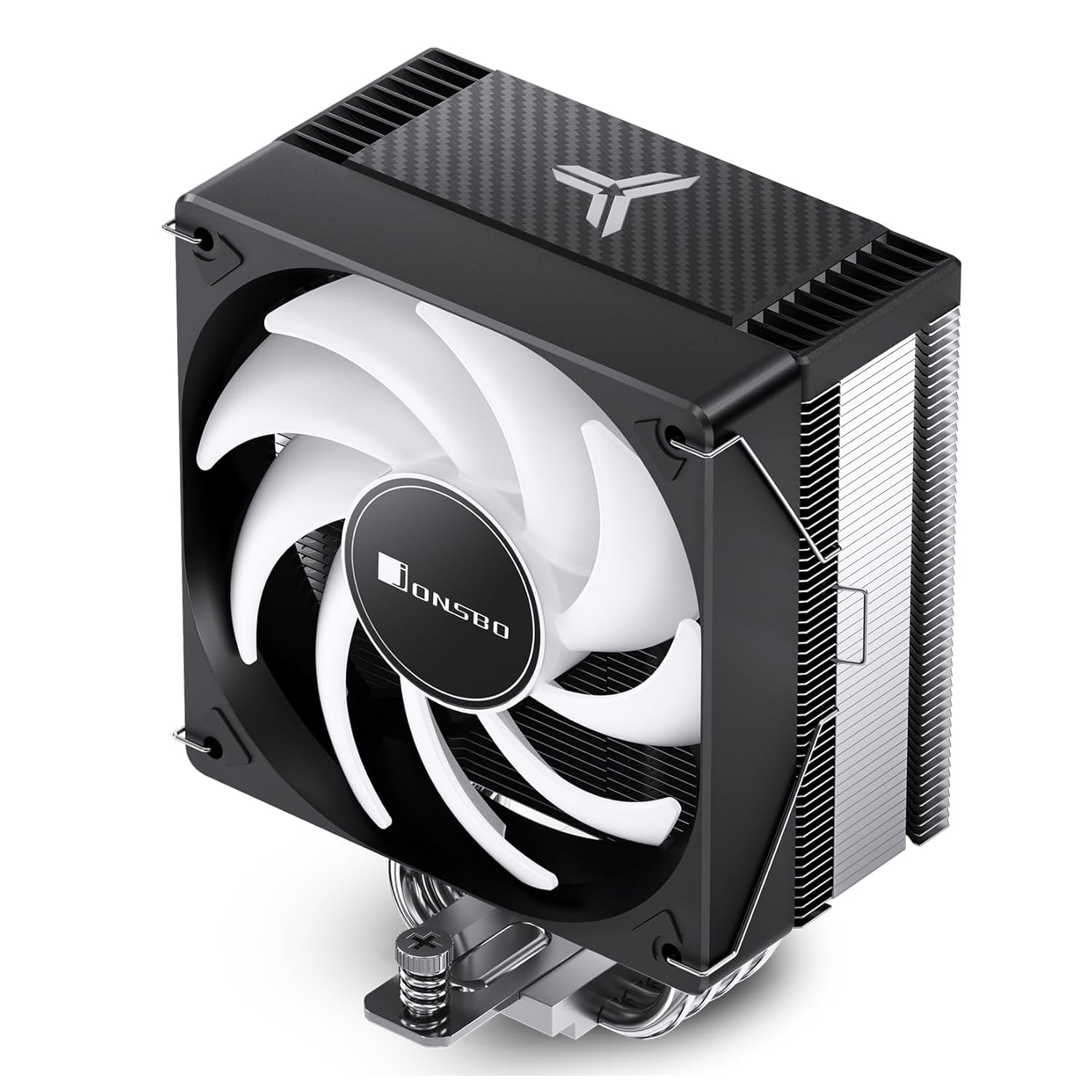
Imej: Sisi view of the JONSBO CR1000 EVO CPU Cooler, showing the heatsink and fan.
4.5. Memasang Kipas
Attach the 120mm fan to the heatsink using the included fan clips. Ensure the fan is oriented correctly to push air through the heatsink towards the rear or top of your case.

Image: The JONSBO CR1000 EVO CPU Cooler installed within a computer case, demonstrating its fit and appearance.
4.6. Menyambung Kabel
- Sambungkan kabel kipas PWM 4-pin ke pengepala CPU_FAN pada papan induk anda.
- Connect the 3-pin ARGB cable to a compatible 5V ARGB header on your motherboard. Ensure it is a 5V header and not a 12V RGB header to prevent damage.
5. Arahan Operasi
5.1. Fan Control (PWM)
The 4-pin PWM fan allows your motherboard to dynamically control the fan speed based on CPU temperature. This ensures optimal cooling performance while minimizing noise. You can typically configure fan curves in your motherboard's BIOS/UEFI settings or through manufacturer-provided software.
5.2. Kawalan Pencahayaan ARGB
The 5V 3-pin ARGB lighting can be controlled and synchronized with other ARGB components through your motherboard's RGB software (e.g., ASUS Aura Sync, MSI Mystic Light Sync, GIGABYTE RGB Fusion, ASRock Polychrome Sync). Refer to your motherboard manual for specific software and control options.
6. Penyelenggaraan
Penyelenggaraan tetap membantu memastikan jangka hayat dan prestasi optimum penyejuk CPU anda.
- Pembersihan Habuk: Periodically (every 3-6 months, or more frequently in dusty environments) use compressed air to clean dust from the heatsink fins and fan blades. Ensure the fan is held stationary while blowing air to prevent over-spinning and potential damage.
- Tampal Terma: While not required frequently, consider reapplying thermal paste every 2-3 years, or if you notice a significant increase in CPU temperatures.
- Pemeriksaan Kipas: Check the fan for any signs of wear, unusual noises, or wobbling. Replace the fan if necessary.
7. Penyelesaian masalah
If you encounter issues with your JONSBO CR1000 EVO ARGB CPU Cooler, refer to the table below for common problems and solutions.
| Masalah | Kemungkinan Punca | Penyelesaian |
|---|---|---|
| Kipas tidak berputar | Loose or incorrect power connection | Check if the 4-pin PWM cable is securely connected to the CPU_FAN header. |
| Suhu CPU yang tinggi | Insufficient thermal paste, improper heatsink mounting, dust buildup | Ensure heatsink is securely mounted with even pressure. Reapply thermal paste if necessary. Clean heatsink fins and fan. Check fan speed settings in BIOS. |
| Pencahayaan ARGB tidak berfungsi | Incorrect ARGB header connection, software issue | Verify the 3-pin ARGB cable is connected to a 5V ARGB header (not 12V RGB). Check motherboard RGB software settings. Update motherboard BIOS/drivers. |
| Kipas membuat bunyi yang luar biasa | Dust buildup, fan bearing issue, cable interference | Clean the fan blades. Ensure no cables are touching the fan blades. If noise persists, the fan may need replacement. |
8. Waranti dan Sokongan
For warranty information, technical support, or service inquiries, please refer to the warranty card included with your product or visit the official Jonsbo webtapak. Simpan bukti pembelian anda untuk tuntutan waranti.
Jonsbo is committed to providing high-quality products and customer satisfaction. If you have any questions or require assistance, do not hesitate to contact their customer support.