
pengenalan
Thank you for choosing the femometer 1015 Ear Thermometer. This device is designed to provide fast and accurate temperature readings for adults, children, and infants. Please read this manual thoroughly before using the thermometer to ensure proper operation, safety, and to achieve the most accurate results. Keep this manual for future reference.
Maklumat Keselamatan Penting
- This thermometer is intended for household use only. It is not a substitute for professional medical advice, diagnosis, or treatment. Consult a healthcare professional for any health concerns.
- Always use a new, clean disposable probe cover for each measurement to ensure hygiene and accuracy.
- Do not use the thermometer if the probe cover is damaged or missing.
- Keep the thermometer and probe covers out of reach of children and pets. Small parts may pose a choking hazard.
- Do not immerse the thermometer in water or other liquids. It is not waterproof.
- Elakkan daripada menjatuhkan termometer atau mengenakannya kepada hentaman kuat.
- Do not attempt to disassemble or repair the thermometer yourself. Contact customer support if service is required.
- Simpan termometer di tempat yang sejuk dan kering jauh dari cahaya matahari langsung dan suhu yang melampau.
Produk Selesaiview
The femometer 1015 is a digital ear thermometer designed for quick and reliable temperature readings. It features a clear display, memory function, and a mute option for quiet operation.

Image: The femometer 1015 Ear Thermometer shown alongside several boxes of disposable probe covers, highlighting the complete product package.
Ciri-ciri Utama dan Komponen
- Siasatan: The part inserted into the ear canal for measurement.
- Skrin Paparan: Shows temperature readings, battery status, and other indicators.
- Butang Pengukuran: Memulakan bacaan suhu.
- Butang Memori (MEM): Accesses stored temperature readings.
- Mute/Unit Switch Button: Toggles sound and switches between Celsius and Fahrenheit.
- Probe Cover Eject Button: Releases the used probe cover.
- Petak Bateri: Located at the bottom for battery insertion.

Image: An infographic illustrating the key features of the femometer 1015 Ear Thermometer, including fever alarm, 1-second fast reading, 30 memory recalls, 21 probe caps included, mute function, °C/°F switchable, 60-second auto shut-off, and 3-color temperature indication.
Persediaan
Pemasangan Bateri
The thermometer requires batteries for operation. Ensure correct polarity when inserting.
- Locate the battery compartment cover at the bottom of the thermometer.
- Slide or gently pull the cover to open the compartment.
- Insert the required batteries (typically AAA, refer to packaging for exact type) according to the polarity indicators (+/-).
- Tutup penutup petak bateri dengan selamat.
Attaching a Probe Cover
Disposable probe covers are essential for hygienic use and accurate readings. The femometer 1015 probe covers are 0% BPA and 0% Latex.
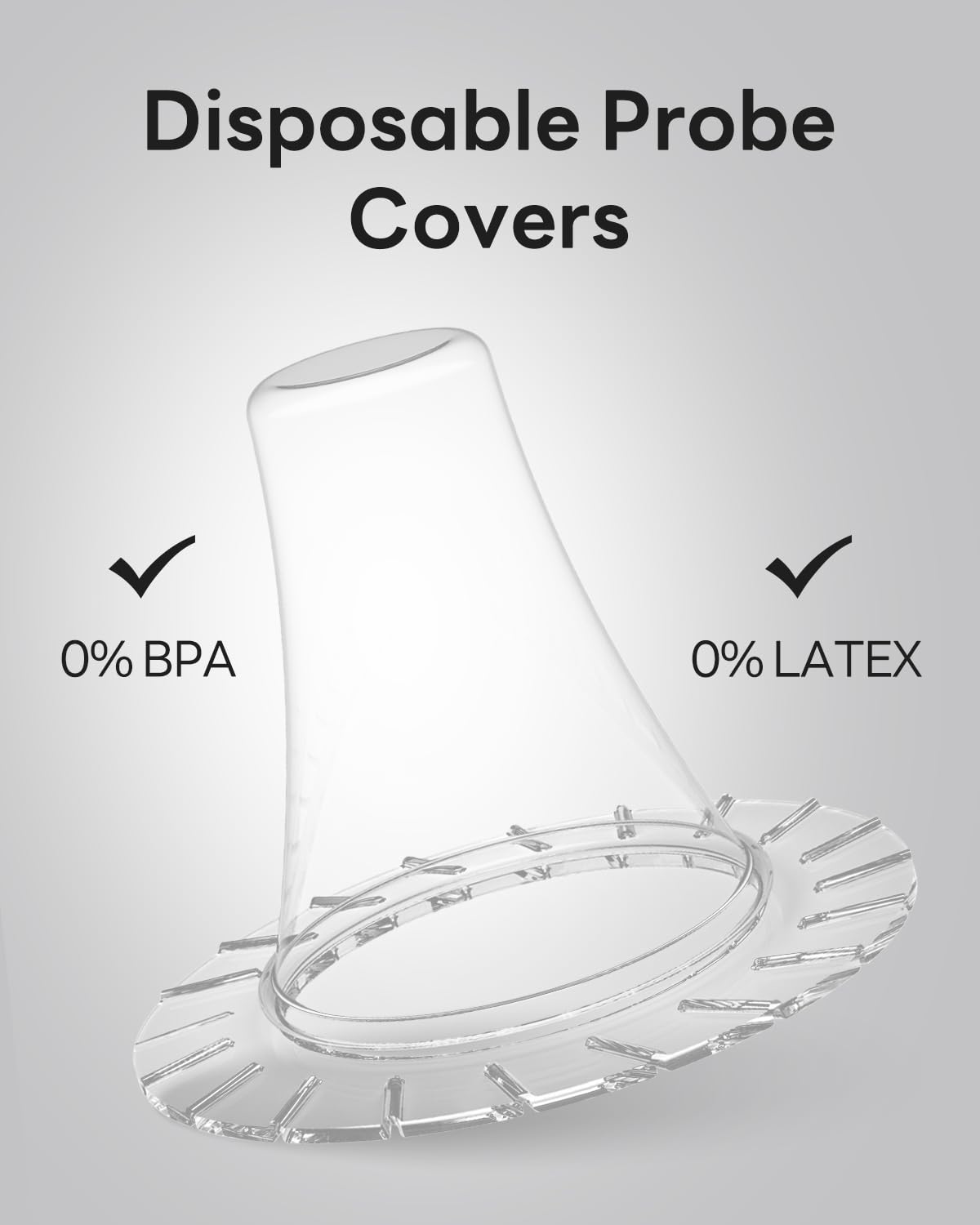
Image: A close-up of a disposable probe cover, clearly indicating that it is 0% BPA and 0% Latex, emphasizing its safety and material composition.

Image: A visual guide showing the correct method of attaching a probe cover by avoiding direct contact with the probe, contrasted with an incorrect method where the user's fingers touch the probe cover directly.
- Pastikan termometer bersih dan kering.
- Take a new, disposable probe cover from its packaging. Avoid touching the tip of the probe cover.
- Gently push the thermometer's probe into the probe cover until it clicks into place. Ensure it is seated firmly and correctly.
- Termometer kini siap digunakan.
Arahan Operasi
Mengambil Pengukuran Suhu
Follow these steps for an accurate temperature reading:

Image: A four-step visual guide demonstrating the process of using the thermometer: 1) Clean the probe, 2) Get on the cover, 3) Measure temperature by inserting into the ear, and 4) Get off the cover after use.
- Press the Measurement button to turn on the thermometer. It will perform a self-test and display the last reading.
- Ensure a new, clean probe cover is securely attached to the probe tip.
- Gently insert the probe tip into the ear canal. For accurate readings, ensure the probe is aimed towards the eardrum.
- Press the Measurement button again. A beep will sound (if not muted), and the reading will appear on the display within 1 second.
- Remove the thermometer from the ear. The reading will remain on the display.
- Press the Probe Cover Eject button to discard the used probe cover.
- The thermometer will automatically shut off after 60 seconds of inactivity to conserve battery.

Image: A person demonstrating the correct way to hold and insert the femometer 1015 Ear Thermometer into their ear for a temperature reading.

Image: An adult carefully taking a baby's temperature using the femometer 1015 Ear Thermometer, illustrating its suitability for infant use.
Unit Suhu Pensuisan (°C/°F)
Untuk bertukar antara Celsius (°C) dan Fahrenheit (°F):
- With the thermometer turned off, press and hold the Mute/Unit Switch button for approximately 3-5 seconds until the unit changes on the display.
- Release the button. The new unit will be saved for future measurements.
Ingat Ingatan
The thermometer stores up to 30 previous temperature readings.
- With the thermometer turned on, press the Memory (MEM) button.
- Each subsequent press of the MEM button will cycle through the stored readings, from most recent to oldest.
Fungsi Redam
To mute or unmute the thermometer's sound:
- With the thermometer turned on, briefly press the Mute/Unit Switch button.
- A speaker icon will appear or disappear on the display, indicating the sound status.
Fever Alarm and 3-Color Indication
The thermometer provides a visual indication of temperature status:
- hijau: Suhu biasa.
- Jingga: Elevated temperature (mild fever).
- merah: High temperature (fever), accompanied by an audible alarm (if not muted).
Penyelenggaraan dan Pembersihan
Membersihkan Termometer
To ensure hygiene and longevity of your thermometer:
- After each use, discard the used probe cover.
- Wipe the probe tip and the body of the thermometer with a soft cloth dampdicampur dengan alkohol (70% isopropil) atau pembasmi kuman ringan.
- Jangan gunakan agen pembersih yang kasar atau rendam termometer di dalam air.
- Allow the thermometer to air dry completely before storing.
Replacing Probe Covers
Always use a new probe cover for each measurement. The thermometer comes with 100 disposable probe covers.

Image: A hand pressing the eject button on the thermometer to remove and discard a used probe cover, demonstrating the process for preparing for the next measurement.
- After taking a measurement, press the Probe Cover Eject button to release the used cover directly into a waste bin.
- Attach a new, clean probe cover as described in the 'Setup' section before the next measurement.
Penyimpanan
Store the thermometer and unused probe covers in the provided storage case to protect them from dust and damage. Keep in a cool, dry place.
Menyelesaikan masalah
If you encounter issues with your femometer 1015 Ear Thermometer, refer to the table below for common problems and solutions.
| Masalah | Kemungkinan Punca | Penyelesaian |
|---|---|---|
| Termometer tidak dihidupkan. | Bateri mati atau salah dimasukkan. | Periksa kekutuban bateri atau gantikan dengan bateri baharu. |
| Bacaan tidak tepat atau tidak konsisten. | Used or improperly attached probe cover; dirty probe tip; incorrect insertion into ear canal; environmental factors. | Ensure a new, clean probe cover is used and correctly attached. Clean the probe tip. Ensure correct insertion angle. Allow thermometer to acclimatize to room temperature. |
| 'ERR' message on display. | Measurement error; ambient temperature out of range. | Ensure proper technique. Move to a room with stable temperature (10°C-40°C / 50°F-104°F). Wait a few minutes and try again. |
| No sound during operation. | Mute function is activated. | Press the Mute/Unit Switch button to unmute the device. |
Spesifikasi
| Ciri | Perincian |
|---|---|
| Nama Model | 1015 |
| Tapak Pengukuran | Telinga |
| Jenis Paparan | digital |
| Masa Pengukuran | 1 saat |
| Simpanan Memori | 30 bacaan |
| Unit Suhu | Celsius (°C) / Fahrenheit (°F) |
| Automatikan | 60 saat |
| Perlindungan Probe | Disposable, 0% BPA, 0% Latex |
| Sumber Kuasa | Dikuasakan Bateri |
| Bahan Luar | plastik |
| Kedalaman Perendaman | 3 Sentimeter |
| Penggunaan Dalaman/Luar | Dalaman |
Waranti dan Sokongan Pelanggan
The femometer 1015 Ear Thermometer is backed by a manufacturer's warranty. For specific warranty details, please refer to the warranty card included with your product or visit the official femometer webtapak.
If you have any questions, require technical assistance, or need to report an issue with your thermometer, please contact femometer customer support. Contact information can typically be found on the product packaging or the official brand webtapak.